
For users clinging to their legacy Microsoft Windows Live Hotmail accounts, the transition to modern email clients can be a significant hurdle. The older interface, often slower and less intuitive than contemporary options, can feel outdated and frustrating. However, abandoning a long-standing email address, often associated with years or even decades of personal and professional communication, is a daunting prospect. This is where the Microsoft Outlook Connector for Windows steps in, offering a solution to seamlessly integrate the familiarity of a Hotmail account with the enhanced functionality and speed of the Outlook interface.
Features and Integrations: How the Connector Works
The Microsoft Outlook Connector provides a bridge between the legacy Windows Live Hotmail and the Outlook 2003 or Outlook 2007 environment. This means accessing your email, contacts, calendar, tasks, and notes from your Hotmail account, all within the more familiar and efficient Outlook layout. While access to email and contacts is free, the full suite of features, including calendar management, note-taking, and task tracking, requires a subscription.
This subscription also unlocks the ability to sync multiple accounts, allowing for consolidated management of various email addresses within a single Outlook interface. This consolidated view significantly enhances productivity and organization, streamlining email management and minimizing the need to switch between different email platforms.
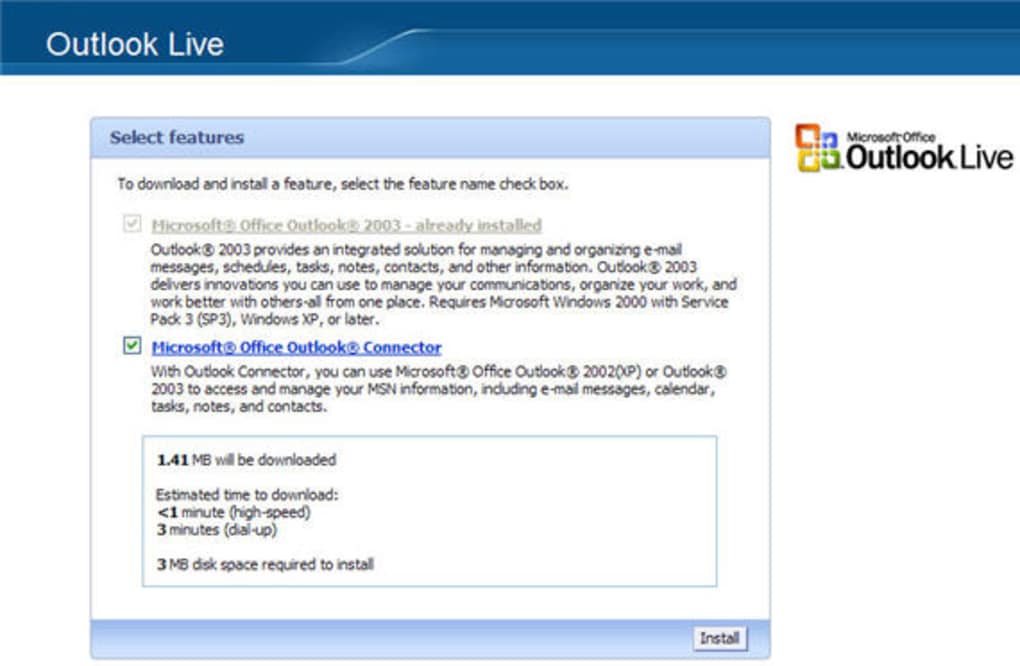
Beyond the simple interface shift, the Connector leverages the robust tools and features inherent in Microsoft Outlook. A key advantage is the integration of Outlook’s sophisticated spam filter. This filter actively screens incoming emails from your Hotmail account, blocking unwanted spam and reducing email clutter. For older Hotmail accounts, frequently subscribed to various mailing lists over time, this feature is invaluable, preventing the daily chore of sifting through countless unwanted emails. Furthermore, this integrated spam filtering enhances security by preventing potentially harmful links or attachments from reaching your inbox.
Compatibility and System Requirements: Running the Connector
The minimum system requirement for the Microsoft Outlook Connector for Windows is Windows 2003, aligning with the supported Outlook versions (2003 or 2007). While compatibility extends to modern operating systems like Windows 10 and Windows 11, Windows 2003 represents the lower bound for functionality. It’s crucial to remember that full access to the connector’s features requires a paid subscription.
Microsoft 365 as an Alternative: Modern Outlook’s Integrated Approach
While the Microsoft Outlook Connector offers a solution, it’s important to consider the alternative presented by Microsoft 365. Although the Connector cannot be accessed through a Microsoft 365 subscription, Microsoft 365 offers a direct and potentially superior solution: built-in account syncing within modern versions of Microsoft Outlook. This eliminates the need for a separate download and subscription for the Connector, offering a more streamlined and integrated approach.
The various Microsoft 365 plans offer different levels of Outlook access:
-
Microsoft 365 Personal: Ideal for individuals, this plan provides essential Office applications (Word, Excel, PowerPoint, and OneDrive with 1TB storage). Email functionality includes Outlook for desktop, web, and mobile, suitable for managing personal communications across devices.
-
Microsoft 365 Family: Similar to the Personal plan, but allows sharing with up to six users, each with 1TB OneDrive storage and access to the core Office apps. It also offers Outlook across desktop, web, and mobile platforms, perfect for family communication and organization.
-
Microsoft 365 Business: Offering tiered options (Basic, Standard, Premium, and Apps for Business), this suite caters to business needs. While all tiers provide core Office apps and business tools, Outlook availability varies. Basic plans typically include Outlook for web and mobile, while higher tiers (Standard and Premium) add the desktop version. This makes it a suitable choice for managing professional emails and calendars.
-
Microsoft 365 Enterprise: Designed for large organizations with advanced requirements, Enterprise plans include Outlook for desktop, web, and mobile across all tiers, enhanced with features like shared mailboxes, compliance tools, and robust security measures. This is tailored for large-scale communication management within organizations.
In essence, all Microsoft 365 plans include some form of Outlook. However, the Personal, Family, and higher-tier Business/Enterprise plans offer the full desktop version of Outlook, providing a comprehensive experience. Lower-tier Business plans primarily focus on web and mobile access. Crucially, all these Outlook versions provide options to sync non-Outlook accounts, negating the need for the Microsoft Outlook Connector.
Microsoft Outlook: A Modern Email Solution
Microsoft Outlook itself, available independently or as part of Microsoft 365, offers a compelling alternative to using the Microsoft Outlook Connector. Modern versions of Outlook have integrated features allowing seamless synchronization with various email accounts, including those from providers other than Microsoft. This consolidated approach eliminates the need for third-party connectors, simplifying email management and enhancing user experience. The modern Outlook interface provides a more intuitive and efficient email management environment compared to older versions. This includes features such as improved search functionality, enhanced calendar management tools, and robust contact organization capabilities. The advanced features included in Microsoft Outlook often surpass the capabilities offered by the Outlook Connector.
User Reviews and Feedback
User reviews for the Microsoft Outlook Connector are mixed. Some users report successful integration with their Hotmail accounts, appreciating the ease of transitioning to a more familiar Outlook interface. However, others have voiced concerns, including issues with functionality, compatibility problems, and even suspicions of attempts to access personal data. These mixed reviews highlight the potential risks and limitations associated with using older connector software. The availability of modern, integrated solutions within Microsoft 365 offers a safer and often more effective alternative for most users.
Conclusion: Choosing the Right Path
The Microsoft Outlook Connector for Windows presents a solution for those hesitant to abandon their older Hotmail accounts. It allows for using the familiar Outlook interface with their legacy emails. However, the requirement of a paid subscription for full functionality, along with the mixed user reviews, should prompt careful consideration. The availability of integrated account syncing within modern versions of Microsoft Outlook, readily accessible through Microsoft 365 subscriptions, often provides a superior alternative. This approach delivers a more secure, efficient, and feature-rich email management experience without the complications and potential limitations associated with the older Outlook Connector. The decision ultimately depends on individual needs and preferences, but the compelling advantages of modern Outlook and Microsoft 365’s seamless integration should be carefully weighed against the limitations of the Microsoft Outlook Connector.
File Information
- License: “Free”
- Latest update: “December 5, 2024”
- Platform: “Windows”
- OS: “Windows 2003”
- Language: “English”
- Downloads: “384.4K”
- Size: “4.58 MB”


