
Microsoft Paint has been a staple in the Windows application suite for decades. Its simple approach and basic drawing functionality earned it a special place in the hearts of many Windows users. However, with the arrival of Windows 10, Microsoft decided to give this drawing and creation tool a groundbreaking twist, resulting in Microsoft Paint 3D. The addition of “3D” to the name accurately reflects its enhanced capabilities: creating and modifying three-dimensional images. The program boasts numerous advantages and several delightful changes, transforming it into a more sophisticated and advanced free image editor than its predecessor.
The Arrival of 3D in Windows
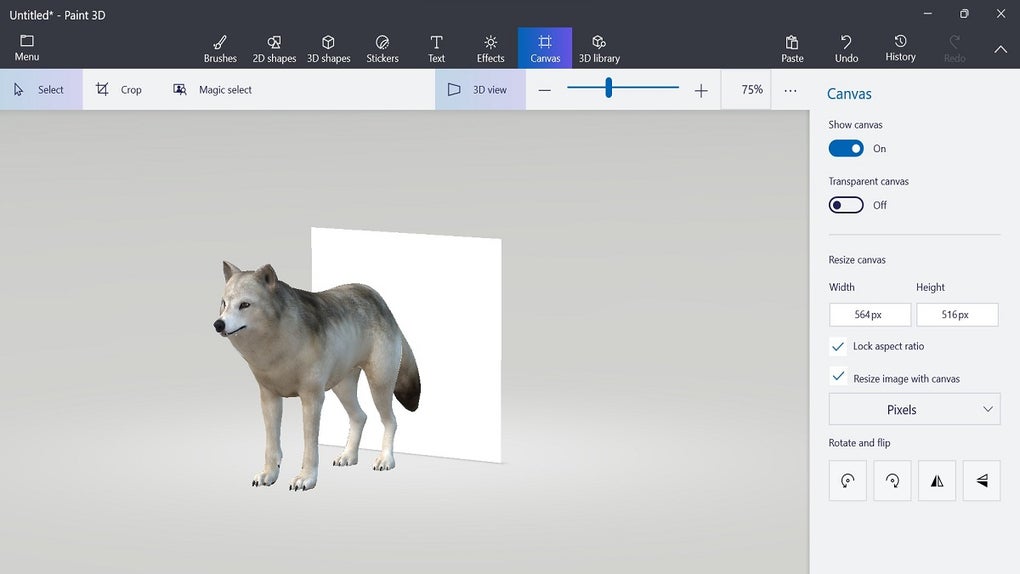
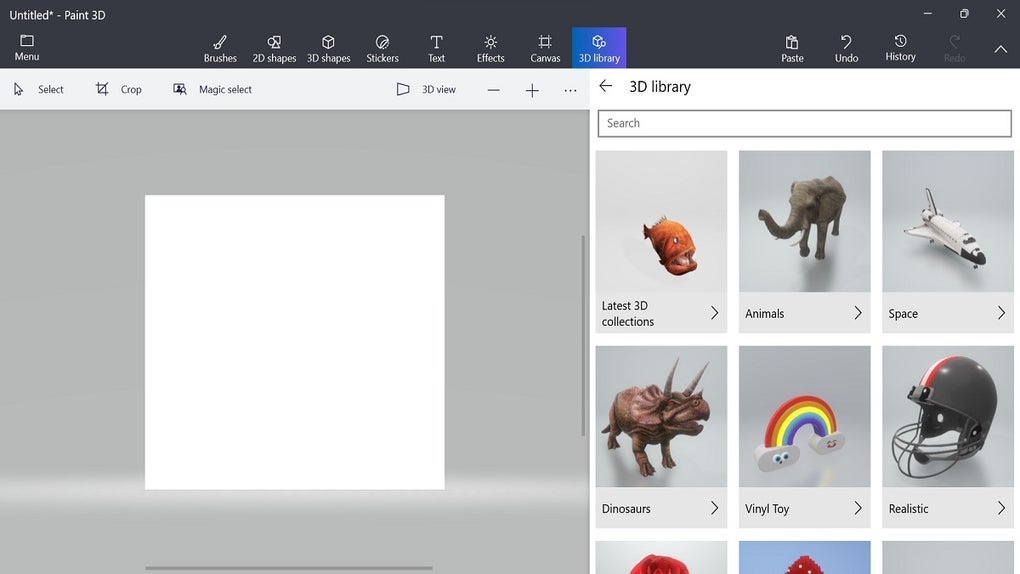
The most significant feature of Paint 3D is its ability to create three-dimensional objects. Users can start from scratch using the application’s built-in 3D modeling tools or import pre-existing 3D models. This opens up a world of creative possibilities, allowing users to design everything from 3D characters and landscapes to buildings and much more – a far cry from the capabilities of the original Paint.
Paint 3D offers a wide variety of basic 3D shapes, including cubes, spheres, and cylinders, which can be customized and combined to create more complex objects. Users can also add textures, colors, and effects to bring their creations to life. The ability to create in 3D is particularly attractive to artists, designers, and students who want to experiment with three-dimensional creation. It serves as an excellent starting point for those wishing to explore these tools.
User-Friendly Interface: Perfect for Beginners
Despite its 3D capabilities, Paint 3D maintains an intuitive and user-friendly interface. The fear of adopting new technology is mitigated by the program’s design. The 2D drawing tools are similar to those in traditional Paint, making the transition easy for users already familiar with the older application. Furthermore, the addition of 3D tools seamlessly integrates into the interface, allowing users to switch between 2D and 3D with ease.
Paint 3D’s interface also includes helpful tutorials and tips that guide users as they explore the application’s capabilities. This is particularly beneficial for those new to 3D creation and want to learn how to use all the available features.
A Thriving Online Community and Extensive Resources
Microsoft has created an online community dedicated to Paint 3D users. This community allows users to share their creations, gain inspiration from other artists, and access additional material to integrate into the program. This online community is a significant advantage for those wishing to learn and improve their 3D creation skills.
Paint 3D also integrates with Remix 3D, an online platform offering a vast library of 3D models created by other users. This makes it easy to find 3D models to incorporate into projects, expanding creative possibilities considerably.
Beyond Shapes: Stickers and 3D Text
Another interesting feature of Paint 3D is the ability to add 3D stickers and text to creations. This allows for further customization and adds a unique touch to designs. 3D stickers can be imported from Remix 3D or created by the user, providing a high degree of flexibility in project personalization. 3D text, meanwhile, allows users to add three-dimensional words and messages to their designs. A variety of fonts and styles are available to match the aesthetics of the project.
Learning 3D with a Familiar Tool
Microsoft Paint 3D represents a significant evolution of a classic drawing tool, offering a user-friendly 3D creative experience. Its ease of use, online community, and 3D creation capabilities make it a valuable tool for artists, designers, and digital creativity enthusiasts. If you’re looking for a way to bring your ideas to life in 3D, Microsoft Paint 3D is an option worth considering. It bridges the gap between simple drawing and complex 3D modeling, making it accessible to a wide range of users.
Detailed Comparison with Traditional Paint
While retaining the familiar ease of use associated with the original Paint, Paint 3D offers a substantial upgrade in functionality. The original Paint was limited to 2D drawing and basic image manipulation, whereas Paint 3D introduces a new dimension – literally. This expanded functionality extends beyond just 3D modeling; the inclusion of features like 3D stickers and text adds layers of customization previously unavailable. The integration with Remix 3D further enhances the creative potential, providing access to a vast library of pre-made assets.
The original Paint was primarily a tool for simple drawings, quick edits, and basic image creation. Paint 3D, however, aspires to be a more versatile tool, capable of creating more complex and dynamic visuals. While it may not replace professional 3D modeling software, it serves as a valuable entry point for beginners and a convenient tool for users who need basic 3D capabilities.
Strengths and Weaknesses of Microsoft Paint 3D
Strengths:
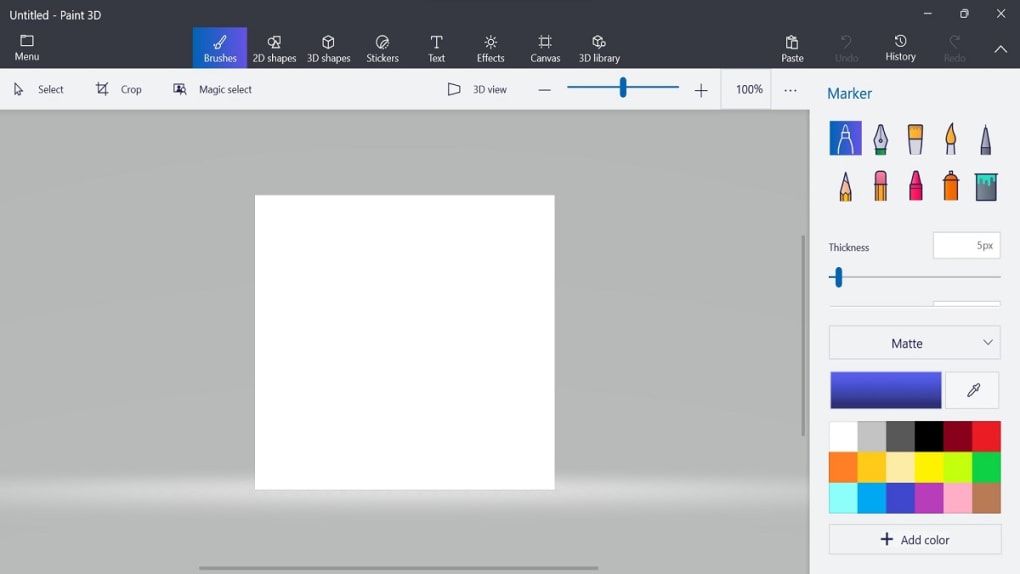
- Accessibility: The intuitive interface and familiar tools make it easy for users of all skill levels to use, particularly those accustomed to the original Paint.
- 3D Capabilities: The inclusion of 3D modeling tools, even if basic, opens up a new world of creative possibilities previously unavailable in the original Paint.
- Community Support: The online community and integration with Remix 3D provide access to a wealth of resources, tutorials, and pre-made assets.
- Free and readily available: The software is free and comes pre-installed on many Windows 10 and 11 systems, making it easily accessible.
- Integration with other Windows applications: Seamlessly integrates with other Windows apps, allowing for easy sharing and collaboration.
Weaknesses:
- Limited for Advanced Users: While suitable for beginners and casual users, Paint 3D lacks the advanced features and precision controls found in professional 3D modeling software. Complex projects might require more sophisticated tools.
- Windows-Only: The software is exclusive to the Windows operating system, limiting its accessibility to users of other platforms.
- Basic 3D Tools: The 3D modeling tools, while user-friendly, are relatively basic compared to dedicated 3D software. Advanced techniques and complex models may be challenging to create.
- Occasional Bugs and Glitches: Like any software, Paint 3D has experienced occasional bugs and glitches, although these are generally addressed through updates.
Conclusion: A Valuable Addition to the Windows Ecosystem
Microsoft Paint 3D successfully bridges the gap between simple 2D image editing and the complexities of 3D modeling. While it may not replace professional-grade software, its ease of use, accessibility, and expanded features make it a valuable addition to the Windows ecosystem. It empowers users of all skill levels to explore their creativity and experiment with 3D design without the steep learning curve often associated with more advanced software. For casual users and those new to 3D, Paint 3D provides a fantastic and accessible introduction to the world of three-dimensional creation.


