
Microsoft Publisher is a desktop publishing application available as part of the Microsoft 365 suite. While sharing some similarities with Microsoft Word, its focus diverges significantly. Instead of prioritizing text composition, spelling and grammar checks, Publisher emphasizes visual design and layout, providing tools to create visually appealing publications without requiring advanced design skills or expensive software. It’s designed to be user-friendly, making it a suitable choice for small businesses, individuals, and anyone needing to produce professional-looking documents, brochures, newsletters, and other marketing materials.
Features and Integrations: Streamlining the Design Process
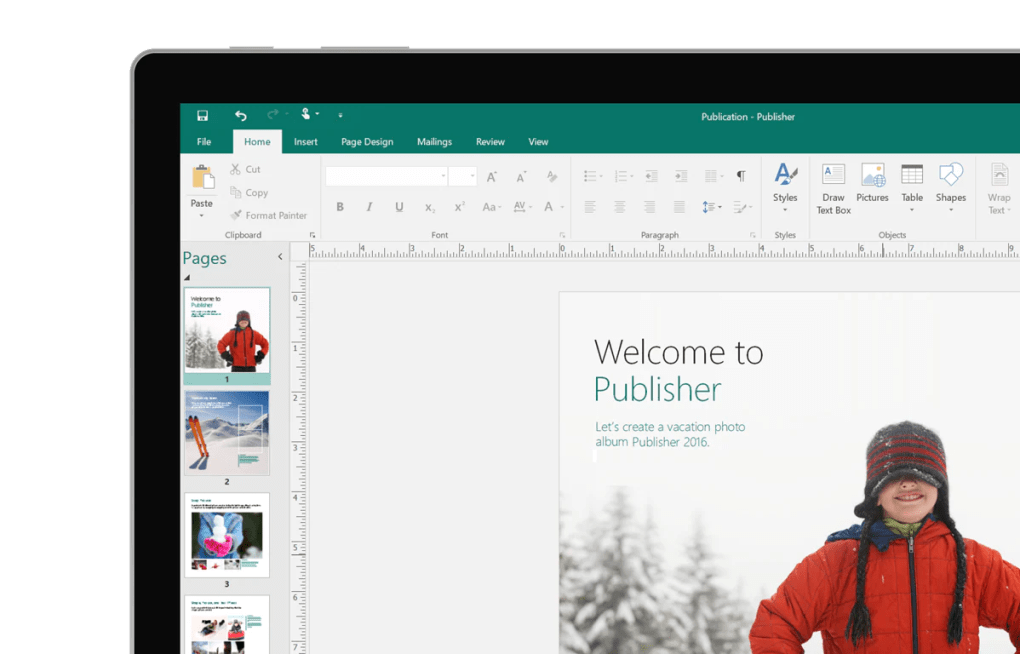
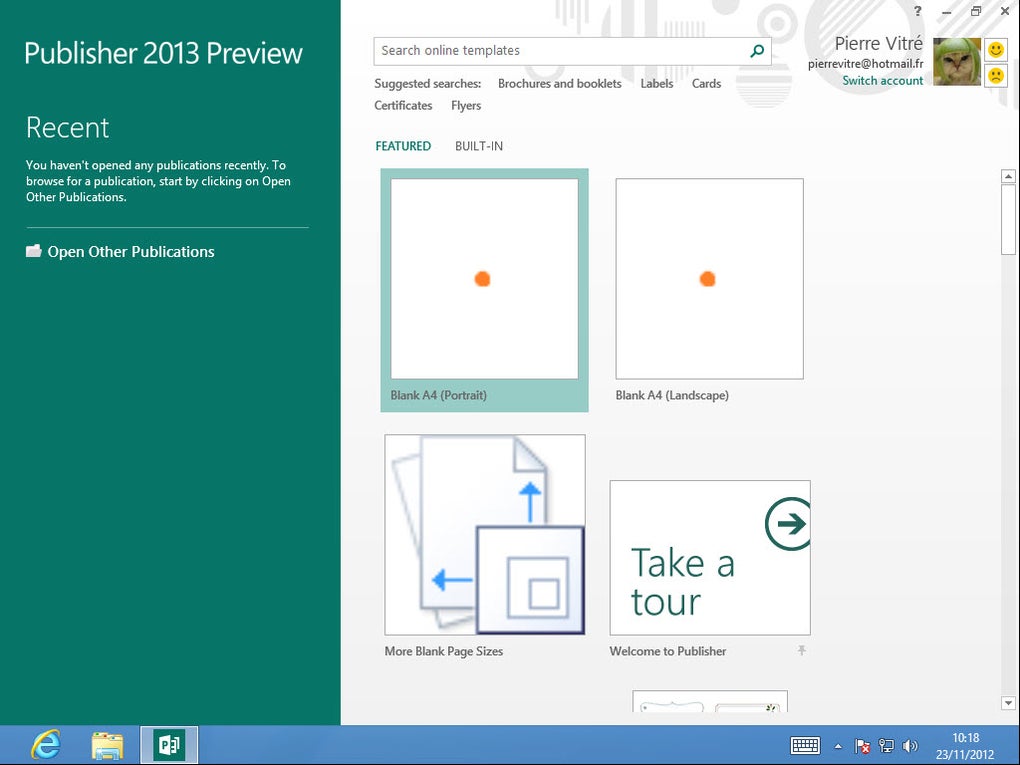
Publisher offers a range of features designed to simplify the creation of visually compelling publications. Users can choose from a variety of pre-designed templates to jumpstart their projects, offering inspiration and a head start on layout. Alternatively, a blank canvas allows for complete creative control.
The user interface mirrors other Microsoft applications, using familiar ribbons (toolbars) for easy access to formatting options and tools. This intuitive design minimizes the learning curve, making it accessible even to users with limited experience in desktop publishing software.
One of Publisher’s key strengths lies in its ability to seamlessly integrate with other Microsoft 365 applications. This interoperability significantly streamlines the workflow. For instance, data from Microsoft Excel spreadsheets can be easily incorporated into Publisher publications. Sales figures, charts, and graphs created in Excel can be effortlessly imported, enhancing the visual presentation of data-driven content. Similarly, text-heavy content, such as articles or reports drafted in Microsoft Word, can be seamlessly integrated into a Publisher document, allowing for precise control over layout and design. This integrated approach eliminates the need to manually reformat and adjust content, saving significant time and effort.
Publisher also offers robust image editing capabilities, allowing users to import, resize, and position images, enhancing the visual appeal of their publications. Users have control over background design, applying consistent backgrounds across their projects. This ensures a cohesive and professional look, crucial for marketing and promotional materials. The ability to easily manipulate text, images, and other multimedia elements provides significant flexibility in crafting visually engaging publications.
System Requirements and Compatibility: Ensuring Smooth Operation
To use Microsoft Publisher via Microsoft 365, a Windows 8 operating system or later is required. The application’s file format is .pub, compatible with all versions of Microsoft Publisher. Microsoft Publisher 2021 operates on Version 16.0 and is exclusively compatible with Windows computers. Older versions of Microsoft Publisher, purchased through standalone Microsoft Office licenses, support older Windows systems.
A key distinction arises concerning the saving and accessing of documents. While Microsoft 365 subscribers benefit from OneDrive integration, allowing cloud-based access to their work from any location, users with traditional licenses save their work directly to their computers. This lack of cloud integration limits accessibility and collaboration for those not using a Microsoft 365 subscription.
Microsoft 365 Plans and Licensing: Choosing the Right Subscription
Access to Microsoft Publisher is contingent on possessing the appropriate Microsoft 365 subscription. Several plans catering to small and medium-sized businesses provide access:
-
Microsoft 365 Apps for business: This plan allows access to Office applications, including Publisher, on up to five computers, smartphones, or tablets across Windows, Apple, and mobile platforms.
-
Microsoft 365 Business Basic: Targeted towards small and medium-sized businesses, this plan provides access to online Office 365 applications and 1 TB of cloud storage for shared company files. However, it notably does not include Microsoft Publisher.
-
Microsoft 365 Business Standard: Suitable for medium to large businesses, this combines features from Business Basic with those of Microsoft 365 Apps for business, thus including Microsoft Publisher.
-
Microsoft 365 Business Premium: Designed for larger organizations (up to 300 employees), this plan includes all Business Standard features, augmented with Windows 10 Business, Microsoft Intune, Defender for Office 365, Azure Virtual Desktop, Azure AD P1, and Defender for Business. Publisher is also included in this comprehensive package.
Alternatively, a standalone perpetual license for Microsoft Publisher can be purchased through a traditional Microsoft Office package. However, it’s essential to note that Microsoft has announced plans to discontinue Publisher in October 2026. After this date, access via Microsoft 365 subscriptions will cease, regardless of the plan. Only users with pre-existing Microsoft Office licenses will retain access, though these will no longer receive updates.
Microsoft Publisher: A Beginner-Friendly Layout Program
While Microsoft Publisher may not yet hold the same professional dominance as Adobe InDesign or QuarkXPress, it commands a significant user base. Its appeal lies in its accessibility and its seamless integration within the Microsoft ecosystem.
Publisher is an excellent choice for those needing basic desktop publishing capabilities who already use or subscribe to Microsoft Office. It empowers users to create high-quality publications and marketing materials without requiring extensive design experience. The intuitive interface and pre-designed templates lower the barrier to entry for users who may be intimidated by more complex professional-grade software. The integration with other Office applications streamlines the workflow, enabling users to leverage the capabilities of Excel and Word to create richer, more data-driven, and visually engaging publications. It’s an efficient and cost-effective solution for many small businesses and individual users.
User Reviews and Feedback: Gathering User Perspectives
User reviews highlight both the strengths and limitations of Microsoft Publisher. While many praise its user-friendliness, ease of integration with other Microsoft Office products, and the availability of templates, some criticisms center on the lack of advanced features compared to professional-grade software, such as Adobe InDesign. Certain users have expressed frustration regarding activation keys and the limited availability of free trial versions. Others have found the selection of templates to be somewhat limited for certain publication types, such as magazines. Overall, the feedback indicates that Microsoft Publisher serves its intended purpose well for basic desktop publishing tasks, but those requiring advanced features or specialized templates may need to consider alternative professional-level solutions. The reviews underscore the need for Microsoft to balance user accessibility with the inclusion of more advanced functionalities to remain competitive in the evolving landscape of desktop publishing software.
Alternatives to Microsoft Publisher: Exploring Other Options
While Microsoft Publisher offers a user-friendly approach to desktop publishing, users seeking more advanced features or specific functionalities may need to explore alternative software. These alternatives range from free and open-source options to professional-grade applications.
Open-source solutions like LibreOffice Draw offer a basic level of desktop publishing functionality, providing a free alternative for users with limited budgets. For those needing professional-grade tools, Adobe InDesign is a widely used industry standard, providing extensive design capabilities and control over complex layouts. Other options include Affinity Publisher, Scribus, and QuarkXPress, each with its own strengths and weaknesses catering to various user needs and skill levels. The choice of an alternative depends entirely on the specific needs of the user and their level of experience in desktop publishing. The availability of free trials or demonstrations can be helpful in making an informed decision.


