
Microsoft Safety Scanner is a free, on-demand virus scanner designed for emergency situations. It’s not a replacement for a full-time antivirus solution, but rather a powerful tool to tackle infections when your primary security software fails or when you suspect a serious compromise. Think of it as a last resort, a quick-strike weapon in your arsenal against malware. This article delves into its capabilities, limitations, and how it can be a valuable asset in your digital security strategy.
Understanding Microsoft Safety Scanner’s Role
Microsoft Safety Scanner isn’t your everyday antivirus program. It’s not meant to be installed and run constantly in the background, providing real-time protection. Instead, it’s a standalone utility designed for targeted scans to identify and remove malware, spyware, and viruses that have already infected your system. It’s particularly useful when your regular antivirus fails to detect or remove a specific threat.
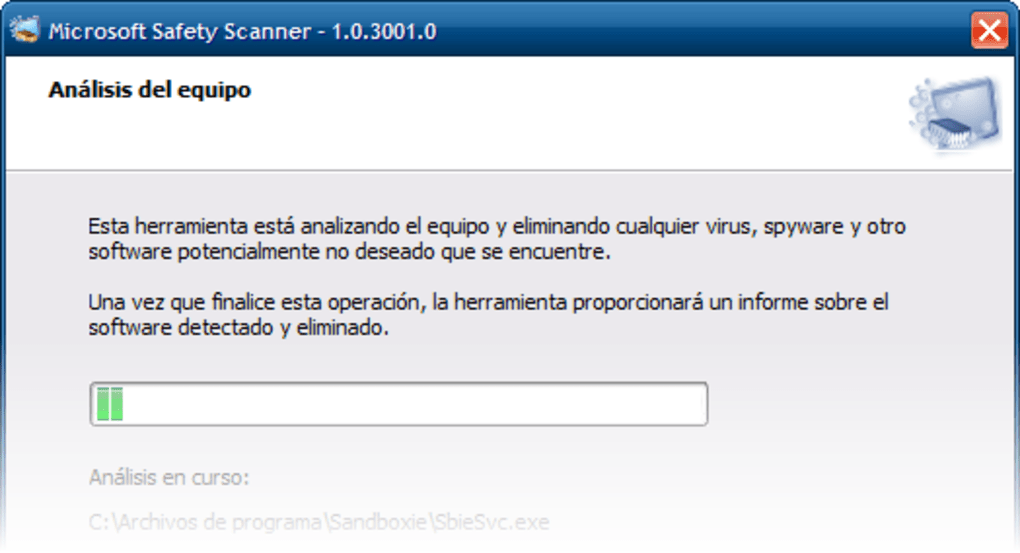
The scanner boasts a powerful engine capable of detecting a broad range of threats. It’s designed to work effectively even on heavily infected systems, though loading it onto a severely compromised machine might present some challenges. Once the scan is complete, the scanner will provide a report detailing the identified threats and, where possible, offer solutions for their removal. The process is relatively straightforward, making it accessible even to users with limited technical expertise.
However, it’s crucial to understand its limitations. Microsoft Safety Scanner is a temporary solution. The executable expires after ten days to encourage users to adopt a comprehensive antivirus solution for long-term protection. This limitation underscores its emergency-only nature. It’s not intended as a replacement for a robust, always-on antivirus program.
How to Use Microsoft Safety Scanner Effectively
Using Microsoft Safety Scanner is a straightforward process:
- Download: Download the latest version of the Microsoft Safety Scanner from the official Microsoft website. Ensure you download it from a trusted source to avoid malware masquerading as the legitimate tool.
-
Run: Execute the downloaded file. The scanner will begin a thorough scan of your system. This may take some time, depending on your computer’s speed and the extent of the infection.
-
Review Results: Once the scan is complete, a report will outline any detected threats. The report will clearly indicate the nature of each threat and recommend appropriate actions. These actions may involve quarantine, removal, or further investigation.
-
Take Action: Carefully review the suggested actions and follow the instructions provided. Some threats may require manual intervention, while others can be automatically removed by the scanner.
-
Restart: After completing the actions recommended by the scanner, restart your computer to ensure that all changes are applied.
-
Install a Full Antivirus: Following the successful use of the Microsoft Safety Scanner, it’s strongly recommended to install a reputable, full-featured antivirus program for ongoing protection. This will prevent future infections and provide real-time safeguards.
Advantages and Disadvantages of Using Microsoft Safety Scanner
Pros:
-
Free: The scanner is entirely free to use, making it accessible to everyone facing a malware emergency. This is a significant advantage, especially for those who may not have the budget for commercial antivirus software.
-
Powerful Engine: Despite its temporary nature, it possesses a powerful engine capable of detecting and removing a wide variety of malware, even on severely compromised systems.
-
Easy to Use: Its simple interface makes it user-friendly, even for those with limited technical expertise. The clear reporting and straightforward instructions streamline the process.
-
Emergency Solution: It’s an ideal solution for emergency situations when your primary security software fails to address a significant infection.
-
Lightweight: The small installation footprint makes it suitable for use on machines with limited storage capacity.
Cons:
- Temporary: The scanner expires after ten days, making it unsuitable for long-term protection. This is by design to prevent its use as a primary antivirus solution.
-
Limited Functionality: It lacks the features found in full-fledged antivirus programs, such as real-time protection, scheduled scans, and advanced threat prevention tools.
-
Difficult to Load on Heavily Infected Systems: While designed to function even on compromised systems, loading it onto a severely infected machine may still prove challenging due to interference from the malware.
-
No Permanent Solution: It addresses immediate threats, but it doesn’t provide a long-term solution to maintaining system security. Installing a full antivirus is crucial following its use.
Microsoft Safety Scanner: A Valuable Tool in Your Digital Arsenal
While Microsoft Safety Scanner has its limitations, its strengths make it a valuable tool in any computer user’s arsenal. Its ability to effectively deal with difficult malware infections, its free availability, and its ease of use make it a crucial emergency resource. However, remember it’s a temporary solution. It should always be followed by the installation of a robust, comprehensive antivirus program to ensure sustained protection against future threats. Treat it as a powerful tool for addressing immediate crises, not as a replacement for ongoing security. It’s best utilized as a last resort when other methods fail, providing a vital lifeline to recover your system from a serious infection. Always prioritize downloading from the official Microsoft website to ensure you’re using the genuine, safe version of the scanner. This vigilance is paramount to preventing further compromise of your system.
File Information
- License: “Free”
- Latest update: “July 10, 2025”
- Platform: “Windows”
- OS: “Windows Vista”
- Language: “English”
- Downloads: “51K”
- Size: “214.19 MB”


