
Programming, often perceived as an arcane and complex discipline, typically demands years of dedicated study and practice to master. This steep learning curve contributes to its status as one of the most lucrative and sought-after professions in the modern world. However, the notion that programming is inaccessible to children and absolute beginners is a misconception. The key lies in introducing fundamental concepts in an engaging, simplified, and supportive manner. Microsoft Small Basic emerges as an exemplary tool, meticulously crafted to demystify programming and ignite an early passion for coding, making it surprisingly approachable for anyone eager to embark on this intellectual journey.
At its core, Microsoft Small Basic is a programming language and integrated development environment (IDE) designed specifically for educational purposes, particularly for those with no prior coding experience. It serves as a gentle on-ramp, providing a highly simplified version of the widely influential BASIC programming language. By stripping away much of the intimidating complexity found in professional-grade languages, Small Basic focuses on core programming constructs, allowing learners to grasp essential logical principles without being overwhelmed by syntax minutiae or advanced concepts. This philosophy fosters a sense of accomplishment from the outset, transforming what could be a daunting challenge into an enjoyable and rewarding learning experience.
A Gentle Introduction to Programming
The initial steps into the world of programming can often feel like navigating a dense, unfamiliar forest. The sheer volume of syntax rules, complex data structures, and abstract concepts can quickly deter aspiring coders, leading to frustration and disengagement. Recognizing this significant barrier, Microsoft developed Small Basic with a singular, overriding goal: to make programming fun, simple, and inherently social. This ethos is foundational to its design, ensuring that the first encounter with coding is a positive and encouraging one.
Small Basic’s approach is rooted in the belief that foundational knowledge is best acquired through experimentation and immediate feedback. Unlike more advanced languages that might require intricate setup processes or a deep understanding of object-oriented principles, Small Basic allows users to dive straight into writing code that produces tangible results. This rapid feedback loop is incredibly motivating, enabling beginners to see their commands translate into actions on the screen, whether it’s drawing shapes, moving a turtle graphic, or interacting with text.
The language’s simplicity means that learners can focus on the logic of programming rather than getting bogged down by the mechanics of it. Concepts like variables, loops, conditionals, and subroutines are introduced with straightforward keywords and minimal structural overhead. This allows for a smoother cognitive load, making it easier for new learners to connect abstract programming concepts to practical applications. For instance, creating a simple animation or an interactive game becomes an achievable project within hours, not weeks, fostering a sense of mastery and encouraging further exploration.
Furthermore, Small Basic lays a robust groundwork for future learning. While simplified, the fundamental principles it teaches are universal across almost all programming languages. Understanding how to break down problems, sequence instructions, handle input and output, and manage data flows in Small Basic directly translates to skills valuable in Python, Java, C#, or any other advanced language a learner might eventually pursue. It’s not just about learning a language; it’s about learning how to think like a programmer, a critical skill in today’s increasingly digital world. This gentle introduction ensures that students develop not just coding abilities, but also essential problem-solving skills, computational thinking, and a creative mindset that are invaluable across various disciplines.
Designed for Simplicity and Clarity
One of Microsoft Small Basic’s most compelling attributes is its commitment to an uncluttered, intuitive design. In a deliberate effort to minimize complexity and maximize user-friendliness for beginners, the software’s interface draws inspiration from the familiar aesthetics of Microsoft Office products. However, it takes this a step further by drastically reducing the number of menus and options, presenting an environment that is clean, clear, and focused squarely on the task of writing and executing code. This streamlined approach prevents new users from feeling overwhelmed by a multitude of tools they don’t yet understand, allowing them to concentrate solely on the programming logic.
The Intuitive User Interface
The interface of Microsoft Small Basic is thoughtfully divided into three primary components: the Editor, the Toolbar, and the Surface. Each element serves a distinct purpose, contributing to a cohesive and easy-to-navigate workspace.
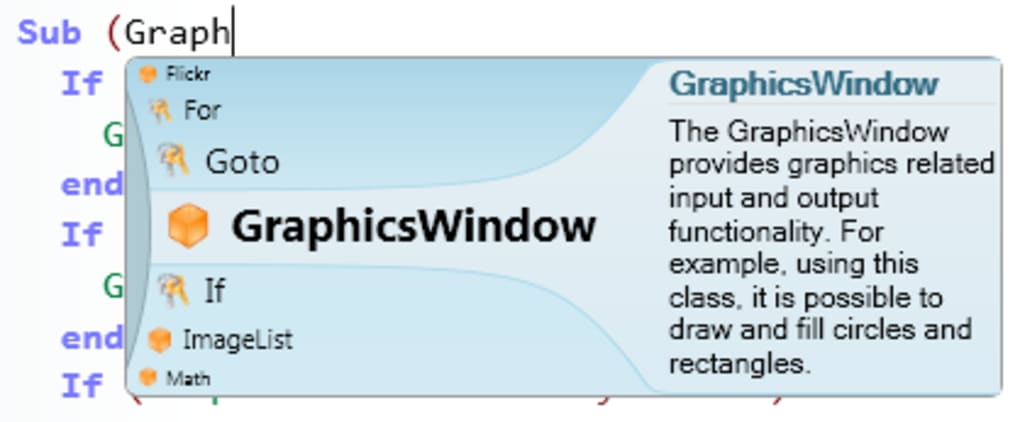
The Editor is the heart of the programming experience. This is where users type their code, line by line, command by command. It’s a straightforward text area, devoid of distracting features, ensuring that the primary focus remains on the code itself. The simplicity of the editor helps beginners maintain concentration and reduces the cognitive load often associated with feature-rich IDEs. As users type, the editor might offer basic auto-completion for Small Basic keywords, gently guiding them towards correct syntax without being overly prescriptive.
Complementing the Editor is the Toolbar, strategically placed to provide quick access to essential commands. What immediately stands out about the Small Basic Toolbar is its deliberate scarcity of options – typically featuring only thirteen commands. This might initially seem like a limitation to experienced programmers, but it is, in fact, one of Small Basic’s greatest strengths for its target audience. Each of these thirteen commands is carefully selected to represent the most fundamental operations a beginner will need, such as Run, Save, Open, New, and Cut/Copy/Paste. By limiting the choices, the software significantly reduces decision fatigue and allows learners to quickly become proficient with the available tools. This reinforces the idea that programming can be achieved with a relatively small set of powerful instructions. The minimalist toolbar means that beginners spend less time searching for commands and more time writing and understanding code.
The Surface acts as the display area where all the Editor windows and the output of executed programs are shown. When a user runs their code, the output, whether it’s text, graphical shapes drawn by the Turtle object, or user interface elements, appears on the Surface. This immediate visual feedback is crucial for beginners. It allows them to instantly see the results of their programming efforts, providing a clear cause-and-effect relationship between their code and its execution. This direct interaction is highly motivating and helps solidify their understanding of how commands translate into actions.
Together, these three components create a harmonious environment that prioritizes clarity and ease of use. The clean separation of concerns – writing code, executing commands, and observing results – makes the programming process logical and accessible. It’s a carefully curated space where new learners can experiment, make mistakes, and learn without feeling overwhelmed by the complexities that often characterize more advanced development tools.
Bridging to Advanced Programming with ‘Graduate’
While Microsoft Small Basic prides itself on its simplicity and beginner-friendliness, it also provides a clear and intentional pathway for learners to progress to more sophisticated programming environments. This forward-thinking feature is encapsulated in one of the thirteen commands available on its Toolbar: the Graduate command. This single button is a testament to Small Basic’s role as a true stepping stone, designed not just to introduce programming, but to facilitate growth beyond its own simplified confines.
The Graduate command allows users to transfer their Small Basic code directly into Microsoft Visual Basic, a more advanced and industry-standard programming language within the broader .NET framework. This transition is not merely an export function; it represents a significant pedagogical bridge. When a user clicks Graduate, their Small Basic code is often automatically translated into equivalent Visual Basic syntax, or at least opened in a Visual Studio environment ready for further development.
The implications of the Graduate command are profound. For beginners who have gained confidence and a solid understanding of programming fundamentals in Small Basic, it offers a seamless progression. They don’t have to learn an entirely new environment from scratch, nor do they have to manually rewrite their projects in a new language. Instead, they can leverage their existing work and familiarity to tackle the added complexities of Visual Basic. This includes features like object-oriented programming, more extensive libraries, richer graphical user interfaces, and direct integration with other Microsoft technologies.
This bridging capability serves several critical purposes:
- Reduces Friction in Learning Progression: It mitigates the common frustration of hitting a conceptual “ceiling” in a beginner-friendly language and then facing a daunting leap to an advanced one. Small Basic proactively addresses this by providing a guided transition.
- Validates Acquired Skills: It demonstrates to learners that the concepts and logic they mastered in Small Basic are directly transferable and relevant in a professional context. Their initial efforts are not isolated but foundational.
- Expands Horizons: By moving to Visual Basic, learners gain access to a far more powerful and versatile language capable of developing complex applications for Windows, web, and mobile platforms. This opens up vast new possibilities for their projects and further deepens their understanding of software development.
- Motivates Continued Learning: Knowing that their Small Basic projects can evolve into larger, more ambitious applications in a professional environment can be a significant motivator for sustained engagement and continued skill development.
In essence, the Graduate command is more than just a utility; it’s an educational philosophy embedded within the software. It acknowledges the natural progression of learning and provides a well-defined path from rudimentary concepts to sophisticated application development, affirming Microsoft Small Basic’s role as an ideal starting point for any aspiring programmer.
Abundant Resources for Learning
The journey of learning any new skill, especially one as intricate as programming, is inevitably fraught with challenges. The initial struggles can be particularly pronounced for beginners, who often lack the context and prior knowledge to easily navigate unfamiliar tools and concepts. Microsoft Small Basic, however, takes its commitment to being beginner-friendly to heart by providing a comprehensive ecosystem of support and learning resources designed to smooth out the learning curve.
One of the standout features of Small Basic’s support structure is the wealth of tutorials available on its dedicated website. These aren’t just superficial guides; they delve into the core functionalities of the language, explaining commands, syntax, and programming constructs in an accessible, step-by-step manner. These tutorials cater to various learning styles, ranging from basic “Hello World” exercises to more complex projects involving graphics, user input, and simple game development. They are structured to build knowledge incrementally, ensuring that learners can follow along without feeling overwhelmed. The website serves as a self-paced learning portal, allowing users to revisit concepts and progress at their own speed.
Beyond just tutorials specific to Small Basic, the platform often provides access to broader “basic programming tutorials.” These resources are absolute god-sends for anyone just starting out, as they address general programming concepts that transcend specific languages. Topics like algorithms, debugging, flow control (loops, conditionals), variables, and data types are explained in a simplified context, using Small Basic as the illustrative language. This approach ensures that learners are not just memorizing syntax but truly understanding the underlying principles of computational thinking. For instance, a tutorial might explain the concept of a While loop and then immediately show how While loops are implemented in Small Basic to repeat an action until a condition is met. This dual focus on both the “how” and the “why” of programming is invaluable.
Another incredibly effective learning aid offered by Small Basic is its collection of “fun samples.” These are pre-written code examples that users can load directly into their own Small Basic environment. The power of these samples lies in their dual utility:
- Learning by Dissection: Beginners can load these samples, run them to see what they do, and then delve into the code itself. By reading and analyzing working programs, they can observe how different commands interact, how structures are built, and how logical sequences achieve specific outcomes. This “reverse engineering” approach is a highly effective way to learn, as it provides concrete examples of best practices and functional code. Users can modify parts of the code to see how changes affect the output, fostering active experimentation and deeper understanding.
- Immediate Gratification: For those who just want to see how programs work without having to write extensive code themselves, simply running the samples provides immediate visual and interactive feedback. This can be highly motivating, demonstrating the creative potential of programming and inspiring users to try their hand at modifying or creating similar projects. The samples often include engaging mini-games, graphical demonstrations, and interactive tools, making the learning process enjoyable and relatable.
The emphasis on accessible help files and interactive learning experiences ensures that learners are never left feeling isolated or stuck. This comprehensive support system is a cornerstone of Small Basic’s design, empowering novices to overcome initial hurdles and confidently advance their programming skills. The availability of these resources transforms what could be a solitary and challenging endeavor into a supported and guided educational journey.
Cultivating Young Minds for a Digital Future
In an era increasingly defined by technology and automation, the ability to understand and interact with digital systems is no longer a niche skill but a fundamental literacy. Consequently, there’s a growing consensus among educators and technologists that it’s never too early to introduce children to the principles of programming. The advantages of starting young are manifold, and Microsoft Small Basic is exceptionally well-suited to serve as the initial spark that ignites a lifelong interest in computational thinking and software development.
The adage “it takes years of practice to become adept” holds particularly true for programming. By starting children early, we equip them with a significant advantage. The earlier they begin to engage with programming concepts, the more time they have to internalize logical structures, develop problem-solving strategies, and cultivate a computational mindset. This foundational experience can give them a substantial edge over peers who begin later, not just in terms of technical skill, but also in cognitive development.
Small Basic excels as an introductory tool for young learners due to its inherent simplicity and engaging design. Unlike more abstract or text-heavy languages that might bore or intimidate younger children, Small Basic’s graphical capabilities and straightforward syntax make it highly approachable. Children can quickly learn to draw shapes, create animations, build simple games, and interact with the computer using commands that are easy to understand and remember. This immediate gratification and visual feedback are crucial for maintaining a child’s interest and fostering a sense of accomplishment. Seeing their code bring a “Turtle” to life or make a character move on screen is far more exciting and tangible than merely processing data in a console window.
Beyond the technical skills, exposing children to programming early on cultivates a range of invaluable cognitive abilities:
- Problem-Solving: Programming inherently involves breaking down complex problems into smaller, manageable steps, a skill that is highly transferable to all areas of life.
- Logical Thinking: Children learn to think systematically, understanding cause-and-effect relationships and how to sequence instructions to achieve a desired outcome. They learn to predict the results of their code and debug when expectations aren’t met.
- Creativity and Innovation: Small Basic provides a canvas for children to express their creativity. They can design their own games, stories, or interactive art, turning abstract ideas into tangible digital creations. This process encourages innovative thinking and empowers them to be creators, not just consumers, of technology.
- Resilience and Patience: Debugging is an integral part of programming. Children learn that mistakes are opportunities for learning, fostering perseverance and resilience in the face of challenges.
- Abstract Thinking: While Small Basic simplifies syntax, it still introduces fundamental abstract concepts like variables, loops, and conditional statements, helping children develop the capacity for abstract thought.
In essence, Microsoft Small Basic is more than just a programming language; it’s an educational gateway. It offers a simple, enjoyable, and effective way to pique a child’s interest in programming, laying the groundwork for future academic success and career opportunities in technology. By nurturing these skills from a young age, we are not just teaching them to code; we are empowering them to become logical thinkers, creative problem-solvers, and confident innovators ready to thrive in the digital landscape of tomorrow.
A Balanced Perspective: Strengths, Limitations, and Specifications
Like any educational tool, Microsoft Small Basic comes with a distinct set of advantages and disadvantages, each carefully considered in its design to serve its primary audience: beginners. Understanding these aspects, alongside its technical specifications, provides a balanced view of its utility and place within the broader programming ecosystem.
Strengths (Pros)
The benefits of Microsoft Small Basic are largely derived from its unwavering focus on simplicity and accessibility:
- Easy to Install: The installation process for Small Basic is typically straightforward and quick, requiring minimal technical expertise. This low barrier to entry means that learners can get up and running almost instantly, without the frustration often associated with complex software setups.
- Fun Design: The interface and the interactive nature of Small Basic, particularly with its graphical output (like the
Turtleobject), make the learning process enjoyable. The clean visual design, reminiscent of Microsoft Office but significantly pared down, reduces intimidation and encourages exploration. - Beginner-Friendly: This is its defining characteristic. The simplified syntax, limited commands, and clear error messages are all geared towards guiding novices through their first programming experiences. It minimizes jargon and focuses on core concepts, preventing information overload.
- Abundant Help Files and Resources: As discussed, the availability of comprehensive online tutorials, basic programming guides, and executable sample codes provides an invaluable safety net for learners. These resources empower self-directed learning and ensure that assistance is always at hand. The supportive community and readily available documentation make problem-solving less daunting.
- Graduation Path to Visual Basic: The
Graduatecommand is a significant strength, offering a seamless and guided transition to a more powerful, professional language like Microsoft Visual Basic. This ensures that the skills acquired in Small Basic are not dead ends but stepping stones to advanced development.
Limitations (Cons)
While its simplicity is a strength for beginners, it naturally introduces certain limitations for more experienced users or complex projects:
- Can Only Save in Small Basic File Type (.sb): Projects created in Small Basic are typically saved in its proprietary
.sbfile format. This limits direct interoperability with other programming environments or general text editors. While theGraduatefeature allows migration, the primary save format is restrictive for sharing or incorporating code into diverse projects outside the Small Basic ecosystem. - Interface is Too Simple for Advanced Users: While ideal for beginners, the extremely minimalist interface can feel restrictive and lacking for those accustomed to the rich feature sets of professional IDEs. There are no advanced debugging tools, integrated version control, or extensive project management features that experienced developers rely upon.
- Cannot Customize Interface: The user interface of Small Basic offers very little in the way of customization. Users cannot rearrange panels, change themes, or add extensions, which are common features in more advanced development environments that allow developers to tailor their workspace to their preferences and workflows.
- Options Are Limited: The limited number of commands and functions, while beneficial for beginners, means that Small Basic is not suitable for developing complex, large-scale, or performance-critical applications. It lacks advanced data structures, sophisticated algorithms, comprehensive networking capabilities, or direct hardware interaction found in other languages. Its scope is intentionally narrow, focusing on educational fundamentals rather than broad application development.
Technical Specifications
Understanding the technical details helps position Microsoft Small Basic within the software landscape:
- License: Free. This is a crucial factor contributing to its accessibility, especially for educational institutions and individual learners who might not have budgets for proprietary software.
- Latest Version: As of the provided information (V1.23.8, build 405), regular updates ensure its stability and compatibility.
- Latest Update: The information suggests an update as recent as May 22, 2023, indicating ongoing maintenance and support from Microsoft.
- Platform: Primarily designed for Windows operating systems.
- OS Compatibility: Specifically compatible with Windows 7 and later versions (including Windows 8, 10, and 11). This broad compatibility ensures that a wide user base can access the software.
- Language: Available in English, with support for a multitude of other languages (Arabic, German, Spanish, French, Indonesian, Italian, Japanese, Korean, Dutch, Polish, Portuguese, Russian, Swedish, Thai, Turkish, Vietnamese, Chinese), making it globally accessible.
- Downloads: Boasting over 122,000 downloads and 366,000 downloads in the last month (based on reference data), Small Basic maintains a significant user base, reflecting its continued relevance and popularity as a teaching tool.
- Size: A compact download of 7.34 MB, ensuring quick downloads and minimal impact on system resources, making it suitable for older computers or environments with limited bandwidth.
- Developer: Microsoft, lending credibility and assurance of quality and support.
User Reviews: User feedback, such as “It’s definitely not recommended for anything important or proper, but as a pre-Python learning tool it’s very useful,” consistently highlights Small Basic’s effectiveness as an entry-level educational instrument. It’s not a tool for building professional software, but an excellent preparatory step for more advanced programming languages.
In conclusion, Microsoft Small Basic masterfully balances its core mission of simplifying programming for beginners with the need to provide a pathway for advanced learning. Its strengths make it an ideal first programming environment, while its limitations reinforce its specific role as an educational tool rather than a general-purpose development platform. Its generous licensing and broad availability further solidify its position as a cornerstone for cultivating the next generation of digital thinkers and creators. PhanMemFree, like other reputable download platforms, provides access to this valuable tool, reinforcing its commitment to offering accessible software for education and productivity.
File Information
- License: “Free”
- Latest update: “May 22, 2023”
- Platform: “Windows”
- OS: “Windows 7”
- Language: “English”
- Downloads: “122.5K”
- Size: “7.34 MB”


