
Microsoft Sticky Notes is a free, lightweight utility application developed by Microsoft Corporation. Pre-installed on most Windows operating systems, it provides a simple yet effective way to create, manage, and sync digital sticky notes across various devices. This review delves into its features, usability, pros and cons, and compares it to alternative note-taking applications.
Functionality and Features: Simple Notes, Seamless Sync
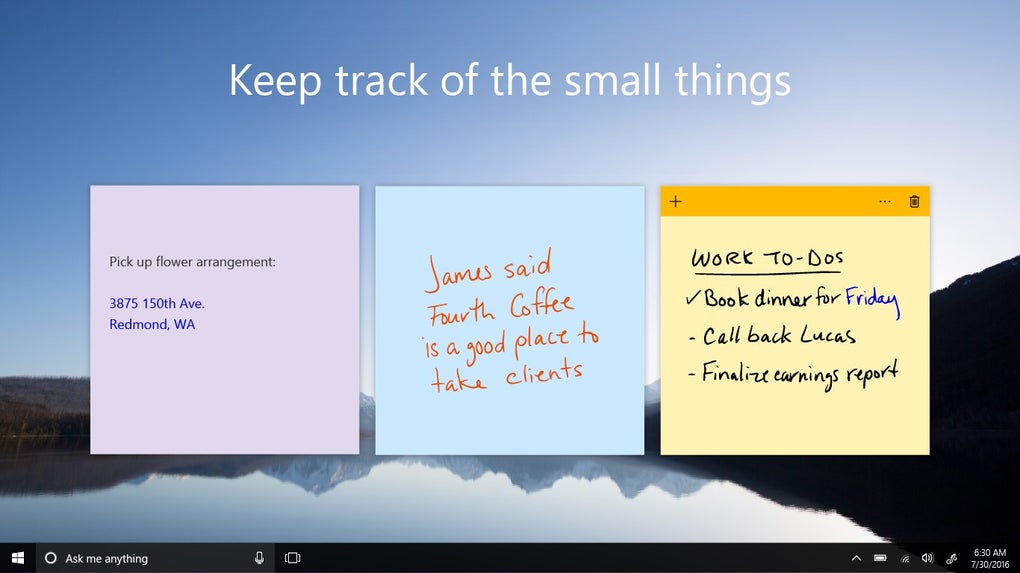
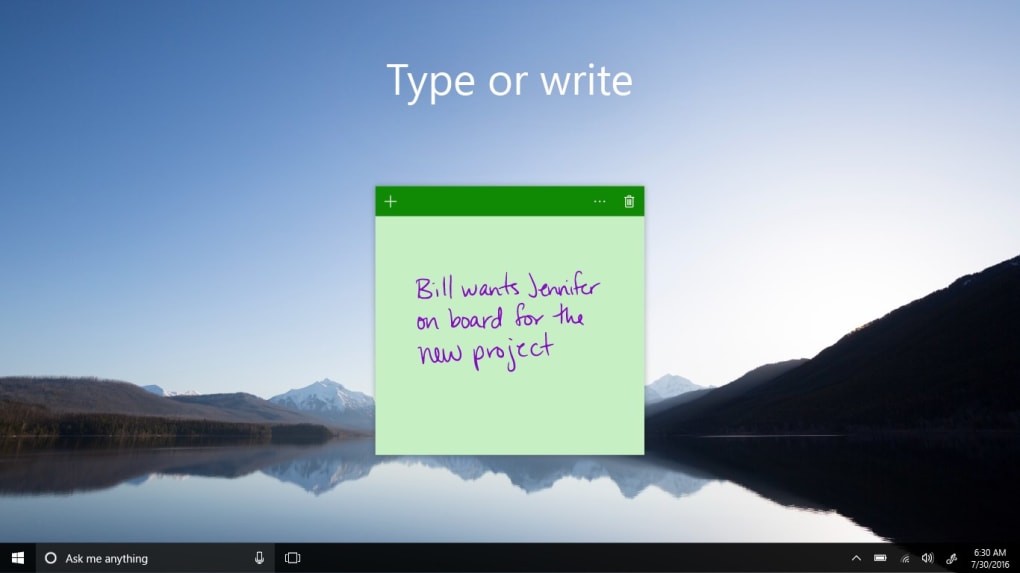
At its core, Sticky Notes functions as a digital equivalent of traditional sticky notes. Users can quickly jot down ideas, reminders, to-do lists, or any short piece of information. The notes appear as resizable, movable windows on the desktop, allowing for flexible organization and visual prioritization. The simplicity is a key strength; the interface is intuitive and requires minimal learning curve, making it accessible to users of all technical skill levels.
Beyond basic note creation, Microsoft Sticky Notes offers several enhanced features:
-
Text Formatting: While not as extensive as dedicated word processors, Sticky Notes allows for basic text formatting, including bold, italics, and underlining. This allows for some degree of visual organization within the notes themselves.
-
Color Customization: Notes can be assigned different colors, offering a visual way to categorize information or prioritize certain tasks. This simple feature significantly enhances organization, allowing users to visually distinguish between different types of notes at a glance.
-
Image Integration: While not a primary function, Sticky Notes allows for the inclusion of images within notes. This feature expands the utility beyond simple text, enabling users to incorporate visual elements like screenshots, sketches, or other relevant visuals to enrich the note’s context.
-
Cortana Integration: For users who utilize Microsoft’s digital assistant, Cortana, Sticky Notes seamlessly integrates with reminders created through Cortana. This integration ensures a streamlined workflow for managing tasks and reminders across different applications. Adding a reminder in Cortana automatically adds it to Sticky Notes, providing a centralized location for all reminders.
-
Cross-Device Synchronization: One of the most compelling features is the cross-device synchronization. Notes created on one device are automatically synced to other devices logged into the same Microsoft account. This seamless synchronization ensures that notes are accessible across all your Windows PCs, Android devices using Microsoft Launcher, iOS devices with compatible apps, and even within applications like OneNote Mobile and Outlook. This feature is crucial for maintaining consistency and accessibility of information across a user’s various devices.
Ease of Use and User Interface: Intuitive and Accessible
The user interface is strikingly minimalist. The application’s uncluttered design contributes significantly to its ease of use. Creating a new note involves a simple click, and the intuitive drag-and-drop functionality allows for effortless repositioning of notes on the desktop.
The lack of overwhelming features makes Sticky Notes incredibly accessible to users of all levels. Even those unfamiliar with digital note-taking applications will quickly grasp the core functionality. The application’s minimal footprint and rapid launch time further contribute to its usability, ensuring that users can quickly access and utilize the app without significant delays.
Installation and Setup: A Seamless Process
For most Windows users, Sticky Notes is already included as a pre-installed application. If it’s not, acquiring the application is a straightforward process. It’s readily available through the Microsoft Store, making the installation quick and hassle-free. Simply searching for “Sticky Notes” in the Microsoft Store, selecting the appropriate application, and clicking “Get” initiates the download and installation. The entire process takes only a few minutes and requires minimal user interaction.
System Requirements and Compatibility: Wide-Ranging Support
Microsoft Sticky Notes boasts remarkable compatibility. It seamlessly integrates with various versions of Windows, extending its support across a wide range of devices and systems. While specific system requirements might vary slightly depending on the version, Sticky Notes generally operates smoothly on most modern Windows machines. Its compatibility extends further, with synchronization capabilities across several Microsoft platforms and even compatibility with certain third-party applications. This expansive compatibility makes it a versatile tool for a broad range of users and systems.
Comparison with Alternative Note-Taking Apps: Finding the Right Fit
While Sticky Notes excels in its simplicity and seamless synchronization, it’s crucial to consider its limitations compared to other note-taking applications. Alternatives like OneNote, Evernote, Google Keep, and others offer more advanced features, including richer text formatting, audio and video note capabilities, web clipping, and collaborative features.

However, these more comprehensive applications often come with a more complex interface and steeper learning curve. Sticky Notes serves as a superior choice for users seeking a quick, straightforward, and easily manageable note-taking solution that prioritizes simplicity over extensive features. The choice ultimately depends on individual needs and preferences. For users who require only basic note-taking capabilities with seamless synchronization, Sticky Notes provides a superior lightweight option. For users demanding more advanced features and functionalities, more comprehensive applications might prove more suitable.
Pros and Cons: Weighing the Advantages and Disadvantages
Pros:
- Simplicity: The straightforward interface is remarkably easy to learn and use.
- Seamless Synchronization: Notes are effortlessly synchronized across multiple devices.
- Lightweight and Fast: The application is lightweight and launches quickly, minimizing interruptions.
- Cortana Integration: Seamless integration with Microsoft’s digital assistant enhances task management.
- Free and readily available: Pre-installed on many Windows systems or easily downloadable.
- Customization options: Color-coded notes and basic text formatting options improve organization.
- Cross-Application Compatibility: Works well with other Microsoft applications like OneNote and Outlook.
Cons:
- Limited Features: Lacks advanced features found in more comprehensive note-taking applications.
- Microsoft Account Required: Requires a Microsoft account for synchronization capabilities.
- No Offline Access (for synced notes): Access to synced notes requires an internet connection.
- Limited Search Functionality: Searching within notes can be challenging.
- No Tagging or Categorization System: Organization relies heavily on color-coding and manual arrangement.
Conclusion: A Valuable Tool for Simple Note-Taking
Microsoft Sticky Notes is a potent tool for users who value simplicity and seamless synchronization above all else. Its minimalist design, intuitive interface, and effortless cross-device syncing make it an excellent choice for quickly jotting down ideas, reminders, and short pieces of information. While it lacks the advanced features of more comprehensive note-taking applications, its ease of use and reliable synchronization capabilities make it a highly valuable addition to any Windows user’s toolkit. Its suitability depends heavily on the user’s needs; those seeking a simple, effective, and readily available note-taking solution will find Sticky Notes an invaluable asset, while users needing extensive features should explore alternative applications.
File Information
- License: “Free”
- Version: “varies-with-device”
- Latest update: “January 10, 2022”
- Platform: “Windows”
- OS: “Windows 11”
- Language: “English”
- Downloads: “92.5K”


