
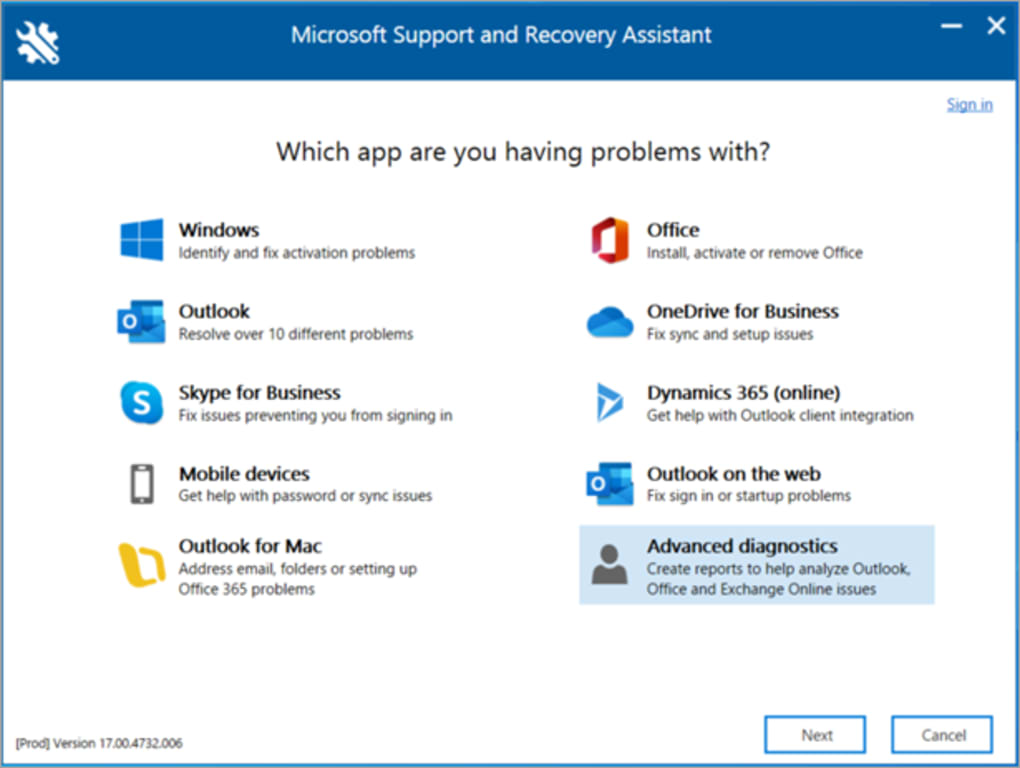
The Microsoft Support and Recovery Assistant (MSRA) is a free, official utility designed by Microsoft to diagnose and resolve problems affecting various Microsoft applications, including Windows, Office, Microsoft 365, and Outlook. This comprehensive guide explores its features, functionality, and how it can be a valuable tool for troubleshooting common Microsoft software issues.
Identifying and Resolving a Wide Range of Problems
MSRA’s primary function is to identify and address a broad spectrum of problems that users might encounter within the Microsoft ecosystem. This ranges from relatively simple issues, such as difficulty activating Office products or launching Outlook, to more complex problems involving file synchronization with OneDrive or accessing features like Outlook’s Teams Meeting add-on. The tool’s diagnostic capabilities extend across several key Microsoft applications, ensuring a centralized troubleshooting solution for users facing challenges with these programs. The utility’s strength lies in its ability to pinpoint the root cause of the problem, unlike generic system repair tools that might address symptoms without tackling the underlying issue. By focusing specifically on Microsoft software, MSRA offers targeted solutions for Microsoft-specific errors.
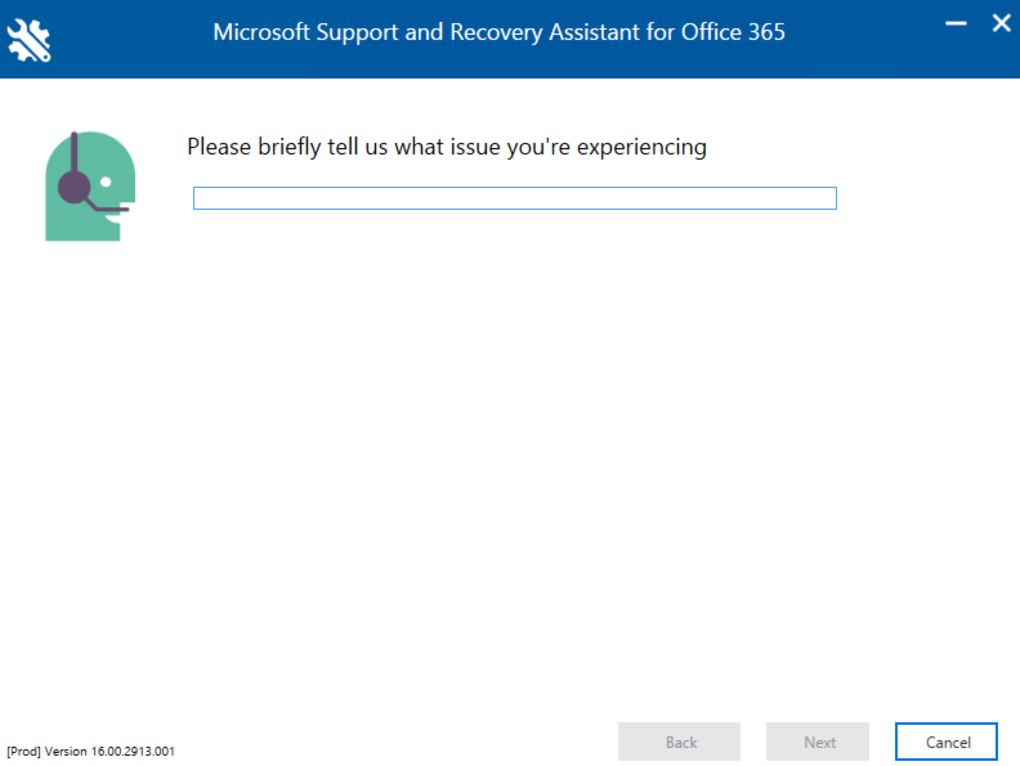
The tool works by performing a series of automated tests on your system. These tests examine various aspects of your computer’s configuration and the relevant Microsoft software to identify potential conflicts, corrupted files, or other issues that might be causing the problems. This diagnostic process is not merely a surface-level check; it delves into the system’s core components to offer accurate and precise diagnoses. This in-depth analysis ensures that the suggested solutions are tailored to the specific problem detected, resulting in a higher likelihood of successful resolution.
Once the diagnostic tests are complete, MSRA presents the user with a detailed report outlining the identified problems. This report isn’t simply a list of errors; it includes specific explanations for each issue, making it easier for even non-technical users to understand the nature of the problems. Furthermore, for many identified problems, MSRA provides automated solutions. This means the software can automatically apply the necessary fixes, simplifying the resolution process significantly. For issues requiring manual intervention, the tool offers clear and concise step-by-step instructions, guiding the user through the repair process.
The MSRA Process: A Step-by-Step Overview
The process of using MSRA is straightforward, designed for ease of use, even for individuals with limited technical expertise. Here’s a typical workflow:
-
Download and Installation: The first step involves downloading the MSRA installer from the official Microsoft website. The installer is relatively small and the installation process is quick and simple, requiring minimal user interaction.
-
Running the Diagnostic Scan: After installation, launching MSRA initiates an automated diagnostic scan. This scan thoroughly examines the target Microsoft application(s) for any problems or inconsistencies. The scan’s duration varies depending on the system’s configuration and the number of applications under scrutiny. This process might require an active internet connection to access necessary data and updates from Microsoft’s servers.
-
Problem Identification and Reporting: Upon completion of the scan, MSRA presents a detailed report summarizing the detected issues. The report provides concise explanations of each problem and its potential impact on the affected applications. This clarity is crucial in enabling users to understand the situation and choose the appropriate course of action.
-
Automated Fixes and Guided Solutions: For many identified problems, MSRA offers automated fixes. The software automatically applies these fixes, logging each action for reference. If automated solutions aren’t available, the report provides clear instructions guiding the user through the necessary manual troubleshooting steps.
-
Post-Repair Verification: Once the suggested fixes are implemented, it’s recommended to verify if the problems have been resolved. This might involve restarting the affected applications or performing specific tests to confirm their proper functioning.
This structured approach facilitates efficient troubleshooting, minimizing the time and effort required to resolve software issues. The emphasis on automated fixes and detailed guidance makes MSRA accessible to a broad range of users, regardless of their technical proficiency.
System Requirements and Limitations
While MSRA is a powerful tool, it’s essential to understand its limitations. Although it handles a wide range of issues, it primarily focuses on problems within Microsoft’s software ecosystem. It won’t address issues unrelated to Microsoft products or those stemming from hardware failures.
The tool requires an active internet connection to function correctly. This is necessary for accessing online resources, downloading updates, and communicating with Microsoft servers to obtain the most up-to-date solutions. The time taken for the diagnostic scan varies depending on factors such as system performance and the scope of the scan. While most scans complete relatively quickly, some complex diagnoses might take several hours.
MSRA is compatible with various Windows versions, ensuring wide accessibility across different operating systems. However, users should ensure their system meets the minimum system requirements before using the tool. These requirements are generally modest, making the tool accessible to most Windows users.
Alternatives and Comparisons
While MSRA is an effective solution for many Microsoft-related software problems, several alternative applications offer similar functionality. However, MSRA’s status as an official Microsoft product provides distinct advantages. Its database of known issues and solutions is directly linked to Microsoft’s resources, offering a high level of accuracy and reliability. Other third-party tools, while potentially useful, might not have the same depth of integration or the same level of support from Microsoft.
The advantage of MSRA is its close connection to Microsoft’s support infrastructure. If the tool is unable to resolve a problem, users can easily access additional support resources directly through the application. This streamlined access to support is a significant benefit compared to using third-party applications that may require separate searches for assistance.
Other software might offer broader functionality, encompassing hardware diagnostics or repairs unrelated to Microsoft products. However, MSRA’s focus on specific Microsoft applications ensures a more tailored and effective troubleshooting experience for issues directly related to Microsoft’s software. This specialized focus minimizes the risk of encountering misleading or ineffective solutions that often come with more generalized system repair tools.
Conclusion: A Valuable Asset for Microsoft Users
The Microsoft Support and Recovery Assistant is a valuable, free tool for any user of Microsoft software. Its ease of use, combined with its ability to diagnose and often automatically resolve a wide array of problems within the Microsoft ecosystem, makes it an indispensable asset for maintaining the health and stability of your Microsoft applications. While alternatives exist, MSRA’s direct connection to Microsoft’s support infrastructure, combined with its accuracy and efficiency, makes it the preferred choice for resolving most common Microsoft software issues. Its ability to diagnose complex problems and offer clear, step-by-step solutions makes it an essential utility for every Microsoft user’s toolkit.
File Information
- License: “Free”
- Version: “17.00.7513.007”
- Latest update: “May 19, 2025”
- Platform: “Windows”
- OS: “Windows 7”
- Language: “English”
- Downloads: “10.7K”
- Size: “81.25 MB”


