
Coding is rapidly becoming an indispensable skill in today’s job market. However, the sheer complexity of programming can be daunting for newcomers. Microsoft Visual Basic (VB) offers a user-friendly solution, providing a gentle introduction to the world of software development. This comprehensive guide explores the features, capabilities, and limitations of VB, helping you determine if it’s the right programming language for your needs.
Understanding Microsoft Visual Basic
Microsoft Visual Basic is an object-oriented programming (OOP) language built upon the foundations of BASIC (.NET). OOP’s core concept revolves around “objects,” self-contained entities combining code (procedures or methods) and data (fields, attributes, or properties). Many popular programming languages utilize OOP, making VB an excellent stepping stone into the broader programming landscape. VB distinguishes itself from other platforms primarily through its intuitive drag-and-drop interface, allowing users to visually construct code blocks rather than writing everything from scratch. This visual approach significantly simplifies the programming process, particularly for beginners.
VB’s user-friendly interface doesn’t compromise functionality. The drag-and-drop elements are fully customizable. While each block initially possesses default values, users retain extensive control over these values during runtime. This flexibility facilitates both simple program creation and more intricate code modifications as skills progress. The underlying BASIC (.NET) language, a widely recognized and established language, underpins VB’s structure, making it relatively easy to learn and comprehend.
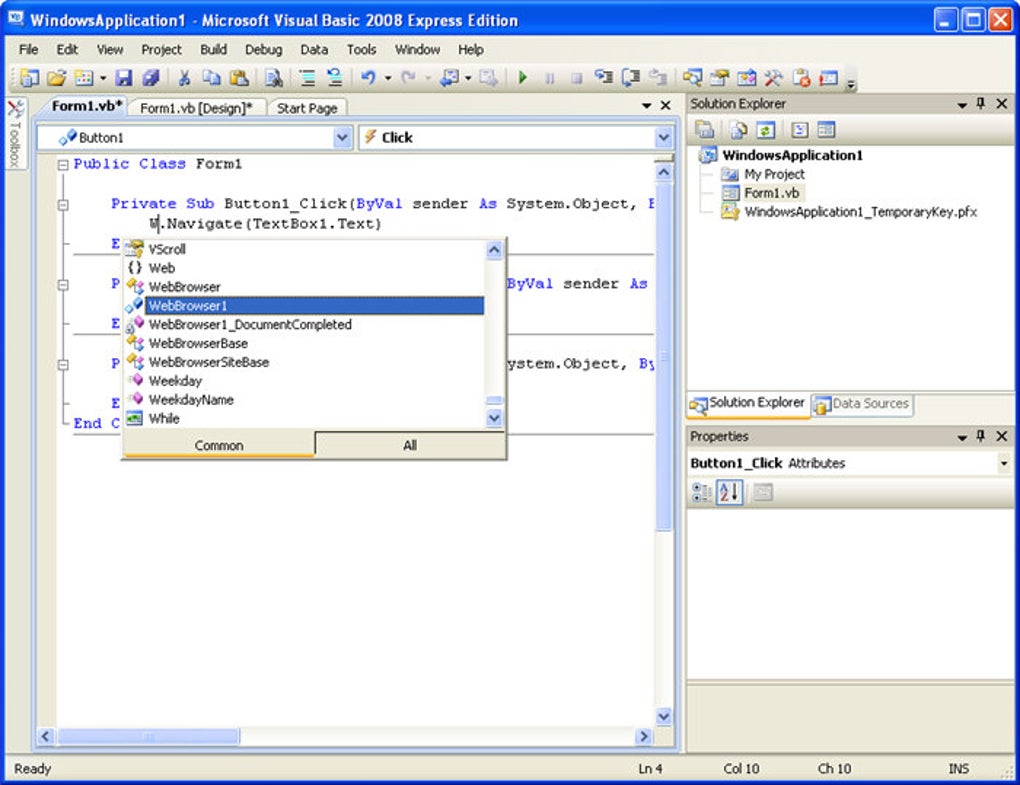
The structured programming paradigm employed by VB further enhances its accessibility. Structured programming utilizes conditional statements like “If…Then…” to define program logic, providing a clear and organized way to express the desired program behavior. This approach significantly simplifies complex tasks by breaking them down into manageable, logical steps.
Visual Basic is not just for beginners. Its design facilitates a smooth transition to more advanced programming languages. While VB primarily works within the Microsoft ecosystem, the foundational programming concepts acquired through VB are highly transferable to other languages and platforms. This transferability of skills allows programmers to broaden their horizons as they gain experience. However, it’s important to note that code created in VB is specifically designed for Microsoft platforms and is generally not directly transferable to other systems.
Features and Integrations: Simplifying the Coding Process
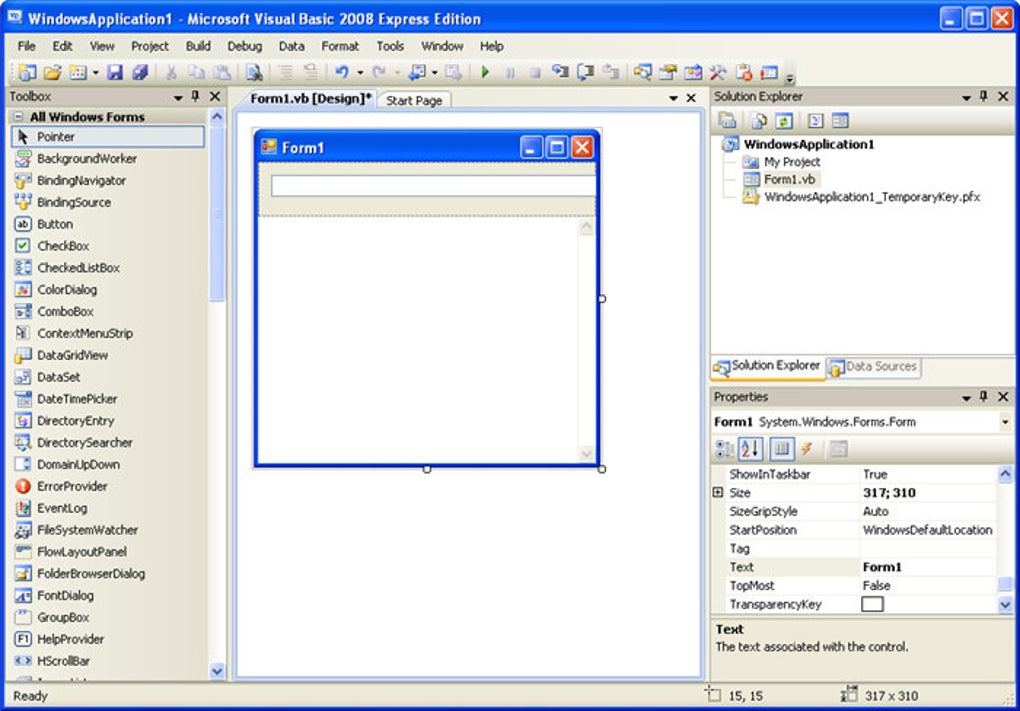
The hallmark of Microsoft Visual Basic is its intuitive interface. The drag-and-drop functionality allows even novice programmers to quickly assemble code components visually. This contrasts sharply with traditional coding, which requires writing code directly, often demanding a deep understanding of syntax and structure. This visual approach reduces the learning curve significantly. Users can easily manipulate and rearrange code blocks, providing immediate feedback and promoting a more interactive learning experience. The inherent visual representation of the code structure allows for quicker identification and correction of errors, accelerating the development process.
VB’s integration with the wider Microsoft ecosystem adds to its strengths. While not directly included in Microsoft 365 subscriptions, Visual Basic for Applications (VBA) is embedded in various Microsoft Office applications, including Word, Excel, and PowerPoint. This integration allows users familiar with VB to enhance the functionality of these applications through custom macros and automation scripts, effectively expanding the capabilities of these already powerful tools. This subtle but significant integration provides a valuable practical application of VB skills within the widely used Microsoft Office Suite.
Compatibility and System Requirements: Platform Limitations
Microsoft Visual Basic’s latest versions require Windows 10 or later for optimal functionality. However, older versions of VB maintain compatibility with older Windows operating systems, such as Windows Vista. This backward compatibility caters to users with diverse system setups, extending the software’s lifespan and usability across a broader range of machines.
It is crucial to acknowledge VB’s limitations. Code developed in VB is primarily confined to the Microsoft ecosystem, limiting its portability to other platforms. This constraint significantly reduces the flexibility of the software compared to cross-platform languages. The focus on the Microsoft environment is a tradeoff made for the sake of simplicity and ease of use.
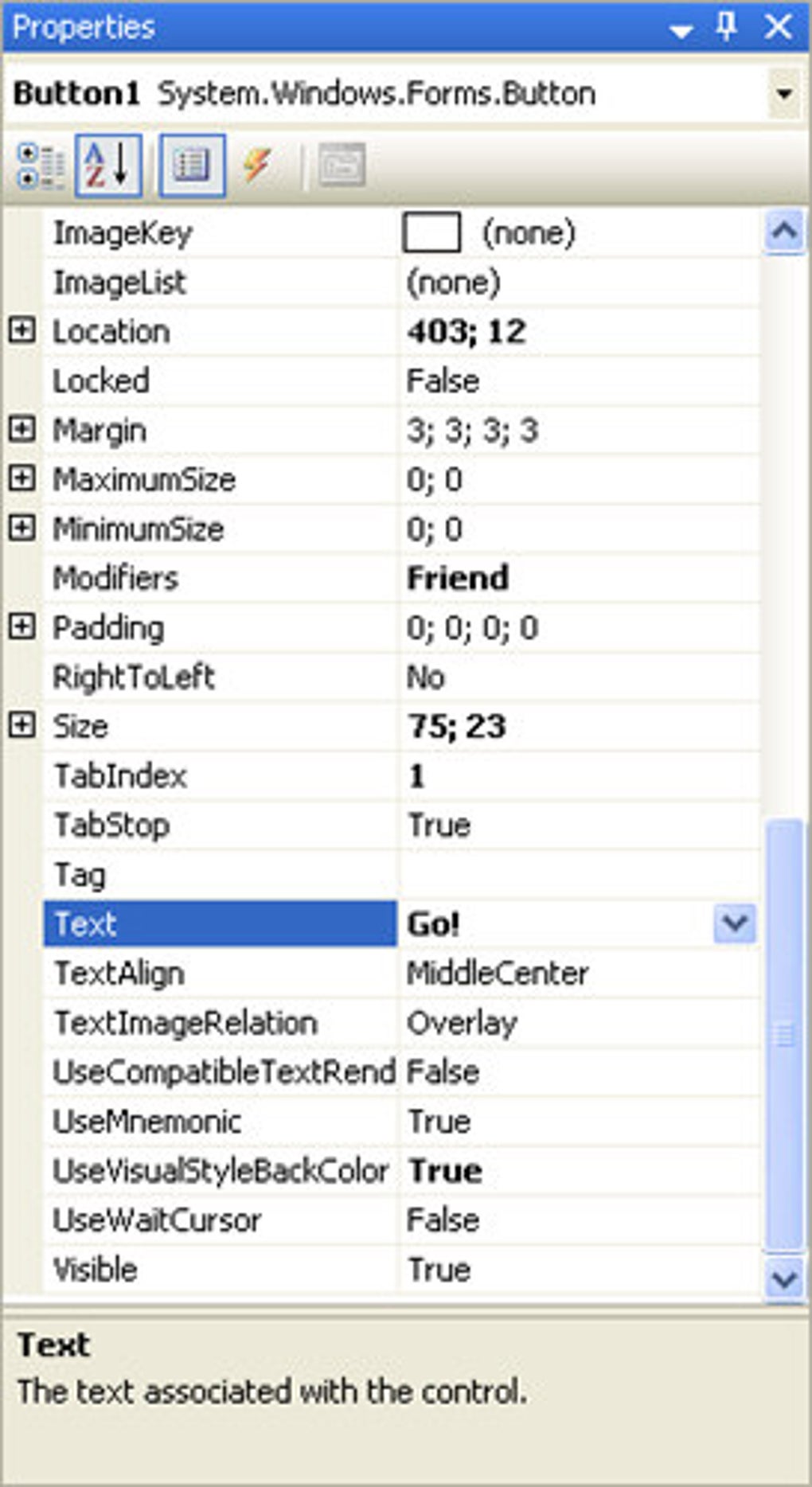
Furthermore, VB’s user-friendly design, particularly the drag-and-drop interface, comes with limitations. The system’s resource requirements are relatively high. This, coupled with the graphical nature of the interface, restricts the development of exceedingly complex or memory-intensive applications. This doesn’t diminish VB’s value; it simply indicates that programmers should consider more robust platforms for projects demanding significant computational resources. The graphical interface, designed for ease of use, unfortunately limits the scalability of the applications that can be built with this system.
Visual Basic and Microsoft 365: VBA’s Role
While Microsoft Visual Basic itself isn’t directly part of the Microsoft 365 subscription offerings, the closely related VBA (Visual Basic for Applications) plays a crucial role. VBA is integrated into numerous Microsoft Office applications, including Word, Excel, and PowerPoint. This embedded scripting language allows users to automate tasks, create custom functions, and extend the capabilities of these programs. While not the full Visual Basic experience, VBA provides a hands-on introduction to VB-like scripting, offering users valuable experience without needing a separate VB installation. This makes VBA a valuable tool for users interested in exploring VB’s capabilities within the context of familiar productivity software.
Visual Basic’s Place in the Programming World: A Beginner’s Tool
Microsoft Visual Basic remains a valuable tool, particularly for individuals new to programming. Its user-friendly interface and intuitive drag-and-drop functionality significantly reduce the learning curve. The structured programming approach, built upon the well-known BASIC language, makes the fundamental concepts relatively easy to grasp. While it lacks the portability of some other languages and might not be suitable for highly complex projects, VB’s focus on ease of use is its greatest strength. It serves as an excellent gateway into the broader world of programming, equipping beginners with foundational concepts and practical experience that can be applied to more advanced languages and platforms as their skills develop. The ease of learning makes VB particularly well suited for educational purposes and for individuals seeking to learn programming without being overwhelmed by complex syntax or abstract concepts. It’s a valuable tool for building a strong foundation in software development.
File Information
- License: “Free”
- Latest update: “December 5, 2024”
- Platform: “Windows”
- OS: “Windows 2000”
- Language: “English”
- Downloads: “2.6M”
- Size: “3.71 MB”


