
MidiPiano is a free, lightweight application that transforms your computer keyboard into a playable MIDI piano. This intuitive software offers a simple yet effective way to compose, record, and play back MIDI music, making it an ideal tool for beginners and seasoned musicians alike. Its ease of use and straightforward interface make it accessible to those new to music software, while its MIDI capabilities offer a degree of flexibility that can be appreciated by more experienced users.
A Simple Interface for Intuitive Music Making
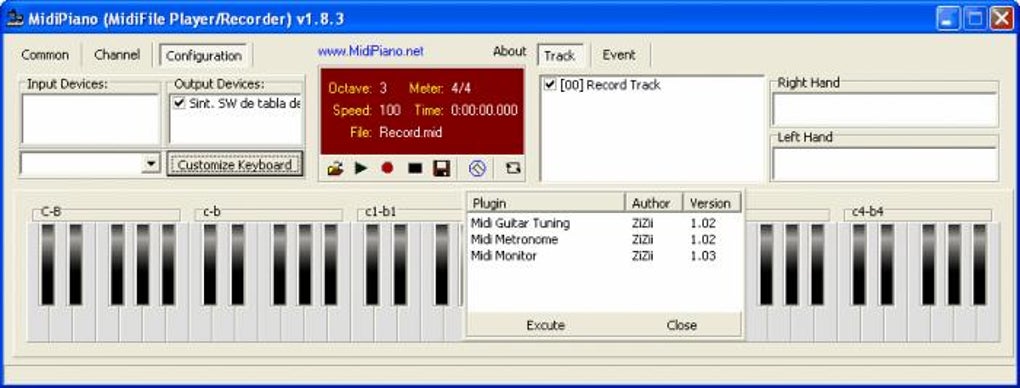
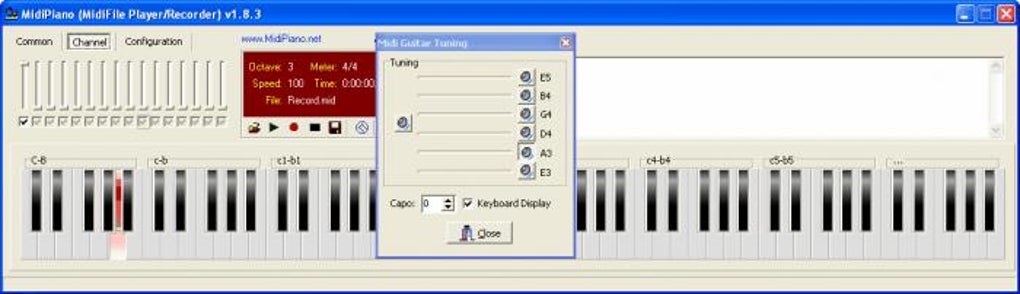
The core functionality of MidiPiano revolves around its virtual keyboard, which mirrors a standard piano keyboard layout on your screen. Notes are played by pressing the corresponding keys on your computer keyboard. This direct mapping offers an immediate and familiar playing experience, making it easy to transition from a physical piano to MidiPiano or for those completely new to piano to learn the basics. The visual representation of the keyboard is clear and uncluttered, minimizing distractions and allowing users to focus on playing and composing.
Beyond the virtual keyboard, MidiPiano features a piano roll editor, allowing users to visually view and edit their MIDI recordings. This editor displays the notes as they are played or recorded, enabling users to adjust individual notes, delete mistakes, and refine their compositions with precision. While not as feature-rich as dedicated digital audio workstations (DAWs), the piano roll offers a sufficient level of editing capability for the intended user base. The simplicity of the interface prioritizes ease of use, prioritizing functionality over overwhelming the user with advanced features.
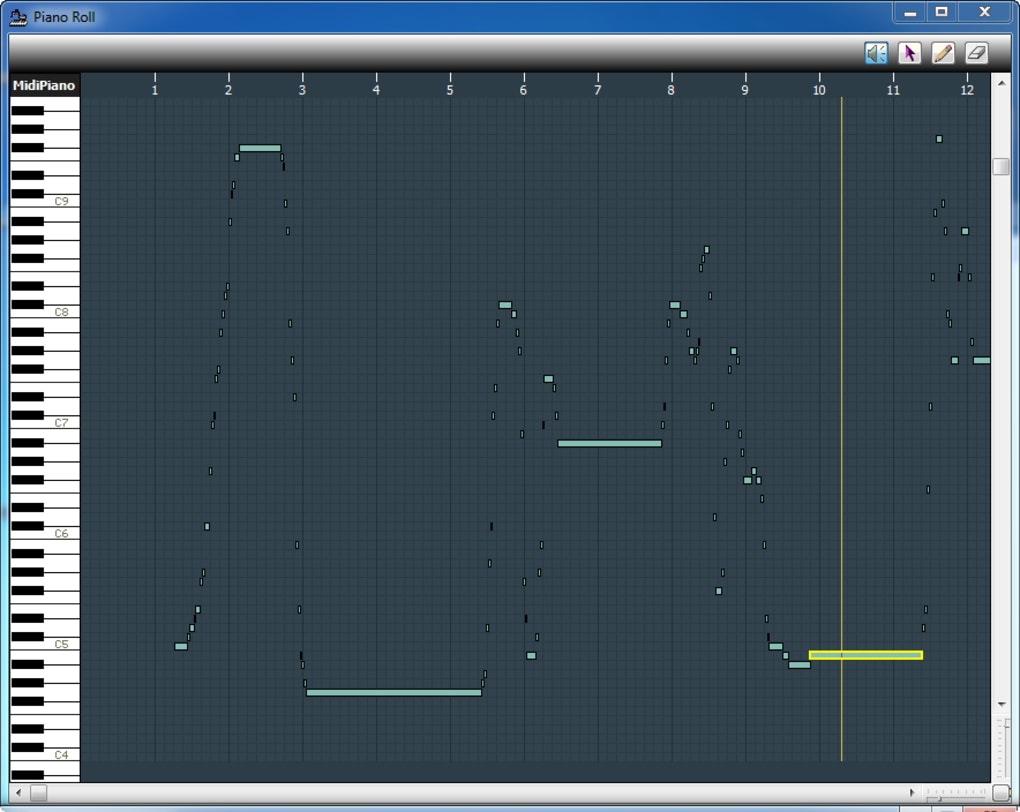
Recording and Playback Capabilities: Capturing Your Musical Ideas
MidiPiano’s recording functionality allows users to capture their musical ideas in real-time. Notes played on the virtual keyboard are recorded directly into a MIDI file, preserving the timing and pitch information. This functionality is crucial for composing music, allowing users to experiment with melodies and harmonies without the need for complex setup or extensive prior music production knowledge.
The playback feature enables users to listen to their recorded MIDI compositions. The software supports a selection of General MIDI (GM) patches, allowing users to choose different instrument sounds for their MIDI data. This adds a layer of customization to the playback experience, enabling users to experiment with different tonal palettes and create more diverse soundscapes. The ability to import and export standard MIDI files ensures seamless integration with other music software and hardware.
MIDI Device Integration: Expanding Your Musical Horizons
MidiPiano’s support for MIDI input and output devices significantly expands its capabilities. Users with external MIDI keyboards, controllers, or other MIDI-compatible hardware can connect these devices to their computer and use them to control MidiPiano. This integration opens the door to a more expressive and versatile playing experience, allowing users to benefit from the tactile feedback and advanced features often found in external MIDI controllers. The ability to use MIDI input devices empowers users to create more nuanced and expressive performances, going beyond the limitations of a standard computer keyboard.
Limitations and Areas for Improvement
While MidiPiano provides a useful and accessible platform for MIDI music creation, certain limitations exist. The customization options for the keyboard layout are somewhat limited, potentially hindering users who prefer non-standard keyboard configurations. Additionally, the piano roll editor, while functional, could benefit from improvements in terms of usability and functionality. Adding features like quantizing, note velocity editing, and more advanced editing tools would enhance the overall user experience and allow for more precise control over the recorded MIDI data. Furthermore, while the software includes a selection of GM patches, the lack of additional sound customization options might limit its appeal to users seeking more diverse sonic possibilities. Finally, the software’s lack of comprehensive documentation may create a barrier to entry for some users, particularly those unfamiliar with MIDI concepts.
User Feedback and Community Support
Despite its limitations, MidiPiano has received generally positive feedback from users. Many praise its simplicity, ease of use, and the ability to quickly start creating and recording music. Several users have highlighted its usefulness as a learning tool for beginners. However, some users have noted the limitations of the editor and requested features such as improved editing tools and a more intuitive workflow. While there’s no dedicated online community or forum specifically dedicated to MidiPiano, user reviews often mention the software’s ease of use and potential for improvement. This feedback underscores the opportunity for future development to refine the software and address the identified limitations.
Comparison with Alternative Software
MidiPiano occupies a unique niche in the music software market. While several other free and commercial MIDI piano applications exist, MidiPiano stands out due to its simplicity and focus on ease of use. Many alternative applications offer more advanced features, such as more extensive sound libraries, more powerful editing tools, and more sophisticated MIDI functionality. However, these applications often come with a steeper learning curve and can be more resource-intensive. MidiPiano, in contrast, prioritizes accessibility and a streamlined user experience, making it ideal for users who prioritize simplicity and ease of use over extensive features. While alternative applications might appeal to more experienced users, MidiPiano’s focus on a minimalist design caters perfectly to those who need a straightforward and easy-to-learn tool.
Future Development and Potential Enhancements
There is significant potential for future development of MidiPiano. The addition of advanced editing features such as quantization, velocity editing, and more sophisticated note manipulation tools would greatly enhance the software’s capabilities. Expanding the sound library beyond the standard GM patches and allowing users to import custom sound samples would introduce greater flexibility in sound design. Improvements to the user interface, including resizable elements and customizable keyboard layouts, would further enhance usability. Finally, providing comprehensive online documentation and a dedicated support community would make the software more accessible and improve user satisfaction. Addressing these areas would significantly improve MidiPiano’s functionality and appeal, cementing its position as a leading choice for both beginners and experienced users.
MidiPiano, despite its limitations, provides a valuable entry point into the world of MIDI music creation. Its focus on simplicity and intuitive design makes it an effective tool for beginners, while its MIDI capabilities offer sufficient flexibility for more experienced users. The opportunity for future development and enhancement is considerable, suggesting that MidiPiano has the potential to evolve into an even more powerful and versatile music creation tool. The balance between ease of use and functional capability makes MidiPiano a notable contender in the realm of free MIDI piano software.
File Information
- License: “Free”
- Latest update: “May 23, 2023”
- Platform: “Windows”
- OS: “Windows 2000”
- Language: “English”
- Downloads: “478.7K”
- Size: “2.03 MB”


