
Minibin is a lightweight, free utility designed to enhance the Windows experience by providing a convenient, readily accessible recycle bin directly within your system tray. This small but powerful application streamlines the process of deleting and restoring files, eliminating the need to constantly navigate to the desktop recycle bin. This detailed review explores Minibin’s features, functionality, and overall impact on user workflow.
Minibin’s Core Functionality: Streamlining File Management
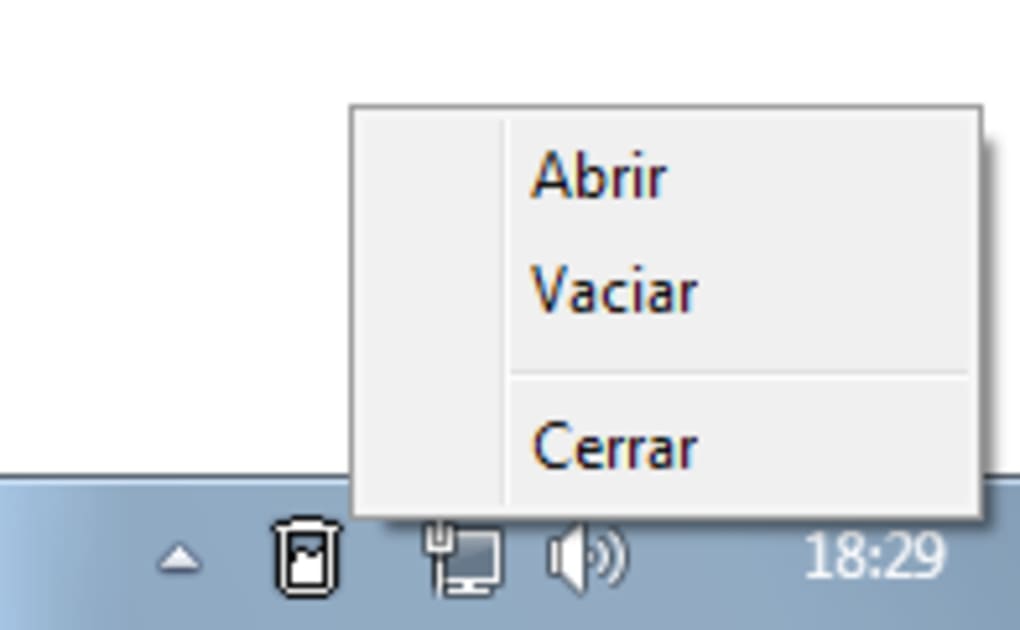
At its heart, Minibin replicates the functionality of the standard Windows recycle bin, but with a significantly improved user interface and accessibility. Instead of requiring users to locate and open the desktop recycle bin icon, Minibin provides a miniature version of this functionality within the system tray, the area at the bottom-right corner of the Windows screen. This simple change drastically reduces the number of steps required to delete or restore files, making it particularly valuable for users who frequently delete or need quick access to recently deleted items.
The application is designed for simplicity. Its interface is clean and intuitive, focusing on core functionality without extraneous features. Users can seamlessly drag and drop files directly into the Minibin system tray icon, mirroring the functionality of the desktop recycle bin. Alternatively, files can be right-clicked and deleted, with the option for Minibin to handle the deletion process instead of utilizing the standard Windows method. This allows for a more consistent and centralized approach to file management.
One of Minibin’s key advantages is its unobtrusive presence. It resides discreetly in the system tray, consuming minimal system resources and not interfering with other applications. This makes it ideal for users who prioritize a clean and uncluttered desktop environment. The small size and low resource consumption mean that Minibin operates efficiently, even on older or less powerful machines.
Installation and Setup: A Seamless Experience
Minibin’s installation process is straightforward and user-friendly. The installation package is compact, downloading and installing quickly. The setup wizard guides users through the installation process, requiring minimal user interaction. Upon successful installation, Minibin automatically integrates with the system tray, ready for immediate use. There are no complex configurations or settings to adjust, making Minibin accessible to even novice computer users.
Advantages and Disadvantages of Using Minibin
Minibin offers several key advantages over relying solely on the standard Windows recycle bin:
-
Enhanced Accessibility: The system tray location makes it incredibly convenient to delete and restore files, eliminating the need to navigate to the desktop. This is especially beneficial for users who frequently work with multiple applications and windows.
-
Improved Efficiency: The reduced number of steps required for file deletion and restoration improves overall workflow efficiency. This translates to significant time savings over the long term, especially for users who handle numerous files throughout their day.
-
Minimal System Resource Usage: Minibin’s small size and efficient coding minimize the impact on system performance, ensuring a smooth user experience. This is a crucial advantage for users with older or less powerful machines.
-
Clean Desktop Environment: By removing the need to constantly interact with the desktop recycle bin, Minibin contributes to a cleaner and more organized desktop workspace, improving overall productivity.
However, Minibin also has some limitations to consider:
- Limited Functionality: Minibin’s functionality is primarily focused on basic file deletion and restoration. It lacks the advanced features found in some other file management utilities.
- Dependence on System Tray: Minibin’s reliance on the system tray means that users who minimize or hide the system tray might find it less accessible.
Minibin: A Comparison with Other File Management Utilities
While Minibin focuses on simplicity and ease of use, numerous other file management utilities offer more advanced features. Many comprehensive suites provide tools for file organization, backup, and recovery, along with more sophisticated recycling bin functionality. However, these often come with a larger footprint and more complex interfaces. Minibin’s strength lies in its streamlined approach, making it ideal for users who prioritize ease of use and minimal system resource consumption. For users who require advanced file management capabilities, a more feature-rich utility might be a better option. However, for basic file deletion and restoration, Minibin’s simplicity and efficiency make it a compelling choice.
Minibin’s Target Audience: Who Benefits Most?
Minibin is particularly well-suited for several user groups:
-
Users who prioritize a clean and uncluttered desktop: Minibin helps maintain a clutter-free workspace by eliminating the need for a visible recycle bin on the desktop.
-
Users who frequently delete files: The enhanced accessibility of Minibin significantly streamlines the file deletion process.
-
Users with limited computing resources: Minibin’s small size and efficient design make it suitable for use on older or less powerful computers.
-
Users seeking simplicity and ease of use: Minibin’s straightforward interface and minimal features appeal to users who prefer a simple and intuitive approach to file management.
-
Users working with numerous applications: Its convenient system tray location ensures quick access without interrupting workflow.
Conclusion: Minibin - A Practical and Efficient Solution
Minibin offers a valuable and practical solution for users seeking a straightforward, efficient way to manage file deletions and restorations. Its system tray integration significantly improves accessibility and workflow efficiency, while its minimal resource usage ensures compatibility with a wide range of computer systems. While it may lack the advanced features of more comprehensive file management utilities, Minibin excels in its simplicity and ease of use, making it an excellent choice for users who prioritize convenience and a clean desktop environment. Its compact nature and unobtrusive design make it a valuable addition to the Windows toolkit for those who frequently interact with the recycle bin functionality. The ongoing updates demonstrate a commitment to maintaining and improving the application, solidifying its position as a reliable and efficient utility for Windows users.
File Information
- License: “Free”
- Latest update: “November 30, 2023”
- Platform: “Windows”
- OS: “Windows 2003”
- Language: “English”
- Downloads: “3.1K”
- Size: “5.26 KB”


