
Mipony is a download manager specifically designed to streamline the process of downloading files from various free and premium file hosting websites. It addresses the common frustrations associated with such sites, including excessive clicks, lengthy wait times, and the need to manually monitor download progress. This review delves into Mipony’s functionalities, strengths, weaknesses, and overall user experience, providing a comprehensive assessment of its capabilities and limitations.
Streamlining the Download Process from File Hosting Sites
The primary function of Mipony is to automate and simplify the downloading of files from numerous file-hosting services. Instead of navigating multiple web pages, enduring waiting periods imposed by these services, and initiating individual downloads, Mipony allows users to aggregate download links and manage the entire process from a single interface. This is a significant advantage, particularly when downloading multiple large files or dealing with websites that impose restrictions on download speeds or simultaneous downloads.
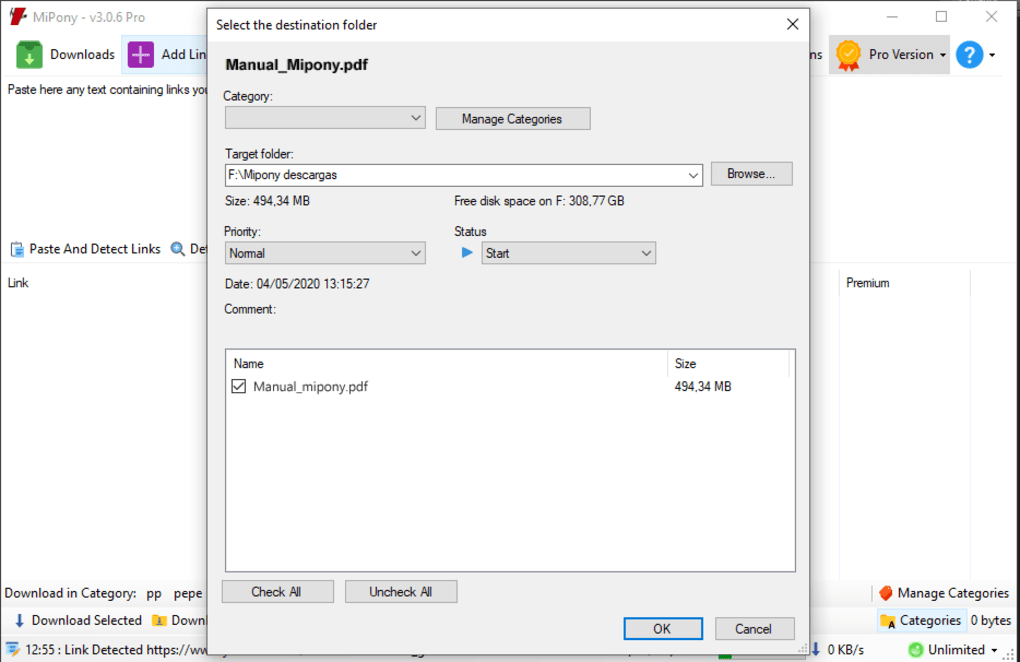
Users can add download links directly into Mipony’s interface or leverage the program’s built-in clipboard monitor. The clipboard monitor automatically detects download links copied to the system’s clipboard, adding them to Mipony’s queue for processing. This hands-off approach significantly minimizes user interaction and maximizes efficiency. Once the links are added, Mipony takes over, verifying the links’ validity, handling any necessary waiting periods (imposed by the hosting sites), and downloading the files to the user’s specified location. Even files split into multiple parts are seamlessly handled by Mipony, with the program automatically joining them after successful download.
Furthermore, Mipony incorporates a built-in web browser, enabling users to browse directly within the application and locate download links without switching to an external browser. This integrated approach keeps the entire download process contained within Mipony’s interface, enhancing usability and workflow.
Advanced Features and Customization Options
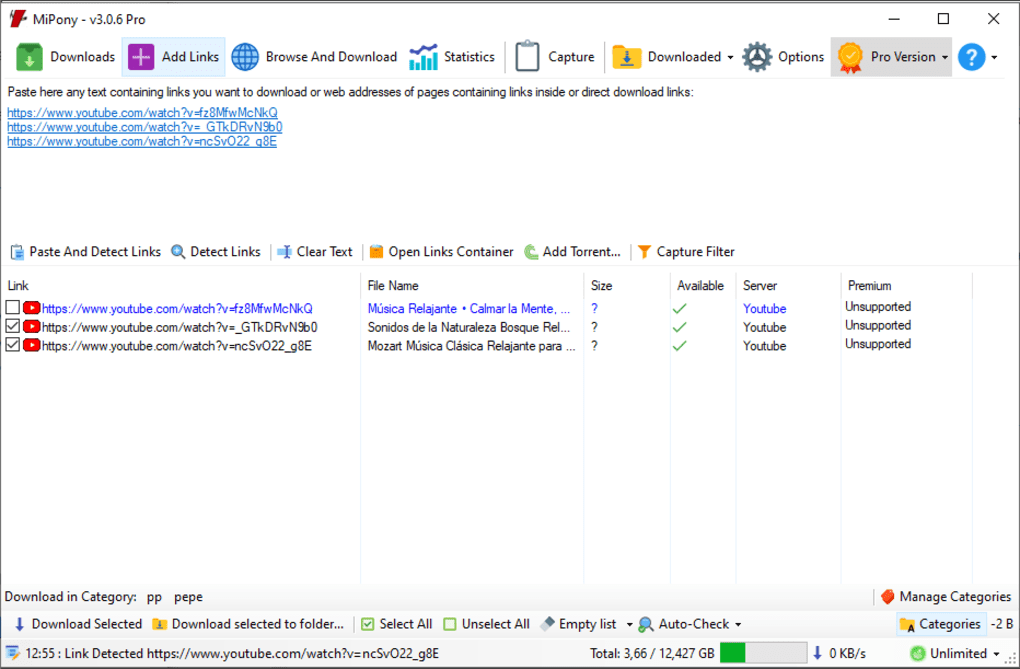
Beyond its core download management capabilities, Mipony offers several advanced features that enhance its functionality and adaptability. Users can fine-tune download parameters such as speed limits and the number of simultaneous downloads. This ensures that downloads do not overwhelm the user’s internet connection, allowing for continued use of other online activities while downloads are in progress. This is particularly crucial for users with limited bandwidth or those who share their internet connection.
The program’s compatibility extends to premium accounts on many supported hosting services. This allows users with premium subscriptions to leverage their faster download speeds and access to premium features, further enhancing download efficiency. This integration significantly benefits users who have already invested in premium access to file hosting sites.
User Interface and Ease of Use
Mipony’s interface is generally considered user-friendly and intuitive. The straightforward design allows users of all technical skill levels to quickly grasp the program’s functionality. The addition of keyboard shortcuts enhances navigation and efficiency, allowing for faster interaction and reducing reliance on mouse clicks.
Support for a Wide Range of File Hosting Sites
Mipony’s compatibility with a vast array of file hosting websites is a significant advantage. It supports a wide range of both popular and lesser-known services, ensuring versatility and broad applicability. The ongoing updates and addition of support for new sites further reinforce this benefit, ensuring that Mipony remains a relevant and adaptable tool in the constantly evolving landscape of online file sharing.
However, the specific compatibility with file-hosting services and whether all features function correctly with each platform may need occasional verification. Some users may encounter situations where certain websites or features may not be fully supported.
Weaknesses and Limitations
While Mipony boasts many strengths, some limitations deserve attention. A commonly reported issue concerns the program’s behavior when a download link is copied to the clipboard. The program’s window tends to pop up on top of all other active windows, sometimes interrupting workflow and requiring manual window management. While this behavior can be mitigated through options adjustments, such as minimizing to the system tray, this is an inconvenience for some users.
The software has, in the past, been associated with bundled software or adware during installation. This is a serious concern, and users should exercise caution and carefully review all installation options to avoid unwanted software installations. This historical issue underscores the importance of vigilance during installation to ensure only the desired program components are installed.
Comparison to Alternative Download Managers
Mipony stands out amongst numerous download managers, but a direct comparison to some notable alternatives provides valuable context. JDownloader, for instance, is a well-established and popular open-source download manager with a large user base and active community support. JDownloader’s extensive features and community support are strong advantages, although its interface is arguably more complex than Mipony’s.
Other download managers like Internet Download Accelerator (IDA) offer comprehensive download management features but often come with a price tag unlike Mipony’s free availability. Ninja Download Manager, a free and lightweight alternative, provides a simpler interface, suitable for users who prioritize simplicity over advanced features. The optimal choice depends on the user’s individual needs and preferences regarding features, complexity, and cost.
Conclusion
Mipony provides a robust and efficient solution for managing downloads from numerous file-hosting websites. Its intuitive interface, support for premium accounts, and the built-in clipboard monitor contribute to a simplified and streamlined download experience. While some users have reported issues with the window popping up unexpectedly and past concerns regarding bundled software, its overall performance and extensive website compatibility remain compelling. Ultimately, Mipony’s suitability hinges on individual user preferences and technical expertise. However, for users seeking an efficient and relatively easy-to-use download manager, Mipony merits strong consideration. Regular updates and active maintenance of the software are also critical factors contributing to its long-term viability.
File Information
- License: “Free”
- Latest update: “July 27, 2024”
- Platform: “Windows”
- OS: “Windows XP”
- Language: “English”
- Downloads: “190.5K”
- Size: “409.90 KB”


