
In an increasingly connected world, the ability to seamlessly bridge the gap between our personal mobile devices and larger display screens has become paramount. Gone are the days when cumbersome cables and complex setups were the only means to share content beyond the small confines of a smartphone. Enter Miracast Wifi Display, a revolutionary tool that has transformed how Android users interact with their media, applications, and even their device’s entire interface. This innovative application, developed by The Tree Team, offers a wireless solution akin to a virtual HDMI cable, allowing you to cast your Android phone’s screen directly onto a smart television or a compatible wireless display adapter with remarkable ease and fidelity.
Miracast Wi-Fi Display isn’t just another screen mirroring app; it represents a commitment to wireless convenience and high-quality multimedia transmission. It operates on a simple yet powerful principle: to replicate everything visible on your Android device onto a larger screen, complete with synchronized audio and high-definition visuals. From browsing photos and watching videos to navigating your phone’s general interface or showcasing a presentation, the possibilities are virtually limitless. This technology leverages advanced codecs like H.264 to ensure that mirrored videos are transmitted in Full HD, accompanied by immersive surround sound audio, delivering a truly cinematic experience right from your handheld device. Moreover, one of its significant advantages is the inclusion of a Digital Rights Management (DRM) layer, which allows users to mirror copyrighted materials, such as purchased music tracks or DVD content, without encountering restrictions – a feature often absent or complex with other casting solutions.
The evolution of technology has consistently pushed for greater freedom and less friction in our digital interactions. Miracast Wifi Display embodies this ethos, providing a robust, free-to-use utility that liberates content from the small screen. With an impressive download count of 37.5K and a commendable user rating of 4.3 out of 5 stars from 20 reviews, it stands as a trusted program within the Android ecosystem. Its version 2.5, as of its stated latest update on July 26, 2025, is designed to support modern Android OS versions, including Android 13.0, ensuring compatibility with a wide array of contemporary devices. This makes Miracast Wifi Display an indispensable utility for anyone looking to expand their digital horizons and share their mobile experience on a grander scale, without the tangles and limitations of physical connections.
Utilities & Tools: Unlocking Seamless Wireless Display
In the vast landscape of Android applications, “Utilities & Tools” form a cornerstone, providing essential functionalities that enhance the user experience, streamline tasks, and extend the capabilities of our devices. Miracast Wifi Display fits perfectly into this category, offering a utility that transforms how we consume and share digital content. Its core function is to act as a bridge, a wireless conduit that allows an Android device to “talk” to a larger display. This capability is not merely about convenience; it’s about empowerment, giving users the freedom to utilize their mobile devices in ways previously restricted by screen size.
The technical brilliance behind Miracast Wifi Display lies in its seamless integration of Wi-Fi Direct technology. Unlike traditional screen mirroring solutions that often rely on an intermediary router or proprietary hardware, Miracast establishes a direct, peer-to-peer connection between your Android device and the target display. This direct link minimizes latency, optimizes bandwidth for streaming, and simplifies the setup process, as both devices essentially form their own ad-hoc network for the mirroring session. This robust connection is what allows for the transmission of high-definition video (Full HD) and multi-channel surround sound, all encoded using the efficient H.264 codec. The H.264 standard is widely recognized for its ability to compress video data effectively while maintaining excellent visual quality, making it ideal for real-time streaming applications like Miracast.
Getting Started: A Step-by-Step Guide
Using Miracast Wifi Display is designed to be straightforward, but understanding the prerequisites and steps is crucial for a smooth experience.
- Check TV Compatibility: The first and most critical step is to ensure that your television or external display explicitly supports Miracast or a generic “wireless display” feature. Many modern smart TVs come with Miracast built-in. If your TV doesn’t have it natively, you might need a Miracast-compatible wireless display adapter (dongle) that plugs into an HDMI port.
- Network Connection is Key: Both your Android device and your television (or the display adapter) must be connected to the same local area network (LAN) via Wi-Fi. This is a common point of confusion: if your phone is using mobile data and your TV is on Wi-Fi, the connection will fail. Ensure both are on the same Wi-Fi network to facilitate discovery and connection.
- Enable Wireless Display on TV: On your television, navigate to the input or settings menu and look for an option like “Screen Mirroring,” “Miracast,” “Wireless Display,” or “Smart View.” Activate this feature to make your TV discoverable.
- Launch Miracast Wifi Display App: Open the Miracast Wifi Display app on your Android device.
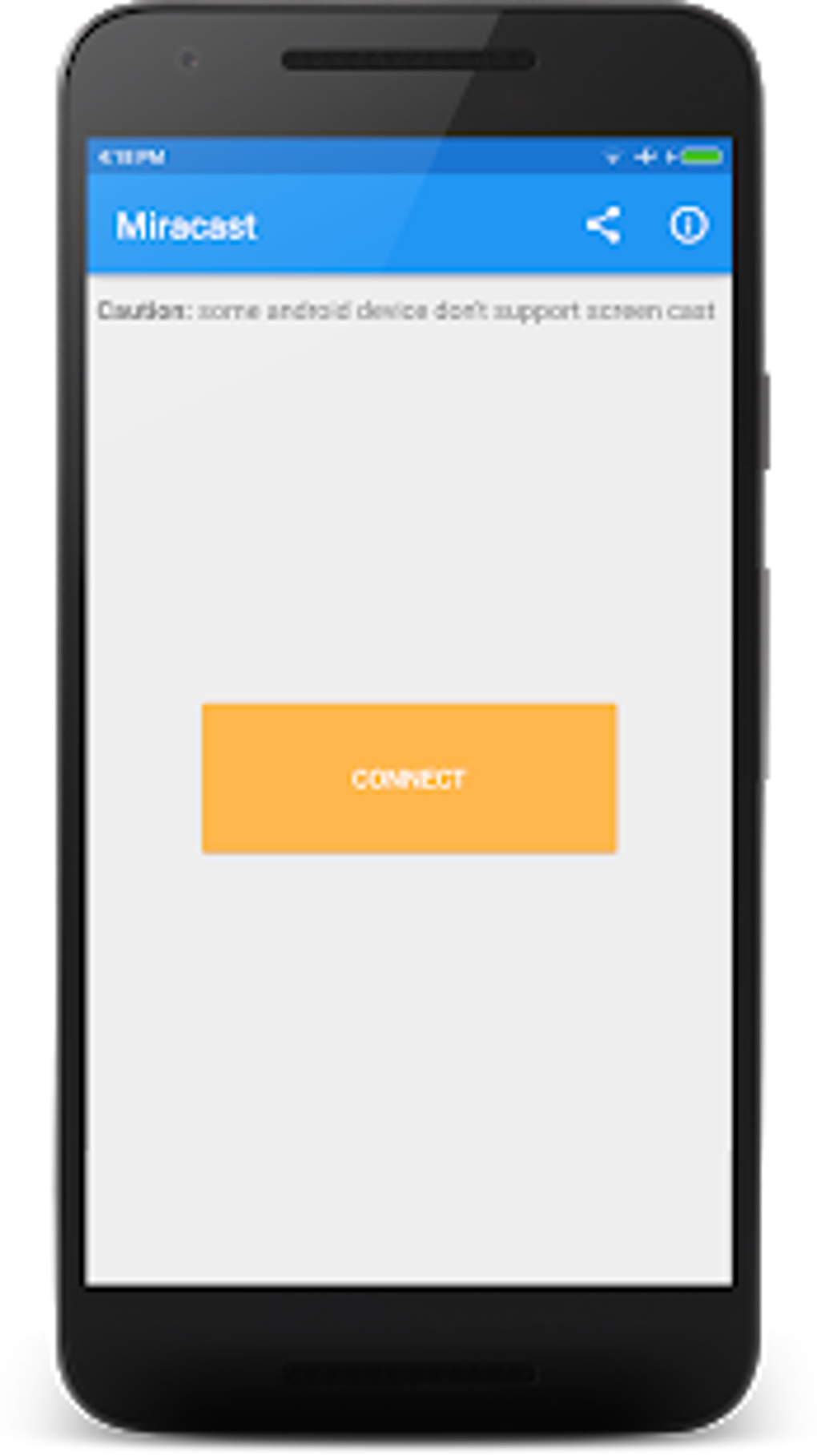
- Connect: Within the app, you will typically find a “Connect” or “Start Casting” button. Tap this, and your phone will begin searching for available Miracast-enabled displays on your network.
- Select Your TV: Once your TV appears in the list of discovered devices, select it. Your phone’s screen should then begin mirroring onto your television. Some TVs may require you to accept the connection on the TV screen itself for security.
While the process is designed to be user-friendly, issues can arise. A weak or unstable Wi-Fi connection is a primary culprit for stuttering or dropped signals. Furthermore, while Miracast is an open standard, its implementation can vary between device manufacturers, leading to occasional compatibility challenges. The app’s dependency on your network’s stability underscores the importance of a robust Wi-Fi setup for optimal performance. Despite these potential hurdles, the inherent value of Miracast Wifi Display as a utility for wireless mirroring remains undiminished, offering a powerful, cable-free solution for extending your Android experience.
Miracast Wifi Display: A Deep Dive into Android Casting
The Android operating system, with its open nature and vast ecosystem, has always been a fertile ground for innovation, particularly in areas that enhance user interaction and connectivity. Miracast Wifi Display capitalizes on Android’s capabilities, offering a dedicated and highly effective solution for casting. Since its requirement for Android version 4.2 or later, the app has evolved alongside the OS, adapting to new features and ensuring broad compatibility across a myriad of Android smartphones and tablets. This makes it an essential tool for any Android user keen on experiencing their device’s full potential on a larger screen.
The app’s developer, The Tree Team, has focused on delivering a utility that is both accessible and powerful. Its “Free” license model, while beneficial for users, does come with a common trade-off: the presence of advertisements. While these can sometimes be annoying, they are a small price to pay for a tool that delivers such significant functionality without an upfront cost. The app’s lean design and focus on its core mirroring function ensure that it remains lightweight and efficient, minimizing resource consumption on your Android device.
Key Features and Performance:
- Wireless HDMI: This is the cornerstone of Miracast Wifi Display. It replicates the functionality of an HDMI cable without the physical tether, allowing for flexible placement of your device and freedom of movement.
- High-Quality Visuals and Audio: The app’s use of the H.264 codec ensures Full HD (1080p) video mirroring, which means sharp, clear images and vibrant colors. Paired with surround sound audio, it creates an immersive viewing experience, whether you’re watching movies, displaying photos, or navigating apps.
- DRM-Protected Content Support: A standout feature is its ability to handle DRM-protected content. This means you can legally stream content from services that typically restrict mirroring, such as certain video streaming apps or personal digital media libraries containing copyrighted music and movies. This greatly expands the app’s utility for entertainment purposes.
- Ease of Use: As detailed in the setup guide, the app is designed for quick initiation. Once compatible devices are on the same network, connecting is often just a few taps away.
- Broad Android Compatibility: With support for Android 4.2 and up to Android 13.0 (as per the stated specs), it covers a vast spectrum of Android devices, making it a widely applicable solution.
However, no technology is without its limitations. The “Cons” section of Miracast Wifi Display highlights areas where user experience might be impacted:
- Annoying Advertisements: As a free app, ads are a necessary part of its business model. While they can be intrusive, they are generally manageable.
- Internet Connection Dependency: The “may stutter if the Internet connection is weak” warning is crucial. While Miracast uses Wi-Fi Direct for the actual stream, a stable local Wi-Fi network is still essential for device discovery and maintaining a robust connection. A weak signal or congested network can lead to lag, pixelation, or disconnections.
- Smartphone Model Support: “Not all smartphone models support this app” points to the fragmentation inherent in the Android ecosystem. While the app targets a broad OS range, specific hardware or manufacturer modifications might prevent seamless operation on every single device. Users should test compatibility if unsure.
- No Multitasking: This is a significant limitation. When you are mirroring your screen, your Android device is effectively locked into projecting its display. You cannot use your phone for other tasks simultaneously without interrupting the mirrored stream. This means you can’t, for example, cast a movie while checking emails on the same phone. This is a fundamental aspect of screen mirroring (vs. casting a specific app content like Chromecast).
Despite these drawbacks, Miracast Wifi Display remains a powerful and incredibly useful tool for the Android user. Its ability to provide a high-quality, wireless connection to a larger display opens up numerous possibilities for both work and play, solidifying its place as a valued utility in the Android app store.
Enhancing Productivity: Miracast For Business
Beyond personal entertainment, Miracast Wifi Display offers significant advantages for professionals and businesses. In today’s dynamic work environments, flexibility and ease of sharing information are critical. Miracast transforms an Android device into a portable presentation hub, a collaborative workstation, or an effective demonstration tool, all without the need for a single cable.
Imagine walking into a meeting room, and instead of fumbling with HDMI cables, adapters, or proprietary dongles, you can instantly project your presentation from your Android tablet or smartphone onto a large monitor or projector. This instant connectivity saves valuable time, reduces setup frustrations, and projects an image of professionalism and technological fluency. Sales representatives can effortlessly showcase product demos, marketing teams can review campaigns, and educators can engage students with interactive content directly from their mobile devices. The high-definition video and audio capabilities ensure that graphs, charts, videos, and detailed documents are displayed with clarity, making every presentation impactful.
For collaborative work, Miracast enables easy screen sharing among team members. A developer can quickly demonstrate a new app feature, a designer can display their latest mock-ups, or a team can collectively review a document. This real-time, shared visual experience fosters better communication and more efficient decision-making. The “no multitasking” limitation, while a con for personal use, can even be an advantage in a business context, as it ensures the presenter’s full attention is on the content being displayed, minimizing distractions from incoming notifications or other apps on their phone.
Furthermore, for small businesses or startups, investing in specialized presentation equipment can be costly. Miracast Wifi Display, being a free application, significantly lowers the barrier to entry for professional-grade screen sharing. All that’s required is a Miracast-compatible display and an Android device, making it an incredibly cost-effective solution for enhancing productivity and communication in various business settings. Its utility extends to training sessions, product launches, and even informal brainstorming sessions where quick visual sharing can spark creativity and drive innovation.
Entertainment Unleashed: Apps, Games, and News on the Big Screen
The true magic of Miracast Wifi Display often shines brightest in the realm of entertainment. Our smartphones have become central to our digital lives, housing our favorite apps, games, and news sources. However, the small screen can often limit the immersive potential of this content. Miracast breaks down these barriers, allowing users to experience their mobile entertainment on a much grander scale.
Apps: Think of your favorite streaming apps – whether it’s YouTube, TikTok, or a specialized content platform. With Miracast, you can cast these apps directly to your smart TV, transforming your living room into a personal cinema or a dynamic viewing hub. Sharing funny videos with family, showcasing vacation photos from your gallery, or even just browsing social media feeds becomes a communal experience rather than a solitary one. The app’s ability to mirror DRM-protected content is particularly beneficial here, ensuring compatibility with a broader range of premium streaming services or downloaded media that might otherwise be blocked by other mirroring methods. This means you can enjoy your purchased movies or music videos with the same quality as if they were natively on your TV.
Games: For casual gamers, Miracast Wifi Display opens up new possibilities. While it may not be suitable for fast-paced, competitive gaming due to potential latency (especially with a weak Wi-Fi connection), it’s excellent for turn-based strategy games, puzzles, or adventure titles where a slight delay isn’t critical. Imagine playing a mobile board game with friends, everyone looking at the same large screen, or enjoying a graphically rich mobile RPG with stunning visuals projected onto your TV. The immersion is significantly enhanced, making the gaming experience more engaging and visually impressive than on a small phone screen. For demonstrating games or playing with an audience, it’s an invaluable tool.
News: Staying informed is a daily ritual for many, and news consumption has largely shifted to mobile platforms. With Miracast, you can bring your news apps to the big screen. Follow live news feeds, watch video reports, or browse digital newspapers and magazines with ease. This can be particularly useful in communal settings, such as a family gathering where everyone wants to catch up on current events, or even in waiting rooms and public spaces where a shared display can provide relevant information. The high-definition mirroring ensures that text is crisp and readable, and video segments are displayed with clarity, making for a comfortable and informative viewing experience.
In essence, Miracast Wifi Display transforms the individual experience of mobile entertainment into a shared, larger-than-life spectacle. It maximizes the utility of your Android device, making it not just a personal gadget but a versatile media center capable of powering the entertainment for an entire room. The freedom from cables, combined with the high-quality output, makes it an indispensable tool for anyone who loves their mobile content but craves the impact of a big screen.
The Miracast Wifi Display app, developed by The Tree Team, stands as a testament to the power of wireless technology in simplifying and enhancing our digital lives. From its free license model and broad Android compatibility (Android 4.2 to Android 13.0) to its ability to deliver high-quality, DRM-enabled screen mirroring, it offers a compelling solution for a wide range of users. While challenges such as potential network-related stuttering, advertisements, and device-specific compatibility issues exist, its core value proposition – seamless, wireless casting of your Android screen – remains incredibly strong. With 37.5K downloads and a solid 4.3 rating, it’s clear that this utility has carved out an important niche in the Android ecosystem. Whether for productivity, education, or pure entertainment, Miracast Wifi Display empowers users to break free from the confines of the small screen, truly unleashing the potential of their Android devices on a grand scale.
File Information
- License: “Free”
- Latest update: “July 26, 2025”
- Platform: “Android”
- OS: “Android 13.0”
- Language: “English”
- Downloads: “37.2K”
- Download Options: “Google Play”


