
In the ever-evolving landscape of digital communication, where applications vie for attention with ever-growing feature sets and resource demands, Miranda IM stands as a remarkable anomaly. It is a multi-protocol instant messaging client for Windows that has cultivated a dedicated following by championing an entirely different philosophy: extreme lightness, unparalleled speed, and profound customization. Unlike many of its contemporaries that demand significant system resources or complex installations, Miranda IM offers a refreshingly minimalist approach. It is exceptionally light on system resources, remarkably fast, and notably, requires no formal installation, making it a paragon of portability. In its earlier days, it could even fit onto a single floppy disk; today, it’s a perfect companion for a USB drive, ready to deploy communication wherever you go.
At its core, Miranda IM’s power emanates from a robust, plugin-based framework. This architecture has not only fostered continuous development but also cultivated a vibrant community, leading to the creation of over 350 distinct plugins. These extensions transform Miranda IM from a stripped-down messaging shell into one of the most flexible and highly customizable messaging clients available globally. It empowers users to meticulously tailor their communication environment, integrating a diverse array of services and functionalities to meet their precise needs. This unique blend of efficiency and extensibility ensures Miranda IM’s continued relevance, particularly for power users and those who value a streamlined, resource-friendly communication hub above all else.
A Nexus for Social & Communication
Miranda IM’s primary allure, and indeed its raison d’être, is its ability to serve as a central hub for multiple disparate instant messaging protocols. In the early 2000s, it was common for users to juggle several messaging applications simultaneously – one for AIM, another for MSN, yet another for Yahoo Messenger, and perhaps an additional client for ICQ or Jabber. This fragmentation not only cluttered desktops and system trays but also placed a significant strain on system resources. Miranda IM emerged as a powerful antidote to this chaos, allowing users to consolidate all their contacts and conversations from various networks into a single, unified interface.
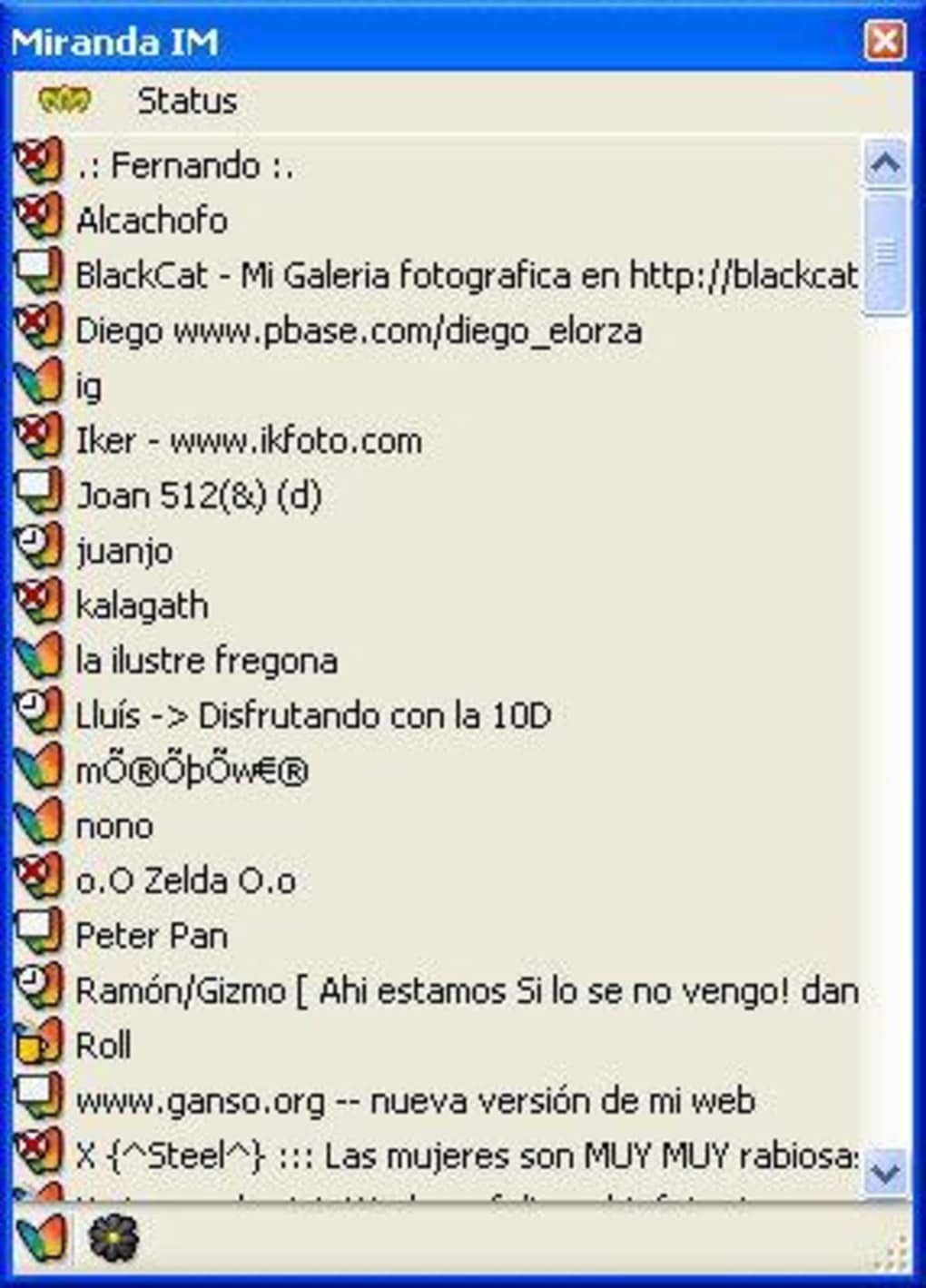
This multi-protocol capability means that a user could log into their AOL Instant Messenger, MSN Messenger, Yahoo Messenger, and ICQ accounts all from within Miranda IM, seeing all their contacts and receiving messages in one consistent window. This consolidation wasn’t just a matter of convenience; it represented a fundamental shift in how people managed their online social interactions. Instead of constantly switching between applications, users could maintain a holistic view of their online presence, making communication seamless and efficient. The sheer scope of protocols supported through its plugin architecture allowed Miranda IM to become a universal translator in the world of instant messaging, a single point of access to a fragmented digital world.
The Core of Chat & Instant Messaging
At the heart of Miranda IM’s appeal lies its dedication to the fundamental purpose of instant messaging: reliable, efficient text-based communication. While modern messengers have evolved to incorporate voice, video, file sharing, and a myriad of other features, Miranda IM initially focused on excelling at the basics. This focused approach contributes directly to its legendary status as a “low resource” application. By not burdening itself with extraneous features that many users may not even utilize, Miranda IM ensures that its core function – sending and receiving text messages – is executed with minimal latency and maximum stability.
For those who simply want to chat without the overhead of heavy animations, embedded web browsers, or integrated social media feeds, Miranda IM provides an uncluttered and direct channel. This makes it an ideal choice for environments where system performance is paramount, such as older computers, netbooks, or professional settings where distractions need to be minimized. The ability to manage multiple instant messaging accounts through a single, lightweight application translates directly into a more organized and less taxing communication experience. It provides the essential tools for connecting with friends, family, and colleagues across different networks, all from a discreet and efficient application that truly understands the “instant” in instant messaging.

Enhancing Productivity with a Streamlined Interface
One of Miranda IM’s most celebrated attributes, frequently highlighted by its user base, is its exceptional efficiency regarding system resources and its remarkably small footprint. In an era where software applications often compete to be the most visually stunning or feature-rich, frequently at the expense of performance, Miranda IM stands out as a champion of minimalism. This design philosophy translates directly into significant productivity benefits for its users.
Its claim to be the “lowest resource and smallest sized instant messenger” among its top competitors is not an exaggeration. This means that Miranda IM consumes significantly less RAM and CPU cycles compared to more bloated alternatives. For users with older hardware, limited memory, or simply those who prioritize a snappy, responsive computing experience, this is an invaluable advantage. Less resource consumption translates into a faster overall system, reduced lag, and the ability to run other demanding applications simultaneously without a noticeable drop in performance. It frees up precious system resources that can be allocated to tasks that truly require them, thereby enhancing overall user productivity.
Furthermore, the “no installation required” aspect of Miranda IM makes it incredibly portable. Users can simply copy the application folder onto a USB drive, and it’s ready to run on any Windows machine. This portability is a boon for professionals who frequently switch between different workstations, students who work on various campus computers, or anyone who needs to maintain a consistent communication environment on the go. There’s no need to install software, navigate IT policies, or leave behind traces on public computers. This instant deployability and self-contained nature ensure that your personalized messaging hub is always at your fingertips, contributing significantly to a seamless workflow regardless of location.
While its initial interface is often described as “bare bones,” this simplicity is a deliberate design choice that enhances rather than detracts from productivity. An uncluttered interface means fewer distractions and a more direct path to communication. For users who find feature-packed applications overwhelming, Miranda IM offers a serene workspace focused solely on the task at hand. The true power lies in the fact that this simplicity is not restrictive; it’s a canvas upon which users can build. Through its extensive plugin architecture, users can add precisely the features they need, effectively customizing their messenger to be as streamlined or as functional as their workflow demands, ensuring that the tool always serves the user’s specific productivity requirements.
Security and Customization Through a Plugin Ecosystem
The plugin-based framework is arguably Miranda IM’s most defining characteristic, transforming it from a simple chat client into a remarkably adaptable and powerful communication platform. With a staggering library of over 350 plugins, Miranda IM offers a level of customization that few, if any, other instant messaging clients can match. This extensibility allows users to tailor their experience down to the finest detail, reflecting individual preferences and functional requirements.
Plugins range from adding support for new messaging protocols beyond the core AIM, MSN, Yahoo, and ICQ, to integrating advanced features like encrypted communication, detailed logging, spell-checking, custom emoticons, status message automation, and intricate notification systems. Users can choose to enhance their interface with new themes, alter icon sets, or implement sophisticated contact management tools. This means that two users running Miranda IM might have vastly different experiences, each having sculpted their client to perfectly fit their workflow and aesthetic preferences. For power users, this is an invaluable asset, allowing them to build a messaging tool that is uniquely their own, avoiding the “one size fits all” limitations of many commercial offerings.
However, this profound level of flexibility comes with a learning curve. User reviews often highlight that while the customization potential is immense, “plugins are more complex than other alternatives” to install and configure. Unlike some competitors where adding features might be a click away from an in-app store, Miranda IM often requires users to download plugins manually from its community forums or official website, place them in the correct directory, and then configure them through a somewhat less intuitive settings menu. This complexity is a tradeoff: simplicity is sacrificed for unparalleled power and granular control. For the “average user,” this might be a deterrent, leading to frustrations. But for the technically inclined, or those willing to invest a little time, the rewards are a messenger perfectly calibrated to their needs.
From a security perspective, while the original content does not explicitly detail security plugins, the open-source nature of many plugins within such an ecosystem often allows for the integration of various encryption standards. Users concerned about privacy can seek out and implement plugins that offer end-to-end encryption, secure file transfers, or obfuscation features, giving them a degree of control over their communication security that might not be available in closed-source, pre-packaged solutions. This capability to selectively enhance security through community-developed tools adds another layer of appeal for users who prioritize privacy and data protection in their online interactions. The plugin architecture, therefore, serves as both a powerful customization engine and a potential avenue for enhanced, user-controlled security features.
Miranda IM: A Unique Utility for Discerning Users
When evaluating Miranda IM against its competitors, it becomes clear that it doesn’t aim for universal appeal but rather targets a specific, discerning user base. User reviews consistently paint a picture of an application with distinct advantages and acknowledged drawbacks, making it a unique utility in the realm of instant messaging.
The Pros, as highlighted by its community, are compelling:
- Highly Customizable: This is Miranda IM’s strongest suit, offering unparalleled flexibility to tailor the client with hundreds of plugins.
- Small In Size: Its minimal footprint, often just a few megabytes, ensures it’s incredibly lightweight and portable.
- Low On Resources: Consuming minimal CPU and RAM, it runs smoothly even on older or less powerful hardware, freeing up system resources.
- Free: Being open-source and freely available adds to its accessibility and appeal.
- Combines Multiple Messengers: Its multi-protocol support eliminates the need for numerous individual clients, consolidating communication.
However, these strengths are balanced by acknowledged Cons:
- Not As Easy To Use As Other Alternatives: The initial setup and configuration can be daunting for novices.
- Plugins Are More Complex Than Other Alternatives: Installing and managing plugins requires a certain level of technical comfort.
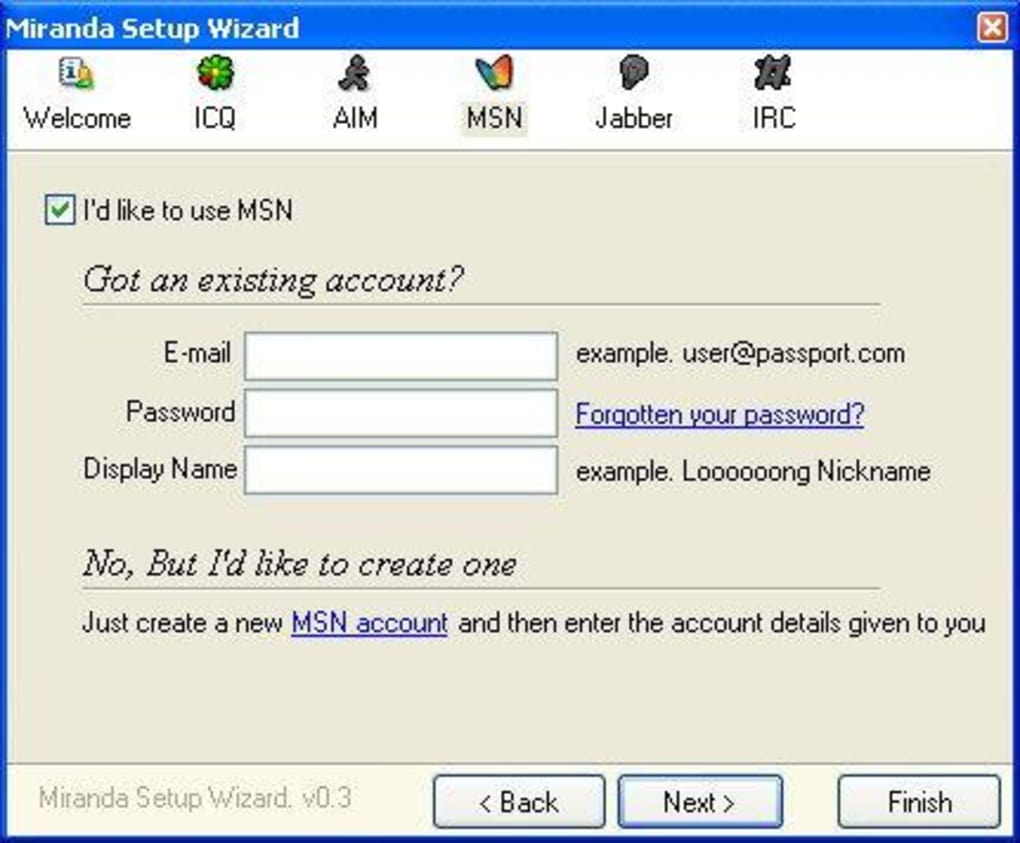
- Harder To Sign Into Than Other Alternatives: Account setup and automatic login features are not as streamlined as in more user-friendly applications.
- Too Basic And Complex For Average Users: Its barebones interface, coupled with the complexity of customization, can overwhelm those looking for an out-of-the-box, feature-packed experience.
These points collectively define Miranda IM’s ideal user: the “power user” or someone who “doesn’t mind sacrificing simplicity” for superior control and efficiency. It caters to individuals who “know how to set up an instant messenger” and are willing to invest time in configuration to achieve a perfectly optimized tool. For these users, the “stripped down no nonsense Instant Messenger” is far preferable to a “higher resourced and bigger file sized alternative.”
In stark contrast, users seeking a “user-friendly Instant Messenger that is feature packed” are often advised to look towards alternatives like Digsby, Trillian Astra, or Pidgin, or more modern applications like WhatsApp, Telegram, or even corporate tools like Microsoft Teams and Zoom. These alternatives typically offer a more polished, intuitive out-of-the-box experience with integrated features that cater to a broader audience who prioritize ease of use over granular control.
Miranda IM’s appeal, therefore, is not found in broad market dominance but in its specialized niche. It functions as a powerful utility for those who value efficiency, deep customization, and a minimalist approach to communication. It’s a tool built for those who desire to construct their ideal messenger, rather than simply accepting a pre-built solution. Its legacy continues as a testament to the enduring demand for software that empowers users through choice and control, making it a powerful and relevant application for its target audience.
Conclusion
Miranda IM continues to occupy a distinctive and respected position within the pantheon of communication software. Emerging in an era defined by fractured messaging platforms, it offered a unified, lightweight, and supremely customizable solution that resonated deeply with a particular segment of users. Its core strengths – minimal resource consumption, exceptional speed, inherent portability, and a robust plugin architecture – have cemented its status as an enduring choice for those who prioritize performance and control above all else.
While its learning curve and initial “bare bones” interface might deter the average user accustomed to more intuitive, feature-rich alternatives, Miranda IM’s profound extensibility remains its crowning glory. With hundreds of plugins, users are empowered to craft a messaging client that is precisely attuned to their specific needs, integrating various protocols and functionalities into a single, efficient hub. Even with its last stated update being July 2, 2025 (an intriguing prospective date for a tool with a long history of development), its fundamental design principles ensure its continued relevance.
For the power user, the technically adept, or anyone seeking a highly efficient, deeply personalizable, and resource-friendly communication tool that consolidates their digital conversations, Miranda IM remains an excellent choice. It is more than just an instant messenger; it is a testament to the power of open-source development and user-driven customization, offering a compelling alternative in a world increasingly dominated by monolithic, resource-heavy applications. Its legacy is not just about what it does, but how elegantly and efficiently it accomplishes it, truly standing as a powerful utility for the discerning user.
Information about Miranda IM and other software is available for download on PhanMemFree.org.
File Information
- License: “Free”
- Latest update: “July 2, 2025”
- Platform: “Windows”
- OS: “Windows XP”
- Language: “English”
- Downloads: “9.7K”
- Size: “8.29 MB”


