
Miro, described by its developers as an “open-source Internet TV platform,” offers a compelling alternative to traditional television viewing. More than just a video player, it aims to foster a community of broadcasters, creating what it terms an “Internet video ecosystem.” This ambition, however, doesn’t overshadow its core functionality: Miro excels as a straightforward and user-friendly application for watching online videos from diverse sources.
A Unified Approach to Online Video Consumption
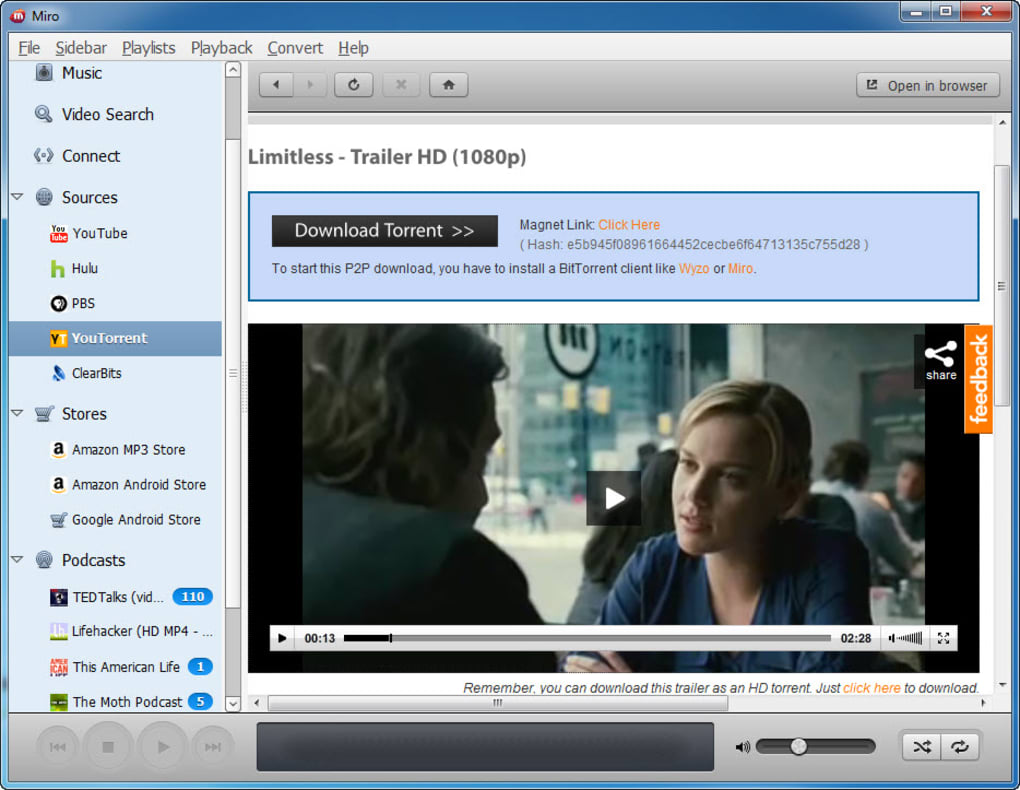
Miro cleverly integrates video content from various sources, providing a streamlined and efficient way to access and enjoy online video on your PC. It leverages open protocols, allowing users to subscribe to video channels and blogs via RSS feeds. Furthermore, it utilizes BitTorrent technology to facilitate efficient downloading of video files, ensuring smooth playback even with larger files. This combination of technologies gives Miro a distinct advantage over simpler video players, allowing it to seamlessly handle a wider variety of content sources and formats.
The application’s support extends beyond RSS and BitTorrent. Miro also integrates directly with popular video platforms like YouTube and DailyMotion, allowing users to browse and watch videos directly within the application. Users can even subscribe to their favorite YouTube channels, keeping their preferred content readily accessible within Miro’s interface.
Beyond its diverse content sources, Miro offers a range of practical features that enhance the viewing experience. Support for video playlists allows for organized and continuous playback, creating a more immersive and enjoyable viewing experience. The ability to resume playback from precisely where the user left off eliminates the frustration of restarting videos, greatly enhancing convenience. Furthermore, the ability to watch videos in a separate window allows for multitasking, enabling users to continue browsing or working while simultaneously enjoying their chosen video content.
Intuitive User Interface and Navigation
Miro’s user experience is significantly enhanced by its intuitive interface and a well-designed navigation system. A helpful guide provides users with a straightforward introduction to the application’s features and functionalities. This guide not only assists new users in getting started but also allows them to easily search and browse the thousands of available channels. The intuitive design makes navigating the extensive library of channels a breeze.
Adding new channels to the sidebar is incredibly easy, requiring only a simple click of a subscription button. This simplified process encourages exploration and discovery of new content, expanding the user’s viewing options considerably. The sheer volume of channels available—over two thousand at the time of writing—makes Miro a veritable treasure trove of online video content, all accessible free of charge.
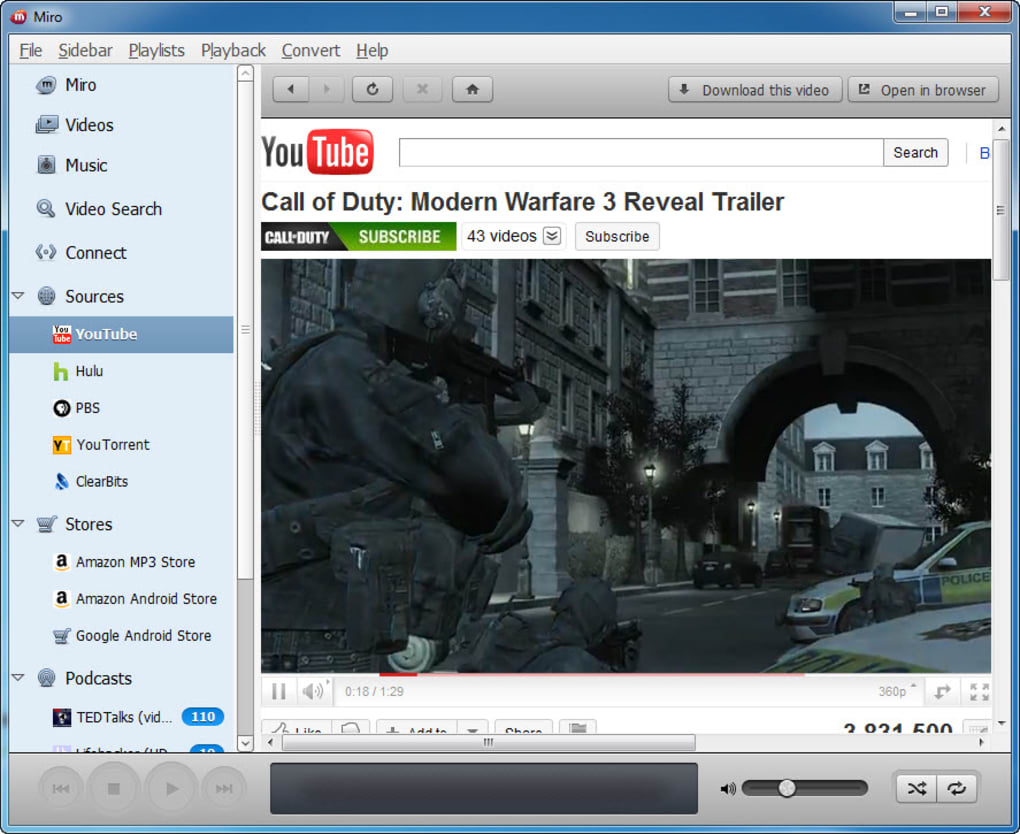
It’s important to acknowledge that while Miro offers an extensive library of free content, the video quality may vary. This variance is a natural consequence of the diverse sources and formats Miro supports. Some channels may offer high-definition video, while others might have lower resolution. Additionally, geographical restrictions may apply to certain video services, meaning some content might not be available in all regions. Despite these limitations, the overall accessibility and convenience of Miro significantly outweigh these minor drawbacks for many users.
Features and Functionality: A Deeper Dive
The seamless integration of multiple video sources is a key strength of Miro. Its ability to handle RSS feeds, BitTorrent downloads, and direct integration with platforms like YouTube and DailyMotion sets it apart from many other video players. This unified approach creates a central hub for all of a user’s online video needs, eliminating the need to switch between multiple applications or websites. This consolidation simplifies the user experience and reduces the time spent searching for content.
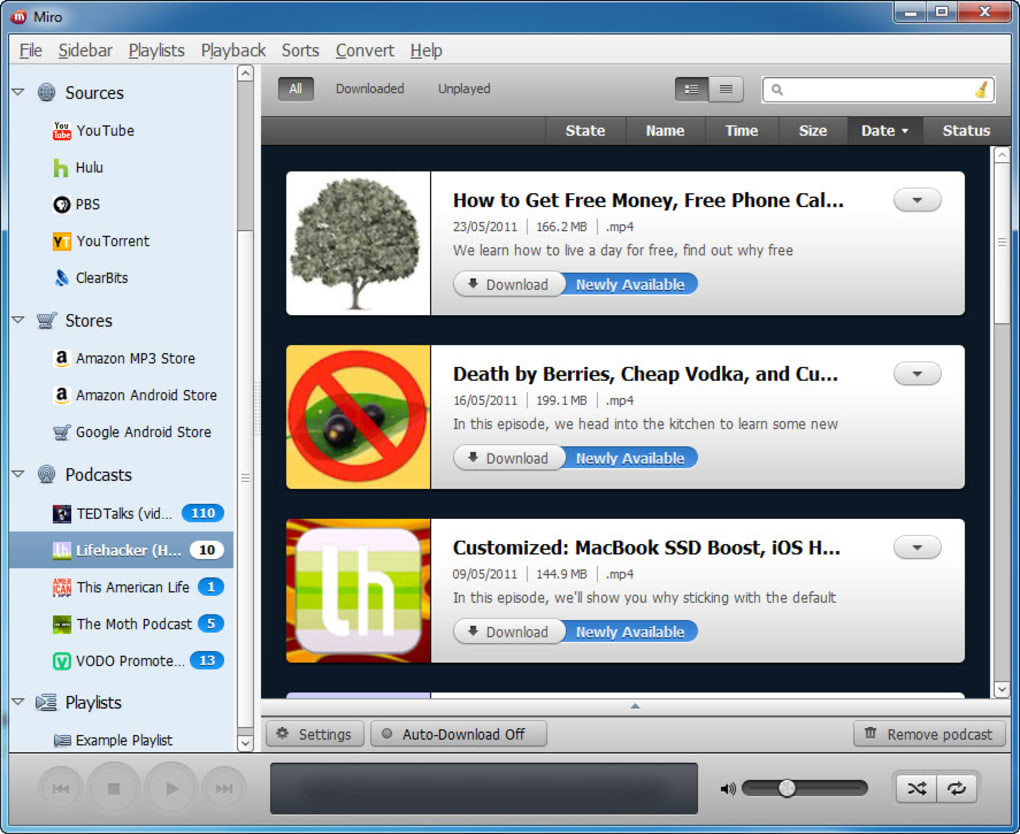
Furthermore, Miro’s support for various video formats ensures compatibility with a wide range of video files. This eliminates the frustration of encountering incompatible file formats, a common issue with some video players. The inclusion of features such as video playlists and resume playback further enhances usability, creating a more convenient and enjoyable viewing experience.
The ability to minimize the video player to a separate window while continuing to browse the application’s interface is a particularly useful feature. This allows for multitasking, permitting users to explore new content or manage their subscriptions without interrupting their current viewing. This flexible approach caters to users who prefer a more dynamic and interactive online video experience.
Addressing Limitations and Potential Drawbacks
While Miro offers an impressive array of features and capabilities, it’s important to acknowledge potential limitations. As mentioned earlier, the video quality can vary depending on the source and format of the video. While many channels offer high-quality streams, some may have lower resolution or experience technical issues that affect playback quality. This variability is inherent in the nature of aggregating content from various sources.
Geographic restrictions on certain video services represent another limitation. Some content providers may restrict access based on geographical location, meaning certain videos might be unavailable in specific regions. This is a common limitation encountered with many online video services and not unique to Miro.
Finally, like any software application, Miro may occasionally experience technical glitches or bugs. While the developers actively work to address these issues through regular updates, users may occasionally encounter minor problems. The open-source nature of Miro means that the community plays a significant role in identifying and reporting these issues, contributing to ongoing improvements.
Miro’s Development and Community Support
Miro’s open-source nature is a significant aspect of its identity and success. This collaborative model encourages community involvement, fostering a continuous cycle of improvement and innovation. Users contribute to the project’s development by reporting bugs, suggesting features, and even contributing code. This collaborative effort ensures that the application remains relevant and responsive to user needs.
Regular updates address bug fixes and incorporate new features, further demonstrating the developers’ commitment to maintaining a high-quality user experience. This commitment to improvement, coupled with the active community support, ensures that Miro remains a viable and attractive option for online video consumption.
Conclusion: Miro’s Place in the Online Video Landscape
Miro occupies a unique niche in the online video landscape. Its open-source nature, coupled with its innovative approach to integrating diverse video sources, creates a compelling alternative to traditional video players and streaming services. While it may not be without its limitations, Miro’s strengths – its comprehensive feature set, intuitive interface, and active community support – make it a worthy contender for users seeking a versatile and flexible solution for watching online videos. The ability to seamlessly integrate RSS feeds, BitTorrent downloads, and direct access to popular platforms like YouTube and DailyMotion positions Miro as a powerful and adaptable tool for anyone looking to consolidate their online video consumption into a single, user-friendly application. Its continued development and evolution, driven by community involvement and regular updates, suggest a promising future for this open-source Internet TV platform.
File Information
- License: “Free”
- Latest update: “July 11, 2023”
- Platform: “Windows”
- OS: “Windows Vista”
- Language: “English”
- Downloads: “217.1K”
- Size: “48.06 MB”


