
MiXimum is a free, powerful audio mixing software for Windows. Categorized as a mixer within the broader realm of Audio software, and specifically noted for its MP3 compatibility, MiXimum offers a streamlined approach to audio manipulation, requiring less storage space than many comparable programs. While not a household name like some of the more established digital audio workstations (DAWs), MiXimum has carved out a niche for itself, particularly among users in India and the United States. Since its introduction in 2011, it has garnered significant attention, achieving over 47,520 downloads, demonstrating a consistent user base despite its relatively simple interface. This review will delve into the features, functionality, and overall user experience of MiXimum, exploring its strengths and limitations within the context of the broader audio software landscape.
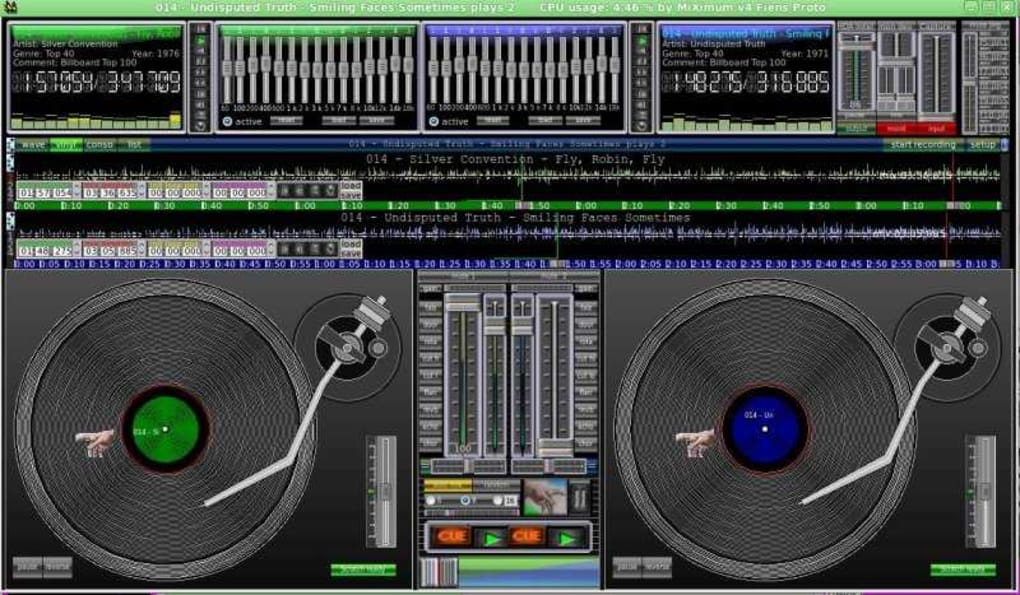
MiXimum’s Features and Functionality: A Scratch Mixer with BPM Detection
At its core, MiXimum functions as a scratch mixer, allowing users to manipulate audio tracks in real-time. This makes it particularly well-suited for DJs or individuals interested in experimenting with sound manipulation and creation. One of its key features is the built-in BPM (Beats Per Minute) detector. This allows users to easily identify the tempo of their audio tracks, which is crucial for beatmatching and creating seamless mixes. The BPM detection function is a valuable asset, simplifying a process that can otherwise be quite complex and time-consuming. While it doesn’t boast the sophisticated effects processing found in professional DAWs, its simplicity and ease of use make it an excellent entry point for beginners or casual users who want to experiment with mixing and scratching.
Beyond the fundamental mixing capabilities, MiXimum offers a range of basic functionalities aimed at enhancing the user experience. Its intuitive interface is designed for user-friendliness, minimizing the learning curve. Users unfamiliar with audio mixing software will find the controls readily accessible and straightforward. The program’s compact size, requiring less hard drive space than other similar applications, is a notable advantage, especially for users with limited storage capacity on their computers. Its compatibility with Windows XP and earlier versions of the operating system also suggests a degree of backward compatibility, extending its reach to a wider range of users.
System Requirements and Compatibility: A Look Under the Hood
MiXimum’s compatibility with older Windows operating systems, including Windows XP, points to a lightweight design. This signifies that the program doesn’t demand significant system resources, making it accessible to users with less powerful machines. However, the lack of detailed specifications regarding minimum and recommended system requirements leaves some ambiguity. Users with older hardware might want to approach the download with caution, verifying compatibility before installation. While the ability to run on older systems is commendable, it also raises questions about whether newer features and optimizations are present in the application.
The language support, currently limited to English, might be a barrier for some international users. An expansion of language support would undoubtedly enhance its global appeal and accessibility. Though the program’s simplicity minimizes the need for extensive language localization, including multi-language support would greatly broaden its reach to a wider audience. The absence of updates beyond 2017 also raises concerns about ongoing support and potential security vulnerabilities. Regular updates are crucial for addressing bugs, incorporating security patches, and enhancing overall stability.
User Experience and Interface: Simplicity and Ease of Use
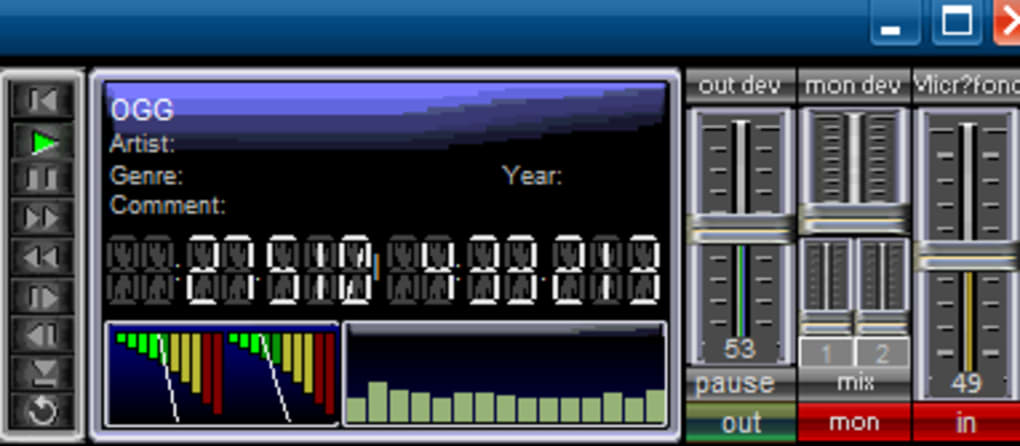
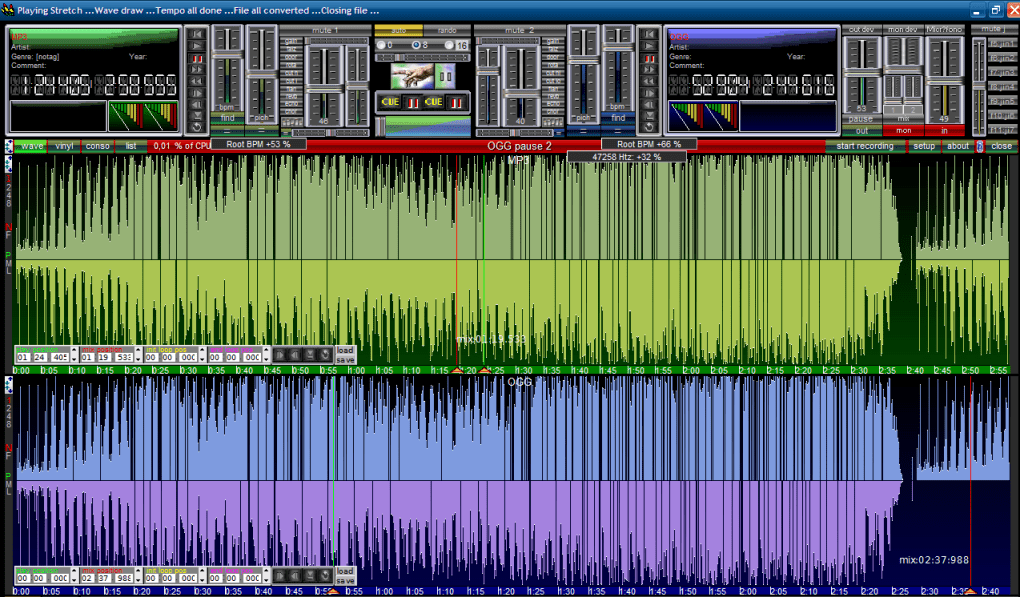
MiXimum distinguishes itself through its straightforward and user-friendly interface. Its simplicity is a significant advantage for beginners. The absence of overwhelming features and complex settings allows users to focus on the essential aspects of audio mixing without being bogged down in intricate configurations. The clean design enhances the overall user experience, making the software accessible even to those with limited technical expertise. The intuitive arrangement of controls ensures a smooth workflow, and the absence of unnecessary clutter contributes to a less intimidating experience for newcomers.
While the streamlined interface is a benefit, it could also be seen as a limitation. More advanced users seeking a wider array of features and effects might find MiXimum too basic for their needs. The lack of extensive customization options could restrict creativity for those accustomed to more powerful DAWs with extensive effect chains, routing possibilities, and MIDI control. While this simplicity is a strength for beginners, it might be perceived as a drawback by experienced users expecting more complex functionality.
MiXimum’s Place in the Audio Software Market: Competition and Niche
MiXimum occupies a unique niche in the audio software market. It’s not a direct competitor to professional DAWs like Ableton Live, Logic Pro X, or Pro Tools, which offer far more extensive functionality and features. Instead, it targets a different audience: beginners, casual users, and individuals who need a simple, lightweight, and free audio mixer for basic mixing and scratching. Its simplicity and ease of use make it an excellent choice for users who don’t require advanced features or extensive effects processing. Its strength lies in its accessibility and its focus on the core functionality of mixing audio tracks, providing a straightforward and uncluttered user experience.
Conclusion: MiXimum – A Solid, Free Option for Basic Audio Mixing
MiXimum, despite its age and lack of recent updates, remains a viable option for users needing a free, lightweight, and straightforward audio mixing software. Its focus on ease of use and its ability to function effectively as a scratch mixer with BPM detection make it suitable for beginners and casual users who are not looking for advanced features and complex functionalities found in professional DAWs. While its limitations in terms of advanced features and lack of recent updates are noteworthy, its simplicity and small footprint make it an attractive alternative for those seeking a basic but functional audio mixing tool. However, users expecting extensive features, regular updates, and robust support should consider exploring more comprehensive and professionally maintained audio software options. MiXimum holds its own as a solid, free option for basic audio mixing, but its limitations should be taken into consideration based on individual needs and expectations.
File Information
- License: “Free”
- Version: “5.110425”
- Latest update: “March 9, 2017”
- Platform: “Windows”
- OS: “Windows 8”
- Language: “English”
- Downloads: “5.4K”
- Size: “1.70 MB”


