
MixPad Multitrack Recording Software, developed by NCH Software, is a free digital audio workstation (DAW) available for Windows (11, 10, 8.1, 8, 7, Vista, XP) and Mac operating systems. This powerful tool offers a surprising array of professional-grade features, making it a compelling option for both aspiring and experienced audio engineers, podcasters, and music enthusiasts. While free for non-commercial use, its capabilities rival those found in many paid applications, making it a highly attractive choice for individuals and small projects. This comprehensive review will explore its functionality, ease of use, limitations, and alternatives.
MixPad’s Feature Set: A Professional DAW in a User-Friendly Package?
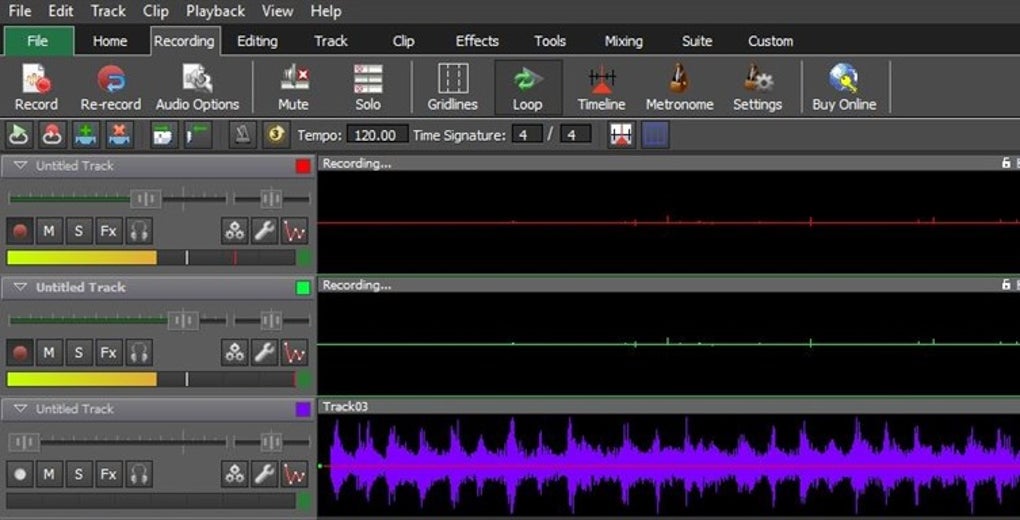
MixPad’s strength lies in its extensive feature set, which belies its free status. It allows users to record and mix an unlimited number of tracks simultaneously, providing the flexibility to create complex audio projects. This is ideal for tasks ranging from simple audio editing to the creation of intricate musical compositions, podcasts, and even audiobooks.
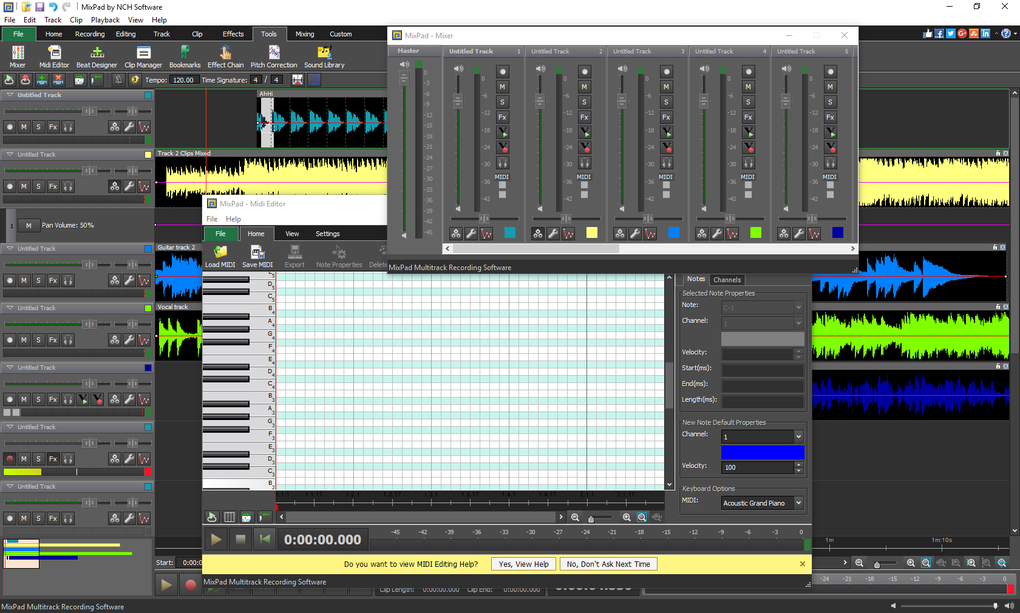
The software supports a vast array of audio formats, including WAV, MP3, WMA, AIF, VOX, GSM, M4A, and more. This broad compatibility ensures seamless integration with various audio sources and simplifies the workflow. Beyond simple importing, MixPad allows for robust editing capabilities. Users can adjust volume levels, pan tracks for stereo placement, apply fades for smooth transitions, and manipulate audio speed and pitch.
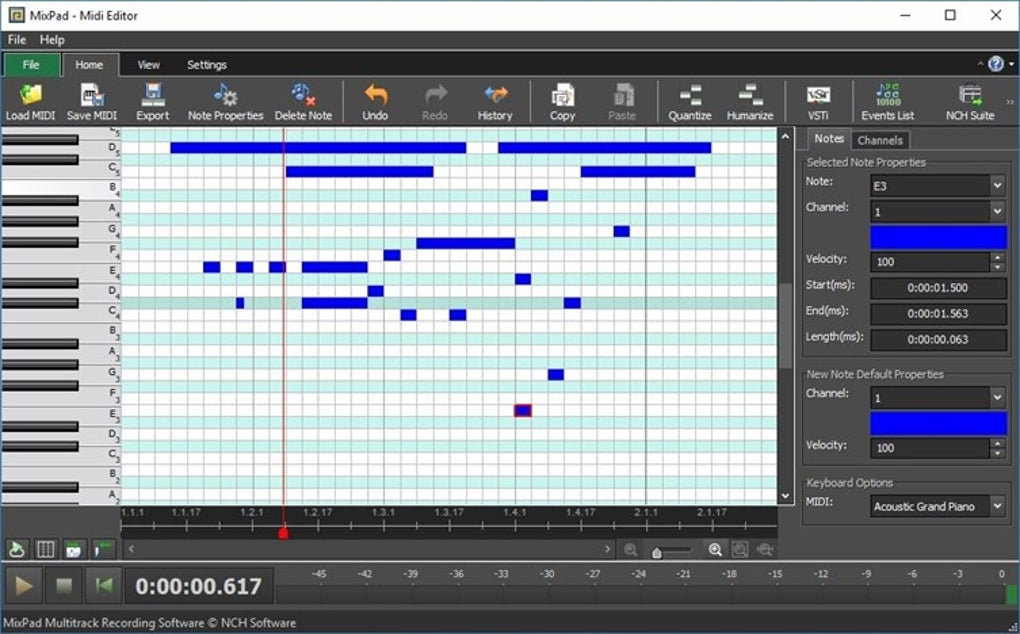
MixPad’s arsenal of audio effects is equally impressive. It includes standard tools such as EQ (equalization) for shaping the frequency balance of audio, compression for controlling dynamics, and reverb for adding a sense of space. These effects are crucial for achieving professional-sounding mixes. Further enhancing its capabilities, MixPad also incorporates a built-in MIDI editor, allowing users to record and edit MIDI data from various musical instruments. This opens up the possibilities for incorporating synthesized sounds and even recording performances from MIDI keyboards and controllers.
Another key advantage is MixPad’s support for VST plugins. This functionality allows users to expand the software’s built-in effects and instruments by integrating third-party plugins. This adaptability is particularly valuable for advanced users seeking to customize their workflow or access specialized tools not included in the base software. The integration with other NCH Software products further streamlines the production process for those using a suite of their tools.
The software also boasts low-latency input and output, critical for real-time recording and monitoring, minimizing delays between audio input and playback. This is essential for tasks such as recording vocals or live instruments. The support for ASIO drivers further enhances this aspect, ensuring precise and reliable audio processing.
Finally, MixPad simplifies the sharing and distribution of your creations. It offers seamless integration with various cloud storage services, including Google Drive, Dropbox, and SoundCloud, allowing easy online sharing. The capability to directly burn audio to CDs and DVDs adds another layer of convenience.
Ease of Use and Learning Curve: Is MixPad Beginner-Friendly?
While MixPad’s feature-rich environment is a strength, it also presents a potential challenge for beginners. The interface, while reasonably intuitive for experienced DAW users, can feel overwhelming to those new to audio editing software. The sheer number of features and tools can be initially daunting, demanding time and effort to master.
The software’s learning curve is steeper than some simpler audio editors. While MixPad does offer tutorials and wizards to guide users through various functions, it still requires a degree of technical understanding to fully harness its capabilities. Beginners will likely need to dedicate time to learning the interface and experimenting with the different tools.
MixPad’s Limitations: What It Doesn’t Do (and Why It Matters)
Despite its robust feature set, MixPad possesses some limitations. The most notable is the absence of autotune functionality. Autotune is a popular vocal correction effect that is frequently used to correct pitch inaccuracies and create a polished, studio-quality vocal sound. Its absence may be a deal-breaker for users specifically seeking this capability. For those who require autotune, alternatives like FL Studio, Acid Pro, or Cubase are better options.
Additionally, the free version of MixPad is explicitly designed for non-commercial use. This means that for professional applications or projects intended for distribution or sale, the paid version may be necessary. While the limitations imposed on the free version aren’t explicitly specified, some features, particularly related to advanced MIDI and VST functionality, might be curtailed.
Alternatives to MixPad: Exploring the Competition
Several other audio editing and mixing programs compete with MixPad, each with its own strengths and weaknesses. Audacity, a widely popular open-source DAW, is a free and feature-rich alternative, known for its simplicity and versatility. WavePad, like MixPad, offers a free version with limitations, along with a paid, feature-rich counterpart. Finally, REAPER, a powerful, yet comparatively inexpensive, professional-grade DAW is another worthy contender. These alternatives offer different levels of complexity, ease of use, and feature sets, making it essential to evaluate each based on individual needs and preferences.
Should You Download MixPad? The Verdict
MixPad Multitrack Recording Software presents a compelling blend of power and accessibility. Its extensive feature set, including support for a wide range of audio formats, numerous effects, VST plugins, and low-latency processing, makes it a capable alternative to many paid DAWs, especially for non-commercial use. The ability to mix an unlimited number of tracks simultaneously and the inclusion of royalty-free sound effects are additional benefits.
However, the significant learning curve might deter beginners. The lack of autotune functionality and the restriction to non-commercial use for the free version are also key considerations. Ultimately, the decision of whether or not to download MixPad depends on your specific needs and experience level.
If you’re a beginner seeking a simple, easy-to-learn audio editor, Audacity might be a better starting point. If you’re a seasoned audio professional requiring advanced features and commercial licensing, a more comprehensive and professionally oriented DAW like REAPER or Cubase might be preferable.
But if you’re a hobbyist, podcaster, or music enthusiast seeking a powerful, free (for non-commercial use) DAW with a rich set of features, and are willing to invest time in learning its interface, MixPad Multitrack Recording Software is undoubtedly worth considering. Its combination of professional-grade capabilities and free access makes it an attractive choice for a wide range of audio production tasks. Its vast capabilities and relatively user-friendly interface (once mastered) make it a versatile and valuable addition to any audio enthusiast’s toolkit.
File Information
- License: “Free”
- Latest update: “July 30, 2025”
- Platform: “Windows”
- OS: “Windows XP”
- Language: “English”
- Downloads: “393.2K”
- Size: “4.17 MB”


