
Mobile devices have become indispensable tools in our daily lives, seamlessly blending personal and professional aspects. However, this increasing integration brings complexities that often surpass the capabilities of default mobile operating system tools. Managing files, troubleshooting issues, and ensuring backups can become cumbersome, particularly when dealing with large volumes of data or intricate system configurations. This is where comprehensive mobile device management tools like MobileGo step in, offering a streamlined approach to tackling these challenges. This review delves into the features, functionalities, and overall user experience of MobileGo, exploring its strengths and weaknesses as a powerful solution for managing mobile devices.
Streamlining Mobile Device Management: A Powerful Toolset
MobileGo, developed by Wondershare, positions itself as a robust solution for simplifying mobile device management. Unlike basic operating system tools, MobileGo offers a centralized platform for handling various aspects of your smartphone or tablet, regardless of whether it runs on Android or iOS. Its primary function lies in providing expanded access and control over your device’s functionalities, going beyond the limitations of touchscreen interfaces and default applications.
The software’s power stems from its capability to connect to your device via USB, providing direct access to its internal files and settings from your computer. This eliminates the need for tedious manual operations on the smaller screen, especially beneficial for tasks like bulk file transfers, app installations, and comprehensive backups. The software acts as a bridge between your computer and your mobile device, enabling efficient management of various data types, from music and videos to text messages and contacts.
For Android users, MobileGo provides capabilities such as batch installation of apps, convenient text messaging directly from your computer keyboard, and simplified file transfer operations. These features enhance productivity and reduce the time spent manually managing individual files or applications. The ability to send SMS messages from a full-sized keyboard is particularly helpful, improving messaging efficiency.
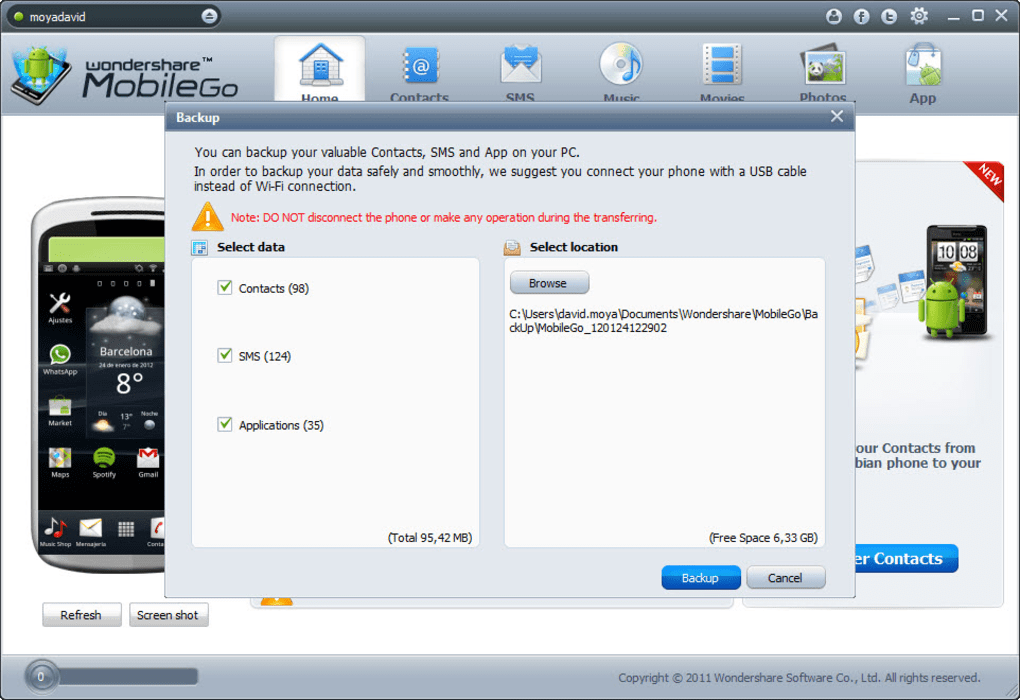
Apple device users also benefit significantly from MobileGo’s features. It offers a user-friendly interface for managing files, facilitating efficient organization and access. Perhaps the most critical aspect for iOS users is the convenient creation of instant backups. The capability to create a restore point is crucial for preventing data loss due to system errors, accidental deletions, or hardware malfunctions. This function effectively replaces the core functionality of iTunes, offering additional features not available in Apple’s default software.
Beyond Backup and File Management: Advanced Features and Usability
MobileGo surpasses the functionalities of simple file management tools and backup software. It incorporates advanced features that significantly enhance the overall user experience. One noteworthy feature is the ability to root your Android device, granting access to advanced system settings and customizations not typically accessible to standard users. This, however, should be undertaken with caution and only by users familiar with the risks and implications of rooting their devices.
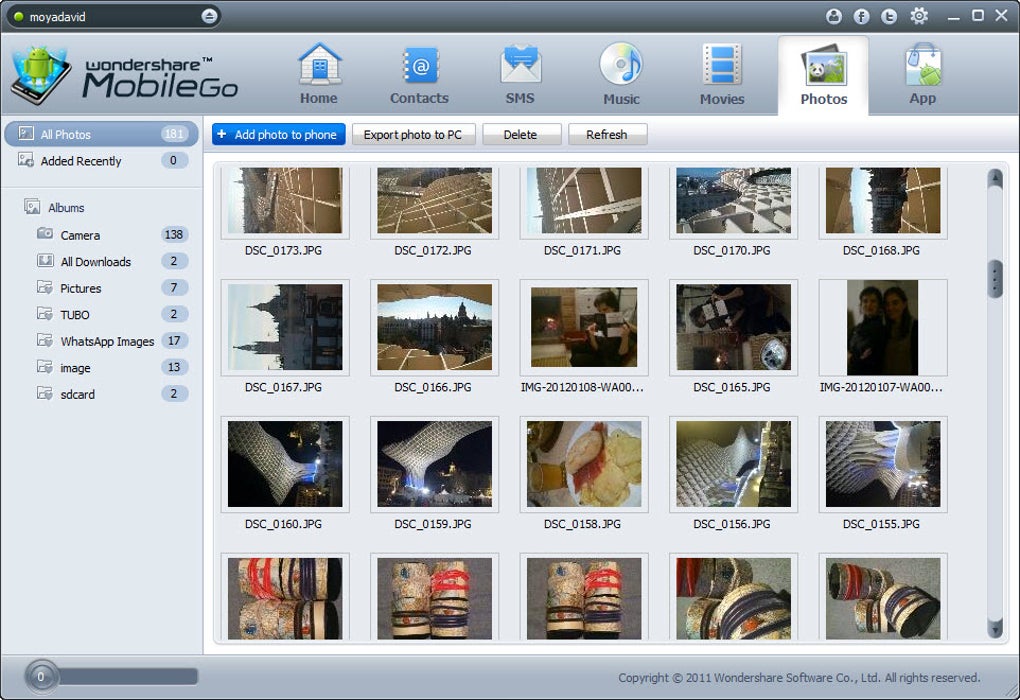
The software is intentionally designed with user-friendliness in mind, a stark contrast to the sometimes-complex interfaces of other mobile management tools. The intuitive interface categorizes functions into three main sections: essential, advanced, and media management. This structured layout makes navigation easy, even for users with limited technical expertise. The “essential” section covers basic tasks such as file transfer and backup, while “advanced” offers features such as rooting and more detailed system access. The “media management” section focuses on handling music and video files.
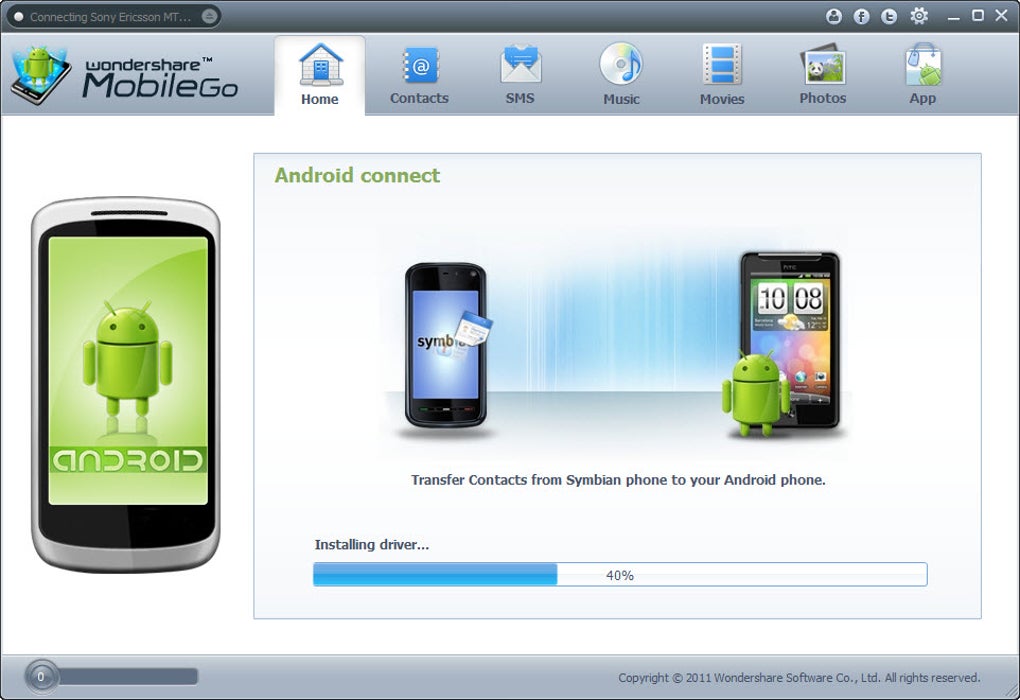
MobileGo’s visual appeal enhances its usability. A clean, professional design with a predominantly blue and white theme ensures easy readability and clear labeling of all options and buttons. This design approach minimizes confusion and ensures a smooth user experience.
The inclusion of features beyond typical device management functionalities further strengthens MobileGo’s position. The ability to easily download music and videos directly from the internet and add them to the device is a particularly helpful feature, streamlining media consumption and library management.
Comparison with iTunes and Other Mobile Management Tools
While MobileGo offers a comprehensive solution for mobile device management, it’s essential to compare its functionalities with existing tools like iTunes. iTunes, Apple’s default media and device management software, provides core functions such as backups, file transfer, and application management. However, MobileGo extends these capabilities with features such as batch app installation (for Android users), SMS messaging from your PC, and advanced system access, including the ability to root Android devices. These added functionalities make MobileGo a more versatile tool for users seeking granular control over their devices.
Compared to other mobile management tools, MobileGo stands out due to its comprehensive feature set, user-friendly interface, and cross-platform compatibility (supporting both Android and iOS). Many competing tools may lack the depth of features or the intuitive design that makes MobileGo stand out. The ability to handle both Android and iOS devices within a single application is a significant advantage, reducing the need for multiple software installations and learning curves.
However, it’s crucial to acknowledge that the extensive feature set might not be necessary for all users. Users who only require basic backup and file transfer capabilities might find iTunes or simpler alternatives sufficient. The added complexity of MobileGo’s features could be overwhelming for users who prefer a more minimal approach to mobile device management.
Conclusion: A Powerful but Not Essential Tool
MobileGo presents a powerful solution for managing mobile devices, offering a comprehensive range of features that go beyond the limitations of default operating system tools. Its user-friendly interface, coupled with its support for both Android and iOS, makes it an attractive option for users seeking enhanced control and efficiency in managing their mobile devices. The ability to perform batch operations, easily create backups, and access advanced features makes it a valuable asset for users who appreciate convenience and granular control over their mobile technology.
However, it’s important to acknowledge that MobileGo isn’t a strictly essential tool for every user. Those who primarily require basic backup and file transfer capabilities might find simpler solutions adequate. The decision to use MobileGo hinges on individual needs and technical proficiency. The initial free trial period provides an excellent opportunity to explore the software’s features and determine its suitability before committing to a paid subscription.
Ultimately, MobileGo serves as a strong addition to the arsenal of mobile management tools. Its comprehensive capabilities and user-friendly interface make it a compelling choice for users who want more than just basic functionality from their mobile device management software. The additional advanced features, while potentially overwhelming for some, provide significant advantages for users seeking increased control and optimization of their mobile experiences. The convenience factor offered by MobileGo is undeniable, especially in terms of time-saving efficiencies and centralized device management. The decision to utilize MobileGo depends entirely on the user’s individual needs and preferences.
File Information
- License: “Free”
- Latest update: “March 11, 2024”
- Platform: “Windows”
- OS: “Windows 2003”
- Language: “English”
- Downloads: “529.5K”
- Size: “1.18 MB”


