
MoboMarket, formerly known as MoboRobo, is a free smartphone management application designed to streamline the interaction between your Windows computer and your mobile device. This comprehensive review delves into its features, user interface, safety, and alternatives, offering a complete picture of this versatile tool.
What is MoboMarket?
Developed by Baidu, MoboMarket transcends the limitations of a simple file manager. It functions as an all-in-one solution for managing your smartphone directly from your desktop. Whether you’re using an Android or iOS device, MoboMarket offers a lightweight application with a clean and intuitive interface. Beyond basic file management, it also includes an integrated app store, allowing you to browse, download, and manage applications directly from your PC. This app store presents a personalized feed of application recommendations, although these recommendations aren’t always perfectly tailored to specific geographic locations. Fortunately, extensive filtering options allow users to sort applications by popularity, category, and region, ensuring a comprehensive search experience.
Using MoboMarket: A Step-by-Step Guide
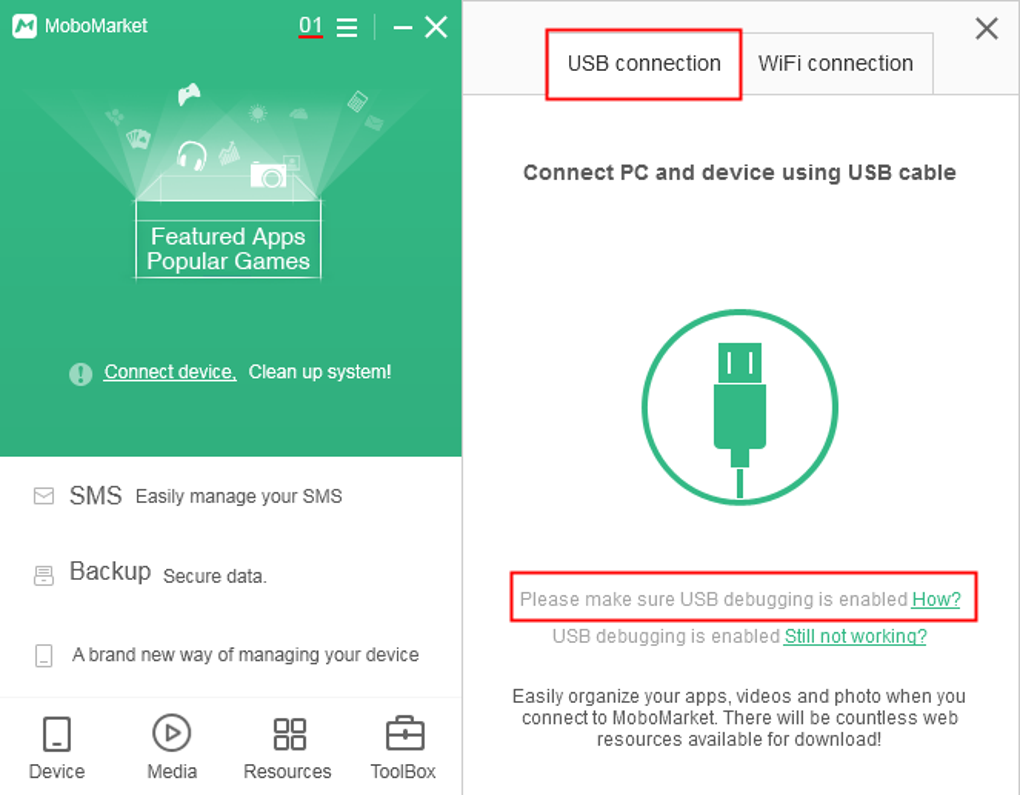
Getting started with MoboMarket is straightforward. After downloading the application to your Windows computer, you have two primary connection methods: a USB cable or a Wi-Fi connection. While a wired USB connection offers greater stability and speed, a Wi-Fi connection also works effectively, providing a wireless bridge between your computer and your smartphone. Once connected, you gain complete control over your smartphone’s files and data directly from your Windows desktop.
User Interface and Experience
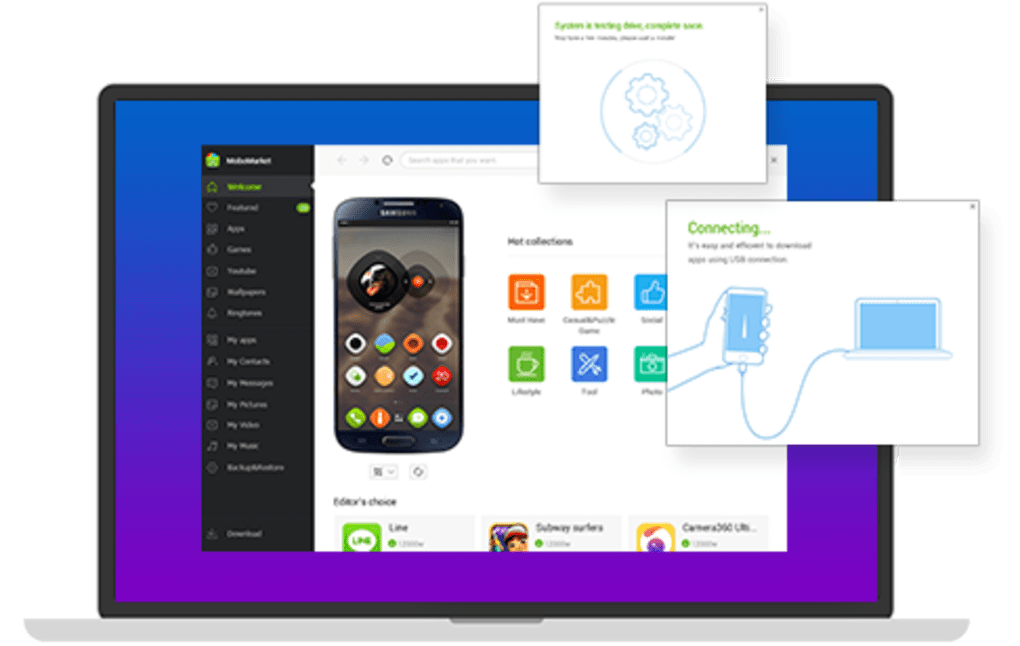
MoboMarket boasts a user-friendly interface centered around a main panel and several easily accessible tabs. A built-in connection wizard guides new users through the setup process, providing step-by-step instructions for establishing a connection between your computer and your mobile device. Upon launching the application, the main panel displays crucial device information such as Android or iOS version, available storage space, serial number, RAM, and jailbreak status (for iOS devices). The app store tab offers a curated selection of popular and trending applications, categorized by region and app type, providing a quick and convenient way to find new software. The overall design is clean and straightforward, prioritizing functionality and ease of use.
Feature Breakdown: MoboMarket’s Capabilities
MoboMarket’s extensive feature set extends far beyond basic file management. It offers a comprehensive suite of tools for managing virtually all aspects of your smartphone. Key features include:
-
File Management: Seamlessly transfer files – including photos, music, videos, and documents – between your PC and smartphone. This allows for easy backup and sharing of your valuable media and data.
-
App Management: Download, update, and manage applications directly from the integrated app store. This includes personalized app recommendations based on your previous downloads.
-
Media Editing & Organization: Create and edit playlists, customize ringtones, and manage your photo collection. MoboMarket streamlines the organization and enhancement of your mobile media library.
-
Contact Management: Organize, sort, and back up your contact list. The application makes it easier to manage and safeguard your valuable contact information. You can also export contacts saved on your PC to your phone.
-
Data Backup and Restore: Create comprehensive backups of your crucial data, including images, videos, documents, application information, call logs, and messages. This backup feature provides a critical safeguard against data loss in the event of device failure or loss.
-
Messaging: Send and receive text messages directly from your computer, including both individual and group chats. This allows for convenient messaging without needing to access your phone.
-
Additional Features: The application also includes live streaming capabilities and screenshot functionality, expanding its usefulness beyond basic device management. Furthermore, it’s compatible with jailbroken iOS devices, offering broader functionality for users of this type of device.
App Download and Recommendations
MoboMarket’s integrated app store provides a user-friendly platform for discovering and downloading applications. It offers detailed information for each app, including ratings, descriptions, and screenshots. You can easily filter apps by category, popularity, and region, enabling a focused search experience. Personalized recommendations, although not always up-to-the-minute, assist in finding applications that might interest you based on your previous download history. However, for downloading restricted applications, alternative methods such as Pure APK Install may be necessary.
Security and Safety
MoboMarket prioritizes user security. All applications available within the app store undergo antivirus scans to ensure they are free from malware and threats. This provides assurance that you can safely download and install applications without worrying about compromising your device’s security. The latest version also includes SD card sync functionality, providing even more options for data management and backup.
Alternatives to MoboMarket
While MoboMarket offers a robust set of features, several alternatives exist, each with its own strengths and weaknesses. These include:
-
Google Play Chrome Extension: This extension allows remote management of your Android device and app downloads directly from the Google Play Store.
-
Android PC Sync Manager: Similar to MoboMarket, this tool offers comprehensive smartphone management capabilities, providing many of the same functionalities.
-
Vibosoft Android Mobile Manager: Another all-in-one management solution, offering features comparable to MoboMarket.
-
MoboPlay: This application features many similarities to MoboMarket but from a different developer, providing an alternative source for the same core functionalities.
Should You Download MoboMarket?
The decision to download MoboMarket hinges on your specific needs and preferences. If you require a comprehensive and user-friendly tool for managing your smartphone from your Windows computer, MoboMarket is a strong contender. Its integrated app store, along with its data management and backup capabilities, makes it a versatile option. The ability to send messages and capture screenshots directly from your PC are compelling features not found in many similar applications. However, the relatively simple interface might not appeal to users seeking a more visually sophisticated application.
Pros:
- User-friendly interface.
- In-depth app information.
- Malware-free app store.
- Supports Android and iOS devices.
- Comprehensive data management.
Cons:
- Interface could be improved aesthetically.
- Personalized recommendations may not always be current.
In conclusion, MoboMarket offers a valuable suite of features for managing and interacting with your smartphone. While not without room for interface improvements, its robust feature set and focus on user security make it a strong contender in the crowded field of smartphone management tools. The decision of whether to download it ultimately depends on your specific needs and priorities, but MoboMarket certainly warrants consideration.
File Information
- License: “Free”
- Version: “5.1.9.589”
- Latest update: “July 15, 2022”
- Platform: “Windows”
- OS: “Windows 8”
- Language: “English”
- Downloads: “62.4K”
- Size: “25.83 MB”


