
Monitor Off Utility is a lightweight and user-friendly Windows application designed to provide a convenient way to turn off your monitor, saving energy and enhancing security. Its simple interface and customizable options make it an ideal tool for anyone looking to improve their computer usage habits and protect their system. This program is particularly beneficial for users who frequently step away from their computers for short periods, ensuring that their monitors are powered down to conserve energy and prevent unauthorized access.
Key Features and Functionality
Monitor Off Utility offers a range of features designed for ease of use and flexibility. At its core, the program provides a straightforward method to turn off your monitor, either through hotkeys or a simple double-click. This eliminates the need to manually navigate through system settings or use cumbersome keyboard shortcuts to achieve the same result.
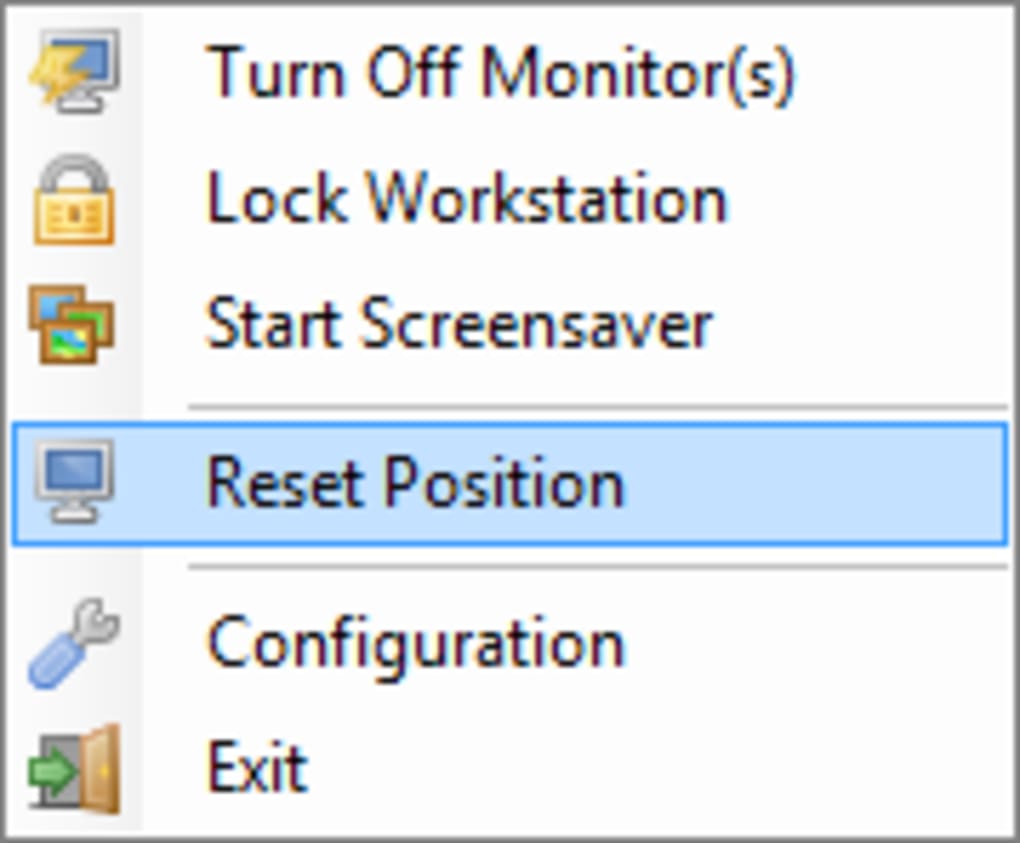
The application seamlessly integrates with the Windows system tray, minimizing its footprint and avoiding clutter on the desktop. A right-click on the system tray icon presents a context menu offering various options, including turning off the monitors, activating the screensaver, or locking the workstation. The screensaver and lock functions operate as expected within the Windows environment; the Monitor Off Utility primarily focuses on providing precise control over monitor power states.
The double-click functionality can be customized. Users can configure the double-click action to either immediately turn off the monitor or open the application’s configuration menu. This flexibility caters to individual preferences and usage patterns. For instance, a user might prefer a double-click to instantly power down the monitor for quick breaks, while reserving the configuration menu for more detailed adjustments.
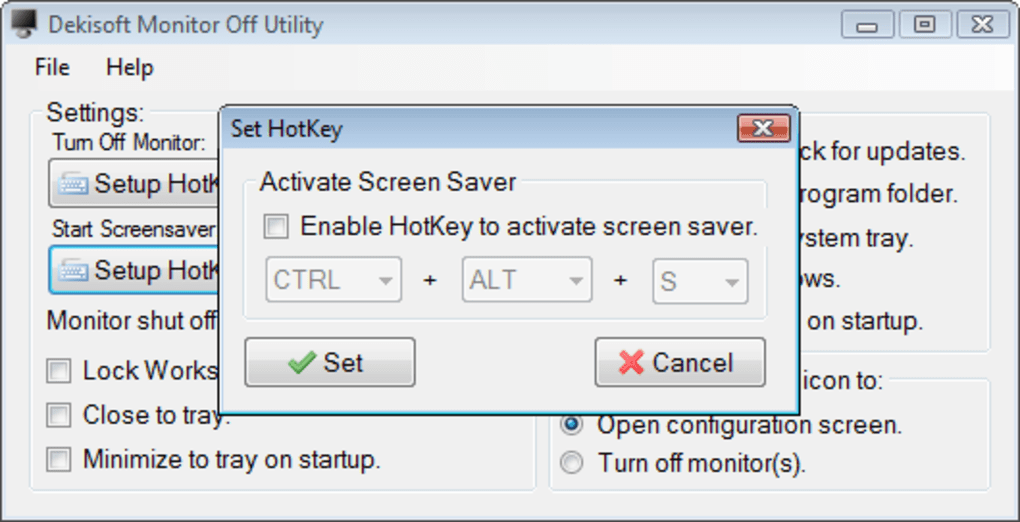
Hotkeys offer another layer of control, enabling users to quickly and efficiently turn off the monitor or initiate the screensaver without needing to interact with the system tray icon. This feature significantly improves the program’s responsiveness and is especially useful for users who prioritize speed and efficiency. Note that while the application provides hotkey configuration for turning off the monitor and starting the screensaver, the Windows default Win+L shortcut for locking the workstation remains unchanged and is not configurable within Monitor Off Utility.
Configuration and Customization Options
Monitor Off Utility is highly customizable, offering users a degree of control over how the program operates. Through the configuration menu, accessible via a double-click (depending on user settings), various parameters can be adjusted to optimize the application to individual needs and preferences. These settings ensure a personalized experience, tailored to specific usage patterns.
One key configurable option is the delay before the monitor powers down. By default, the program waits for 10 seconds before turning off the monitor. This delay provides a safety net, preventing accidental monitor shutdowns. However, users can set this delay to zero if immediate monitor power-off is desired. This functionality is particularly beneficial for users who need instantaneous control over their monitor.
Another significant aspect of customization involves setting the program to launch automatically with Windows. This ensures the application is always running in the background, providing instant access to its monitor control features. The automatic startup feature eliminates the need to manually launch the application each time the computer is started. This seamless integration significantly enhances the user experience by ensuring consistent availability of the monitor control functionality.
The program’s ability to minimize to the system tray ensures that it operates unobtrusively in the background, without interfering with other applications or distracting the user. This design choice emphasizes a streamlined and non-intrusive user experience, prioritizing functionality while minimizing visual clutter.
Power Saving and Security Implications
Monitor Off Utility directly addresses two significant areas of computer usage: power saving and security. By quickly and easily powering down the monitor when not in use, the program contributes to energy conservation. This simple action can significantly reduce electricity consumption over time, leading to both financial savings and a reduced carbon footprint.
Beyond energy conservation, the application contributes to enhanced security. When away from the computer, turning off the monitor prevents others from potentially viewing sensitive information displayed on the screen. This passive security measure complements other security practices, creating an additional layer of protection against unauthorized access. The seamless integration with the screensaver and the ability to lock the workstation further strengthens the security posture, offering a multifaceted approach to system protection.
Ease of Use and User Experience
The strength of Monitor Off Utility lies in its simplicity and intuitive design. The program’s uncluttered interface and straightforward functionality make it accessible to users of all technical skill levels. The minimal learning curve ensures that users can quickly master the program’s capabilities and use it effectively to manage their monitor’s power state.
The program’s system tray integration avoids unnecessary screen real estate, ensuring that it does not interfere with other applications or tasks. This unobtrusive design is further enhanced by its customizable options, which allow users to tailor the program’s behavior to their exact preferences.
Comparison with Alternative Applications
While several alternative applications offer similar monitor control functionalities, Monitor Off Utility distinguishes itself through its simplicity, lightweight design, and ease of use. Many competing applications might include additional features or complexities that are unnecessary for users simply seeking a straightforward way to turn off their monitors.
The focus on core functionality, combined with readily available customization options, makes Monitor Off Utility a highly efficient and user-friendly solution. This streamlined approach contrasts with more feature-rich alternatives, which might introduce complexities that outweigh their benefits for many users.
Conclusion
Monitor Off Utility provides a valuable service for Windows users who seek a simple, effective, and customizable solution for controlling their monitor’s power state. Its emphasis on ease of use, energy conservation, and passive security makes it a practical and beneficial addition to any computer user’s toolkit. The program’s lightweight design ensures minimal system impact, and its customizable options cater to individual preferences and usage patterns, making it a versatile and adaptable tool for a wide range of users. Whether conserving energy, enhancing security, or simply improving workflow efficiency, Monitor Off Utility delivers a simple yet powerful solution to a common computing need.
File Information
- License: “Free”
- Version: “1.0”
- Latest update: “November 26, 2009”
- Platform: “Windows”
- OS: “Windows 98 SE”
- Language: “English”
- Downloads: “13.9K”
- Size: “105.27 KB”


