
MoodFeel Video is a cutting-edge mobile application designed for both novice and experienced audio and video editors. This comprehensive tool empowers users to record, edit, and manage their audio and video files with remarkable ease and precision, all within the convenience of their iPhone. From simple enhancements to sophisticated sound design, MoodFeel Video provides a robust feature set that caters to a wide range of creative needs. The application’s intuitive interface ensures that users of all skill levels can quickly master its capabilities and begin creating professional-quality content.
Apps: A Powerful Suite of Audio and Video Editing Tools
MoodFeel Video sets itself apart from other mobile editing applications with its extensive collection of tools and features. The app offers a seamless workflow, allowing users to transition effortlessly between recording, editing, and exporting their projects. This streamlined process significantly reduces the time and effort required to produce high-quality audio and video content. No longer do users need to switch between multiple applications to achieve their creative vision; MoodFeel Video provides all the necessary tools in one convenient package.
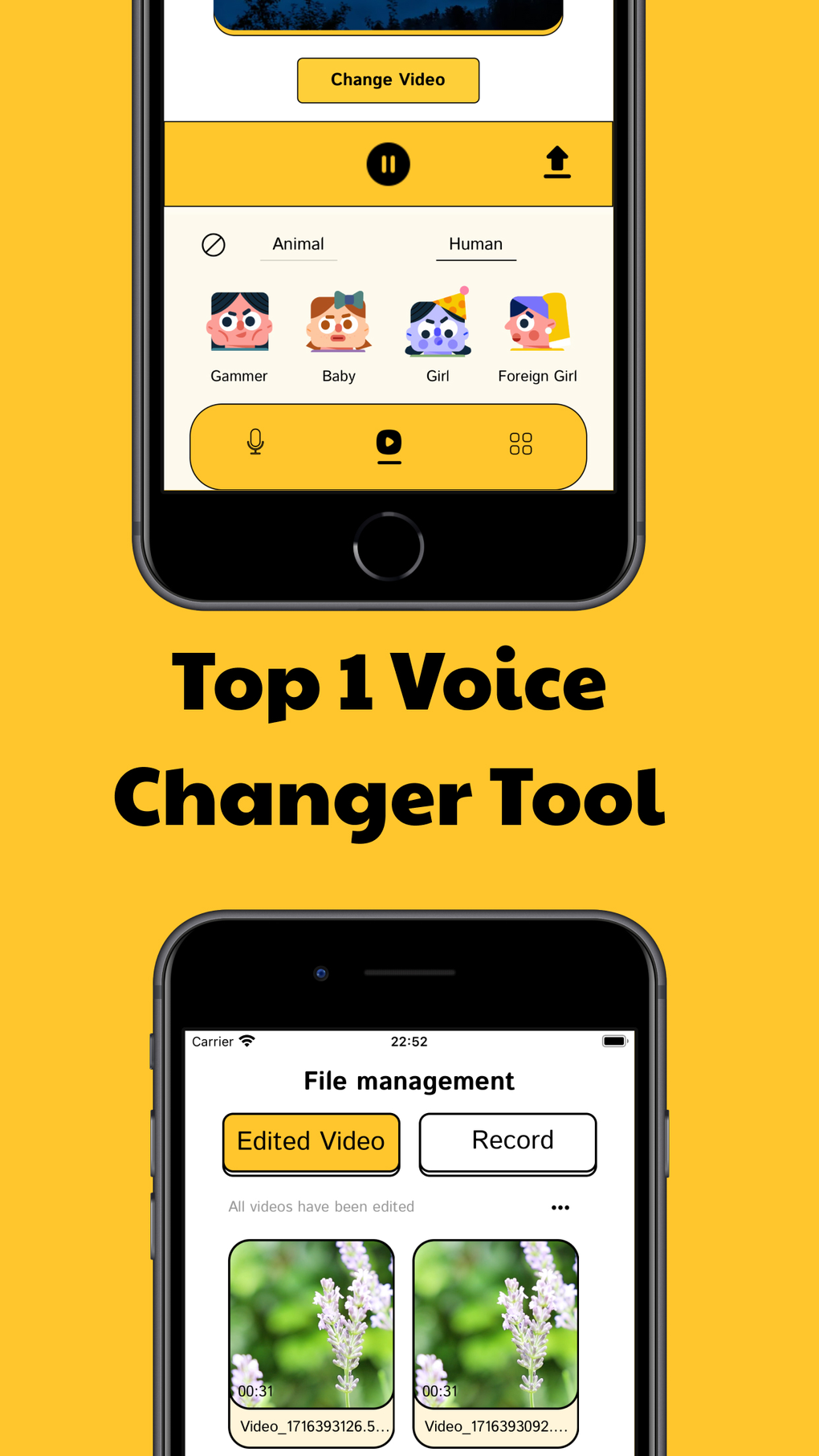
The core strength of MoodFeel Video lies in its comprehensive audio editing capabilities. Users can record high-quality audio directly within the app, eliminating the need for external recording devices. This integrated approach simplifies the production process, making it easier to capture and refine audio on the go. Once recorded, users can leverage a wide range of editing tools to sculpt their audio to perfection. MoodFeel Video provides an array of effects, including but not limited to:
-
Filters: A variety of filters are available to shape and color the overall sound, adding depth and character to audio recordings. Users can experiment with different filters to achieve the desired sonic aesthetic for their project.
-
Pitch Adjustments: Precise control over pitch allows users to fine-tune vocal performances, correct intonation issues, or create unique artistic effects. This functionality is crucial for vocalists, podcasters, and anyone seeking to perfect their audio recordings.
-
Reverb: The ability to add reverb enhances the realism and spaciousness of audio recordings. Users can dial in the perfect amount of reverb to create a natural ambience or dramatic sonic landscapes.
-
Various Effects: MoodFeel Video boasts a rich collection of effects, providing users with endless creative possibilities. These effects can be used to add subtle enhancements or to dramatically alter the character of the audio, depending on the artistic vision. These effects could include delay, chorus, flanger, and many other effects that professional audio engineers typically use.
Beyond standalone audio editing, MoodFeel Video shines in its ability to enhance existing video files. Users can easily import video clips and directly apply specialized audio effects to the accompanying soundtracks. This feature is particularly valuable for content creators seeking to improve the audio quality of their videos, making their productions sound more polished and professional. Whether it’s enhancing dialogues, modifying background scores, or adding immersive sound effects, MoodFeel Video empowers users to seamlessly integrate audio enhancements into their video projects. The ability to work directly with existing video files provides unparalleled convenience and efficiency, saving users significant time and effort compared to traditional editing workflows.
Games: A Playground for Sound Design Exploration
While not explicitly a “game” in the traditional sense, MoodFeel Video offers a playful and exploratory environment for experimenting with sound. Users can think of the app as a sandbox where they can freely manipulate audio and create unique soundscapes without limitations. The vast array of effects and tools provided allows for a highly creative process, inviting users to experiment and discover new and innovative sonic territories. This playful approach to sound design encourages creative exploration and helps users learn about the different effects and their impact on the overall audio. The ease of use makes it accessible to even those with minimal audio editing experience, opening up the world of sound design to a wider audience.
The intuitive interface allows for quick experimentation, enabling users to instantly hear the results of their adjustments. This immediate feedback loop empowers users to develop their creative instincts and refine their sonic palette. It’s a perfect tool for those wanting to develop a keen ear for audio mixing and mastering, turning the seemingly technical process into an engaging and rewarding experience. This aspect of experimentation and discovery makes MoodFeel Video more than just a simple editing tool – it’s a platform for developing a deeper understanding and appreciation for the power of sound.
News: Stay Updated on the Latest Features and Enhancements
While there isn’t a dedicated news section within the MoodFeel Video app, users can stay updated on new features and improvements through the developer’s website (details may be available on the app store page or through the app itself). Regularly checking for updates is important to ensure users are leveraging the latest capabilities and performance optimizations. The app store listing itself also serves as a source of information, providing details about the latest update and any significant changes implemented in recent versions.
For Business: Elevate Your Professional Audio and Video Content
MoodFeel Video offers significant advantages for professionals working in a variety of fields. Content creators, such as YouTubers, podcasters, and filmmakers, can utilize the app to enhance the quality of their audio and video productions, making their work stand out from the crowd. The professional-grade tools enable the creation of high-quality content without the need for expensive software or specialized hardware.
Businesses can use MoodFeel Video to create high-quality marketing materials, promotional videos, and training resources. The ease of use and powerful features empower businesses to produce professional-quality content without the need for extensive technical expertise. The ability to quickly edit and refine audio and video on the go is a valuable asset for businesses needing to produce content efficiently.
iPhone: Seamless Integration and Optimized Performance
MoodFeel Video is specifically designed for the iPhone, ensuring seamless integration with the iOS ecosystem. The app is optimized for performance on a wide range of iPhone models, providing a smooth and responsive editing experience. This ensures that users can work efficiently and creatively without experiencing any lag or performance issues. The user-friendly interface is carefully designed to take advantage of the iPhone’s touch screen interface, making navigation intuitive and easy.
The app’s compatibility with iOS 16.4 and above provides users with access to the latest features and technologies available on the iPhone platform. This ensures that users are always working with the latest and most efficient tools available. The developers are dedicated to providing ongoing support and updates, ensuring that MoodFeel Video remains a valuable asset for iPhone users.
Lifestyle: Enhance Your Personal Creative Projects
MoodFeel Video is not just a tool for professionals; it’s also perfect for enhancing one’s personal creative projects. Whether you’re creating home videos, recording music, or simply experimenting with audio effects, MoodFeel Video provides a versatile and intuitive platform for realizing your creative vision. The accessibility and ease of use make it ideal for individuals who wish to explore their creativity without facing a steep learning curve.
The ability to quickly edit and share your creations directly from your iPhone enhances the creative workflow. This instant sharing capability encourages creativity and helps users easily showcase their projects with friends, family, and online communities. MoodFeel Video empowers users to create memorable and shareable content with ease.
App Specs:
- License: Free
- Version: 2.2
- Latest Update: June 26, 2024
- Platform: iPhone OS (iOS 16.4 and above)
- Language: English
- Downloads: 1.7K
- Developer: My Nghe Loi Ich
Rating: 4.9 (based on 1 review)
Download MoodFeel Video: The app is available for free download from the Apple App Store. Search for “MoodFeel Video” to locate and download the app.
Alternative Apps: (Information on alternative apps would need to be researched and added here. This section could include links to competitor apps within the App Store)
International Download Links:
- Baixar MoodFeel Video (Portuguese - Brazil)
- Unduh MoodFeel Video (Indonesian)
- Descargar MoodFeel Video (Spanish)
- Download MoodFeel Video (English)
- MoodFeel Video をダウンロードする (Japanese)
- Télécharger MoodFeel Video (French)
- Scaricare MoodFeel Video (Italian)
- MoodFeel Video indir (Turkish)
- Скачать MoodFeel Video (Russian)
- MoodFeel Video herunterladen (German)
- ดาวน์โหลด MoodFeel Video (Thai)
- MoodFeel Video 다운로드 (Korean)
- Tải MoodFeel Video về (Vietnamese)
- MoodFeel Video تنزيل (Arabic)
- 下载 MoodFeel Video (Simplified Chinese)
- Pobierz MoodFeel Video (Polish)
User Reviews: Currently, there is only one user review available, giving the app a 4.9-star rating. We encourage users to leave their reviews to help others make informed decisions about downloading the app.
Top Downloads (Lifestyle Category on iPhone): (This section would require updating with current top lifestyle app data.) The listed apps are examples and would need replacement with current top downloads.
File Information
- License: “Free”
- Version: “2.2”
- Latest update: “June 26, 2024”
- Platform: “iPhone”
- OS: “iOS 16.4”
- Language: “English”
- Downloads: “1.7K”


