
In an increasingly digital world, the joy of reading remains timeless. For bookworms and casual readers alike, the convenience of carrying an entire library in a single device is unparalleled. While various e-readers exist, finding one that seamlessly blends extensive features with user-friendliness on your Windows PC can be a challenge. Enter Moon Reader Pro for Windows, a premium e-book reader meticulously developed by medowsoft. Available as a full-version program, Moon Reader Pro is engineered to transform your digital reading experience, offering a versatile and highly customizable platform for immersing yourself in your favorite literary works.
Moon Reader Pro stands out in the crowded landscape of e-book applications by providing a robust and comprehensive suite of tools designed to cater to every nuance of a reader’s preference. From broad format compatibility that liberates you from file type restrictions to an array of personalization options that make every reading session uniquely yours, this application is more than just a reader; it’s a gateway to an enriched literary journey. Whether you’re navigating academic texts, delving into the latest fiction, or exploring extensive documentation, Moon Reader Pro ensures a fluid, comfortable, and efficient interaction with your digital library. As reviewed and made available by PhanMemFree, it represents a top-tier solution for those seeking a superior reading environment on their Windows operating system.
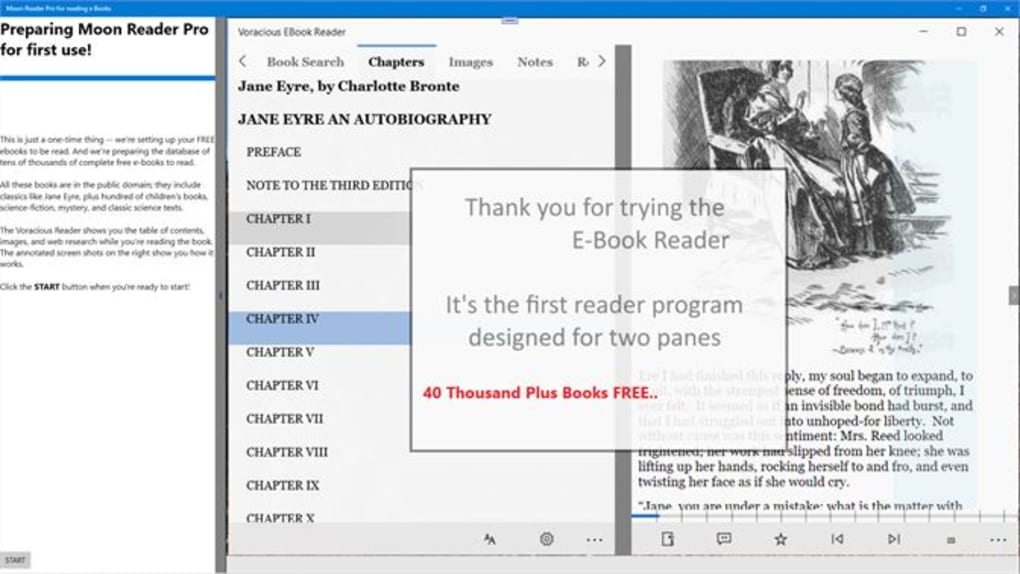
A Deep Dive into Moon Reader Pro’s Extensive Features
Moon Reader Pro isn’t just another e-book application; it’s a meticulously crafted tool that anticipates the needs of modern readers. Its core strength lies in its expansive feature set, which addresses both fundamental requirements and advanced preferences, ensuring that every user finds something to love.
Broad E-book Format Compatibility
One of the most significant hurdles for digital readers is often the myriad of e-book formats. You might download a book only to find your current reader doesn’t support its format, forcing you to use multiple applications or convert files – a process that can be tedious and prone to errors. Moon Reader Pro eliminates this frustration with its truly extensive format support. The application boasts compatibility with a wide array of e-book formats, including but not limited to:
- EPUB (Electronic Publication): This is the most common open e-book standard, known for its reflowable text, which adapts well to different screen sizes. Moon Reader Pro’s robust EPUB support ensures that the majority of modern e-books are rendered perfectly.
- PDF (Portable Document Format): While often associated with static documents, PDFs are also widely used for e-books, especially those with complex layouts, graphics, or academic content. The ability to handle PDFs effectively, often with features like cropping and reflow for better viewing on smaller screens, is crucial.
- MOBI (Mobipocket): A format historically popular with Kindle devices, its inclusion in Moon Reader Pro means you’re not restricted to specific ecosystems, allowing you to read your older MOBI files without hassle.
- CHM (Compiled HTML Help): Frequently used for software documentation and technical manuals, CHM support broadens the application’s utility beyond recreational reading.
- Other Text Formats: Beyond these, Moon Reader Pro often supports other text-based formats like TXT, FB2, PRC, and potentially even RTF or DOC, ensuring virtually no digital book is beyond its reach.
This comprehensive format support is not merely a convenience; it’s a liberation. It means you no longer need a patchwork of different readers for different file types. Your entire digital library can be managed and accessed within a single, unified application. This streamlines your workflow, saves valuable system resources, and vastly simplifies the process of discovering and enjoying new content, regardless of its origin. The peace of mind that comes with knowing your reader can handle almost anything you throw at it is invaluable for any serious digital book collector.
Engaging Audio Reading with Text-to-Speech
Beyond visual reading, Moon Reader Pro embraces the power of audio with its integrated text-to-speech (TTS) functionality. This feature opens up a whole new dimension of engagement with your e-books, catering to diverse needs and preferences.
- Accessibility: For individuals with visual impairments, dyslexia, or other reading challenges, TTS is a game-changer. It provides an auditory pathway to content that might otherwise be inaccessible, fostering inclusivity and equal access to information.
- Multitasking: In today’s fast-paced world, finding dedicated time to sit down and read can be difficult. TTS allows you to “read” while commuting, exercising, cooking, or performing other tasks. Your e-books become audiobooks, letting you absorb knowledge and stories even when your eyes are occupied.
- Different Learning Styles: Some individuals are auditory learners who retain information more effectively when they hear it. The TTS feature provides an alternative learning modality, making it easier for them to comprehend and remember content.
- Eye Strain Relief: Long hours spent staring at screens can lead to eye strain and fatigue. Switching to audio reading periodically gives your eyes a much-needed break without interrupting your engagement with the book.
- Language Learning: For those learning a new language, listening to e-books read aloud can be an excellent way to improve pronunciation, listening comprehension, and vocabulary in context.
Moon Reader Pro’s implementation of TTS is designed to be user-friendly, allowing readers to easily activate the function and control playback speed and potentially even voice options (depending on system-level TTS voices installed). This blend of visual and auditory reading options truly makes Moon Reader Pro a versatile companion for any digital book enthusiast, offering flexibility and convenience that elevates the overall reading experience.
Tailoring Your Reading Journey: Customization at Your Fingertips
A truly superior e-book reader understands that no two readers are exactly alike. Preferences regarding aesthetics, comfort, and interaction can vary wildly. Moon Reader Pro excels in this domain by offering an unparalleled degree of customization, allowing you to fine-tune virtually every aspect of your reading environment to perfectly suit your individual needs and mood. This personalization is key to fostering a comfortable, enjoyable, and ultimately more productive reading experience.
Visual Comfort and Personalization
The visual presentation of text is paramount to reading comfort and comprehension. Moon Reader Pro provides extensive controls over how your books look on screen, minimizing eye strain and maximizing engagement.
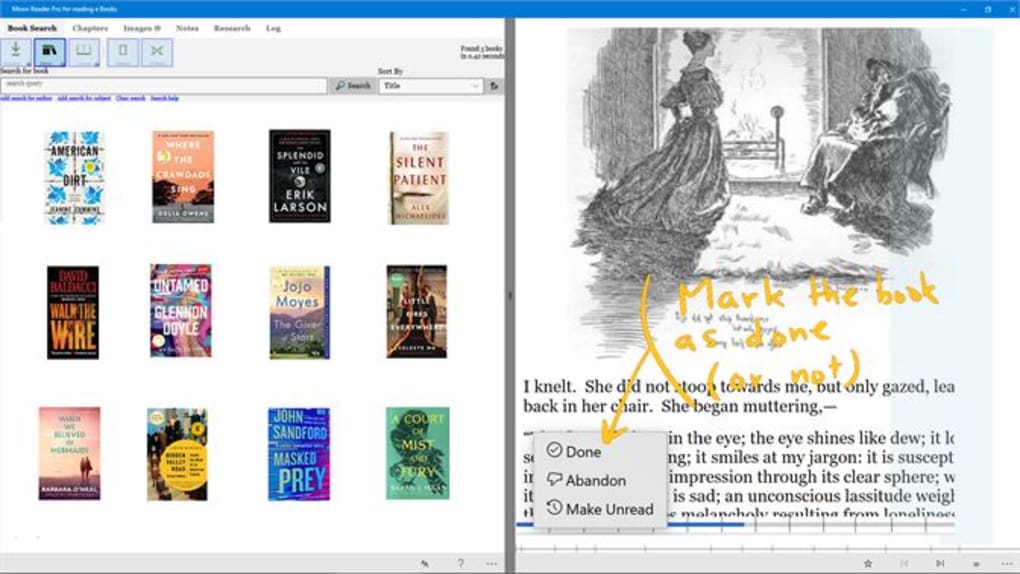
- Font Customization: The ability to adjust font size, color, and style is not just a cosmetic feature; it’s fundamental to readability.
- Font Size: From large print for those with visual impairments or reading from a distance to smaller fonts for fitting more text on a single screen, granular control over font size ensures optimal comfort for every reader.
- Font Color: Beyond standard black text on white, Moon Reader Pro allows you to choose text colors that are gentler on the eyes or align with specific themes, enhancing contrast or reducing glare.
- Font Style: A wide selection of fonts means you can choose a typeface that you find most legible and aesthetically pleasing. Whether you prefer a classic serif font for academic texts or a modern sans-serif for casual reading, the choice is yours, helping to reduce reading fatigue.
- Night Mode: Reading in low-light conditions can be harsh on the eyes due to the stark contrast of bright screens against a dark environment. Moon Reader Pro’s dedicated night mode inverts colors, typically displaying light text on a dark background. This significantly reduces blue light emission, which is known to disrupt sleep patterns, and makes reading in bed or dimly lit rooms far more comfortable and less strenuous for your eyes. It’s an essential feature for late-night readers.
- Themes and Backgrounds: To further personalize your reading space, the application offers various themes and background options. These can range from subtle textures and colors that mimic physical book pages to vibrant, custom backgrounds that reflect your personal style. Changing themes can refresh your reading environment, preventing monotony and making each session feel unique and tailored. This level of aesthetic control contributes significantly to the overall immersive quality of your digital reading.
Seamless Navigation and Advanced Annotation Tools
Beyond visual presentation, Moon Reader Pro empowers users with intuitive navigation and powerful annotation capabilities, transforming passive reading into an active, interactive, and productive experience.
- Intuitive Interface and Smooth Navigation: A cluttered or confusing interface can detract from the reading experience. Moon Reader Pro is designed with an intuitive layout that makes browsing through your e-books effortless. Features are logically organized, allowing for smooth transitions between pages, chapters, and different books. The responsive design ensures that commands are executed promptly, contributing to a fluid and enjoyable interaction with your content.
- Bookmarks: Just like traditional books, digital books often require you to mark your place. Moon Reader Pro’s bookmarking feature is robust, allowing you to:
- Mark Important Passages: Quickly save your current reading position or specific pages you wish to revisit.
- Multiple Bookmarks: Create multiple bookmarks within a single book, useful for academic study, research, or simply marking favorite quotes.
- Easy Access: Bookmarks are typically stored and easily accessible through a dedicated menu, allowing you to jump instantly to any marked section.
- Highlights: Highlighting is a fundamental tool for active reading, enabling readers to identify and emphasize key information.
- Color-Coded Highlighting: Moon Reader Pro often supports various highlighting colors, allowing you to categorize your highlights (e.g., green for important facts, yellow for interesting ideas, blue for questions).
- Text Selection Precision: The ability to precisely select text for highlighting ensures that you capture exactly what you need without extraneous words.
- Review and Export: Highlights can be easily reviewed, and in many advanced readers, they can even be exported for use in notes or study guides, though this specific export feature isn’t explicitly detailed, the ability to make them is provided.
- Annotations and Notes: For those who engage deeply with their texts, annotations are indispensable. Moon Reader Pro allows you to make notes directly within the book, either by typing comments linked to specific passages or by drawing/scribbling (if touch screen input is supported).
- Contextual Notes: These notes remain linked to the specific text, providing immediate context when you revisit them.
- Personal Reflections: A perfect way to record your thoughts, questions, or summaries as you read.
- Study Aid: Essential for students and researchers, allowing for detailed engagement with academic materials.
- Powerful Search Function: Whether you remember a specific phrase but can’t recall its location or need to quickly find all instances of a particular keyword, the powerful search function is a lifesaver.
- Instant Results: It allows you to quickly locate specific words or phrases within your books, saving significant time and effort.
- Cross-Book Search (potentially): While not explicitly stated, advanced readers sometimes offer cross-book search capabilities within your library, though the primary function is within the current book.
- Enhanced Productivity: For research, fact-checking, or simply revisiting a memorable quote, the search tool transforms how you interact with your digital content, making it a highly efficient resource.
These advanced tools, combined with an intuitive interface, solidify Moon Reader Pro’s position as a comprehensive solution for both casual readers and dedicated book enthusiasts, offering a reading environment that is as functional as it is personalized.
Beyond the Basics: Performance, Security, and Accessibility
While features like format support and customization are crucial, the underlying performance, security, and broader accessibility aspects of an e-book reader are equally vital. Moon Reader Pro, as a full-version premium application, strives to deliver excellence in these often-overlooked areas.
Robust Performance and Stability
A truly great e-book reader should be invisible in its operation, allowing the user to focus entirely on the content. Lagging performance, frequent crashes, or unresponsiveness can quickly derail the reading experience. Moon Reader Pro is developed with stability and efficiency in mind.
- Reliability of a “Full Version” Program: The designation “full version” implies a complete, tested, and polished application, free from the limitations or experimental bugs often found in beta or freemium versions. Users can expect a stable platform that consistently performs as advertised.
- Active Development by medowsoft: The mention of “medowsoft” as the developer and a recent update date (February 14, 2024, at the time of the provided information) are strong indicators of an actively maintained product. This means the software receives regular updates, bug fixes, and potentially new features, ensuring it remains compatible with the latest Windows operating systems (like Windows 11, which it explicitly supports) and continues to offer an optimal experience. Active development also means security vulnerabilities are addressed promptly.
- Optimized Resource Usage: While not explicitly detailed, a well-designed e-reader should be optimized to use system resources efficiently. This means it runs smoothly even on moderately powered Windows PCs, ensuring that the application itself doesn’t cause slowdowns or consume excessive battery life on laptops. The focus is on providing a seamless reading flow without technical interruptions.
A Secure and Private Reading Environment
In an era of increasing digital threats, the security and privacy of software are paramount. Users entrust their personal files, and often personal notes and highlights, to their e-reader applications.
- PhanMemFree’s Security Status: As highlighted by PhanMemFree (formerly Softonic), Moon Reader Pro is listed with a “Security Status” that typically implies it has been scanned and found to be clean from known malware or unwanted bundled software. This assessment from a reputable software repository provides a degree of assurance to users about the integrity of the application. PhanMemFree’s rigorous checks aim to confirm or update the status of files, indicating a commitment to offering a safe download environment.
- Protecting Your Digital Library: A secure application protects your e-book files from corruption or unauthorized access. While Moon Reader Pro is an offline reader (meaning it handles local files), its security ensures that the application itself doesn’t introduce vulnerabilities to your system.
- Privacy of Your Data: For many readers, annotations, highlights, and bookmarks contain personal insights and intellectual property. A reliable e-reader ensures that this data is stored locally and securely, with no unauthorized collection or transmission. While specific privacy policies would need to be reviewed, a “full version” paid application often comes with a stronger commitment to user privacy compared to ad-supported free alternatives.
Bridging the Gap: Accessibility Features
Accessibility in software design ensures that products are usable by people with the widest range of abilities. Moon Reader Pro incorporates several features that contribute to its overall accessibility.
- Text-to-Speech (TTS) as a Core Accessibility Tool: As previously discussed, TTS is a cornerstone of accessibility, providing an auditory alternative for reading. This is particularly beneficial for visually impaired users, those with learning disabilities like dyslexia, or anyone who prefers to listen to content.
- Customizable Visual Elements: The extensive customization options for font size, style, and color, along with night mode, are not just about personal preference but are also critical accessibility features. Users with low vision can increase font size, those with color perception issues can adjust contrasts, and night mode helps reduce visual fatigue for all, which is a common accessibility concern.
- User-Friendly Interface: An intuitive and uncluttered interface, as offered by Moon Reader Pro, inherently improves accessibility. It reduces the cognitive load required to navigate the application, making it easier for users of all technical proficiencies to engage with their e-books.
By focusing on these often-understated aspects of performance, security, and accessibility, Moon Reader Pro demonstrates its commitment to providing a holistic and superior digital reading solution, setting it apart as a trusted choice for Windows users.
Why Moon Reader Pro Stands Out in a Crowded Market
In a digital marketplace brimming with free and paid e-book readers, Moon Reader Pro for Windows distinguishes itself through a combination of thoughtful design, robust functionality, and a premium user experience. It’s not just about reading books; it’s about elevating the entire process to an art form.
Many free readers offer basic functionality, but they often come with limitations: restricted format support, intrusive advertisements, a lack of advanced customization, or an absence of critical tools like robust annotation or text-to-speech. Moon Reader Pro, as a full-version, paid program, sidesteps these compromises. It offers a complete, ad-free environment where the focus remains squarely on the content and the reader’s interaction with it.
For the casual reader, Moon Reader Pro provides an effortlessly smooth and visually pleasing platform. The intuitive interface means less time wrestling with software and more time enjoying stories. The extensive customization ensures that reading sessions are always comfortable, whether adjusting fonts for tired eyes or switching to night mode for late-night reads.
For the book enthusiast, student, or researcher, the application transforms into an indispensable tool. The comprehensive format support means a diverse digital library, regardless of origin, can be centrally managed. Advanced features like bookmarks, multi-colored highlights, and detailed annotations turn passive reading into an active, analytical process. The powerful search function becomes a quick reference tool, enabling efficient information retrieval and study.
PhanMemFree’s statistics, showing “8K” total downloads and “554” last month’s downloads (as of the provided data), along with its listing among “Top downloads E-readers for Windows,” underscore its popularity and perceived value within the community. It’s consistently chosen over many alternatives, a testament to its quality and the satisfaction it delivers. The fact that it’s a paid application further emphasizes its value proposition: users are willing to invest because they recognize the superior experience and the comprehensive feature set that Moon Reader Pro delivers, making it a sound choice for serious digital readers.
In essence, Moon Reader Pro stands out because it offers a truly holistic and premium reading experience. It addresses the practical needs of format compatibility and performance, caters to personal preferences through deep customization, and empowers users with advanced interactive tools, all within a secure and actively developed ecosystem. It’s an investment in a richer, more comfortable, and more productive digital reading journey.
Conclusion
Moon Reader Pro for Windows, developed by medowsoft, emerges as a premier choice for anyone seeking a sophisticated and deeply personalized e-book reading experience on their PC. From its unparalleled support for a vast array of e-book formats, including EPUB, PDF, MOBI, and CHM, to its innovative text-to-speech functionality, it ensures that your digital library is always accessible and engaging.
The application truly shines in its commitment to user comfort and interaction. Its extensive customization options, allowing precise control over font styles, sizes, colors, night mode, and themes, guarantee a visually comfortable and aesthetically pleasing reading environment tailored to your individual preferences. Coupled with an intuitive interface and powerful navigation tools like bookmarks, multi-colored highlights, detailed annotations, and a robust search function, Moon Reader Pro transforms passive reading into an active and productive intellectual endeavor.
Beyond its rich feature set, Moon Reader Pro provides a stable, secure, and actively supported platform, ensuring reliability and peace of mind for its users. Whether you are a casual reader looking for an enjoyable way to consume digital books or a dedicated enthusiast requiring advanced tools for study and research, Moon Reader Pro offers a comprehensive, user-friendly, and highly versatile solution. Enhance your digital reading journey today by downloading Moon Reader Pro from Phanmemfree.org and unlock the full potential of your e-book collection.
File Information
- License: “Full”
- Version: “1.0”
- Latest update: “February 14, 2024”
- Platform: “Windows”
- OS: “Windows 11”
- Language: “English”
- Downloads: “8.5K”


