Morpheus, a veteran peer-to-peer (P2P) file-sharing application, once held a prominent position in the world of digital file exchange. Its claim to fame rested on its versatility, supporting a wide array of P2P networks including Gnutella, eDonkey, and BitTorrent, making it arguably the most comprehensive P2P client of its time. While its ambitious goal of becoming the ultimate multimedia application ultimately fell short, Morpheus left a mark on the landscape of early internet file sharing. This examination delves into its features, strengths, weaknesses, and its ultimate legacy in the ever-evolving world of online file transfer.
Morpheus’ Multifaceted Approach: A Blend of P2P and Multimedia
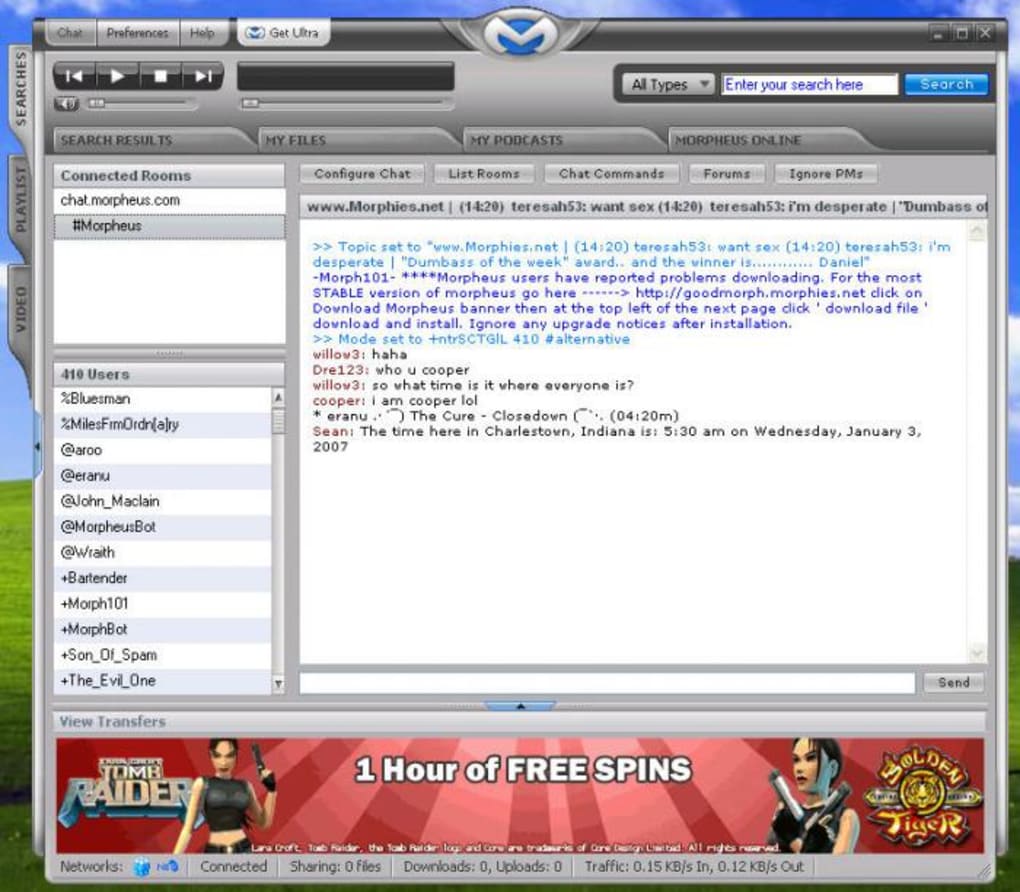
Morpheus aimed to transcend the limitations of a typical P2P client. Its interface, while criticized for its clunkiness (a point we will revisit later), was designed to offer a more integrated multimedia experience. The application window was cleverly divided into four main tabs: Search Results, My Files, Podcasts, and Morpheus Online. A convenient left-hand pane facilitated playlist creation and efficient management of searches and videos. Furthermore, Morpheus offered a unique feature: the ability to automatically sync downloaded files with iTunes, a significant advantage for users managing their music libraries.
The inclusion of an embedded web browser, dubbed “Morpheus Online,” was a bold and, in hindsight, perhaps overly ambitious addition. The idea was to allow users to seamlessly browse the internet and search for new files to download concurrently with their existing transfers. This feature was particularly useful for searching and discovering new podcasts, a significant offering at the time. Morpheus even maintained its own podcast library, offering a diverse selection of content, although it admittedly couldn’t match the extensive catalog of iTunes. The podcast section was thoughtfully divided into podcasts and individual episodes, simplifying navigation within the downloaded content. However, the process of downloading podcasts proved somewhat confusing due to the hidden progress bar located within the “My Files” tab’s secondary file window. This design flaw highlighted the inherent tension between Morpheus’ desire for versatility and the resulting complexity of its user interface.

Security and Parental Controls: Addressing User Concerns
Beyond its core file-sharing functionality, Morpheus incorporated notable security features. One noteworthy addition was the ability to integrate with a user’s antivirus software, allowing for automatic scanning of downloaded files. This was a crucial step in addressing the potential security risks associated with P2P file sharing. Moreover, Morpheus included robust parental control options, allowing users to restrict access to the application through password protection. The implementation of UDP (User Datagram Protocol) technology represented another significant improvement. This enhanced the speed and security of downloads, particularly facilitating file transfers between PCs protected by firewalls. These security enhancements were positive steps towards improving the overall user experience and mitigating some of the inherent risks of P2P file sharing.
Interface and Usability: A Mixed Bag
Despite its innovative features, Morpheus’ user interface received considerable criticism. The interface was frequently described as “clunky” and “crowded,” often leading to user confusion. The “My Files” tab, in particular, presented a confusing layout with an additional file window at the bottom, further adding to the overall complexity. The lack of a readily apparent one-click burning function, despite its promotion, was another significant disappointment for many users. The inclusion of ads further detracted from the user experience and contributed to the feeling of a cluttered and inefficient interface. While Morpheus attempted to integrate various features, the overall execution suffered from a lack of cohesive design, hindering its ability to seamlessly merge P2P functionality with multimedia capabilities. The ambition outweighed the execution, causing a fragmented user experience.
Performance and Technology: Leveraging UDP for Enhanced Transfers
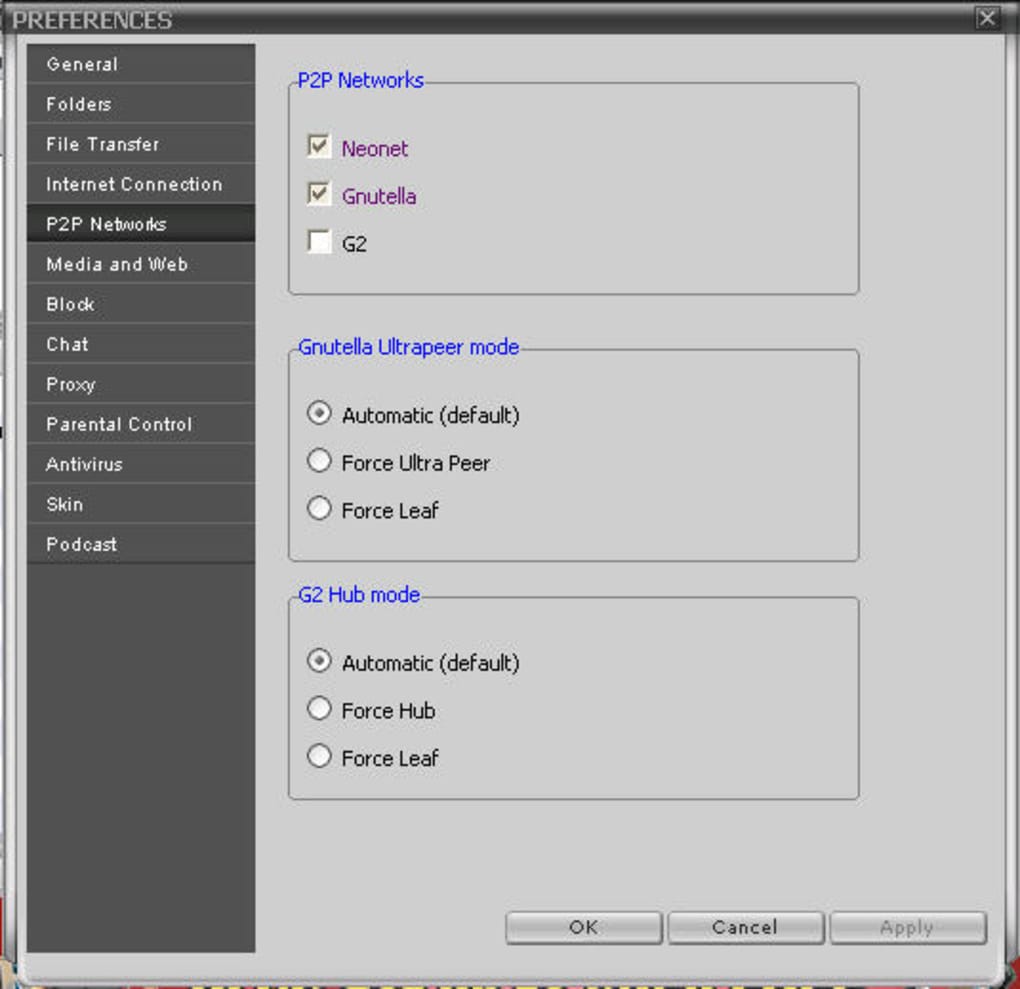
Despite its interface shortcomings, Morpheus’ core P2P functionality was generally well-regarded. It provided access to a broad range of P2P networks, including BitTorrent, a significant advantage for users seeking diverse sources for file downloads. The incorporation of UDP technology contributed to faster and more secure file transfers, particularly beneficial for users dealing with firewall restrictions. The ability to prioritize downloads and adjust transfer speeds offered more control over download management than many competing P2P clients. These technical aspects showcased Morpheus’ strengths in handling the complexities of P2P networking, even if the user interface failed to fully translate this power into a streamlined user experience.
The Multimedia Aspiration: Falling Short of Expectations
The core issue with Morpheus lay in its attempt to become a “multimedia super-app.” While the integration of features such as a web browser and podcast support seemed innovative, the execution fell short of expectations. The added features felt tacked on, not seamlessly integrated, creating a disjointed experience that distracted from the core function of P2P file sharing. The cluttered interface and inconsistent design further undermined these supplemental features, rendering them less effective than they might have been with a more streamlined approach. The attempt to be everything to everyone ultimately diluted Morpheus’ focus, sacrificing user experience for the sake of ambitious, yet poorly executed features.
Morpheus’ Legacy: A Stepping Stone in P2P Evolution
Morpheus, despite its flaws, holds a significant place in the history of P2P file sharing. It was one of the first clients to successfully integrate support for multiple P2P networks, offering users unprecedented access to a vast range of digital content. Its attempts to incorporate multimedia functionality, though ultimately unsuccessful in terms of user experience, represented a pioneering vision for the evolution of P2P applications. While superior, more streamlined P2P clients eventually eclipsed Morpheus in popularity, its contribution to the development and expansion of P2P technology should not be overlooked. It served as a valuable stepping stone, paving the way for future improvements in both functionality and user interface design. The lessons learned from Morpheus’ ambitious yet flawed approach serve as a reminder that attempting to combine diverse functionalities requires careful planning and execution. Prioritizing a seamless and intuitive user experience remains paramount to the success of any software application, no matter how innovative its underlying technology might be.
Changes and Updates: A Focus on Performance and Security
Throughout its lifespan, Morpheus received several updates focusing primarily on performance enhancements and improved security. Significant changes included a new transfer system designed to accelerate downloads and allow users to prioritize certain files. Improvements to Universal Plug and Play (UPnP) support aimed to enhance functionality within firewall-protected networks. Skin updates allowed for customization without requiring application restarts. Finally, the incorporation of alerts for potentially unauthorized files, while not entirely foolproof, added an extra layer of protection for users. These continuous improvements showcased the developers’ commitment to enhancing Morpheus, though they ultimately couldn’t fully address the underlying issues of a complex and often confusing interface.
Conclusion: A Solid P2P Client, but Not a Multimedia Revolution
In conclusion, Morpheus was a solid P2P client capable of accessing a variety of file-sharing networks. Its strengths lay in its wide network support, enhanced security features including auto-antivirus scanning and parental controls, and the implementation of UDP for faster transfers. However, its ambitious attempts to become a comprehensive multimedia application were ultimately hampered by a cluttered and confusing interface. The integration of features such as a web browser and podcast support, while conceptually innovative, were poorly executed and detracted from the core P2P experience. While Morpheus stands as a testament to the ambition of early P2P development, its legacy is best understood not as a multimedia revolution, but as a significant yet flawed contributor to the evolution of peer-to-peer file sharing. The lesson it leaves behind underscores the importance of balanced design: prioritizing a seamless user experience over the mere accumulation of features.
File Information
- License: “Free”
- Version: “5.5.1”
- Latest update: “May 14, 2008”
- Platform: “Windows”
- OS: “Windows XP”
- Language: “English”
- Downloads: “381.2K”
- Size: “190.06 KB”