
Mounty for NTFS is a free, lightweight desktop utility designed to simplify the process of remounting write-protected NTFS volumes on macOS. Developed by independent developers Chris and Uwe, this tool eliminates the need for complex command-line operations, allowing users to remount NTFS drives with just a few clicks. For users seeking alternative mounting solutions, similar tools such as ToastMount and WebDrive are also available. However, Mounty for NTFS distinguishes itself through its user-friendly interface and seamless integration with the macOS system.
Streamlining the NTFS Remount Process
The traditional method of remounting NTFS volumes often involves intricate command-line instructions, requiring a degree of technical expertise that many users lack. Mounty for NTFS provides a straightforward solution, significantly reducing the time and effort needed to regain access to write-protected drives. This user-friendly approach makes it an ideal tool for both novice and experienced users who regularly interact with NTFS-formatted drives.
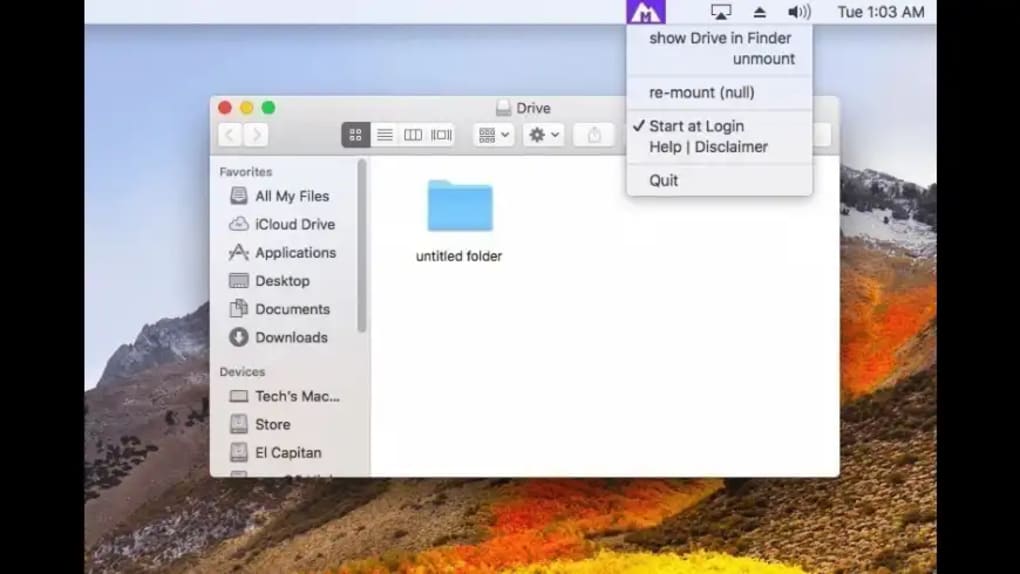
Once installed, Mounty for NTFS runs unobtrusively in the background, monitoring for write-protected NTFS volumes. Upon detecting such a volume, it automatically initiates the remount process and opens a Finder window, providing direct access to the mounted drive. This streamlined workflow enhances productivity by eliminating the manual steps involved in traditional methods.
The application cleverly integrates with the macOS Notification Center, sending notifications whenever an NTFS volume is detected. This ensures the user is always informed about the status of their NTFS drives and prompts them to take action if a remount is necessary. This proactive notification system is a key feature that distinguishes Mounty from other similar applications.
Intuitive Visual Cues for Mount Status
Mounty for NTFS utilizes a color-coded icon in the menu bar to instantly communicate the status of the NTFS volume. This visual cue provides immediate feedback without requiring the user to open the application or check system settings. The color scheme is designed to be easily understandable:
- Black/Inactive: Indicates that no NTFS volumes have been detected.
- Green/Active: Shows that an NTFS volume is currently mounted and accessible.
- Yellow/Working: Signifies that the application is currently processing a remount request.
- Blue/Idle: Indicates that the NTFS volume is mounted and write-accessible.
- Red/Error: Signals a failure during the remount process, prompting the user to investigate potential issues.
This clear and concise visual feedback mechanism makes Mounty for NTFS exceptionally user-friendly, providing at-a-glance information on the status of mounted NTFS volumes. It enhances the overall user experience by reducing ambiguity and streamlining the interaction with the application.
Limitations and Considerations
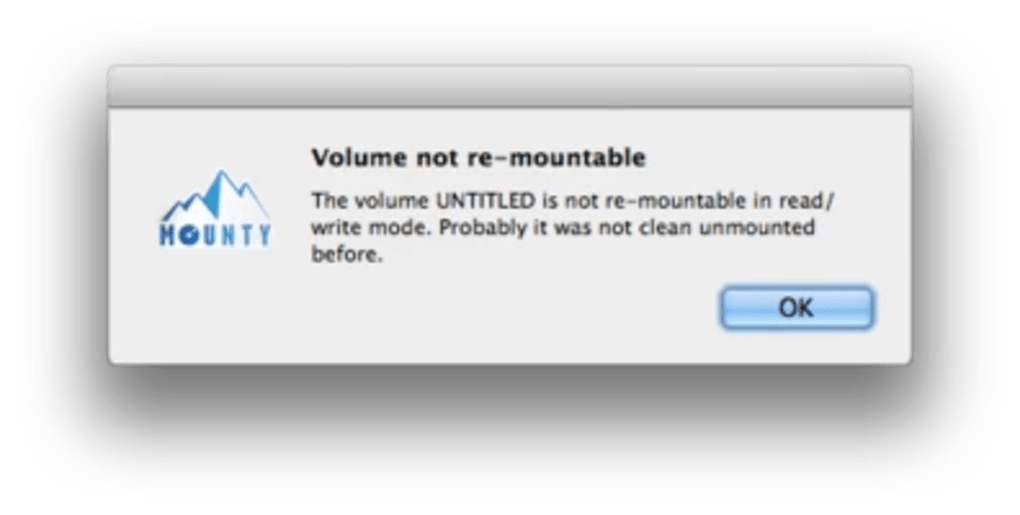
While Mounty for NTFS offers a significant improvement in convenience and usability for remounting NTFS drives, it does have some limitations. The application may fail to recognize and remount an NTFS drive if a third-party tool has renamed the volume. This limitation highlights the importance of using Mounty for NTFS in conjunction with standard naming conventions for NTFS drives to ensure reliable functionality. Understanding this limitation allows users to mitigate potential issues and ensure optimal performance.
A Comparison with Alternative Solutions
Several alternative applications offer similar functionality to Mounty for NTFS, each with its own strengths and weaknesses. Direct comparisons help users make informed choices based on their specific needs and preferences. For example, commercial applications like Paragon NTFS might offer advanced features or enhanced stability, but they come at a cost. Free alternatives may lack some features or be less refined in their user interface.
Mounty for NTFS, being free and open-source, stands out through its simplicity and ease of use. Its lightweight nature ensures minimal impact on system performance, a crucial aspect for users seeking a reliable and efficient solution without compromising system resources. Choosing between various alternatives often involves weighing factors such as cost, feature set, and ease of use.
User Experience and Practical Applications
The streamlined user experience provided by Mounty for NTFS is its greatest strength. The ability to remount NTFS volumes with a few clicks, combined with the real-time feedback provided through the color-coded icon and notification center integration, significantly improves workflow efficiency. This eliminates the need for technical expertise and complex command-line interactions, making it accessible to a wider audience.
Practical applications for Mounty for NTFS are diverse. Users frequently working with external hard drives or USB drives formatted in NTFS will find the tool incredibly helpful. Photographers and videographers, who often transfer large files from cameras to computers, will benefit from the speed and simplicity of remounting write-protected drives. Similarly, anyone dealing with data transfer between macOS and Windows systems will appreciate the enhanced ease and convenience.
Installation and Usage Instructions
Installing Mounty for NTFS is typically a straightforward process, involving downloading the application from a trusted source and following the standard macOS installation procedure. Once installed, the application integrates seamlessly into the system menu bar, requiring minimal configuration. Users can simply initiate the remount process with a few clicks, enjoying the benefits of a simplified workflow.
The intuitive design ensures that even users with minimal technical knowledge can readily understand and utilize Mounty for NTFS. The lack of complex settings or configurations further simplifies the process, making it an ideal solution for users seeking a hassle-free approach to managing NTFS volumes. Comprehensive online resources and tutorials are often available to guide users through the installation and usage procedures.
Conclusion: A Valuable Addition to the macOS Toolkit
Mounty for NTFS fills a crucial gap in the macOS ecosystem by providing a user-friendly solution for remounting write-protected NTFS volumes. Its streamlined workflow, intuitive interface, and seamless integration with the macOS system make it an invaluable tool for users interacting with NTFS-formatted drives. While limitations exist regarding renamed volumes, the overall benefits of ease of use and efficiency significantly outweigh these constraints for most users. For users seeking a simple, efficient, and free solution for managing NTFS volumes, Mounty for NTFS remains a highly recommended choice. Its lightweight nature, combined with its effective and intuitive design, establishes it as a valuable addition to any macOS user’s toolkit. The constant development and community support further strengthen its position as a reliable and robust solution.
File Information
- License: “Free”
- Latest update: “December 11, 2024”
- Platform: “Mac”
- OS: “Mac OS X”
- Language: “English”
- Downloads: “5.3K”
- Size: “2.01 MB”


