
Mouse Recorder software provides a simple yet effective way to record and replay mouse movements and clicks, automating repetitive tasks and simplifying complex processes. This guide explores the capabilities, features, and applications of Mouse Recorder software, examining its strengths and weaknesses in detail. We’ll also delve into alternative options and consider the legal implications of using such tools.
What is Mouse Recorder Software?
Mouse Recorder software is a type of utility application designed to capture a user’s mouse actions – clicks, drags, and movements – on a computer screen. It then saves these actions as a script, which can be replayed automatically at a later time. This functionality proves valuable in a multitude of scenarios, ranging from creating automated demonstrations and tutorials to streamlining repetitive tasks in web browsing or software testing. The software essentially “learns” the user’s actions and can reproduce them consistently, eliminating the need for manual repetition. The simplicity of this process makes it accessible to both technical experts and casual users. While some advanced versions may incorporate keyboard input recording, the core functionality remains focused on mouse actions.
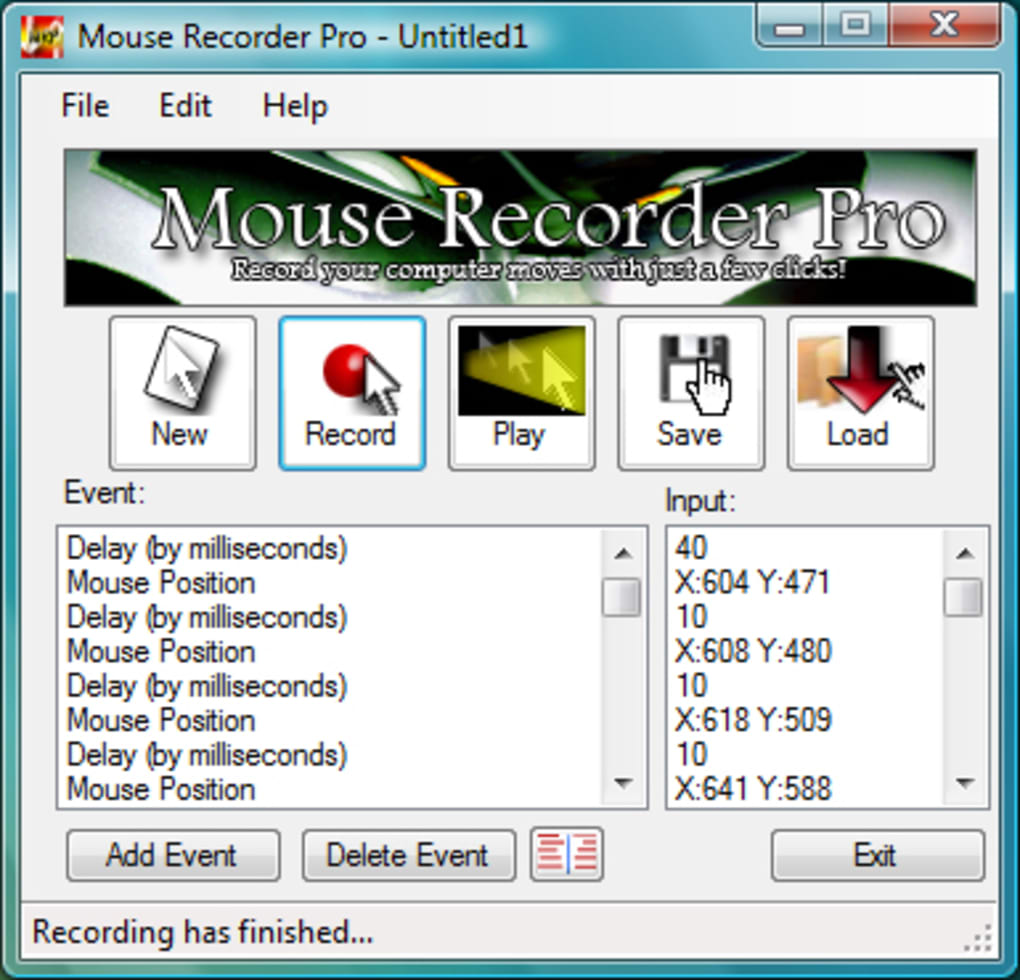
The applications of mouse recording extend to various fields. For example, in online marketing, a Mouse Recorder could automatically navigate a website, filling out forms or clicking specific links, simulating user behavior for testing purposes. In software development, it can be used to automate testing processes, ensuring the smooth functionality of user interfaces. For educational purposes, it can be used to create interactive tutorials, guiding users through complex software applications or online processes step-by-step. Even in gaming, certain functionalities of Mouse Recorders could be applied to automate repetitive tasks.
Key Features and Functionality of Mouse Recorder Software
Most Mouse Recorder applications offer a basic set of features centered around recording, editing, and playing back mouse actions. A typical user experience begins by initiating a recording session, during which the software tracks every mouse movement and click. Once recorded, the sequence of actions can be saved as a script or macro.
This script is often easily editable, allowing users to fine-tune recorded actions, adjust timing, or insert/delete specific steps. This editing capability is particularly useful for perfecting automated processes or fixing errors in a recorded sequence. Many programs allow for adjusting playback speed, crucial for optimizing efficiency or addressing slowdowns in automation. The ability to schedule playback is another common feature, allowing users to automate tasks at specific times, such as launching applications at startup or performing repetitive actions overnight.
Some advanced Mouse Recorder applications might offer additional features, such as support for conditional actions (executing certain actions only under specific conditions) or integration with other automation tools. However, the core functionality remains consistent across most applications – capturing, saving, editing, and replaying mouse actions.

Advantages and Disadvantages of Using Mouse Recorder Software
Mouse Recorder software offers significant advantages in terms of efficiency and automation. Its primary benefit is the automation of repetitive tasks, saving users considerable time and effort. This is particularly advantageous for tasks involving multiple clicks, drags, or precise cursor movements, which can be tedious to perform manually. The ability to create automated tutorials or demonstrations is another compelling advantage. The software can seamlessly capture the steps needed to perform a task, converting these steps into a reproducible guide.
However, there are limitations. One significant disadvantage is the potential for obsolescence. If the target software or website undergoes design changes, the recorded script might become incompatible, necessitating the creation of a new script. Also, some versions of Mouse Recorder lack advanced features found in more comprehensive macro tools. The limitations in their ability to handle dynamic elements or conditional logic can hinder their use in complex automation scenarios.
Another consideration is the potential security implications. While legitimate use cases abound, malicious actors could potentially use Mouse Recorder software for nefarious purposes. It’s crucial to use such software responsibly and ethically. Downloading only from reputable sources and understanding the software’s permissions are essential steps in minimizing security risks.
Alternatives to Traditional Mouse Recorder Software
While dedicated Mouse Recorder applications are readily available, users might explore alternative solutions depending on their specific needs. Macro recorders, often bundled within larger automation suites, are a popular alternative. These tools provide broader automation capabilities beyond mouse actions, encompassing keyboard input, conditional statements, and loops. Their advanced features empower users to create sophisticated automation scripts for a wider range of applications.
Scripting languages like AutoHotkey or Python, combined with relevant libraries, offer superior flexibility and control. These languages allow for highly customizable automation, addressing complex scenarios and integrating with other systems seamlessly. This approach is particularly beneficial when dealing with highly dynamic applications or when needing precise control over individual system interactions. However, it requires programming knowledge, making it less accessible to non-technical users.
Other automation tools, such as Robotic Process Automation (RPA) software, are designed for enterprise-level automation. These tools might be overkill for simple mouse recording tasks, but they offer robust capabilities for automating complex business processes.
Legal and Ethical Considerations
The use of Mouse Recorder software is governed by copyright laws and terms of service agreements. While the software itself is typically legal to use, employing it to automate actions that violate a website’s terms of service (such as scraping data or circumventing security measures) is illegal. Similarly, using the software to replicate copyrighted material without permission constitutes copyright infringement.
Ethical considerations are just as vital. Respecting website terms of service, avoiding unauthorized access, and refraining from activities that could cause harm or inconvenience to others are paramount. Transparency is key; whenever using Mouse Recorder software to automate actions on another user’s system, obtaining explicit consent is crucial. Misusing this technology for malicious purposes is unethical and potentially illegal. Always use Mouse Recorder software within the bounds of the law and ethical conduct.
In conclusion, Mouse Recorder software provides a straightforward approach to automating mouse actions, offering significant benefits for productivity and automation. Understanding its limitations, considering alternatives, and adhering to legal and ethical guidelines are essential for responsible and effective utilization. Choosing the right Mouse Recorder or alternative approach depends on individual needs, technical expertise, and the complexity of the automation tasks at hand.
File Information
- License: “Free”
- Version: “2.0.5.0”
- Latest update: “July 15, 2022”
- Platform: “Windows”
- OS: “Windows 2000”
- Language: “English”
- Downloads: “189K”
- Size: “2.31 MB”


