
MPC-BE, or Media Player Classic - Black Edition, is a free and open-source media player that has gained significant popularity for its versatility, ease of use, and robust feature set. This comprehensive review delves into the functionalities, advantages, and potential drawbacks of this powerful yet lightweight media playback solution. We’ll examine its performance, user interface, customization options, and overall effectiveness in comparison to other popular media players available today.
A Legacy of Excellence: MPC-BE’s Roots and Evolution
MPC-BE isn’t a brand-new player on the scene. It’s a direct descendant of the highly regarded Media Player Classic and Media Player Classic Home Cinema, inheriting their core strengths while adding significant improvements and enhancements. This evolutionary lineage speaks volumes about its stability and proven track record. Unlike many media players that suffer from bloated interfaces and unnecessary features, MPC-BE retains a streamlined approach, focusing on providing high-quality playback with a minimal footprint. The developers have consistently prioritized performance and stability, resulting in a player that handles a wide range of file types without the resource-intensive demands of some competitors. This commitment to efficiency makes it an excellent choice for users with less powerful hardware or those who prefer a less demanding application running in the background.
Feature-Rich Playback: Handling Diverse Media Formats
One of MPC-BE’s key strengths lies in its ability to seamlessly handle a vast array of media file formats. It’s known for its compatibility with codecs, allowing it to play virtually any video or audio file you throw at it. This eliminates the need to hunt for external codecs or plugins, streamlining the playback process and enhancing user experience. Whether you’re working with common formats like MP4, AVI, MKV, or less frequently encountered ones, MPC-BE’s extensive codec support provides a reliable solution for nearly all your multimedia needs. Its compatibility extends beyond common video formats; it also effortlessly handles a broad spectrum of audio files. This versatility is a significant advantage, making it a truly all-in-one solution for all your media playback requirements. Users won’t need to switch between different players for different formats, maintaining a consistent and efficient media experience.
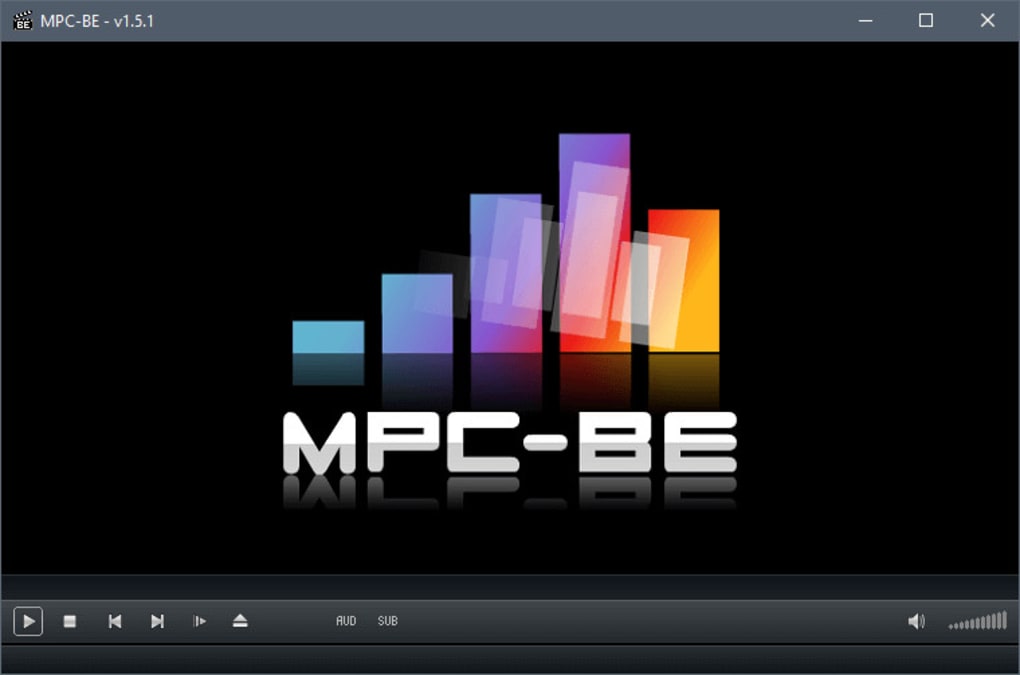
User Interface and Navigation: Simplicity and Customization
MPC-BE strikes a perfect balance between simplicity and functionality. The user interface is intuitive and uncluttered, avoiding the overwhelming complexity often associated with feature-rich media players. Navigation is straightforward and logically organized, allowing users to quickly locate and manage their media files. This clean interface is particularly appealing to users who value efficiency and ease of use. However, beneath its minimalist exterior lies a powerful engine capable of sophisticated customizations. Users can tailor the player’s appearance and behavior to their preferences, from adjusting the visual style to customizing hotkeys and keyboard shortcuts. This adaptability caters to a broad range of user needs and skill levels, making it accessible to beginners and powerful enough for experienced users.
Advanced Features and Enhancements: Beyond Basic Playback
MPC-BE offers a number of advanced features that enhance the user experience beyond basic playback capabilities. The support for subtitles is a notable example; users can easily integrate subtitles from various sources, including embedded subtitles within the media file itself or external subtitle files (.srt, .ass, etc.). The flexibility to adjust subtitle settings, such as font, size, and color, ensures a personalized and comfortable viewing experience. Additionally, MPC-BE allows for fine-grained control over video playback parameters. Users can adjust the playback speed, aspect ratio, and other crucial settings to optimize the visual presentation according to their monitor and preferences. This customization is critical for achieving optimal video quality and viewer satisfaction.
Furthermore, MPC-BE provides options for applying filters and shaders to enhance the video quality or create unique visual effects. While this feature may require a bit of technical expertise, it opens up a world of customization for advanced users, allowing them to tweak aspects like color correction, sharpening, and de-interlacing. While this functionality is not essential for the average user, it provides a degree of control for those who seek to improve the visual fidelity of their media content. However, the somewhat complicated nature of filter and shader configuration may present a challenge for novice users.
System Requirements and Compatibility: A Lightweight Champion

MPC-BE boasts impressive compatibility across various operating systems and hardware configurations. Its relatively low system requirements make it an excellent choice for users with older or less powerful systems, avoiding the resource-intensive demands of many modern media players. It runs smoothly on various Windows versions, ensuring accessibility to a vast user base. This wide compatibility speaks to the player’s efficient design and commitment to ensuring it runs smoothly across different environments without compromising functionality. The lightweight design ensures minimal impact on system resources, allowing for seamless media playback even on less powerful machines. This contrasts sharply with resource-intensive media players that can significantly slow down older or less powerful computers.
Advantages and Disadvantages: Weighing the Pros and Cons
As with any software, MPC-BE has its advantages and disadvantages.
Pros:
- High-Quality Playback: MPC-BE delivers high-quality audio and video playback across a wide range of file formats.
- Extensive Codec Support: Its extensive built-in codec support eliminates the need for external codecs, simplifying the user experience.
- Lightweight and Efficient: It’s designed to be lightweight, minimizing its impact on system resources.
- Open Source: Being open-source, it benefits from a large and active community offering support and regular updates.
- Highly Customizable: A wide range of customization options allows users to tailor the player to their preferences.
- User-Friendly Interface: The intuitive interface is easy to navigate and use, even for beginners.
- Subtitle Support: Excellent support for various subtitle formats enhances accessibility and user experience.
Cons:
- Potential Compatibility Issues: While generally well-regarded for its compatibility, there have been reported instances of compatibility problems when used with specific hardware, such as certain TV tuners.
- Filter and Shader Complexity: The advanced filter and shader options, while powerful, can be challenging for novice users to master.
- Limited Native Support for Certain Formats: Though it handles most formats via codecs, native support for certain less-common formats might be lacking compared to some all-encompassing players.
Conclusion: A Worthy Contender in the Media Player Arena
MPC-BE stands out as a strong contender in the crowded field of media players. Its combination of high-quality playback, extensive features, user-friendly interface, and lightweight design makes it a compelling option for a wide range of users. While some minor drawbacks exist, such as the potential for compatibility issues with specific hardware and the complexity of some advanced features, these are largely outweighed by the overall strengths of the player. Its open-source nature and active community ensure ongoing support and improvements, further solidifying its position as a reliable and versatile media playback solution. Whether you’re a casual user seeking a simple yet powerful player or a tech-savvy individual who appreciates advanced customization options, MPC-BE deserves serious consideration.
File Information
- License: “Free”
- Latest update: “May 24, 2023”
- Platform: “Windows”
- OS: “Windows 7”
- Language: “English”
- Downloads: “1K”
- Size: “14.51 MB”


