
mpv is a free and open-source media player that stands out for its powerful feature set, lightweight design, and extensive configurability. A fork of mplayer2 and Mplayer, mpv offers a compelling alternative to more mainstream media players like VLC, boasting a remarkable level of control and customization while maintaining a surprisingly small footprint. While its command-line interface (CLI) might initially seem daunting, mpv’s intuitive design and extensive documentation make it accessible to both novice and experienced users. This article delves into the key features, usability, and overall experience of using mpv.
Powerful Features Under a Minimalist Exterior
mpv’s strength lies in its potent capabilities, cleverly hidden beneath a deliberately minimalist interface. Unlike some media players that overwhelm users with a plethora of options from the outset, mpv presents a clean, uncluttered experience. This simplicity, however, belies a vast array of advanced features and customization options, making it a powerhouse for media playback and manipulation. It’s a player designed for users who appreciate control and efficiency.
At its core, mpv excels at playing virtually any media file you throw at it. This includes a wide range of video and audio formats, internet radio streams, and even complex video streams. Its versatility extends beyond simple playback; it allows for extensive fine-tuning of the audio and video experience. Users can apply numerous filters to enhance or modify the visuals and audio, offering granular control over aspects such as:
- Video Quality: Adjust resolution, scaling algorithms, and frame rates for optimized playback.
- Color Management: Fine-tune color accuracy and profiles for a more realistic and vibrant viewing experience.
- Frame Timing and Interpolation: Achieve smoother playback and reduce judder, especially beneficial for content with inconsistent frame rates.
- Audio Filters: Manipulate audio parameters like equalization, volume normalization, and more.
The depth of customization is remarkable; mpv boasts over 445 configurable options, allowing users to tailor the player to their precise needs and preferences. This level of control is unmatched by many other media players, transforming mpv into a versatile tool for both casual viewing and demanding media manipulation tasks.
Usability and Interface: A CLI at Heart, with Optional GUI Elements
mpv is primarily a command-line interface (CLI) application. This means it doesn’t have a traditional graphical user interface (GUI) in the same way as VLC or other popular players. While this may initially seem off-putting to those accustomed to point-and-click interfaces, the reality is far more user-friendly than expected.
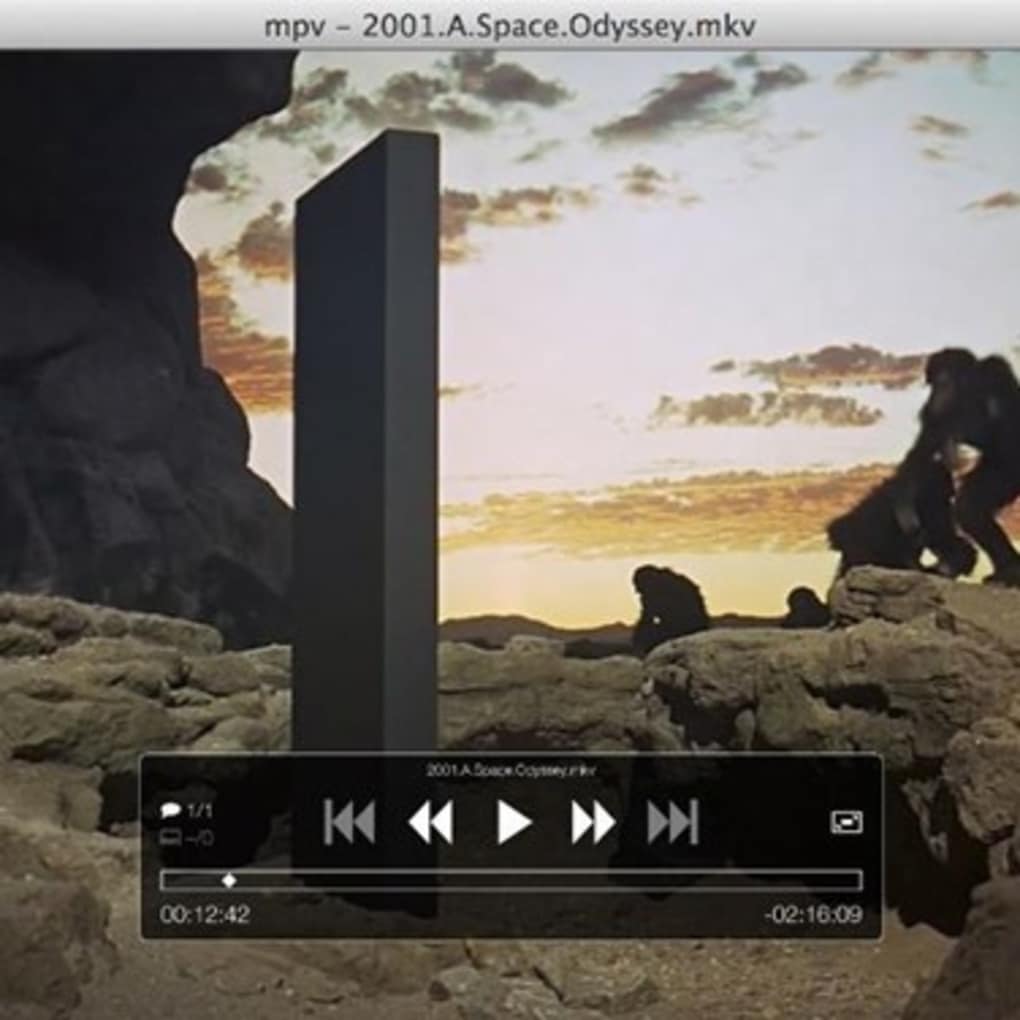
For casual users, simply double-clicking a video file will often launch mpv and begin playback. For those who prefer a more interactive experience, launching mpv directly will reveal a basic, on-screen display (OSD) controller that appears when you move your mouse. This OSD provides access to essential controls, including pause, skip forward/backward, subtitle selection, and audio track selection. It’s a minimalistic approach that avoids clutter while providing necessary functionality.
However, the absence of a full-fledged, always-present GUI is intentional. mpv’s designers prioritize efficiency and lightweight performance. A full GUI would inevitably increase resource consumption. The CLI-first approach, combined with the concise OSD, keeps the player lean and responsive.
The lack of a traditional GUI doesn’t mean mpv lacks flexibility. It is also designed to be embeddable. A well-documented C API simplifies integration into other applications, making it a useful component for developers needing a versatile media playback engine. This embeddability allows for the creation of custom GUI front-ends if desired, catering to users who prefer a more visual interface.
High-Quality Video Output and System Efficiency
mpv leverages OpenGL for its video output, contributing significantly to its ability to deliver high-quality visuals. This OpenGL-based rendering allows for the implementation of sophisticated video scaling algorithms and advanced color management techniques, ensuring that videos look their best regardless of the source material or display capabilities. The precise control over frame timing and interpolation further contributes to a smooth and visually pleasing playback experience. The resulting video output is consistently high-quality, a testament to the player’s well-designed architecture.
One of mpv’s key advantages is its efficiency. It’s incredibly light on system resources, minimizing its impact on system performance. This is particularly beneficial for users with less powerful systems or those who prefer to run multiple applications concurrently without performance degradation. It quietly and efficiently handles playback, keeping system overhead to a minimum and allowing other applications to run without noticeable slowdown.
Making the Switch: Weighing the Pros and Cons

The decision to switch to mpv involves considering both its strengths and limitations. The benefits are substantial:
Pros:
- Free and Open Source: mpv is completely free to use and distribute, adhering to the principles of open-source software. Its source code is publicly available, fostering community contributions and ensuring transparency.
- Lightweight and Efficient: Minimal system resource usage makes mpv ideal for users seeking a responsive and efficient media player.
- Highly Customizable: The extensive number of configurable options empowers users to tailor the player precisely to their preferences.
- Versatile Playback Capabilities: Supports a remarkably wide range of video and audio formats, including internet streams.
- High-Quality Video Output: OpenGL-based rendering ensures smooth and high-quality playback.
- Embeddable: Provides a simple C API for integration into other applications.
However, it’s important to acknowledge some potential drawbacks:
Cons:
- CLI-centric Interface: The lack of a full GUI may be a barrier for users unfamiliar with or uncomfortable with command-line interfaces.
- Steeper Learning Curve: Familiarizing oneself with mpv’s configuration options and command-line arguments requires some time and effort.
- Mouse-Movement Triggered Controls: The OSD’s mouse-activation can be intrusive for some users.
Ultimately, the decision of whether or not to switch to mpv depends on individual priorities and technical comfort levels. For users seeking a highly customizable, lightweight, and powerful media player willing to invest some time in learning its intricacies, mpv offers an unparalleled combination of features and efficiency. For users who prefer a more traditional point-and-click experience, other media players might be a better fit. The significant advantages in terms of customization, efficiency, and performance, however, make mpv a highly compelling option for many users.
File Information
- License: “Free”
- Version: “varies-with-device”
- Latest update: “June 11, 2019”
- Platform: “Windows”
- OS: “Windows 7”
- Language: “English”
- Downloads: “18.8K”


