
mRemoteNG is a free, open-source remote connection manager designed for users who need to manage multiple connections simultaneously. Its intuitive interface and robust features make it a powerful tool for both individual users and IT professionals. Unlike many single-purpose remote access tools, mRemoteNG provides a centralized hub for managing a wide array of connection types, significantly streamlining workflow and improving overall productivity. This article delves into the capabilities, benefits, and potential drawbacks of mRemoteNG.
Streamlining Remote Connections: A Tabbed Interface for Efficiency
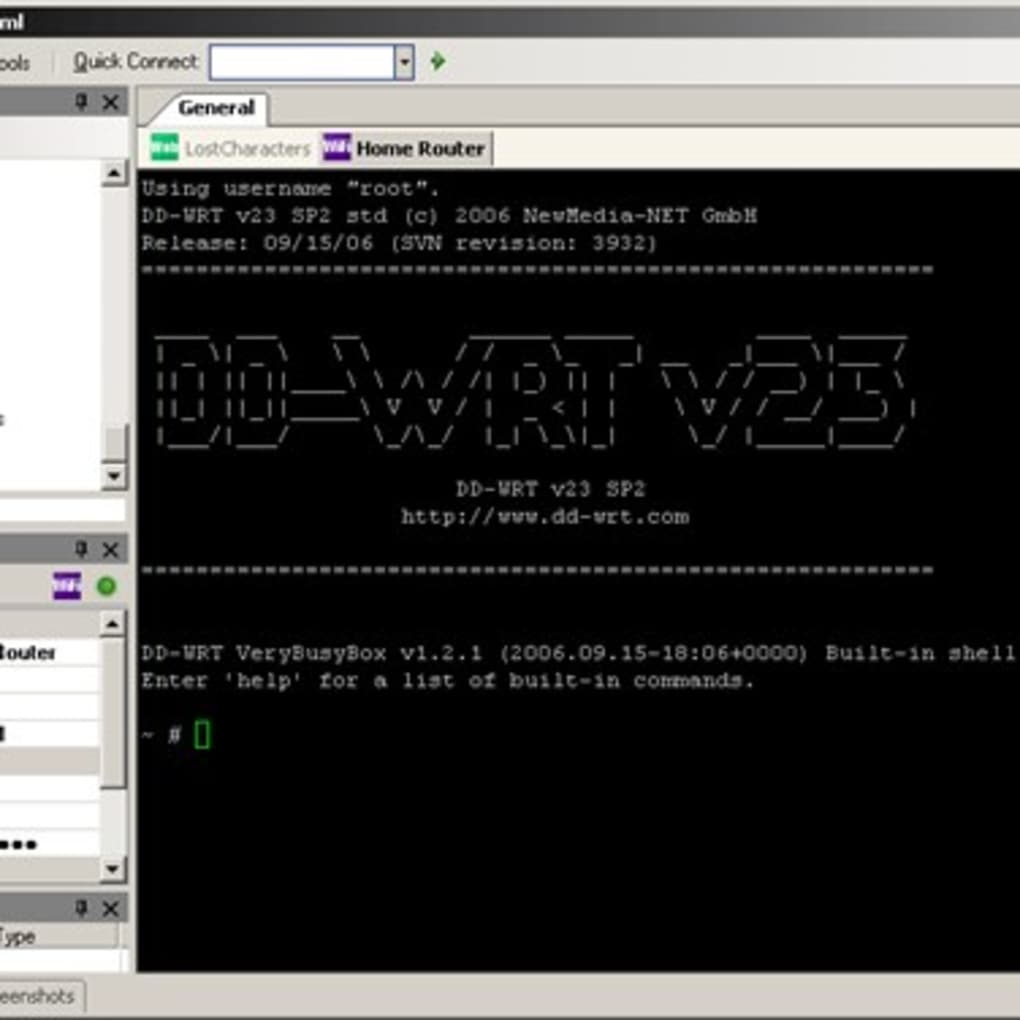
At its core, mRemoteNG offers a highly efficient tabbed interface for managing numerous remote connections. Each connection, configured with its unique settings, resides in its own tab, enabling seamless switching between different systems without the need to constantly re-establish connections or remember intricate login details. This eliminates the cumbersome task of juggling multiple windows or applications, providing a clear, organized overview of all active and saved connections. The simplicity of this design is particularly beneficial for users managing a large number of remote devices or servers. Instead of navigating a complex array of disparate applications, a single mRemoteNG window provides a centralized command center for all remote access needs.
Versatile Connection Support: Catering to Diverse Needs
mRemoteNG supports a wide array of connection protocols, catering to the needs of diverse users and environments. This versatility extends beyond basic remote desktop connections, encompassing various protocols such as:
-
RDP (Remote Desktop Protocol): The cornerstone of Windows remote access, RDP allows for full control of a remote Windows machine. mRemoteNG’s seamless integration with RDP makes it a natural choice for users frequently managing Windows-based systems.
-
VNC (Virtual Network Computing): VNC provides a platform-independent solution for remote access, supporting connections to Windows, macOS, Linux, and other systems. This cross-platform compatibility is crucial for users working with a mixed environment.
-
SSH (Secure Shell): For secure command-line access to servers and other network devices, SSH is an essential protocol. mRemoteNG’s support for SSH provides a secure and reliable method for remote system administration.
-
Telnet: While less secure than SSH, Telnet remains relevant in specific environments. mRemoteNG’s inclusion of Telnet support caters to legacy systems or situations where SSH is not an option.
-
Other protocols: mRemoteNG’s extensibility allows for the integration of additional protocols through plugins, extending its functionality even further. This adaptability ensures that the application remains relevant as new technologies and protocols emerge.
The ability to manage all these connection types within a single application saves significant time and effort. The user avoids the need to learn and manage multiple, separate applications, streamlining the remote access workflow.
Ease of Configuration and Management: Simplifying Complex Tasks
One of the significant strengths of mRemoteNG is its ease of use. Configuring new connections is a straightforward process, involving a minimal number of steps. Users simply need to input the necessary connection details—such as server address, port number, username, and password—and the application automatically saves these preferences for future access. Furthermore, mRemoteNG offers the capability to import saved connections from other applications, significantly accelerating the setup process and minimizing redundancy. This feature is particularly valuable when migrating from another remote connection manager or when consolidating multiple existing connections into a single, centralized location. This reduces the potential for errors and ensures consistency in connection configurations.
The intuitive interface minimizes the learning curve, allowing both novice and experienced users to quickly become proficient with the software. This ease of use contrasts sharply with some more complex remote access applications, where the configuration process can be significantly more challenging.
Advanced Features and Customization: Tailoring the Experience
Beyond its core functionality, mRemoteNG boasts several advanced features that enhance its capabilities and enable users to tailor the application to their specific needs. Some of these notable features include:
-
Connection Groups: Organizing numerous connections into logical groups allows users to better manage their connections, improving clarity and reducing complexity. This is particularly beneficial for users with many connections spanning various projects or clients.
-
Customizable Icons: Assigning custom icons to individual connections improves visual identification and enhances overall organization within the application. This contributes to a more intuitive and streamlined user experience.
-
Password Management: mRemoteNG securely stores passwords for each connection, eliminating the need for users to remember numerous individual credentials. This integrated password management enhances security and reduces the risk of accidental exposure of sensitive information.
-
Session Management: Managing active sessions effectively is key to ensuring efficient remote access. mRemoteNG provides tools to easily monitor and manage active connections, facilitating a smooth user experience.
-
Plugin Support: The extensibility through plugin support is a key feature of mRemoteNG, allowing users to expand its functionality by adding support for new protocols or integrating with other applications. This adaptability makes the application highly versatile and keeps it current with evolving technologies.
These advanced features contribute to mRemoteNG’s effectiveness as a powerful and versatile remote connection manager, capable of handling even the most complex scenarios. The customization options allow users to adapt the application to their exact needs, ensuring optimal efficiency and convenience.
Potential Limitations and Considerations
While mRemoteNG offers numerous advantages, it’s crucial to acknowledge some potential limitations:
-
Stability Issues: In some instances, users have reported minor stability problems, though these seem to be less frequent in recent versions. Regular updates and careful management of connections can help minimize the likelihood of these issues.
-
Resource Consumption: Due to its comprehensive functionality and ability to manage numerous connections simultaneously, mRemoteNG might consume a slightly higher amount of system resources compared to simpler single-connection applications. However, this is generally not a significant concern for modern systems.
-
Learning Curve (for advanced features): While the basic functionality is user-friendly, mastering all the advanced features and customization options might require some time and effort. However, the comprehensive documentation and online resources available can ease this process.
-
Security Considerations: While mRemoteNG incorporates security measures like password management, proper security practices, such as strong passwords and regular software updates, remain crucial for ensuring the protection of sensitive data.
Despite these potential drawbacks, mRemoteNG’s benefits significantly outweigh the limitations for many users, particularly those managing multiple remote connections regularly.
In conclusion, mRemoteNG emerges as a robust and versatile remote connection manager, well-suited for users and IT professionals alike. Its intuitive interface, support for numerous connection protocols, and powerful features combine to streamline the process of managing multiple remote connections, enhancing efficiency and productivity. While certain limitations exist, the advantages of centralized management, enhanced security, and customizable settings make mRemoteNG a valuable tool for anyone regularly working with remote systems.
File Information
- License: “Free”
- Version: “varies-with-device”
- Latest update: “March 29, 2017”
- Platform: “Windows”
- OS: “Windows 7”
- Language: “English”
- Downloads: “14.2K”


