
Before the ubiquity of smartphones and the dominance of instant messaging apps like WhatsApp, Telegram, or WeChat, there was a digital titan that captivated millions across the globe: MSN Messenger. For a significant period in the early 2000s, this platform, developed by Microsoft, was the quintessential tool for online social interaction, bridging distances and fostering connections with a simplicity that now feels almost quaint. It wasn’t just a communication tool; it was a cultural phenomenon, an integral part of growing up for a generation, defining how friendships were maintained, flirtations blossomed, and daily life was shared in a nascent online world.
MSN Messenger carved out its niche during an era when internet access was transitioning from dial-up to broadband, and personal computers were becoming household staples. It offered a dynamic and personal way to connect, a stark contrast to the more formal email or the often-anonymous chat rooms of the time. With its distinctive sound notifications, customizable interfaces, and a suite of interactive features, it transformed the online experience from mere information consumption to active social engagement. Its legacy is not just in the millions of messages exchanged but in how it laid foundational expectations for what instant communication should be: immediate, personal, and endlessly customizable.

The Rise and Fall of a Digital Icon
MSN Messenger first launched in July 1999, entering a burgeoning market dominated by AOL Instant Messenger (AIM) and ICQ. Microsoft, leveraging its vast user base through Windows operating systems and Hotmail email service, quickly integrated Messenger into the daily digital lives of its users. Initially, it was a straightforward text-based chat application, but Microsoft consistently added features, transforming it into a rich communication suite. This constant evolution was key to its rapid growth and widespread adoption, especially during the crucial years of the early to mid-2000s when internet usage exploded worldwide.
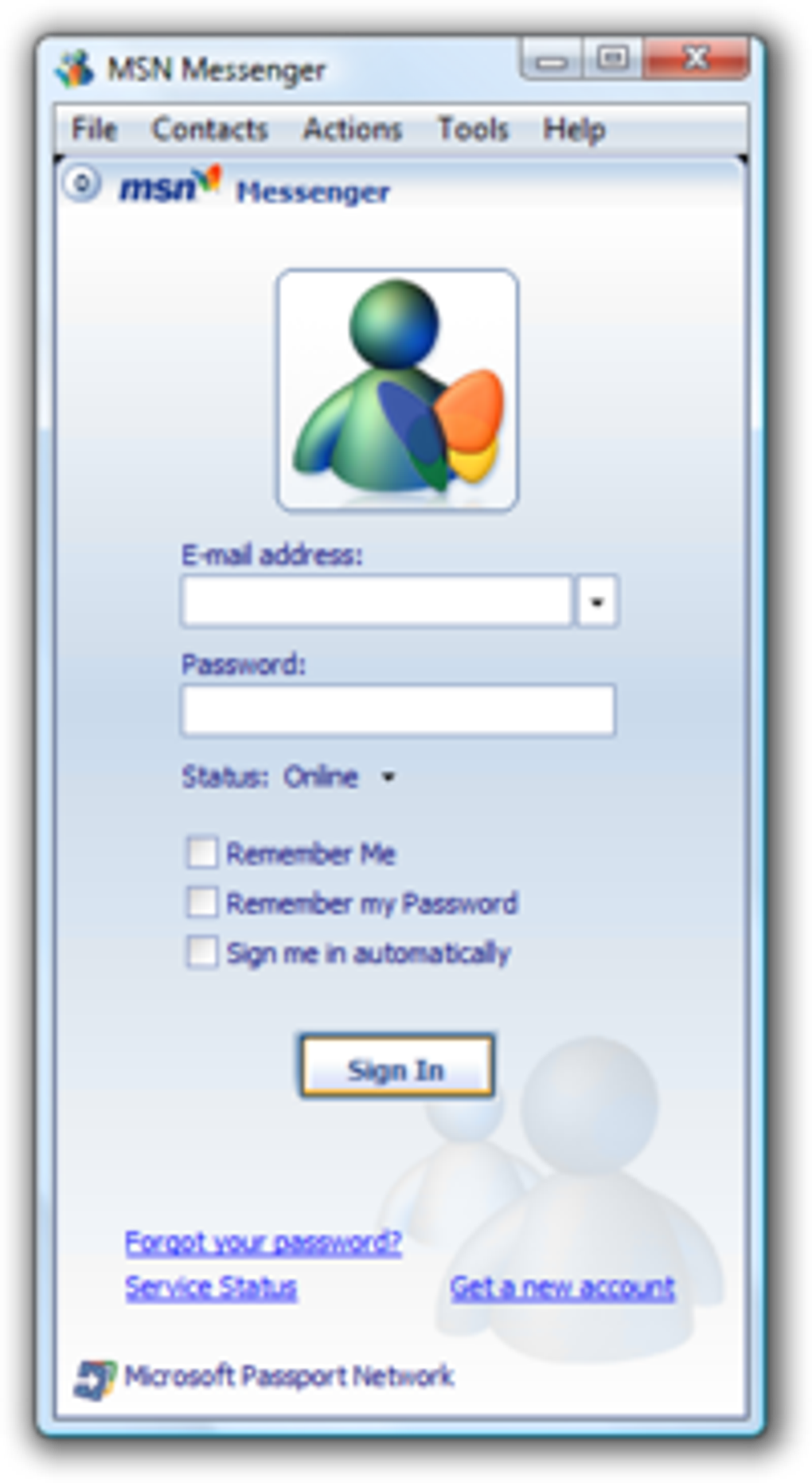
The version often heralded by many as the “purest” or “most decent” iteration was MSN Messenger 7.5. This version, along with its immediate predecessors, struck a perfect balance between functionality and user-friendliness, embodying the core essence of instant communication without the perceived bloat that would later plague its successors. It was during this period that Messenger became deeply embedded in the daily routines of students, young professionals, and families. The sound of a new message or the infamous “nudge” became synonymous with immediate attention and connection.
However, as the digital landscape evolved, so did Microsoft’s strategy. MSN Messenger underwent significant rebranding and architectural changes, eventually morphing into Windows Live Messenger with versions like 8.5, 2009, and 2011. While these iterations introduced more features and attempted to integrate with Microsoft’s broader “Live” services ecosystem, many long-time users felt that the original simplicity and charm were lost amidst radical interface changes and increased complexity. The shift alienated some of the loyal user base who cherished the earlier, lighter versions.
The ultimate fate of MSN Messenger, or rather Windows Live Messenger, was sealed by the advent of mobile technology and the rapid rise of alternative communication platforms. The shift from desktop-centric internet usage to mobile-first interactions caught many established platforms off guard. By the early 2010s, with Facebook Messenger gaining traction and mobile-native applications like WhatsApp and Viber offering seamless cross-platform communication, the relevance of a desktop-focused IM client waned considerably.
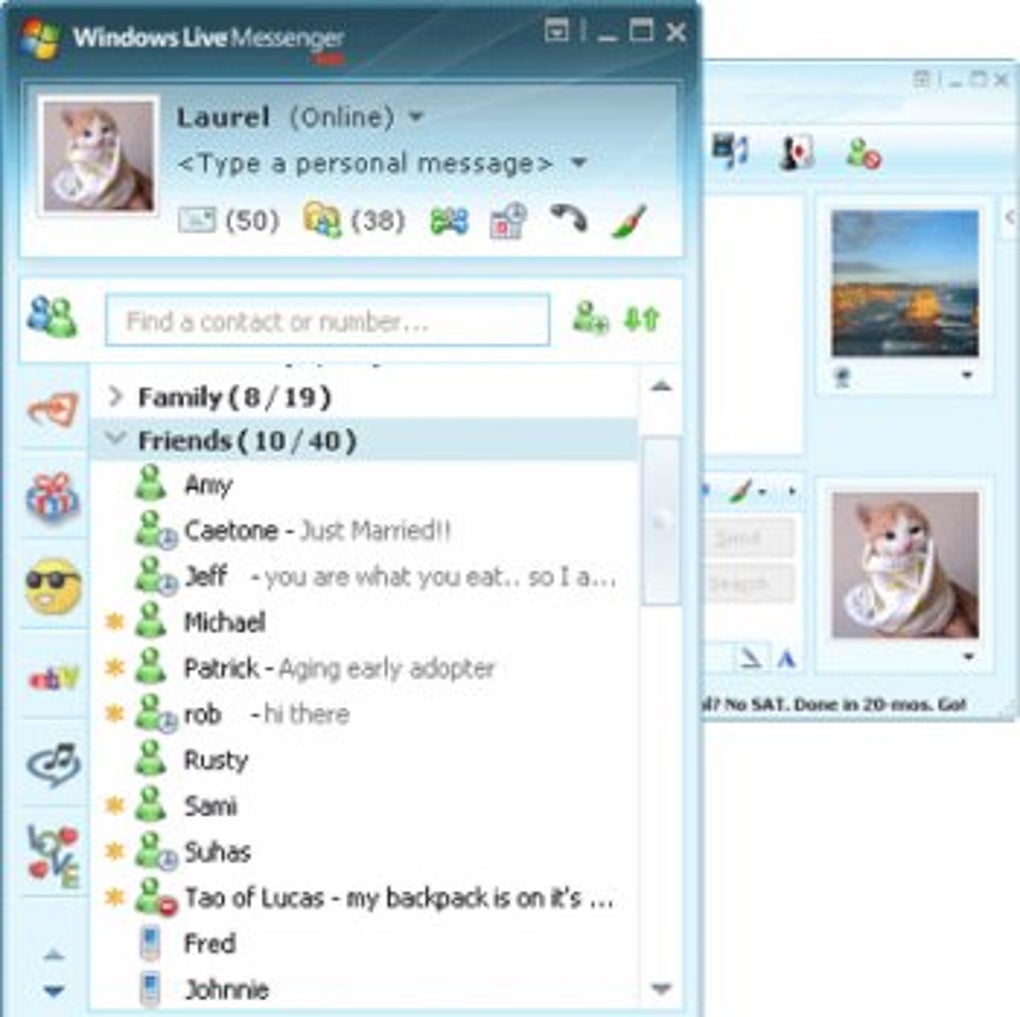
In 2012, Microsoft made the momentous decision to discontinue Windows Live Messenger. The company announced that it would be retiring Messenger globally and migrating its remaining users to Skype, a video calling and messaging service it had acquired in 2011. This transition was a bittersweet moment for many. While Skype offered a robust set of communication tools, including video conferencing, the migration marked the official end of an era for a platform that had defined digital socializing for over a decade. Users were assured that their contact lists would remain available, preserving connections even as the underlying platform changed. The cultural impact, however, remained, with MSN Messenger firmly etched in the collective memory of a generation as a symbol of early internet freedom and connection.
Key Features and User Experience
MSN Messenger was much more than a simple text chat application; it was a vibrant, interactive platform brimming with features that enhanced the user experience and allowed for rich self-expression. Many of these features, while common now, were groundbreaking and highly innovative for their time, contributing significantly to its popularity.
At its core, MSN Messenger offered text messages, allowing users to communicate instantly across distances. This was revolutionary compared to the slower pace of email. To add flair and emotion to plain text, the platform integrated a wide array of emoticons (emojis, as we know them today). These animated or static graphic representations of emotions and objects brought personality to conversations, making digital interactions feel more human and expressive. Beyond static emoticons, MSN Messenger also introduced “guiños” or nudges/winks, which were short, often animated visual effects that would pop up on the recipient’s screen, accompanied by a distinct sound. This served as a playful way to grab attention or convey a quick emotional reaction.
Voice clips were another pioneering feature, allowing users to record and send short audio messages. This added an auditory dimension to conversations, enabling nuances of tone and voice to be conveyed that text alone could not capture. It was a precursor to the voice notes commonly used on mobile messengers today. For those with a flair for the artistic, handwritten messages provided a unique touch. Users could use a mouse or a drawing tablet to “write” messages directly onto the chat window, adding a personal and artistic element to their communication.
Video calls were a significant leap forward, democratizing face-to-face interaction over the internet long before high-speed broadband was universal. While often pixelated and prone to dropped connections due to limited bandwidth, the ability to see and speak to friends and family in real-time was a transformative experience. This feature, along with file sending, which allowed users to quickly share documents, photos, and other digital content directly through the chat window, greatly enhanced the utility of the platform. The convenience of instant file transfer eliminated the need for cumbersome email attachments or third-party file-sharing services for small files.
One of MSN Messenger’s most iconic and sometimes controversial features was the “Zumbidos” or Nudges. A single click could send a “nudge” that would literally shake the recipient’s chat window and emit a loud sound, demanding immediate attention. While often used playfully, it could also be a source of annoyance if overused. Nevertheless, it became an indelible part of the Messenger experience.
Customizable statuses were crucial for managing availability and conveying mood. Users could set their status to “Online,” “Away,” “Busy,” “Appear Offline,” or create highly personalized messages like “Salí a comer” (Out to lunch), “Al teléfono” (On the phone), or “Ausente” (Absent). This allowed friends to understand whether they could expect an immediate reply or if they should wait. The ability to express one’s current state or mood through these statuses became a mini-form of social media, predating the detailed status updates of platforms like Facebook and Twitter.
The user experience was further enriched by personalization options. Users could choose customizable backgrounds for each contact, allowing for a unique visual theme for every conversation. This added a layer of personal touch, making each chat feel distinct and tailored. The interface was generally intuitive and easy to navigate, contributing to its broad appeal across different age groups and technical proficiencies. The simplicity of MSN Messenger 7.5, in particular, ensured that these diverse features were accessible without overwhelming the user, creating an engaging and truly integrated communication environment.
Beyond Messaging: Gaming, Sharing, and Personalization
MSN Messenger extended its functionality far beyond simple text-based communication, venturing into areas that transformed it from a mere chat client into a comprehensive social hub. Its integration of shared activities and games was a pivotal step, distinguishing it from many of its contemporaries and foreshadowing the multi-functional platforms we use today.
The “Juegos” or games section of MSN Messenger offered a variety of simple, yet addictive, interactive experiences that users could enjoy directly within their chat windows with friends. These weren’t high-definition, graphically intensive games, but rather light, casual titles designed for quick play and social interaction. Categories like “Acción” (Action), “Arcade,” “Aventuras” (Adventures), “Carreras” (Racing), “Cartas” (Cards), “Casino,” “Deportes” (Sports), “Estrategia” (Strategy), “Mesa” (Table), and “Rompecabezas” (Puzzles) were commonly featured in various online portals and represented the type of fun, engaging content that could be ported to Messenger. Playing a game of checkers, solitaire, or a trivia quiz with a friend while chatting added a new dimension to online interaction, turning passive conversations into active, shared experiences. This feature fostered friendly competition and deepened connections, making Messenger a more dynamic and entertaining platform. It was an early example of embedded gaming within a communication app, a concept that continues to evolve in modern messengers.
Shared Activities went beyond gaming. These could include collaborative browsing sessions, shared whiteboards, or even simply watching videos together, all within the Messenger environment. This functionality tapped into the broader “Multimedia” capabilities of computers, allowing users to engage with “Audio,” “Diseño Gráfico” (Graphic Design), “Fotografía,” “Música Y Radio” (Music & Radio), “Películas Y Televisión” (Movies & TV), and “Vídeo” (Video) in a shared context. While not as sophisticated as today’s screen-sharing or co-watching features, they provided an innovative way for users to engage with content together, making the online experience more communal and less solitary.
Personalization was another cornerstone of the MSN Messenger experience, allowing users to truly make the platform their own. The reference content lists categories under “Personalización” like “Bloqueo De Pantalla” (Screen Lock), “Cursores Y Fuentes” (Cursors & Fonts), “Fondos De Pantalla” (Wallpapers), “Salvapantallas” (Screensavers), “Temas” (Themes), and “Tonos Y Sonidos” (Tones & Sounds). While not all of these were directly integrated into the Messenger client itself, the spirit of personalizing one’s digital environment was deeply embedded. Within Messenger, users could customize chat window backgrounds for individual contacts, choose display pictures (DPs), select unique sounds for notifications, and even customize the “nudges” they sent. This level of customization allowed individuals to express their personalities, moods, and allegiances through their online presence. It created a vibrant digital identity that was fluid and expressive, from choosing quirky emoticons to selecting a background that reflected a shared memory with a friend. This freedom of expression fostered a stronger sense of ownership and connection to the platform, making it feel less like a generic tool and more like an extension of one’s social self.
These “beyond messaging” features underscored Microsoft’s vision for Messenger as a central hub for digital life. By integrating gaming, shared experiences, and extensive personalization options, MSN Messenger transformed the concept of instant communication into a rich, interactive social ecosystem, predating many of the functionalities now taken for granted in modern social networks and communication applications.
Navigating Compatibility and the Transition to Skype
Despite its immense popularity, MSN Messenger, particularly its earlier versions like 7.5, faced significant challenges related to software compatibility as operating systems evolved. This issue became a notable point of friction for users attempting to cling to their preferred version amidst Microsoft’s continuous updates and the broader technological shifts.
The original content explicitly states a crucial limitation: “MSN Messenger es una versión antigua de Messenger y, por tanto, no funcionará correctamente en sistemas operativos recientes como Windows Vista o Windows 7.” (MSN Messenger is an old version of Messenger and, therefore, will not work correctly on recent operating systems like Windows Vista or Windows 7.) This highlights a common dilemma for legacy software – as operating systems introduce new architectures, security features, and dependencies, older applications often struggle to integrate seamlessly. Even on its contemporary, Windows XP, the application would typically prompt users for an update upon login, and refusing to update would often lead to the application closing.
For users determined to experience “Messenger en su versión más pura” (Messenger in its purest version), a workaround was necessary. The suggested solution involved navigating to the installation folder, right-clicking on msnmsgr.exe, selecting “Propiedades” (Properties), and then, in the “Compatibilidad” (Compatibility) tab, marking “Windows 2000.” This enabled the application to run in a compatibility mode, tricking the operating system into providing an environment more akin to its original design parameters. While ingenious, such manual interventions underscore the technical hurdles faced by users wishing to maintain an older software experience. This also came with its own set of potential drawbacks, as some users reported issues like problems with file sending, even on Windows XP, demonstrating that compatibility modes were not always a perfect solution.
The technical specifications provided offer a glimpse into the software’s profile: “Licencia Gratuito” (Free License), “Versión 16.4.3528” (this version number likely refers to a Windows Live Messenger entry rather than the classic MSN Messenger 7.5 given the date), “Fecha de actualización 14 de junio de 2024” (Update date June 14, 2024 - which is almost certainly the date PhanMemFree.org last updated the listing, not the software itself, which ceased development long ago), “Plataforma Windows,” “OS Windows 2000” (the recommended compatibility mode), “Idioma Español” with other “Idiomas disponibles” (Available languages) like English, French, Japanese, and Polish. Its compact size of “1.24 MB” for the installer speaks to the efficiency of the software in its earlier forms, a contrast to the larger installers of more modern applications.
The ultimate “transition” for MSN Messenger users wasn’t a choice but a directive from Microsoft. The company decided to substitute Windows Live Messenger with Skype, a platform it had acquired to bolster its communication offerings. This move meant that “Todos tus contactos seguirán disponibles” (All your contacts will remain available), assuring users that their social networks built over years would not be lost. PhanMemFree.org and similar sites provided “guía ‘De Messenger a Skype’” (guide “From Messenger to Skype”) to help users navigate this change.
This forced migration marked a significant turning point. It was an acknowledgment that the landscape of instant messaging had shifted dramatically, with mobile-first communication and unified platforms becoming the norm. While Skype was a powerful tool, it represented a different approach and user experience. For many, the charm and specific functionalities of MSN Messenger, particularly the nostalgic simplicity of version 7.5, were irreplaceable. The move effectively retired a digital icon, ushering in a new era of communication under a different banner, leaving behind a legacy that continues to evoke nostalgia for its unique blend of features and the era it defined.
The Legacy of Instant Communication
The discontinuation of MSN Messenger and its eventual absorption into Skype marked the end of an era, but its legacy in the realm of instant communication is indelible and continues to influence modern digital interactions. MSN Messenger wasn’t just a program; it was a pioneering force that shaped online social behavior for millions, leaving behind a profound cultural and technological impact.
One of the most significant aspects of its legacy is how it popularized and normalized instant messaging. Before Messenger, real-time online communication was largely confined to niche chat rooms or more cumbersome systems. MSN Messenger brought it to the mainstream, integrated into the very operating system many used daily. It taught a generation the immediacy of online dialogue, the power of a quick text message, and the joy of spontaneous connection. This fundamental shift in expectation from delayed email to instant back-and-forth communication laid the groundwork for every chat app that followed.
Many of the features that made MSN Messenger so engaging became standard in subsequent platforms. Emoticons, though evolved into sophisticated emoji sets, owe a debt to Messenger’s early visual expressions. The nudge/zumbido found its spiritual successors in “pokes” on Facebook or similar attention-grabbing features. Video calls, once a novelty fraught with technical difficulties, are now seamless and commonplace thanks to the early groundwork laid by Messenger and others. File sharing via chat, customizable statuses, and even the idea of shared activities and casual in-app gaming all found their roots or significant early popularization within Messenger. These functionalities are now core components of modern communication giants like WhatsApp, Telegram, Zoom, and Microsoft Teams.
The impact extended beyond features to the very fabric of online socializing. MSN Messenger fostered a sense of digital community and identity. Users spent hours curating their display names, selecting custom emoticons, and personalizing their chat windows, all contributing to a unique online persona. This emphasis on personalization and self-expression was a precursor to the elaborate profiles and content sharing prevalent on modern social networks. It demonstrated the human desire to connect, express, and individualize their digital spaces.
The user reviews cited in the original content perfectly encapsulate this sentiment. Users described it as “El mejor de todos” (The best of all), “Perfecto,” and “Excelente,” praising its “Rapido, estable, sencillo” (Fast, stable, simple) nature and “bajo consumo de recursos de tu pc” (low PC resource consumption). Phrases like “un programa pequeño, con múltiples funciones, en español, atractivo, rápido” (a small program, with multiple functions, in Spanish, attractive, fast) highlight the balance it struck between functionality and efficiency. The nostalgia is palpable in comments like “el msn messenger es super con el cual podemos comunicarnos y hacer todo lo que queramos lo recomiendo muchisimo.” It fostered a sense of freedom and possibility in online communication.
While Messenger eventually gave way to more advanced and mobile-centric platforms, its influence on the evolution of digital communication is undeniable. It was a learning ground for millions, a place where many had their first real-time online social experiences. Its contributions to the development of features, user expectations, and the very culture of online interaction ensure that MSN Messenger will forever be remembered not just as an application, but as a pivotal chapter in the history of connecting people in the digital age. It truly was, for a time, “The best of the best!!”


