
MT Manager is a versatile Android utility application developed by Lin Jin Bin. More than just a simple file manager, MT Manager functions as a powerful APK editor, granting users unprecedented control over their installed applications and system files. This comprehensive tool allows for modification, customization, and even the creation of modified versions of apps, opening up a world of possibilities for advanced users. However, its capabilities also bring significant responsibilities, and it’s crucial to understand its potential risks and ethical implications before using it.
MT Manager: Functionality and Capabilities
At its core, MT Manager excels as an APK (Android Package Kit) editor. This allows users to directly manipulate the files that constitute Android applications. This isn’t simply about changing icons or app names; MT Manager provides the tools to delve into the underlying code and resources of an application, offering the potential to modify functionality, appearance, and even security features. This level of access opens doors for advanced customization and even the creation of modified APKs for personal use.
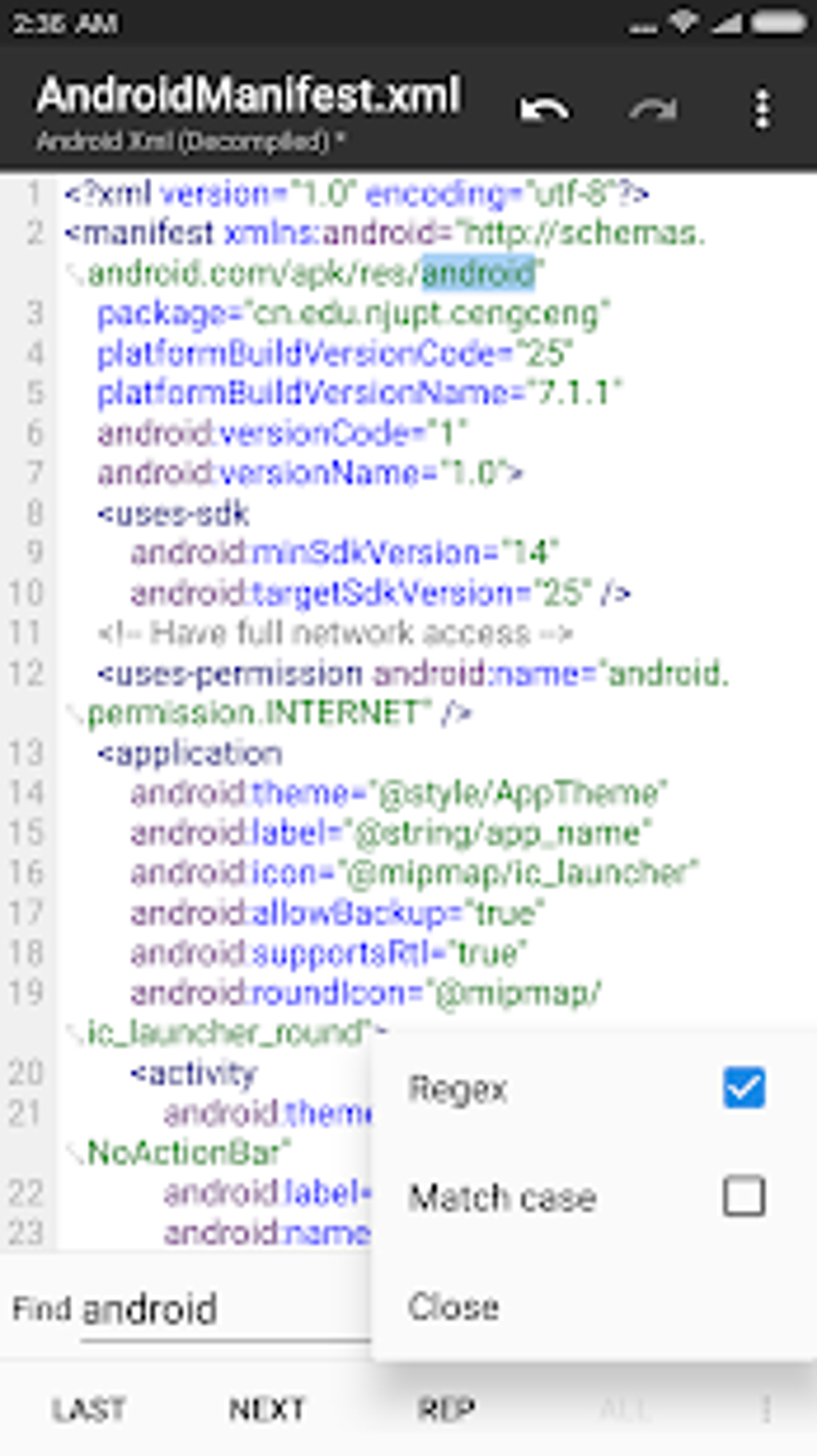
The app’s editing capabilities extend beyond simple text changes. It integrates several specialized editors:
-
XML Editor: This is crucial for modifying app configuration files. XML (Extensible Markup Language) is widely used in Android apps to define user interface layouts, settings, and data structures. With MT Manager’s XML editor, users can alter these configurations to modify app behavior, change visuals, and adjust settings that might not be accessible through the standard user interface.
-
ARSC Editor: The Android Resources (ARSC) file contains the application’s string resources, such as text labels, menu items, and other localized elements. MT Manager’s ARSC editor allows users to translate the app into different languages, change text within the app, and even modify the app’s name and descriptions.
-
DEX Editor: The DEX (Dalvik Executable) file is the compiled code of the application. Directly editing this is extremely advanced and risky, requiring in-depth programming knowledge. Modifying the DEX file is not recommended for users without a deep understanding of Android’s architecture and the Java programming language. Incorrect modifications can lead to app crashes or even system instability.
Beyond its APK editing capabilities, MT Manager provides a robust file management system. This goes far beyond the basic functionality of a standard file explorer. It offers features including:
-
File Manipulation: Users can perform standard file operations such as moving, copying, deleting, and renaming files and folders. This includes system files, though extreme caution is warranted when working with system directories.
-
ZIP/RAR Support: MT Manager can open, extract, and create ZIP and RAR archives. This is invaluable when working with APKs, many of which are packaged within these archives. This allows for the extraction of individual assets for modification and repackaging.
-
System Directory Access: The ability to access system directories is a double-edged sword. It provides powerful functionality but also poses significant risks. Unauthorized modification of system files can lead to system instability, data loss, or even a complete system failure. This functionality should only be used by advanced users with a thorough understanding of the Android operating system.
- Read-Write Remounting: MT Manager can remount the file system as read-write, a necessary step for modifying system files. This feature enhances flexibility but significantly increases the risk of damaging the system if not handled correctly.
Further extending its functionality, MT Manager provides additional tools such as:
-
Text Editor: For editing plain text files.
-
Image Viewer: For viewing and potentially manipulating images.
-
Script Executor: Allows for running scripts to automate tasks, though this requires scripting knowledge and carries the same risks as other advanced functions.
MT Manager: Advantages and Disadvantages
MT Manager offers a compelling blend of power and flexibility, but it’s crucial to weigh both its advantages and disadvantages carefully.
Advantages:
-
Unparalleled Customization: MT Manager provides an exceptionally high level of control over Android apps and system files, enabling a degree of customization far beyond what’s typically possible.
-
Extensive File Management: Its file management capabilities surpass those of many standard file managers, providing convenient tools for managing both user and system files (though this latter functionality demands extreme caution).
-
Versatile Editing Tools: The integrated XML, ARSC, and DEX editors provide the tools necessary to modify various aspects of Android applications.
-
Accessibility: It allows access to system directories, a critical capability for advanced users seeking to modify system behavior or install modified applications.
-
Open Source Nature: While not explicitly open-source in the traditional sense, its functionality often overlaps with tasks accomplished using various open-source tools.
Disadvantages:
-
Risk of System Instability: The ability to modify system files carries a high risk of causing instability, data loss, or even bricking the device.
-
Potential Security Risks: Modifying system files can compromise security, potentially leaving the device vulnerable to malware or unauthorized access.
-
Steep Learning Curve: Effective use of MT Manager requires a solid understanding of Android’s architecture, APK structure, and potentially programming skills.
-
Security Software Flagging: Antivirus and security software may flag MT Manager as a potential threat due to its ability to modify system files.
-
App Crashes: Editing large APK files can sometimes lead to crashes within the application itself.
-
Ethical Concerns: The power of MT Manager can be misused for malicious purposes, such as creating malicious modified apps or circumventing security measures.
Should You Use MT Manager?
The decision of whether or not to use MT Manager depends entirely on your technical skills, your goals, and your understanding of the risks involved. It’s an exceptionally powerful tool, but it’s not for the faint of heart or the casually curious.
Use MT Manager if:
- You possess advanced Android technical knowledge and are comfortable working with system files.
- You understand the risks associated with modifying system files and are prepared to handle potential consequences.
- You have a specific, well-defined reason for using MT Manager, such as modifying an existing app for personal use or fixing a specific issue.
Avoid MT Manager if:
- You lack Android technical expertise.
- You’re not comfortable with the risk of damaging your device.
- You simply want to customize the appearance of your apps without a deep understanding of underlying processes.
Alternatives to MT Manager
Several alternative applications offer some of the functionality of MT Manager, but often with a reduced scope and lower risk. These alternatives may focus on specific tasks, such as APK editing or file management, without the comprehensive and potentially dangerous system-level access provided by MT Manager. Examples include APK editors that focus solely on modifying app resources and less powerful file managers. However, none offer the same comprehensive suite of capabilities as MT Manager. It’s crucial to research these alternatives carefully to ensure they fit your specific needs and technical skill level.
Ultimately, MT Manager is a potent tool for advanced users willing to accept the associated risks. It provides unparalleled control over Android devices but requires a deep understanding of the underlying system and a responsible approach to its use. Improper use can have severe consequences, emphasizing the importance of careful consideration before employing this powerful application.

File Information
- License: “Free”
- Latest update: “June 5, 2025”
- Platform: “Android”
- OS: “Android 13.0”
- Downloads: “1.6M”
- Download Options: “Google Play”


