
MultiPack Visual C++ Installer is a free, user-friendly Windows utility developed by independent developer BobSpwg. Its primary function is to simplify the often complex process of installing multiple versions of Microsoft Visual C++ Redistributable packages. These packages contain essential runtime libraries required by numerous applications—particularly those developed using Microsoft’s Visual Studio—to function correctly. Without the appropriate redistributable packages installed, applications may fail to launch, experience errors, or exhibit unexpected behavior. This tool eliminates the guesswork and potential frustration of identifying and installing the correct versions individually.
Understanding the Need for Visual C++ Redistributables
Many software applications, particularly games and programs built with Microsoft’s Visual C++ development tools, rely on a set of runtime libraries included in the Visual C++ Redistributable packages. These libraries provide essential functionalities that allow the application to interact with the operating system and hardware. However, different applications have different dependencies, requiring specific versions of these redistributables. The absence of a necessary redistributable package can lead to a variety of problems, from simple error messages to complete application failure.
Identifying the precise version of the Visual C++ Redistributable needed by each program can be a tedious and time-consuming process. Developers often provide minimal guidance, and manually searching for and downloading individual packages is prone to errors and inconsistencies. A single application might even require multiple versions, further compounding the complexity. This is where MultiPack Visual C++ Installer provides a significant advantage.
MultiPack Visual C++ Installer: A Single Solution for Multiple Versions
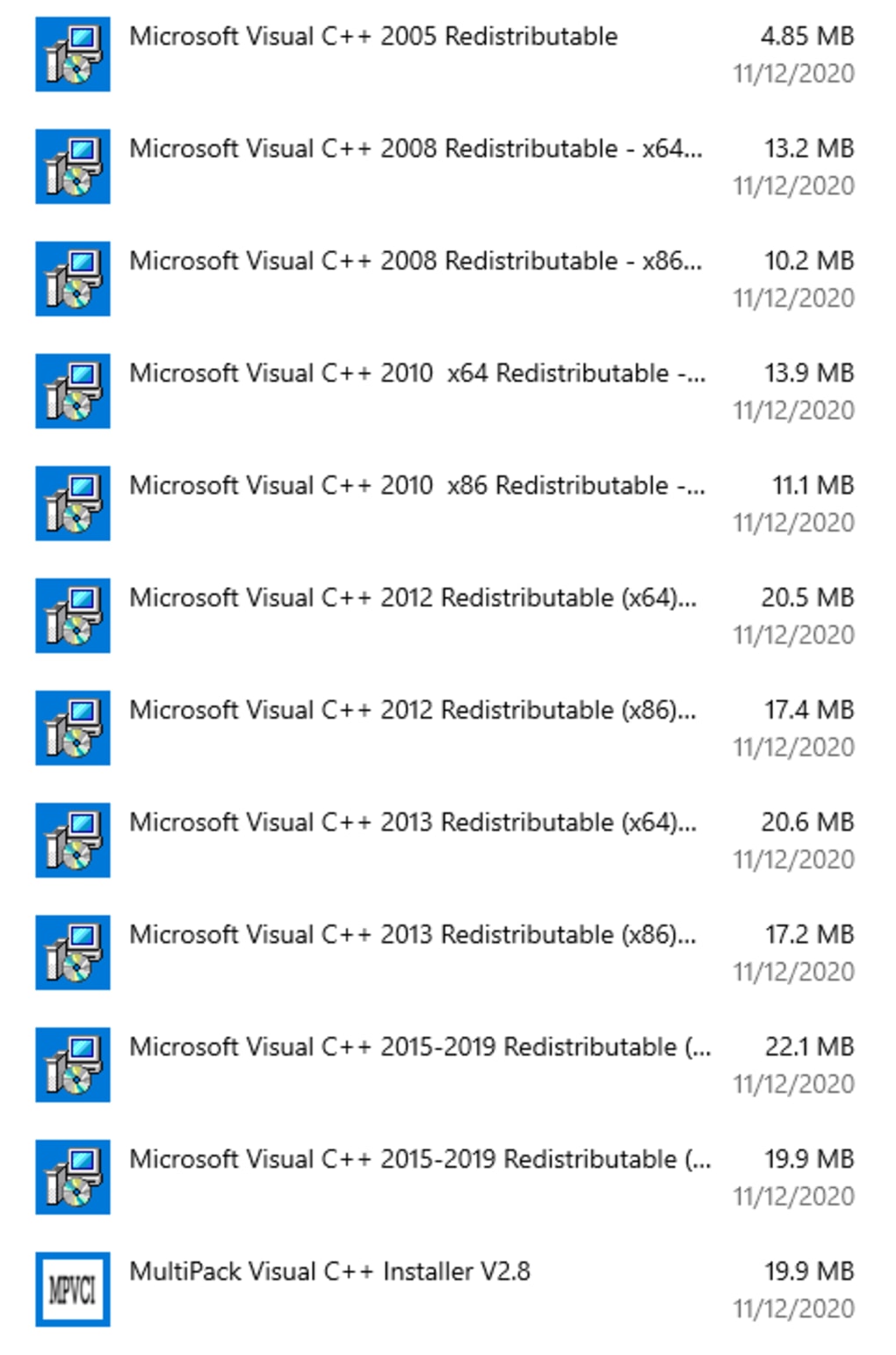
MultiPack Visual C++ Installer solves this problem by bundling multiple versions of the Visual C++ Redistributable packages into a single installer. This all-in-one approach eliminates the need for users to manually identify and install individual packages. The installer includes versions spanning from VC++ 2002 to the latest 2022 releases, providing comprehensive coverage for both legacy and modern applications. This ensures compatibility with a wide range of software, minimizing the risk of runtime errors due to missing libraries.
The streamlined installation process is remarkably simple: download the installer, run the executable, and let it handle the rest. This contrasts sharply with the traditional method of installing numerous individual packages, each requiring separate downloads, installations, and potential user intervention. MultiPack Visual C++ Installer automates the entire process, offering a significant time-saving benefit and reducing the chance of human error.
How MultiPack Visual C++ Installer Works
The installer’s functionality is straightforward: it detects the existing Visual C++ Redistributables on the system, identifies any missing versions, and installs them automatically. It efficiently handles potential conflicts and ensures that the installed packages are the appropriate versions for optimal application compatibility. The process is designed to be seamless and requires minimal user interaction, making it ideal for both novice and experienced users.
The inclusion of a wide range of versions ensures broad compatibility. Many programs rely on older versions of the Visual C++ Redistributables, while others require the latest versions. MultiPack Visual C++ Installer cleverly addresses this need by incorporating both, eliminating the risk of compatibility issues. This reduces the likelihood of encountering runtime errors, preventing potential program malfunctions or failures.
Advantages and Disadvantages of MultiPack Visual C++ Installer
MultiPack Visual C++ Installer presents several compelling advantages:
- Comprehensive Coverage: Includes a wide range of Visual C++ Redistributable versions, ensuring compatibility with numerous applications, both old and new. This eliminates the need to hunt down multiple individual packages.
- Simplified Installation: The all-in-one approach simplifies the installation process considerably, reducing complexity and the likelihood of errors. This makes it particularly useful for users unfamiliar with technical aspects of software installation.
- Time-Saving: Automates the entire process, saving users significant time compared to manually installing numerous individual packages. This efficient approach is highly valuable for users with multiple applications that require these libraries.
- Reduced Errors: By automating the process, it reduces the chances of human error during installation, minimizing the risk of issues stemming from incomplete or incorrect installations.
While MultiPack Visual C++ Installer offers significant advantages, it’s important to acknowledge some limitations:
- Operating System Compatibility: Officially, it is tested and supported on Windows 10 and Windows 11 only. Users of older Windows operating systems should proceed with caution, as compatibility is not guaranteed. While it might function on older systems, successful installation and performance are not assured.
- Potential for Bloat: Installing all versions of the Visual C++ Redistributables could potentially consume a significant amount of disk space. This should be considered, particularly on systems with limited storage capacity. However, the space consumed is generally a minor trade-off for the convenience and compatibility it provides.
MultiPack Visual C++ Installer: A Valuable Tool for Software Users
For users who frequently encounter runtime errors related to missing Visual C++ Redistributables, MultiPack Visual C++ Installer provides a valuable and efficient solution. Its all-in-one approach simplifies a potentially complex process, minimizing the time and effort required to ensure optimal application compatibility. While operating system compatibility is limited, its broad support for numerous Visual C++ versions makes it a powerful tool for resolving many common software installation issues. The balance between its convenience and potential storage impact is a trade-off many users will readily accept to avoid the frustration of dealing with individual redistributable package installations. The ease of use and comprehensive coverage make this tool a valuable asset for both casual and experienced computer users.
File Information
- License: “Free”
- Version: “3.0”
- Latest update: “February 1, 2022”
- Platform: “Windows”
- OS: “Windows 8”
- Language: “English”
- Downloads: “1.9K”
- Size: “99.97 MB”


