
Music Player - MP3 Player is a free, offline multimedia application designed for Android devices. Unlike streaming services such as Spotify or YouTube Music that rely on internet connectivity, this app functions as a local music player, allowing users to enjoy audio files already stored on their device. Its simplicity is a key selling point, providing a straightforward and readily accessible platform for managing and listening to your personal music collection. While not revolutionary in its core functionality, this app offers a compelling combination of features and customization options that set it apart from many other basic music players.
Core Functionality and Supported Formats
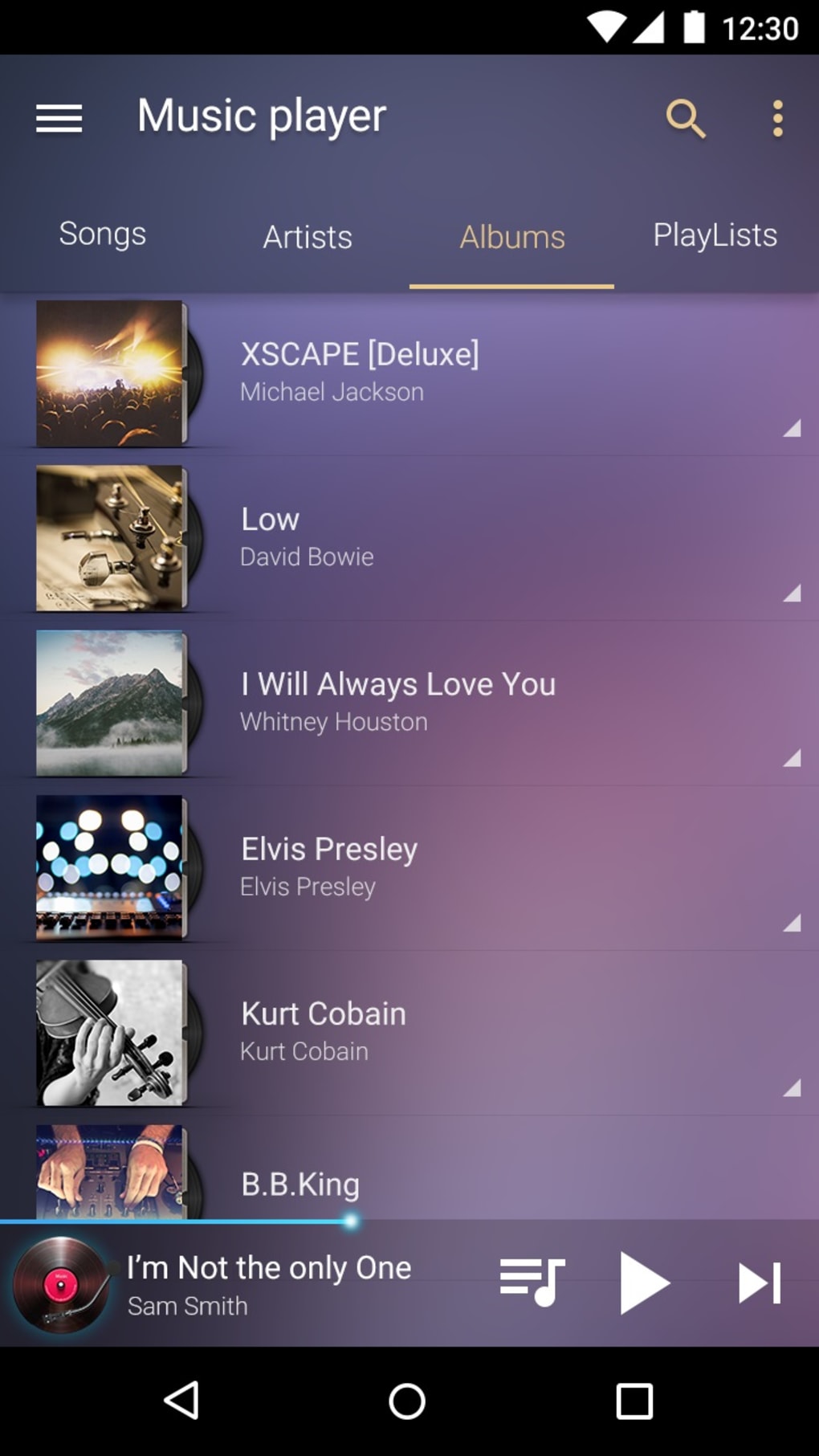
At its heart, Music Player - MP3 Player delivers the essential features expected from a modern music player. Users can easily navigate and play their music library, categorized for convenient access. The app boasts broad compatibility with a range of popular audio formats, including MP3, WAV, WMA, AAC, and FLAC. This wide support ensures users can play almost any audio file they might have stored on their device, eliminating the frustration of encountering unsupported formats. Furthermore, the basic playback controls are intuitive and user-friendly, allowing for seamless transitions between tracks and adjustments to volume and playback speed. The app is designed to be simple and effective, focusing on core functionality without overwhelming the user with unnecessary complexity. This makes it ideal for individuals who prefer a clean and uncluttered user interface, prioritizing ease of use over extensive feature sets.
Enhanced Audio Experience: Equalizer and Audio Decoding
Beyond its fundamental music playback capabilities, Music Player - MP3 Player distinguishes itself through its advanced audio customization options. A prominent feature is its integrated 10-band equalizer, providing granular control over the frequency spectrum of your audio. This allows users to fine-tune the sound to their liking, emphasizing certain frequencies or reducing others to achieve a personalized listening experience tailored to their preferences and the specific genre of music. The app further enhances this functionality by offering eighteen pre-set equalizer profiles, catering to a variety of musical genres. These presets – which include options for Hip-Hop, Dance, Classical, Pop, and many more – are designed to optimize the sound profile for each genre, ensuring a more immersive and accurate audio representation. The equalizer’s versatility allows users to experiment with different sound profiles, ultimately finding the perfect setting to best enjoy their music.
Complementing the equalizer is the app’s built-in audio decoding technology. This technology goes beyond simple playback, actively analyzing and processing the audio stream to enhance the overall sound quality. This process is designed to optimize the balance between bass and virtualization, resulting in a richer, more detailed, and more captivating listening experience. While the specifics of the decoding algorithm are not publicly available, the noticeable improvement in sound clarity and depth indicates a sophisticated approach to audio processing. This attention to audio fidelity demonstrates a commitment to delivering a high-quality listening experience that goes beyond the capabilities of many other free music players.
Visual Enhancements: Sound Spectrum and Widgets
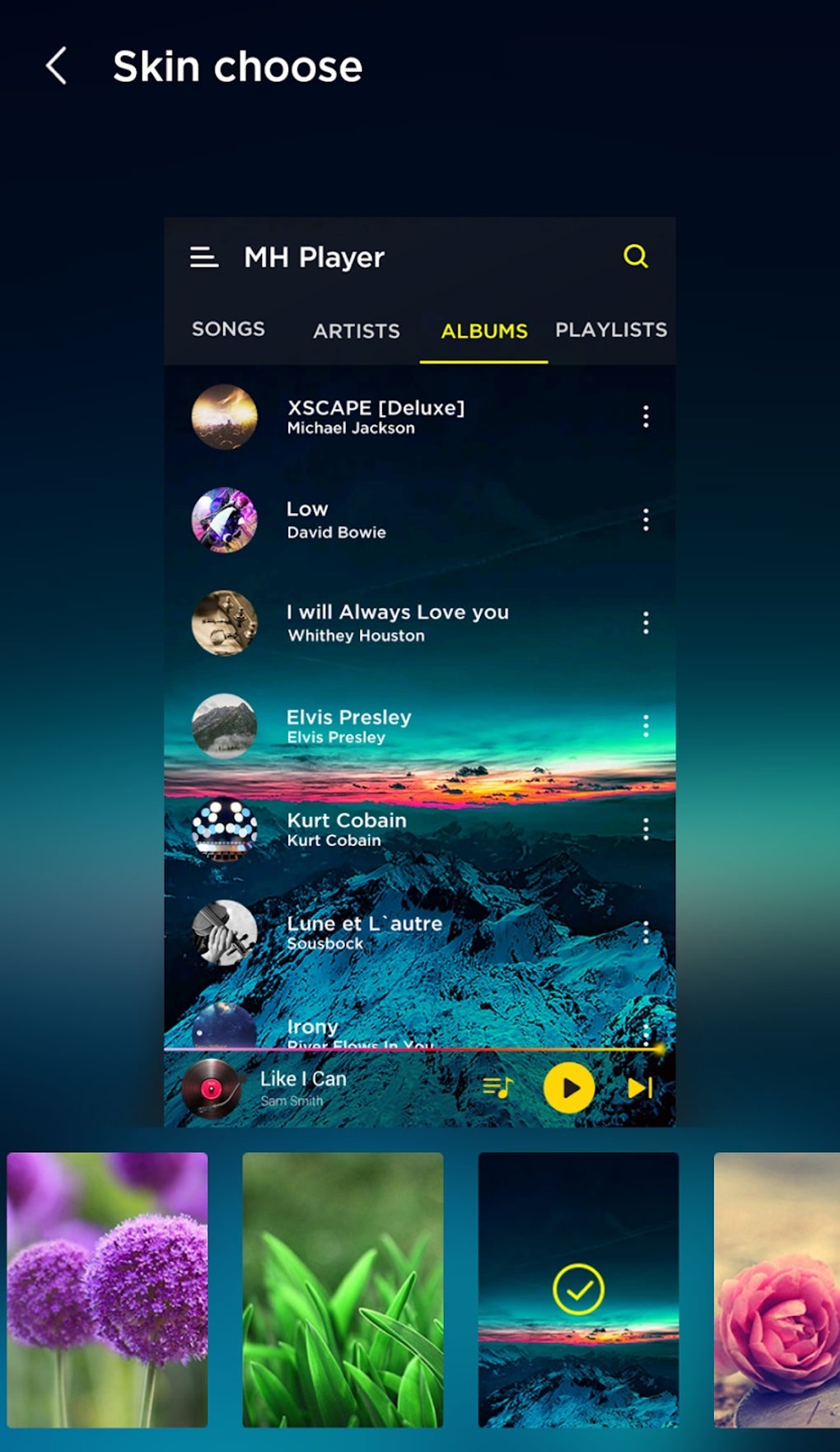
Music Player - MP3 Player doesn’t stop at enhancing the auditory experience. It also caters to the visual aspect of music appreciation. The app incorporates a visually appealing sound spectrum, dynamically reflecting the frequencies present in the currently playing track. Users can choose from up to twenty different visual styles for the sound spectrum, allowing for further personalization and customization of the app’s aesthetic. The dynamic visualization adds another layer of engagement to the listening experience, transforming the simple act of playing music into a more visually stimulating and enjoyable activity. The range of available styles ensures there is a visual representation to complement any mood or taste, enriching the overall user experience.
Adding to the visual appeal, the app allows users to add a widget to their device’s home screen. This provides quick access to music controls and playback information without needing to open the app itself. The widget also allows for the selection between two different visual styles, mirroring the visual customization options available within the main app. This added convenience streamlines the process of interacting with the music player, further enhancing the overall user experience and making it more efficient for users to manage and control their music playback.
Performance and Stability Considerations
While Music Player - MP3 Player boasts numerous attractive features, it’s not without its shortcomings. Users have reported issues with app stability, including instances of freezing, crashing, and lag. The frequency of these occurrences varies, seemingly dependent on factors such as device specifications and the size of the music library. While these issues don’t render the app unusable, they detract from the otherwise positive user experience and can be frustrating for users. The developer should prioritize addressing these stability issues to ensure a more consistent and reliable performance. Improved code optimization and rigorous testing could potentially mitigate these problems and significantly improve user satisfaction. This is a crucial aspect that needs attention to fully realize the app’s potential and solidify its position as a leading contender in the offline music player market.
Conclusion: A Strong Contender with Room for Improvement
Music Player - MP3 Player presents a compelling case for itself as a strong contender among offline music players for Android. Its combination of features, including broad audio format support, a powerful 10-band equalizer with genre presets, built-in audio decoding technology for enhanced sound quality, and visually engaging sound spectrum options with customizable widgets, provides a compelling user experience. The app’s focus on customization allows users to tailor the audio and visual aspects to their preferences, creating a personalized listening environment that enhances enjoyment. However, the reported issues with app stability and occasional freezing and crashing represent significant drawbacks that need urgent attention from the developer. Addressing these performance concerns would elevate the app from a promising candidate to a truly exceptional offline music player. With improvements in stability and performance, Music Player - MP3 Player has the potential to become a leading choice for users seeking a feature-rich and customizable offline music listening experience.
Pros and Cons Summary
Pros:
- 10-band music equalizer with 18 genre presets: Offers granular control over audio frequencies and provides optimized presets for various musical genres.
- Built-in audio decoding technology: Enhances sound quality through advanced processing techniques, resulting in a richer and more detailed audio experience.
- Up to 20 visual sound spectrum designs: Adds a visually engaging element to music playback, with a wide selection of styles to choose from.
- Home screen widget: Provides convenient access to music controls and playback information without opening the app.
- Wide range of supported audio formats: Ensures compatibility with a variety of audio files, including MP3, WAV, WMA, AAC, and FLAC.
Cons:
- Frequent freezing, lagging, and crashing: Stability issues detract significantly from the overall user experience and require urgent attention from the developer. This is the most prominent drawback, impacting the reliability and usability of the app.
This summary highlights the key strengths and weaknesses of Music Player - MP3 Player, offering a concise overview for potential users to assess whether the app aligns with their needs and expectations. The significant performance issues need to be addressed to fully unlock the app’s potential.
File Information
- License: “Free”
- Latest update: “October 17, 2024”
- Platform: “Android”
- OS: “Android 13.0”
- Language: “English”
- Downloads: “21.5K”
- Download Options: “Google Play”


