
MX Video Player is a free, feature-rich multimedia application available for Android devices. This review delves into its functionalities, strengths, weaknesses, and overall user experience, providing a comprehensive assessment of its suitability for various users. From casual viewers to those seeking advanced control over their video playback, MX Video Player offers a compelling package, albeit with some caveats.
Intuitive Interface and Broad Format Support
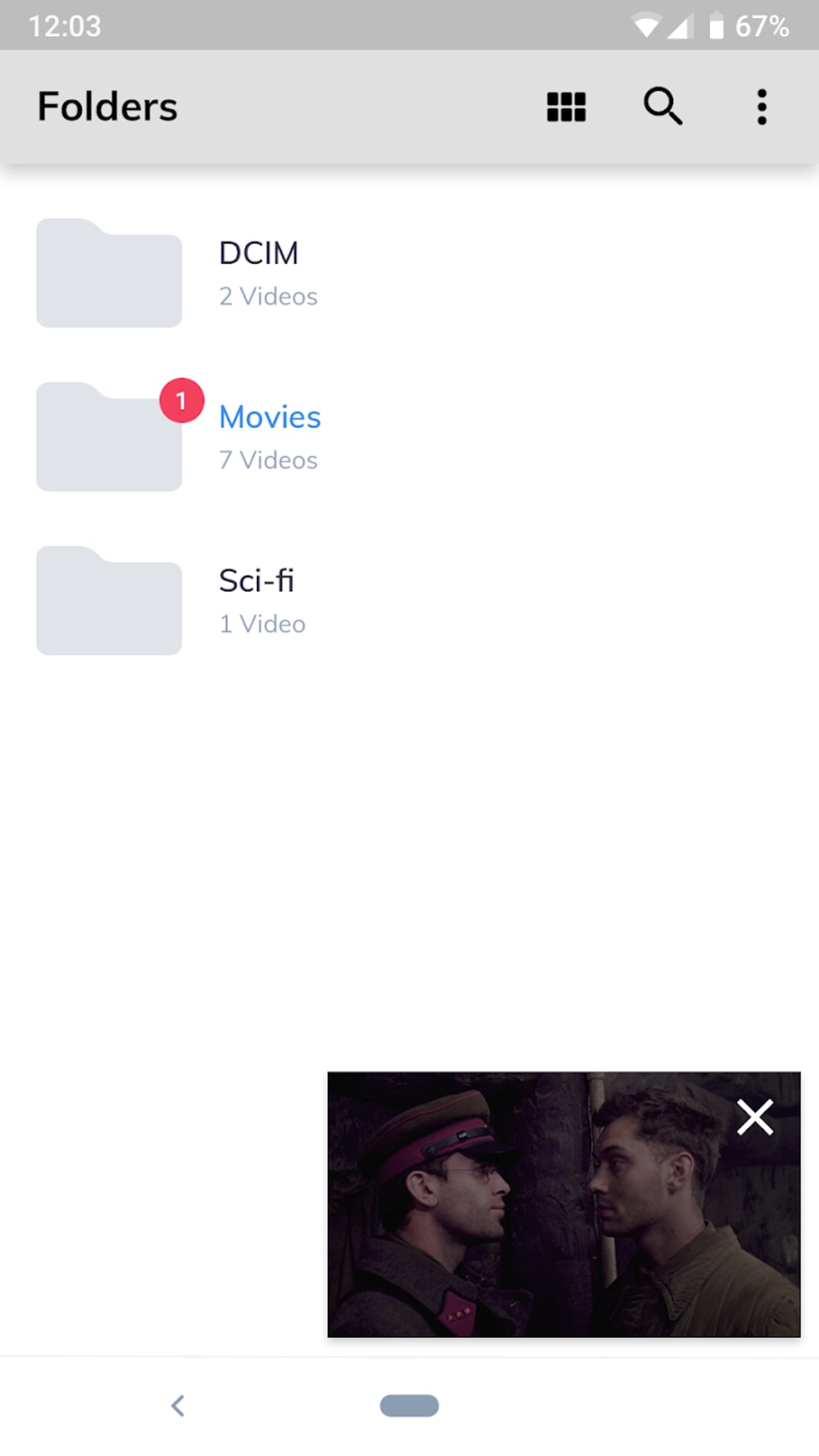
One of MX Video Player’s primary strengths lies in its user-friendly interface. Navigation is seamless and intuitive, allowing users to quickly locate and play their desired videos. The app boasts support for a remarkably wide range of video formats, significantly reducing compatibility issues often encountered with other media players. This broad format support eliminates the frustration of finding incompatible files, a common issue for users with diverse media collections. Whether you’re playing MP4s, MKVs, AVI files, or a host of other formats, MX Video Player is likely to handle them without difficulty.
Beyond basic playback, MX Video Player provides a robust set of features designed to enhance the user experience. Pinch-to-zoom functionality allows for easy adjustment of video size, while gesture controls offer quick access to playback speed adjustments and other controls. Customizable playback speeds cater to individual preferences, allowing users to speed up or slow down playback as needed. This level of control is particularly useful for educational content, slow-motion analysis, or simply adjusting the viewing pace for personal comfort.
Enhanced Viewing Experience: Subtitles, Audio Tracks, and Hardware Acceleration
MX Video Player goes beyond basic playback by offering comprehensive subtitle support. This feature is invaluable for users watching videos in foreign languages or those who prefer closed captions. The app seamlessly integrates various subtitle formats, ensuring compatibility with a wide range of external subtitle files. The ability to easily adjust subtitle size, font, and color further enhances accessibility and viewing comfort. Additionally, support for multiple audio tracks enables users to choose between different language options or alternate audio commentaries, adding flexibility and customization to the viewing experience.
The integration of hardware acceleration significantly improves the app’s performance, especially when dealing with high-resolution videos. By leveraging the device’s hardware capabilities, MX Video Player ensures smooth and lag-free playback, even for large or complex video files. This optimization prevents stuttering and buffering issues, resulting in a significantly improved user experience compared to software-based decoding methods. The impact is particularly noticeable on less powerful devices where software decoding can lead to noticeable performance degradation. The result is a more fluid and enjoyable viewing experience, regardless of the video’s complexity or the device’s processing power.
Background Playback and Other Features
The inclusion of background playback functionality sets MX Video Player apart. This feature allows users to continue listening to audio tracks or podcasts even when the app is minimized or the screen is off. This is a convenient feature for users who want to listen to audiobooks or podcasts while performing other tasks, transforming the app into a versatile audio player. The app also includes a kid’s lock feature (requiring a plugin), ensuring that children can enjoy videos without accidentally accessing other apps or making unwanted calls. This added layer of parental control provides peace of mind for parents and caregivers who use the app with young children.
While the app’s features are generally well-integrated and intuitive, there is room for improvement. Some users have reported occasional buffering issues, particularly when streaming online content over slower internet connections. This suggests that the app’s optimization for streaming could be further refined to better handle fluctuating network conditions. This aspect impacts the user experience, especially in areas with unreliable internet access. Additionally, the app’s ad-supported model can be intrusive for some users. While the free version provides a comprehensive feature set, the frequency and intrusiveness of advertisements may deter users seeking an uninterrupted viewing experience. The availability of a premium, ad-free version mitigates this issue but represents an additional cost for users.
Content Limitations and Alternatives
A notable limitation of MX Video Player is its relatively limited exclusive content compared to standalone streaming services. While the app excels at playing locally stored videos and files from various sources, its library of integrated streaming content is comparatively small. This contrasts with platforms like Netflix or Amazon Prime Video that offer vast catalogs of exclusive movies and TV shows. Users seeking access to a broad range of streaming content should consider supplementing MX Video Player with other applications. This limitation should be factored into the overall assessment, as it may reduce its appeal for users primarily seeking streaming content rather than local file playback.
The existence of alternative media players with comparable or even superior features should also be considered. While MX Video Player offers a compelling package, the market presents numerous alternatives with varying strengths and weaknesses. Some competing players may offer superior streaming integration, ad-free experiences, or more refined performance optimization. The selection of a suitable media player often depends on individual priorities and preferences, such as the balance between features, performance, and cost. Careful consideration of the alternatives is vital to making an informed decision.
Conclusion: A Solid Choice with Minor Drawbacks
MX Video Player provides a versatile and feature-rich video playback experience, making it a solid choice for many users. Its broad format support, intuitive interface, and powerful customization options make it a valuable asset for managing and enjoying local video files. The inclusion of features like hardware acceleration, subtitle support, and background playback further enhances its usability and appeal. However, the occasional buffering issues, intrusive advertisements in the free version, and limited exclusive content relative to other streaming platforms should be taken into account. Users should carefully weigh the pros and cons based on their individual needs and preferences before choosing MX Video Player as their primary media player. For users primarily focused on local file playback and robust customization, MX Video Player remains a strong contender. However, users seeking extensive streaming capabilities or a completely ad-free experience may find greater satisfaction with alternative options.
File Information
- License: “Free”
- Latest update: “February 27, 2025”
- Platform: “Android”
- OS: “Android 9.0”
- Language: “English”
- Downloads: “20.4M”
- Size: “120.95 MB”
- Download Options: “APK, Google Play”
- Filename: “MX_Player_v1.92.1.apk”


