
MyDefrag is a free, open-source disk defragmentation utility designed for Windows operating systems. While not compatible with the latest Windows versions, it offers a robust and efficient solution for users running older systems, providing a straightforward approach to optimizing hard drive performance. This review delves into the software’s features, pros and cons, and compares it to alternative options available in the market.
Understanding Disk Defragmentation and MyDefrag’s Role
Before diving into the specifics of MyDefrag, it’s crucial to understand the concept of disk defragmentation. Modern hard disk drives (HDDs) store data in blocks. When you save a file, it might not be stored contiguously; instead, it might be scattered across multiple non-adjacent blocks. This fragmentation slows down file access as the read/write head needs to jump between different locations to retrieve the complete file. Defragmentation solves this by rearranging the file fragments to occupy contiguous blocks, significantly improving read/write speeds and overall system performance.
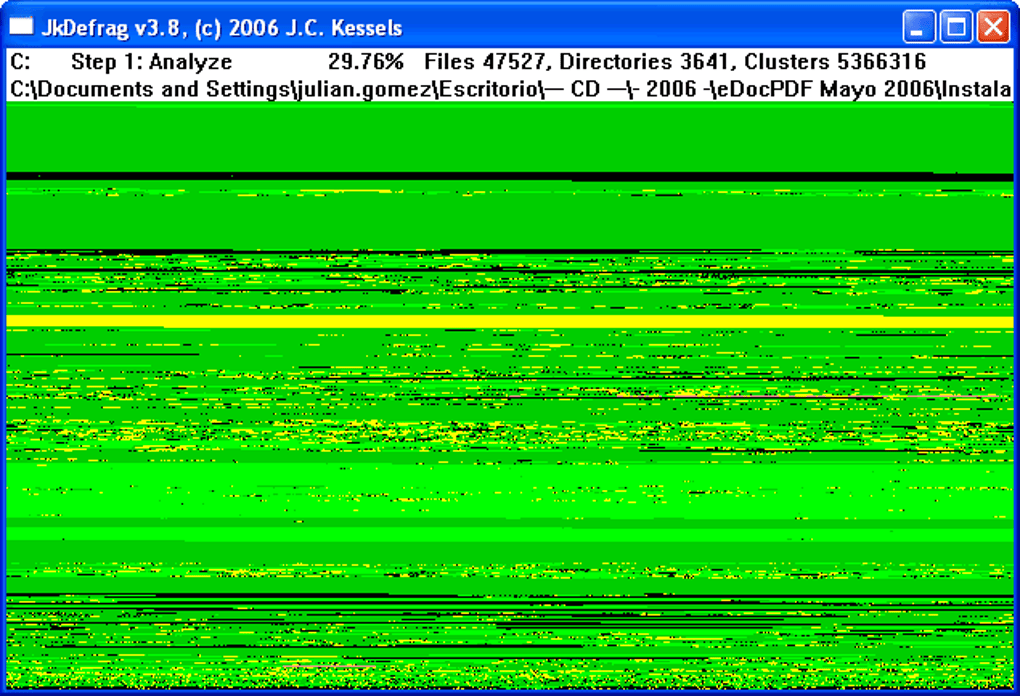
MyDefrag tackles this issue by performing three core functions: analyzing, defragmenting, and optimizing. The analysis phase scans the hard drive to identify fragmented files. The defragmentation phase then rearranges these fragments for optimal storage. Finally, the optimization phase ensures the drive’s layout is as efficient as possible. Users have the flexibility to choose which of these actions they need to perform, making it adaptable to varying needs and system states. The program also provides real-time feedback, displaying the elapsed time and the percentage of the hard drive successfully defragmented, offering transparency and allowing users to monitor the process.
MyDefrag’s Strengths and Weaknesses: A Balanced Perspective
MyDefrag’s simplicity and ease of use are notable strengths. Its free availability makes it an attractive choice for budget-conscious users or those seeking a basic defragmentation tool without the expense of premium software. The program’s ability to run from a bootable Windows CD-ROM is a significant advantage for users experiencing system boot issues due to severe fragmentation. This feature allows users to defragment the drive from an external environment, potentially resolving the problem and restoring system functionality.
However, MyDefrag also has its shortcomings. The most significant drawback is its lack of compatibility with newer Windows versions. This limits its applicability to a subset of users and underscores the need for alternative solutions for modern operating systems. The user interface is another area of concern; while functional, it might appear somewhat technical to users unfamiliar with defragmentation software, potentially leading to confusion. The absence of advanced features found in commercial defragmentation tools further limits its versatility.
Detailed Feature Analysis: A Closer Look at MyDefrag’s Capabilities
MyDefrag’s core functionality revolves around its three-stage process: analysis, defragmentation, and optimization. The analysis phase meticulously scans the hard drive, identifying and cataloging fragmented files. This stage is crucial as it provides the foundation for the subsequent defragmentation process. The program intelligently assesses the extent of fragmentation, allowing users to make informed decisions about the next steps.
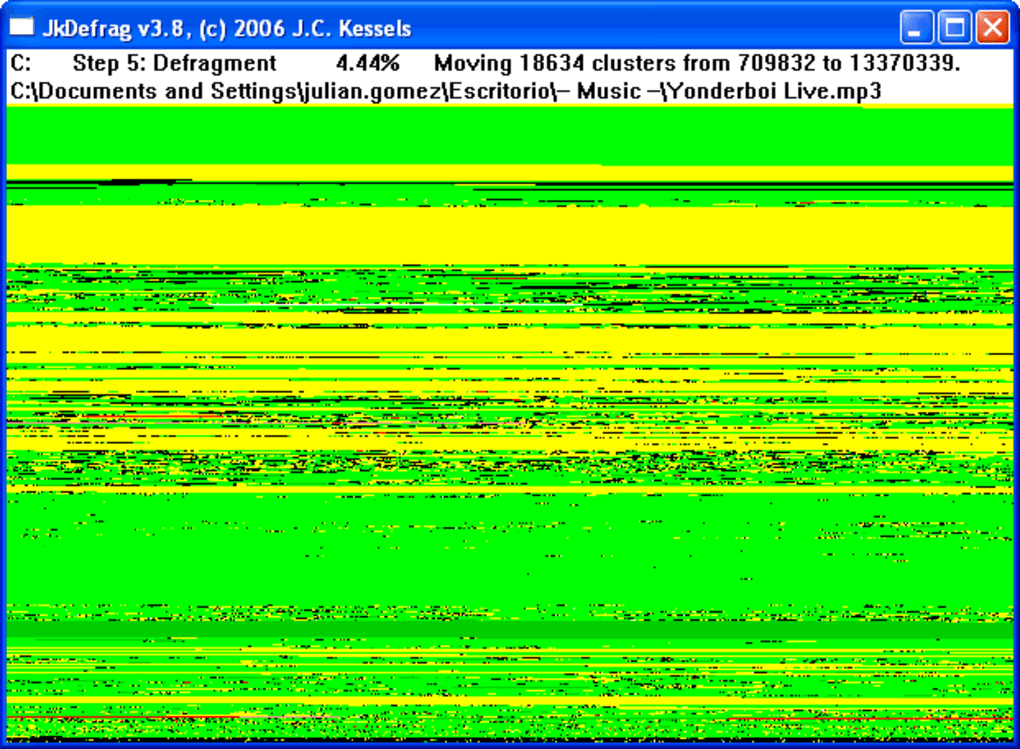
The defragmentation process is where MyDefrag rearranges fragmented files to occupy contiguous blocks. This process improves data access speeds and reduces the time it takes to open files, launch applications, and perform other disk-intensive operations. The software employs efficient algorithms to minimize the time required for this crucial step. The final optimization phase fine-tunes the hard drive layout, ensuring maximum efficiency. This stage is important for maintaining optimal performance over time.
Beyond these core functions, MyDefrag offers minimal additional features. It lacks sophisticated scheduling options, advanced analysis reports, or support for solid-state drives (SSDs). Its basic feature set might be sufficient for casual users, but power users might find it limited compared to commercial alternatives.
Comparison with Alternative Defragmentation Tools
While MyDefrag serves a purpose for users with older Windows systems, several other options cater to a broader range of operating systems and offer more advanced features. Commercial defragmentation tools often include features like scheduling, advanced analysis, boot-time defragmentation, and support for SSDs. Many modern operating systems also incorporate built-in defragmentation utilities that automatically optimize drives. While these built-in tools might not offer the same level of customization as dedicated software, they provide a convenient and effective solution for most users. For users requiring advanced features or compatibility with newer operating systems, exploring these alternatives is strongly recommended.
The choice between MyDefrag and alternative options depends on individual needs and priorities. If compatibility with older Windows versions is paramount and budget is a major consideration, MyDefrag remains a viable choice. However, users seeking more advanced features, compatibility with newer systems, and support for SSDs should consider commercial defragmentation utilities or the built-in tools available within their operating system.
MyDefrag’s User Interface and Experience: Simplicity vs. Sophistication
MyDefrag’s user interface is functional but lacks the polish and intuitiveness of more modern software. The interface is text-based and primarily utilizes menus and command-line instructions. While this approach might appeal to technically inclined users, it could prove challenging for beginners. The lack of visual aids or graphical representations of the defragmentation process might also be a deterrent for some.
The simplicity of the interface, while possibly beneficial in terms of speed and efficiency, might be perceived as a limitation by users accustomed to more visually appealing and user-friendly interfaces. The absence of detailed progress indicators or real-time feedback beyond basic percentages and time elapsed could also detract from the overall user experience.
Technical Specifications and System Requirements
MyDefrag is designed for older Windows operating systems, specifically Windows 2003 and earlier versions. It’s a lightweight application, requiring minimal system resources, making it suitable for systems with limited processing power and memory. The installation process is straightforward and requires minimal user intervention. The software’s small size contributes to its portability and ease of deployment. However, its limited compatibility with modern operating systems is a key drawback.
Conclusion: MyDefrag’s Place in the Modern Computing Landscape
MyDefrag occupies a niche in the world of disk defragmentation tools. Its simplicity, free availability, and ability to run from a bootable CD-ROM make it a valuable resource for users with older Windows systems facing fragmentation issues. However, its lack of compatibility with newer Windows versions, its basic feature set, and its somewhat technical user interface limit its appeal to a broader audience. For users running modern operating systems or seeking more advanced features, alternative defragmentation tools or the built-in utilities offered by the operating system might be more suitable. Ultimately, the choice of defragmentation software depends on individual needs, technical skills, and system requirements. MyDefrag fills a specific need, but it’s not a one-size-fits-all solution.
File Information
- License: “Free”
- Latest update: “May 23, 2023”
- Platform: “Windows”
- OS: “Windows 2003”
- Language: “English”
- Downloads: “20.3K”
- Size: “2.08 MB”


