
MyFolder is a free Windows application designed to enhance the visual appeal of your file system by allowing users to customize folder icons. While relatively simple in its functionality, MyFolder offers a straightforward approach to breaking the monotony of default Windows folder appearances. This review delves into its features, usability, advantages, and shortcomings, comparing it to similar applications available on the market.
MyFolder’s Core Functionality: Customizing Folder Icons
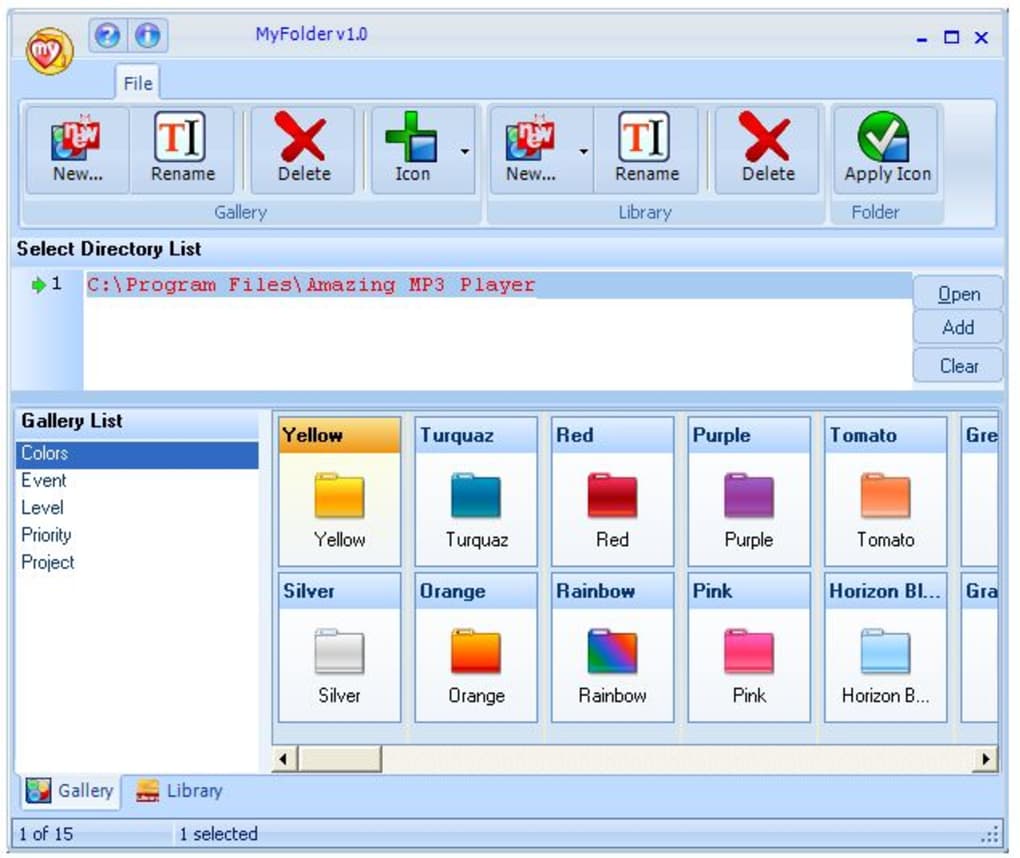
At its heart, MyFolder provides a simple yet effective solution for changing the icons associated with your folders. Users can select from a pre-installed library of icons, offering variations in color and style to cater to different preferences. These pre-loaded icons include options to visually distinguish folders based on their importance (e.g., “Important,” “Private,” “Favorite”). This categorization feature significantly improves the organizational capabilities of the user’s file system, allowing for quick visual identification of crucial directories.
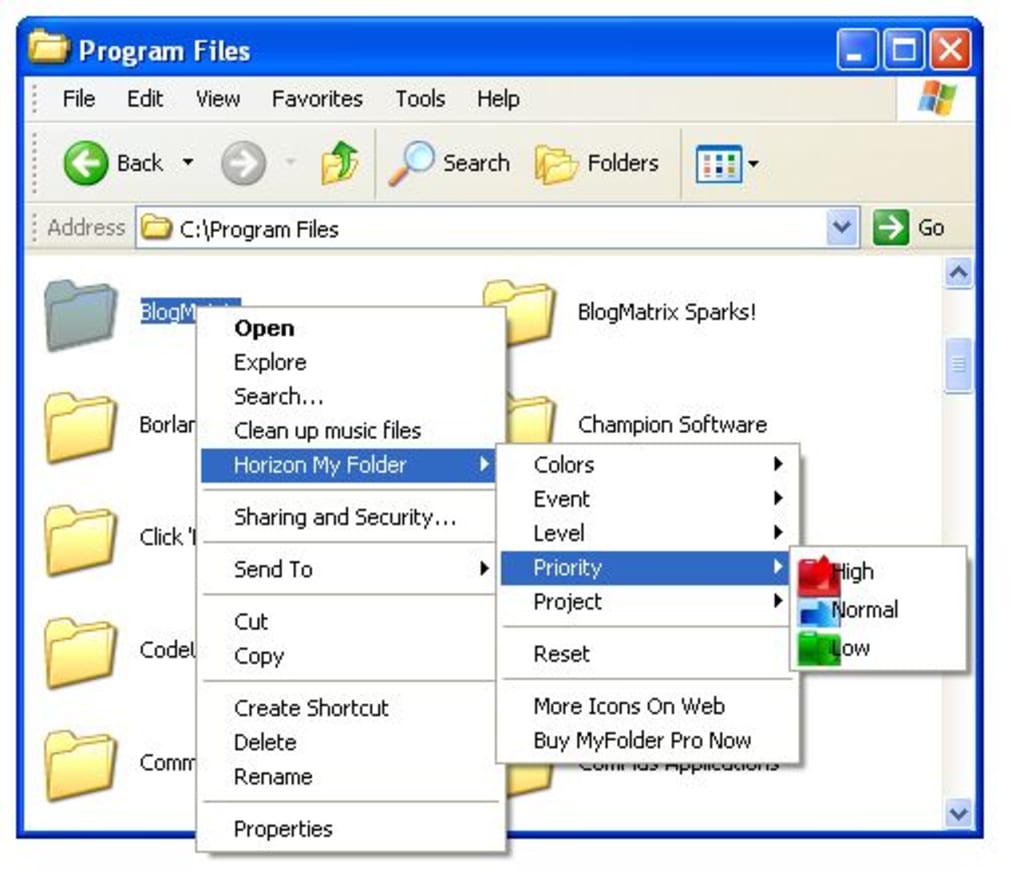
The program offers two main methods for icon application. The first involves selecting folders directly within the MyFolder interface and assigning new icons. However, this method can be cumbersome when dealing with a large number of folders, as it requires individual selection for each folder. The second and arguably more efficient method utilizes the context menu. By right-clicking on a target folder, users can access the MyFolder menu, bypassing the need to manually select each folder within the application’s main interface. This significantly streamlines the customization process, especially for users who frequently reorganize their files or work with extensively large directory structures. A suggestion for future improvements would be to incorporate a batch selection feature, allowing users to apply chosen icons to multiple folders simultaneously, further enhancing workflow efficiency.
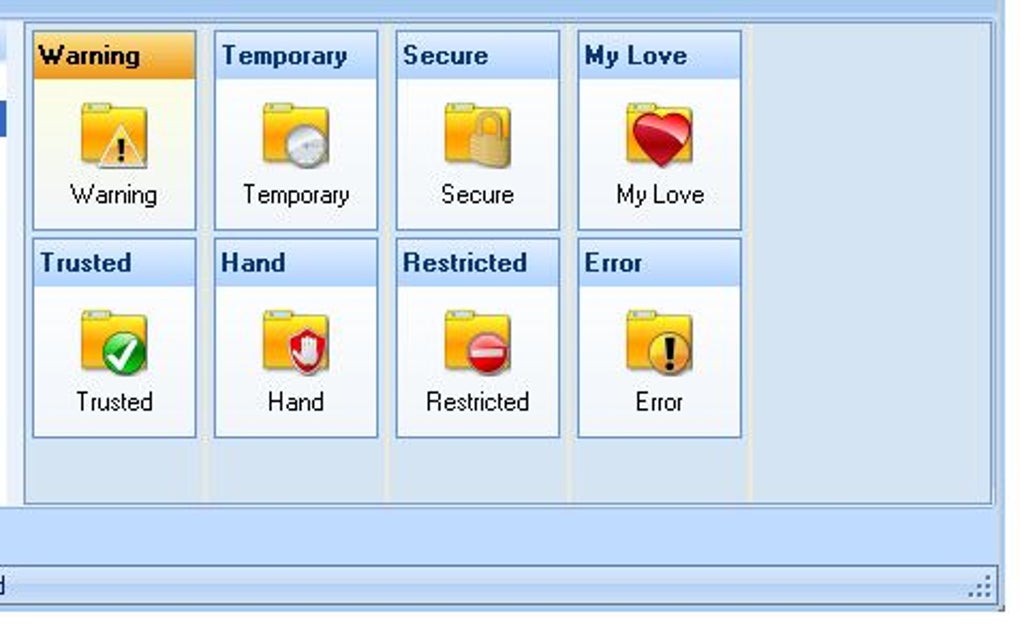
Beyond the built-in icon library, MyFolder also permits users to expand their customization options by adding their own custom icons. This flexibility is a significant advantage, allowing for personalization beyond the program’s default offerings. Users can integrate their own images, thus aligning the folder icons with their specific preferences and the overall aesthetic of their computer environment. The ability to incorporate custom images creates a unique and personalized file system, adding a distinctive touch to the user experience.
Ease of Use and User Interface
The MyFolder interface is intuitive and easy to navigate, even for users with limited technical expertise. The straightforward design minimizes the learning curve, allowing users to quickly understand and utilize the program’s core functionalities. The clear layout, combined with minimal complexity, makes the program highly accessible. This user-friendliness is a critical aspect of the software’s appeal, particularly for users who prioritize ease of use over advanced features.
However, while the context menu integration streamlines the process, the necessity of navigating through multiple menus might be perceived as slightly cumbersome by some users. The improvement of allowing users to select multiple folders simultaneously before applying new icons would dramatically simplify this process, making the application even more user-friendly.
MyFolder’s Strengths and Weaknesses: A Comparative Analysis
MyFolder offers several key advantages over similar applications. Its ease of use and intuitive design are crucial factors contributing to its popularity. The ability to add custom icons significantly enhances the program’s personalization capabilities, surpassing many competitors that offer only limited pre-set options. The integration with the Windows context menu provides a highly efficient method for applying custom folder icons, streamlining the process and minimizing time spent on customization.
However, the application’s lack of a batch selection feature stands out as a significant shortcoming. The inability to apply icons to multiple folders simultaneously remains a considerable drawback, especially when managing a large file system. This limitation can result in a time-consuming process when extensive modifications are required. Competitors such as Folder Colorizer and Folder iChanger often offer batch processing capabilities, placing MyFolder at a disadvantage in terms of efficiency. While the provided selection of icons is diverse, an expanded library would further enhance user choice and contribute to improved overall user satisfaction.
The application’s last update was in September 2008, which raises concerns regarding ongoing support and the potential for compatibility issues with newer operating systems. This lack of recent updates also suggests that potential bugs or security vulnerabilities may remain unaddressed, causing usability issues or security risks for users. This issue should be considered by those who prioritize software that receives regular maintenance and updates.
Alternative Applications and Market Comparison
Several alternative applications offer similar functionalities to MyFolder. Rainbow Folders, for instance, specializes in changing the color of folder icons, offering a simplified approach focused solely on color customization. Folder Colorizer offers a broader selection of color options, allowing for finer-grained control over the visual appearance of folders. Folder iChanger provides a more comprehensive set of features, often including batch processing capabilities, a significant advantage over MyFolder’s individual selection method.
These alternatives showcase a range of functionalities and design choices. While some applications might offer more comprehensive features, MyFolder’s simplicity and ease of use make it a viable option for users who prioritize user-friendliness over a wide array of complex features. However, the lack of recent updates and the absence of batch processing capabilities place MyFolder behind its competitors in terms of efficiency and overall functionality.
Conclusion: MyFolder – A Simple Yet Limited Tool
MyFolder serves as a functional tool for customizing folder icons on Windows systems. Its ease of use and the ability to integrate custom icons are definite strengths. However, the absence of a batch selection feature and the lack of recent updates significantly limit its overall appeal. While suitable for users with smaller file systems and limited customization needs, MyFolder falls short in comparison to competitors offering broader functionalities, such as batch processing and more extensive icon libraries. The program’s user-friendly interface and context menu integration offer certain advantages, but its limitations regarding efficiency and ongoing maintenance represent key areas for improvement. Future development, particularly including the implementation of batch processing and regular updates, would considerably enhance MyFolder’s usability and competitiveness within the crowded market of folder customization tools.
File Information
- License: “Free”
- Version: “2.0.1”
- Latest update: “September 16, 2008”
- Platform: “Windows”
- OS: “Windows 2000”
- Language: “English”
- Downloads: “58.2K”
- Size: “2.00 MB”


