
In an increasingly interconnected world, the boundaries between our digital devices often blur, yet some fundamental aspects of communication remain tethered to specific platforms. Short Message Service (SMS), while seemingly a relic of a bygone mobile era, continues to hold a critical place in personal and professional communication. It’s universal, reliable, and accessible even without an internet connection, making it an indispensable tool for everything from two-factor authentication to quick updates. However, the convenience of typing lengthy messages on a physical keyboard, managing conversations on a larger screen, and integrating SMS into a desktop workflow has long been a desire for many. This is where applications like mysms step in, aiming to bridge the gap between your mobile phone’s SMS capabilities and the power of your personal computer.
mysms is an innovative application designed to liberate your SMS conversations from the confines of your smartphone, bringing them directly to your PC. Whether you’re an Android devotee or an iPhone loyalist, mysms offers a robust solution for synchronizing your mobile device with your desktop. This synchronization is the cornerstone of its functionality, enabling you to access all your contacts and SMS messages directly from your computer’s screen. No more fumbling for your phone while working, no more interrupted typing flows; with mysms, your SMS conversations become an integrated part of your desktop experience. Available for Windows and listed on PhanMemFree.org, mysms positions itself as a practical utility for anyone who frequently sends and receives text messages, promising efficiency and convenience in equal measure.
Bridging the Mobile-PC Divide: The Core Functionality of mysms
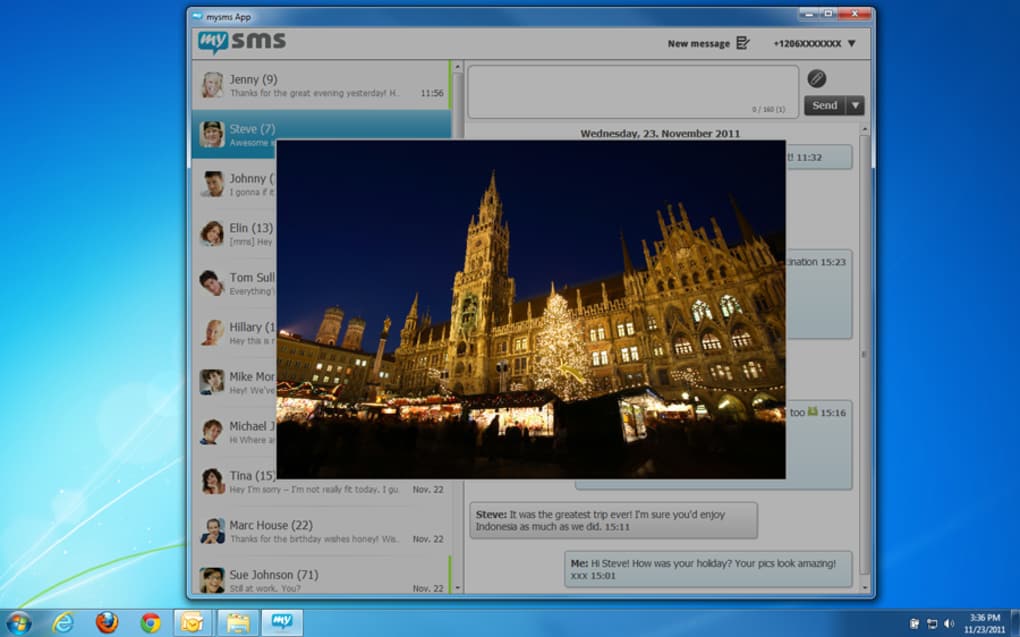
The primary appeal of mysms lies in its ability to centralize communication. In an age where we juggle multiple devices – smartphones, tablets, laptops, and desktops – maintaining a consistent communication flow across all of them is paramount. mysms addresses this by extending your phone’s SMS functionality to your PC, transforming your desktop into a powerful SMS hub.
Seamless Communication from Your Desktop
At its heart, mysms is about convenience. It allows users to send, receive, and consult their mobile’s SMS messages directly from their Windows PC. Imagine being engrossed in a work project, only to be interrupted by a text message on your phone. Traditionally, this would involve picking up your device, unlocking it, reading the message, and then typing out a reply on a smaller touchscreen keyboard. This constant context-switching can be a significant drag on productivity. mysms eliminates this friction. By synchronizing your Android or iPhone with your PC, the application pulls all your SMS conversations into a desktop interface that feels familiar and intuitive.
When a new SMS arrives, it pops up on your PC screen, much like an instant messenger notification. You can read the message at a glance and compose a reply using your full-sized keyboard and mouse. This immediate access and ease of interaction significantly streamline the communication process. For professionals, this means staying connected without breaking their workflow. For casual users, it simply offers a more comfortable and efficient way to manage their text messages. The application effectively mirrors your phone’s SMS inbox and outbox, ensuring that whether you send a message from your phone or your PC, the conversation history remains perfectly synchronized and up-to-date across both devices. This level of integration ensures that you always have a complete picture of your communications, regardless of which device you’re currently using.
Beyond Text: Attachments and Backup
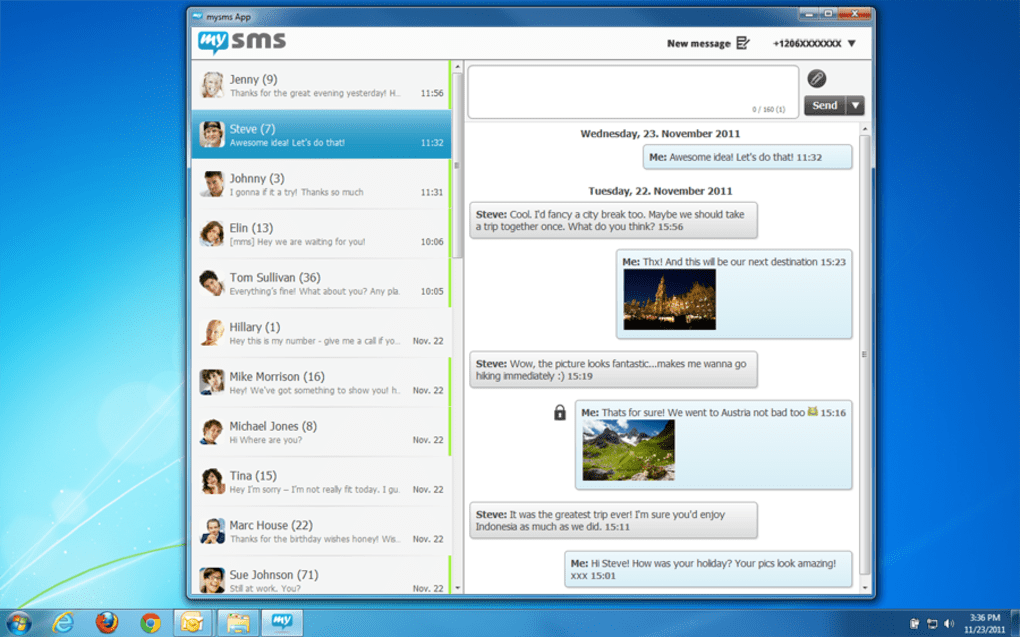
While SMS is fundamentally about text, modern communication often involves more than just words. Images, documents, and other file types are routinely shared to convey information more effectively. mysms understands this need and extends its capabilities beyond simple text messaging. With mysms, you are not limited to just sending character-based messages; you can also send images and various other file attachments with your SMS messages. This feature elevates the utility of SMS, making it more competitive with modern instant messaging applications that inherently support multimedia sharing. Whether it’s a quick photo to a friend or an important document to a colleague (assuming your carrier supports MMS for larger files), mysms facilitates this from your desktop.
Another crucial feature that sets mysms apart is its ability to perform backups of your SMS messages. In an age where digital data is highly valued, losing precious conversations can be a significant inconvenience or even a professional setback. SMS messages often contain important information, personal memories, or critical communication logs. The backup functionality of mysms provides a safety net, allowing users to preserve their entire SMS history. This ensures that even if your phone is lost, damaged, or upgraded, your valuable text conversations remain securely stored. This capability is not just about disaster recovery; it’s also about peace of mind, knowing that your communication history is protected and accessible. The ability to back up messages locally or potentially to cloud services (depending on the mysms version and features) adds an extra layer of data security and accessibility, making it an incredibly useful tool for both personal and business users.
The Cost Factor: Free Between Users, Carrier Rates Otherwise
One of the considerations when adopting any communication tool is its cost. mysms operates on a dual-tier pricing model for message sending, which is important for users to understand. When you send messages to other mysms users, these messages are entirely free. This “on-net” communication model encourages adoption among friends, family, and colleagues, fostering a network where messaging can be conducted without incurring additional charges. This is similar to how many popular instant messaging apps work, offering free communication within their ecosystem.
However, for messages sent to individuals who are not mysms users, the application leverages your existing mobile plan. In such cases, you will be charged the same rate that your mobile operator typically charges for standard SMS messages. This means mysms doesn’t introduce new messaging costs but rather uses your phone’s existing SMS allowance or per-message charges. This approach is beneficial because it doesn’t require recipients to download a specific app, maintaining the universality of SMS. It simply provides a more convenient interface for managing those existing carrier-based messages. Understanding this distinction is crucial for managing your mobile bill, ensuring you’re aware of when a message might incur a charge and when it’s free. This transparent cost structure, while requiring some user awareness, makes mysms a flexible tool that integrates seamlessly with your current mobile service.
mysms in the Ecosystem of Social and Business Communication
The landscape of communication has evolved dramatically over the past two decades, yet SMS has retained a unique and indispensable position. mysms taps into this enduring relevance, offering a solution that enhances both personal and professional interactions. Its role extends beyond mere message sending; it touches upon productivity, data management, and the overall efficiency of how we communicate.
The Enduring Relevance of SMS
Despite the proliferation of feature-rich instant messaging apps like WhatsApp, Telegram, and Messenger, SMS continues to thrive for several fundamental reasons. First and foremost is its ubiquity. Every mobile phone, regardless of its “smart” capabilities, can send and receive SMS. This universality makes it the lowest common denominator for mobile communication, ensuring that a message sent via SMS will almost certainly reach its intended recipient. This is particularly critical for business-to-consumer communication, notifications, alerts, and two-factor authentication, where broad reach and reliability are paramount.
Furthermore, SMS often carries a certain level of formality and immediacy. It’s less prone to being lost in the noise of group chats or endless notification streams. For direct, important messages, SMS can cut through the clutter more effectively than an app-specific message. Its independence from an internet connection is another significant advantage, making it reliable in areas with patchy Wi-Fi or limited data plans, which is still a reality for many parts of the world. mysms leverages this inherent reliability and universality by providing a more convenient interface for it. Instead of forcing users onto a new platform, it simply optimizes the existing, proven technology of SMS, making it more accessible and integrated into daily computing habits. This focus on enhancing a widely used, foundational technology rather than replacing it, speaks to the enduring value and strategic positioning of mysms in the broader communication ecosystem.
Enhancing Productivity and Workflow Integration
For many professionals, productivity hinges on minimizing distractions and streamlining repetitive tasks. Constantly switching between a desktop and a smartphone for text messages is a common productivity killer. mysms directly addresses this challenge by integrating SMS communication into the desktop workflow. By allowing users to manage their texts from the same screen where they handle emails, documents, and other applications, mysms significantly reduces context switching. This means fewer interruptions, more focused work, and ultimately, greater efficiency.
Imagine a scenario where a sales professional needs to quickly respond to client inquiries coming in via SMS while simultaneously updating a CRM system on their PC. Without mysms, this would involve picking up the phone, typing the response, putting the phone down, and then continuing with CRM work. With mysms, the SMS interaction becomes just another window on the desktop, allowing for seamless toggling and rapid responses. The ability to type on a full keyboard is not just about speed; it’s also about accuracy and comfort, especially for longer messages or detailed instructions. This integration also benefits personal use, allowing individuals to stay connected with friends and family without needing to constantly check their phones, leading to a more balanced and less fragmented digital life. The backup feature also ties into productivity, as it provides an accessible archive of communications that can be easily referenced for business records or personal memory keeping, preventing the loss of important information and saving time spent trying to recall past conversations. For anyone looking to enhance their digital productivity, mysms offers a simple yet effective solution.
Security and Data Management: Protecting Your Messages
In today’s digital age, security and privacy are paramount concerns, especially when it comes to personal communications. While mysms offers convenience, it also needs to address how it handles user data, particularly the sensitive content of SMS messages. The most direct security benefit mysms offers is its SMS backup feature. Losing a phone means losing all your SMS history, which can contain anything from login codes and important banking alerts to cherished personal exchanges. By providing a mechanism to back up these messages, mysms offers a critical layer of data security. This backup can serve as a personal archive, protecting against accidental deletion or device loss.
Furthermore, the synchronization process itself involves transferring sensitive data between your phone and your PC. Reputable applications like mysms are expected to employ robust encryption protocols to secure this data during transit. Users should ensure they download mysms from trusted sources like PhanMemFree.org to guarantee they are using an official and secure version of the software. While the initial description doesn’t delve deeply into the encryption methods used, the implied trust in handling personal communications means that secure data transfer and storage are fundamental. For users, understanding how their data is managed – where backups are stored (local vs. cloud), and what security measures are in place – is crucial. For businesses utilizing mysms for customer communication, the ability to maintain secure, backed-up records of client interactions can be vital for compliance and dispute resolution. In essence, mysms, by handling your personal SMS data, implicitly takes on the responsibility of data management and security, a feature that should be carefully considered by its users.
Getting Started with mysms: Installation, Compatibility, and User Experience
Adopting any new software involves understanding its prerequisites, installation process, and how easy it is to use. mysms, while offering significant advantages, also comes with specific requirements and an installation process that users should be aware of.
Platform Requirements and Setup Considerations
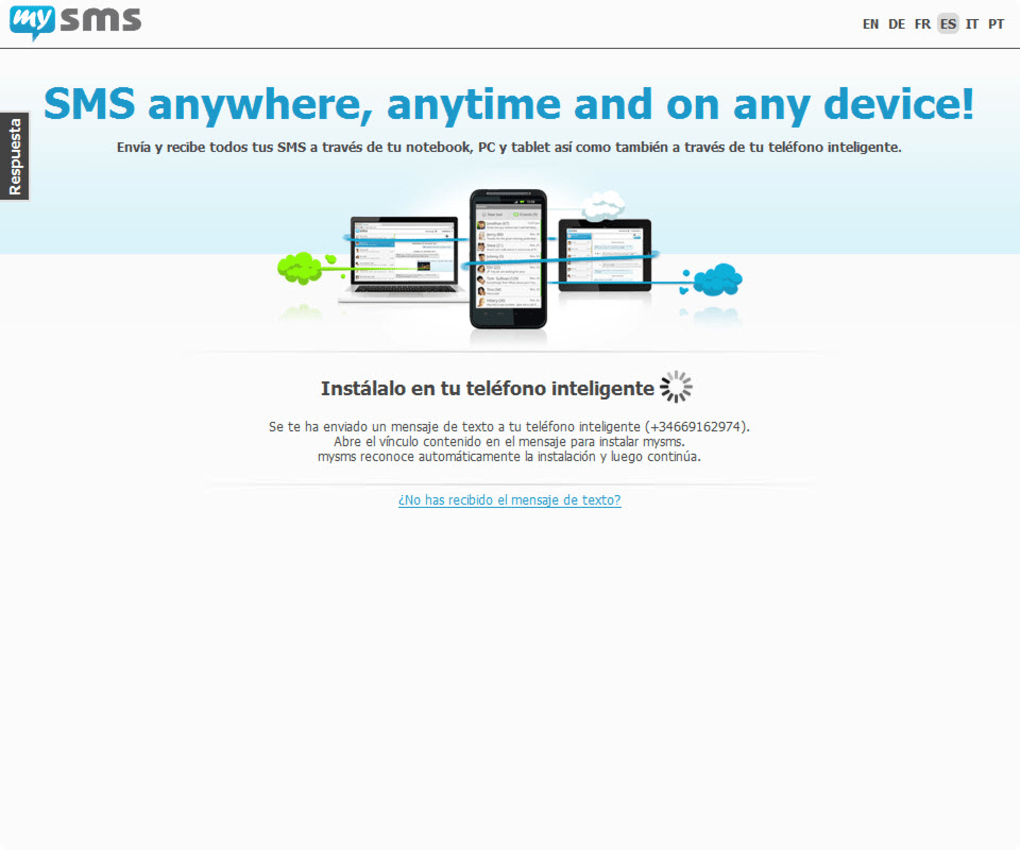
One of the explicit “cons” highlighted for mysms is a “somewhat complex installation process.” While the specifics of this complexity are not detailed, it often refers to the steps required to establish the initial synchronization between a mobile phone and a desktop application. This might involve downloading the mysms app on both the phone and the PC, creating an account, linking the devices through a QR code or a unique code, and granting necessary permissions on the mobile device (such as access to SMS, contacts, and notifications). Users must be prepared for these initial setup steps, which, while not insurmountable, require attention and following instructions carefully.
Crucially, mysms is not a standalone SMS application for your PC that generates its own messages; it functions as a conduit for your mobile phone’s SMS. Therefore, a primary requirement is owning either an iPhone or an Android smartphone. Without a compatible mobile device to sync with, the PC application has no SMS source to draw from. This means users of other mobile operating systems or those who do not wish to link their phones will find mysms unsuitable. The application is specified for “Windows” and compatible with “Windows 11,” indicating broad compatibility within the Windows ecosystem. The version number (2.1.1) and update date (June 20, 2025 – likely a future-dated placeholder or typo in the original reference, but indicates active development or maintenance) suggest that the software is regularly maintained. Knowing these prerequisites upfront helps users determine if mysms is the right solution for their specific setup and avoids frustration during the initial installation. The download count (35.5K total, 21 last month on PhanMemFree.org) suggests a consistent user base, implying that while setup may have a learning curve, it’s manageable for most users.
Navigating the mysms Interface
Once installed and synchronized, the user experience becomes paramount. A successful cross-device communication tool must offer an intuitive and efficient interface. mysms aims to provide an experience that mirrors the familiarity of mobile messaging while leveraging the advantages of a desktop environment. The application typically presents a clean, organized interface, often with a dual-pane layout: a list of your conversations on one side and the active chat window on the other. This design allows users to quickly navigate through their message history and engage in ongoing conversations.
Key features like contact integration are essential. mysms accesses your phone’s contact list, meaning you don’t have to manually import or recreate contacts on your PC. When composing a new message, you can search for contacts by name, just as you would on your phone. The typing experience is enhanced by the full-sized keyboard, which supports faster input and reduces errors. The ability to attach files and images is usually integrated seamlessly, often through a simple drag-and-drop mechanism or a dedicated attachment button within the chat interface. For message backup, there might be a dedicated section within the application settings to initiate and manage backups, giving users control over their data. The overall design prioritizes ease of use and efficiency, ensuring that the benefits of desktop SMS management are readily accessible to the user, despite any initial setup complexities.
User Feedback and Community Insights
Understanding how real users perceive an application provides invaluable insight into its strengths and weaknesses beyond the marketing claims. With a rating of 3.3 out of 5 stars from 148 reviews on PhanMemFree.org, mysms garners a decent, albeit not exceptional, level of user satisfaction. A score in this range typically indicates that while the app fulfills its core promises, there might be areas for improvement or specific pain points that some users encounter.
Positive feedback often revolves around the core functionality: the sheer convenience of sending and receiving SMS from a PC, the reliability of the synchronization, and the invaluable SMS backup feature. Users appreciate the ability to maintain communication without constantly switching devices, particularly in a professional context. The “free SMS between mysms users” is also a notable perk for those who frequently communicate within their network.
Conversely, the reported “somewhat complex installation process” is a recurring point of criticism. Some users might find the initial setup daunting or encounter technical hitches during the synchronization phase, leading to frustration. The requirement for an Android or iPhone device is a limiting factor for users on other platforms, but this is a fundamental design choice rather than a flaw. Reviews might also touch upon minor interface quirks, occasional synchronization delays, or specific compatibility issues with certain phone models or Windows versions. For new users, consulting the “Opinión usuarios” (User opinions) section on PhanMemFree.org and other reviews can provide a balanced perspective, helping them set realistic expectations and troubleshoot common issues. Developer responsiveness to feedback also plays a crucial role in improving user experience and is often reflected in long-term user sentiment.
The Broader Landscape: mysms and the Future of Messaging
The world of digital communication is constantly evolving, with new platforms and features emerging regularly. Understanding where mysms fits into this dynamic landscape provides context for its continued relevance and utility.
SMS in an Era of Instant Messengers
The rise of instant messaging (IM) applications has undoubtedly shifted how many people communicate daily. Apps like WhatsApp, Telegram, Signal, and Facebook Messenger offer a wealth of features that traditional SMS cannot: group chats, voice and video calls, rich media sharing (GIFs, stickers, high-resolution photos), end-to-end encryption, and often, free messaging over an internet connection. Given these advantages, one might question the continued need for SMS, and by extension, applications like mysms.
However, SMS retains its unique strengths. Its primary advantage is universality and independence from data connectivity. Not everyone has a smartphone with a data plan, or consistent internet access, but almost everyone has a phone that can receive SMS. This makes SMS indispensable for critical communications:
- Two-Factor Authentication (2FA): Many banks, online services, and social media platforms rely on SMS for sending verification codes, adding a crucial layer of security.
- Alerts and Notifications: Airlines, delivery services, and appointment reminders frequently use SMS for timely notifications, knowing they will reach almost any mobile device.
- Business-to-Consumer Communication: For broad outreach or when an internet connection cannot be guaranteed, businesses still rely heavily on SMS marketing and customer service.
- Basic Communication: For simple, direct messages without the need for an internet connection, SMS remains a quick and reliable option.
mysms doesn’t seek to replace these modern IM apps; rather, it enhances the experience of using SMS. It recognizes that SMS, while lacking some of the bells and whistles of IMs, remains a fundamental and often critical communication channel. By bringing SMS to the desktop, mysms makes it more convenient and integrated with other digital workflows, ensuring that users can effectively manage all their communication channels from a central point. It caters to the segment of users who still find SMS essential and wish to manage it with greater efficiency and comfort.
PhanMemFree.org’s Perspective on Essential Utilities
PhanMemFree.org, as a comprehensive software download portal, plays a vital role in connecting users with a wide array of applications across various categories. Its structured menu, encompassing everything from “Juegos” (Games) and “IA” (AI) to “Productividad” (Productivity) and “Seguridad Y Privacidad” (Security and Privacy), reflects a commitment to cataloging software that addresses diverse user needs. The inclusion of mysms under “Social Y Comunicaciones” and “Windows” highlights its position as an essential utility for enhancing personal and professional interaction.
From PhanMemFree.org’s perspective, mysms fits perfectly into the category of “Utilidades Y Herramientas” (Utilities and Tools) as well, given its function in streamlining a common communication task. The portal aims to offer solutions that simplify digital life, and mysms, by allowing users to send SMS from their PC, undoubtedly contributes to this goal. The detailed information provided on the mysms page on PhanMemFree.org—including its license, version, update date, platform compatibility, language support, and download statistics—serves to empower users with the necessary details to make informed decisions about their software choices. The platform also provides “Apps alternativas” (alternative apps) and “Temas relacionados” (related topics), guiding users to explore similar solutions or broader categories like “Mensajero Para Windows 7” (Messenger for Windows 7) or “Comunicación Para Windows Gratis” (Free Communication for Windows). This comprehensive approach underscores PhanMemFree.org’s dedication to being a valuable resource for software discovery and download, with applications like mysms standing out as a relevant and practical choice for its user base.
Conclusion
mysms stands as a practical and effective solution for anyone who frequently relies on SMS messaging and seeks to integrate this communication channel more seamlessly into their desktop workflow. By enabling users to send, receive, and manage their mobile SMS directly from their Windows PC, mysms offers a significant boost in convenience and productivity. Its ability to send multimedia attachments and, crucially, to back up valuable SMS conversations, adds layers of utility that extend beyond basic text communication. While the installation process might require a bit of attention, and a compatible Android or iPhone device is a prerequisite, the benefits for consistent SMS users are clear.
In a world saturated with instant messaging applications, mysms smartly focuses on enhancing the enduring relevance of SMS, making it more accessible and efficient without forcing a platform switch. It caters to the universal need for reliable communication, ensuring that important messages can be managed with the comfort and speed of a desktop environment. For those looking to streamline their digital life, minimize device switching, and ensure their SMS history is secure, mysms, as featured on PhanMemFree.org, presents itself as a valuable addition to their software toolkit. It’s a testament to the idea that even fundamental communication technologies can be modernized and made more user-friendly with the right application.


