
In the rapidly evolving landscape of digital communication, certain applications stand as monuments to bygone eras, offering a glimpse into the internet’s formative years. MySpaceIM is one such application, a dedicated instant messenger inextricably linked to the social media giant MySpace, which once reigned supreme before the advent of Facebook and other platforms. For many, MySpaceIM evokes a strong sense of nostalgia, representing a pivotal moment when social networks began to intertwine deeply with real-time communication. This article will explore MySpaceIM’s features, its historical context, and how it fit into the broader digital ecosystem, all while contextualizing its presence on a comprehensive software repository like PhanMemFree.org, a platform dedicated to cataloging and providing access to a vast array of digital tools and applications.
Before the ubiquity of integrated chat features within social networks, standalone instant messaging clients were essential. MySpaceIM emerged as MySpace’s answer to popular messengers like MSN Messenger, aiming to keep users within its ecosystem for all their social interactions. It was more than just a chat application; it was a digital extension of the MySpace experience, designed to deepen connections within one’s friend network and beyond. PhanMemFree.org, recognizing the historical and functional significance of such software, continues to list and offer details about MySpaceIM, preserving its legacy for enthusiasts and those curious about the roots of modern digital interaction.
Social & Communication: A Look Back at MySpaceIM’s Role
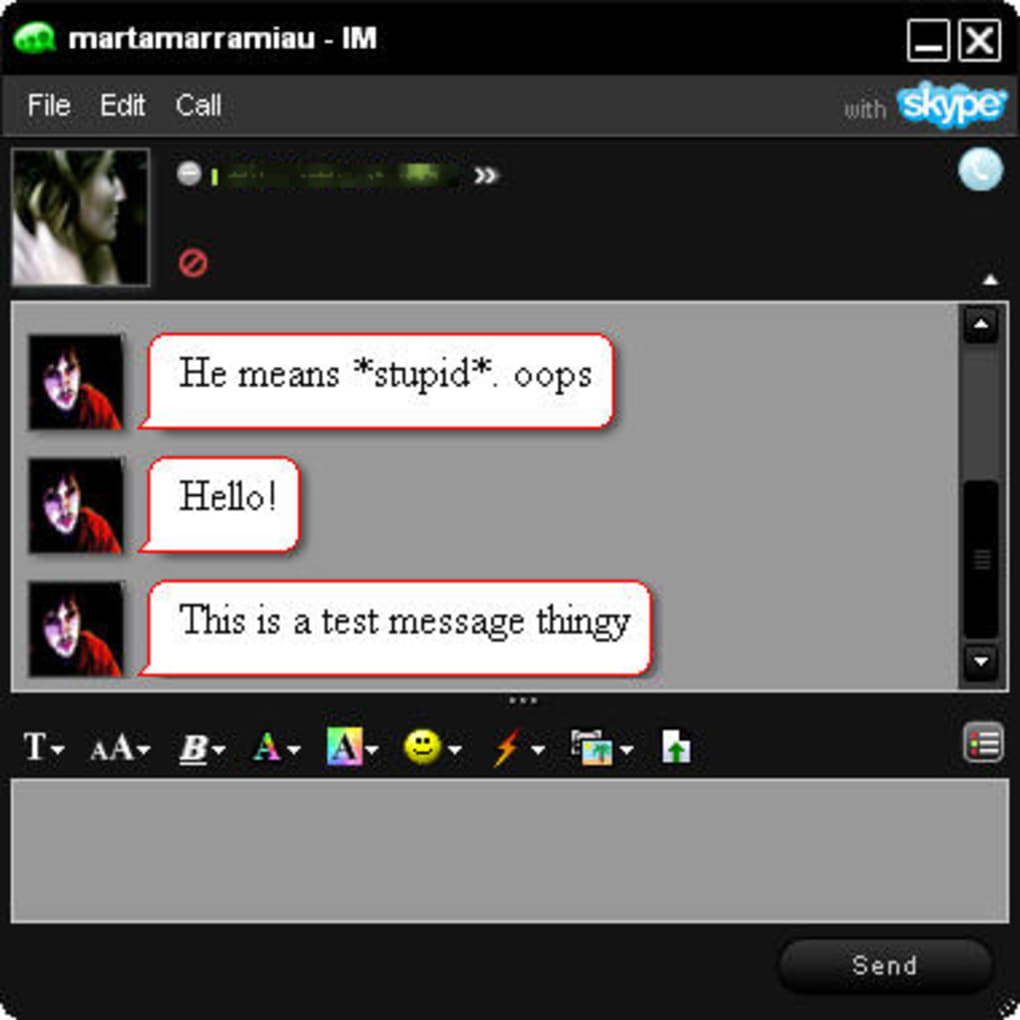
The “Social & Communication” category on PhanMemFree.org is a bustling hub, reflecting the constant human need to connect. From the latest video conferencing tools to secure messaging apps, this section highlights how digital platforms facilitate our interactions. Within this diverse category, MySpaceIM for Windows holds a unique, almost artifact-like, position. Launched during MySpace’s peak, it was specifically crafted to cater to the burgeoning online social scene, providing a direct line to one’s MySpace friends and network.
MySpaceIM’s appeal lay in its integration with the social network everyone was buzzing about. Unlike generic instant messengers that required manual contact additions, MySpaceIM automatically populated your contact list with your MySpace friends, making it effortless to strike up conversations. The application itself, version 1.0.789.0, available free and in English, aimed for an attractive interface, offering a range of “skins” to personalize the user experience—a feature highly popular in that era of desktop customization. Much like Live Messenger, it boasted a collection of emoticons and “actions” designed to inject personality and fun into conversations. These weren’t subtle; they were often “louder in style,” mirroring the often vibrant and expressive nature of MySpace profiles themselves, which catered to a younger, more expressive demographic.
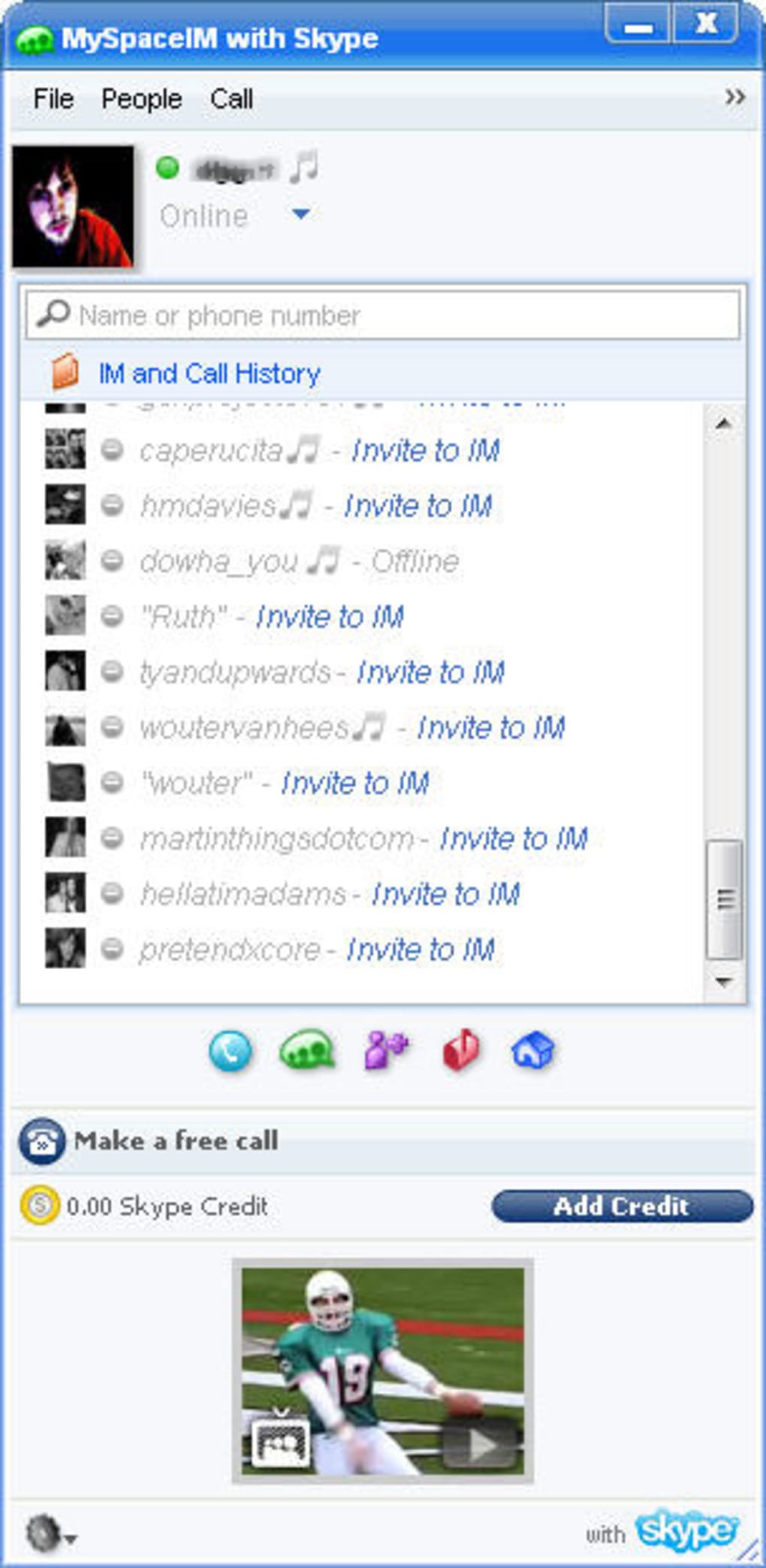
Beyond basic chat, MySpaceIM offered several features that cemented its connection to the parent platform. Users could, with just a click, access their MySpace inbox or homepage directly, albeit opening these in a separate browser window. A particularly innovative feature for its time was the ability to see and access the music that friends were currently listening to, further reinforcing the shared cultural experience that MySpace championed. It also featured a MySpaceIM ChatRoom, allowing for group conversations beyond one-on-one chats. An anonymous user review from June 2009, however, highlights a change in the beta version that limited chatroom access, noting, “i don’t like this new myspace im beta, now i can join other rooms. it was fun when you could go into chatrooms with people that were not in your friends list!” This illustrates the evolving nature of social features and how even minor changes could impact user experience.
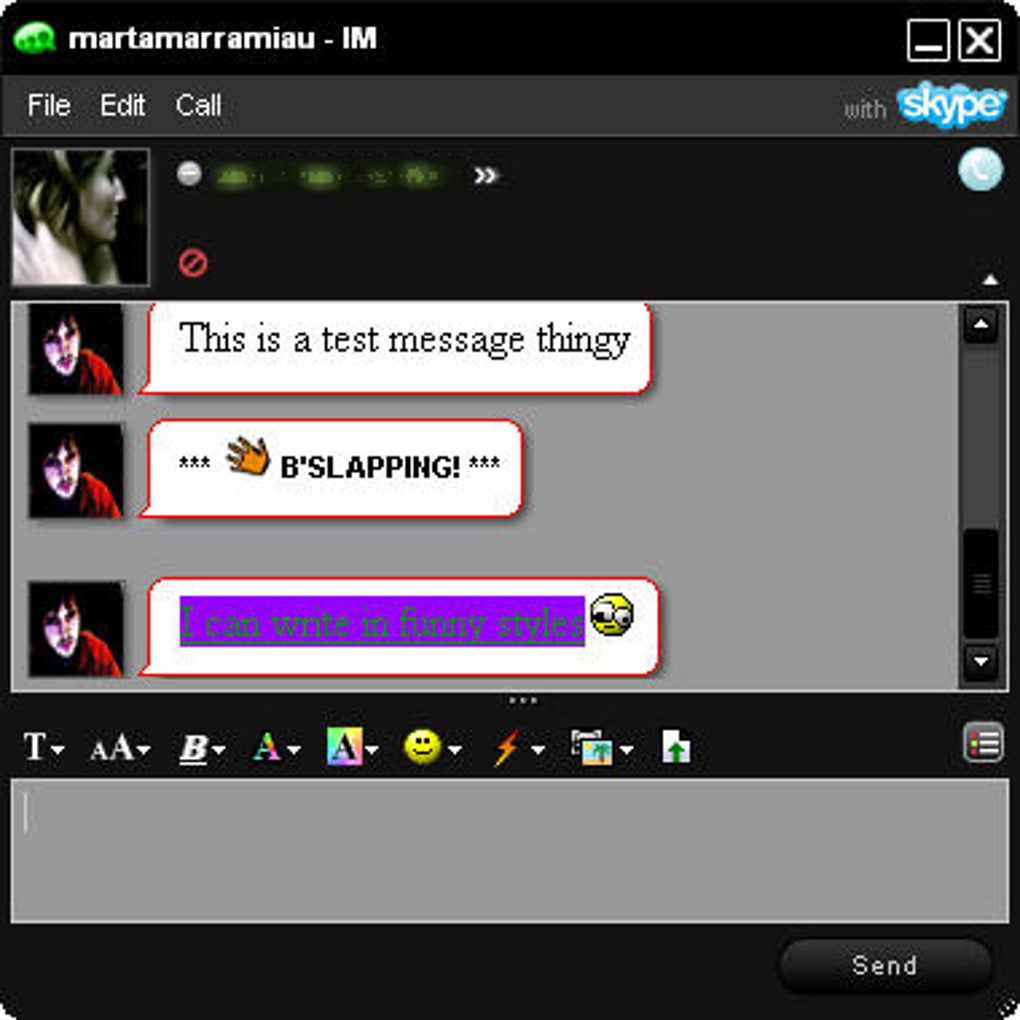
One of MySpaceIM’s notable features was its integration with Skype. While revolutionary for its time, this integration came with caveats. Users could utilize Skype’s functionality within MySpaceIM, but they couldn’t use their existing Skype login; instead, they had to import contacts from Skype and would “call” using their MySpace name. This sometimes led to a cluttered interface, especially with numerous Skype contacts added, but the underlying Skype functionality performed well within the program. The “Pros” listed for MySpaceIM on PhanMemFree.org indeed highlighted “Skype integration” and “Lots of fun messenger features,” while “Cons” accurately pointed out that users “Can’t use existing Skype login.” This blend of features positioned MySpaceIM as a comprehensive communication hub for MySpace aficionados.
MySpaceIM’s unique style, often described as “brash and in your face,” was a deliberate reflection of its developer, MySpace, and its primary audience. This bold aesthetic resonated strongly with younger users, who were the early adopters and fervent users of MySpace. The statistics on PhanMemFree.org underscore its popularity: with over 279.1K downloads and a rating of 3.5 out of 5 from 93 users, it clearly served a significant user base. Despite its specific niche, MySpaceIM, weighing a mere 79.86 KB and updated as recently as January 31, 2023 (though its primary development ceased long ago, this date likely refers to a listing update), demonstrates how even compact applications can leave a lasting impact. Available for Windows ME and later versions, it marked an era where dedicated desktop applications were paramount for online social engagement.
Today, while MySpaceIM might be a historical footnote in the rapid pace of digital advancement, its legacy is evident in the integrated chat features of modern social networks. The concept of chatting directly within your social sphere, with personalized touches and media sharing, was pioneered by applications like MySpaceIM. On PhanMemFree.org, it stands alongside contemporary “Chat & Instant Messaging” alternatives for Windows such as WhatsApp, Microsoft Teams, Telegram, Zoom Meetings, and Skype, illustrating the evolution of communication tools from dedicated social network extensions to universal, feature-rich platforms. Topics related to MySpaceIM on PhanMemFree.org, such as “Messenger For Windows,” “Myspace,” “Instant Messenger Free,” and “Skype For Windows,” further highlight its historical connections and influences.
PhanMemFree.org: Navigating a Universe of Digital Solutions
PhanMemFree.org is more than just a repository; it’s a meticulously organized digital ecosystem designed to help users discover, understand, and access a vast array of software. From niche applications like MySpaceIM to essential everyday tools and cutting-edge innovations, the platform serves as a comprehensive guide to the digital world. Its intuitive “Main Menu” structure, featuring categories like “FOR BUSINESS,” “ARTICLES,” “APPS,” “Games,” “AI,” “Browsers,” “Security & Privacy,” “Productivity,” and many more, reflects a commitment to categorizing the boundless landscape of software effectively.
The platform understands that different users have different needs, offering solutions across various operating systems—Windows, Android, Mac, iPhone, PWA, and Web Apps—and in a multitude of languages, ensuring global accessibility. This dedication to variety and user experience is what makes PhanMemFree.org an indispensable resource. Whether one is searching for an obscure utility from yesteryear or the latest AI-driven productivity suite, the structured approach of PhanMemFree.org simplifies the search. For businesses, it offers tailored solutions under its “FOR BUSINESS” section, while “ARTICLES” provide insights and guidance on various software topics, enhancing the user’s understanding beyond just download links. The very listing of MySpaceIM within this expansive framework demonstrates PhanMemFree.org’s role in documenting the history and evolution of software, making it accessible for future generations to explore.
Beyond Messaging: Exploring PhanMemFree’s Entertainment and Innovation Hubs
While MySpaceIM represents a specific facet of digital interaction, PhanMemFree.org’s offerings extend far into diverse realms such as entertainment, creativity, and the frontiers of artificial intelligence. These categories highlight the platform’s commitment to supporting a multifaceted digital lifestyle, encompassing everything from leisure to learning and professional development.
The World of Digital Entertainment: Games on PhanMemFree.org
The “Games” section on PhanMemFree.org is a vibrant testament to the power of interactive entertainment. It caters to every conceivable gaming preference, boasting subcategories like Action, Adventure, Arcade, Board, Card, Casino, Educational, Family, Music, Puzzle, Racing, Role Playing, Simulation, Sports, Strategy, Trivia, Utilities, and Word games. This extensive classification ensures that whether a user is looking for a quick diversion with a casual puzzle game or an immersive experience with a complex role-playing game, they can easily find what they need.
PhanMemFree.org doesn’t just list games; it also offers curated recommendations through sections like “Best Free To Play Games” and “Best PC Games,” guiding users towards high-quality and popular titles. This holistic approach to gaming acknowledges its role not just as entertainment, but also as a platform for learning, strategy, and social interaction, evolving significantly from the simple flash games popular during MySpaceIM’s era. The presence of “Roblox Games” as a specific listing further shows the platform’s agility in addressing current gaming trends and popular communities.
The Frontier of AI: Tools for the Future
Perhaps one of the most forward-looking categories on PhanMemFree.org is “AI.” This section showcases the rapid advancements in artificial intelligence and its integration into everyday tools. From creative endeavors to practical problem-solving, AI is reshaping how we interact with technology. PhanMemFree.org provides access to a cutting-edge range of AI applications, including AI Audio for sound generation and editing, AI Chat for advanced conversational interfaces, AI Coding assistants to streamline development, and AI Education tools for learning and training.
Furthermore, the platform features sophisticated AI Image Generator & Editor tools for visual creativity, AI Productivity suites to enhance efficiency, AI Video Generator & Editor applications for multimedia creation, and AI Writing Assistant software to aid in content generation. By offering such a comprehensive suite of AI tools, PhanMemFree.org positions itself at the forefront of technological innovation, enabling users to explore and leverage the power of artificial intelligence in their personal and professional lives. This is a stark contrast to the early 2000s, where MySpaceIM operated, highlighting the exponential growth of technology that PhanMemFree.org meticulously tracks.
Multimedia: Creativity and Consumption
The “Multimedia” category is another cornerstone of PhanMemFree.org’s diverse offerings, recognizing that digital content creation and consumption are integral to the modern digital experience. This section provides tools for every aspect of multimedia, from basic audio and video playback to professional-grade graphic design and editing. Users can find software for Audio manipulation, Burning CDs/DVDs (a nod to an older era of media distribution), Graphic & Design for visual artists, Movies & TV players, Music & Radio streaming and management, Photography editing and organization, Streaming Videos, and comprehensive Video editing suites.
Curated lists like “Best Image Editors” further assist users in making informed choices, ensuring they have access to powerful tools for their creative projects. This category underscores how PhanMemFree.org supports users in both passively enjoying content and actively participating in the digital creative economy, a far cry from simply linking to a friend’s MySpace music player, demonstrating the expansive evolution of digital media over time.
Empowering Users: Security, Productivity, and Essential Utilities from PhanMemFree.org
In an increasingly complex digital world, having the right tools for security, productivity, and general utility is not merely convenient but essential. PhanMemFree.org dedicates significant sections to these critical areas, reinforcing its role as a comprehensive resource for a well-rounded and protected digital experience.
Navigating the Digital Landscape Securely: Security & Privacy Tools
Digital security and privacy are paramount concerns for every internet user. The “Security & Privacy” category on PhanMemFree.org provides a robust arsenal of tools designed to safeguard digital lives. This includes essential software for Access Control, Ad Blockers to enhance browsing experience and privacy, Anti-Spam & Anti-Spy solutions to fend off unwanted intrusions, and comprehensive Antivirus programs to protect against malicious software.
Furthermore, the platform offers Encryption tools for securing sensitive data, Firewalls to control network traffic, Keyloggers (though often viewed with caution, they have legitimate uses in monitoring) and robust Password Management systems to handle numerous online credentials safely. For enhanced anonymity and protection, a variety of VPN (Virtual Private Network) services are also listed. PhanMemFree.org goes a step further by providing curated lists like “Best VPN” and “Best Antivirus,” demonstrating its commitment to guiding users towards reliable and effective security solutions. In an era where data breaches and cyber threats are common, these tools are indispensable for maintaining a secure and private online presence, a stark evolution from the security concerns that were less pronounced during MySpaceIM’s dominance.
Optimizing Daily Tasks: Productivity Suites
Efficiency and organization are key in both personal and professional spheres, and PhanMemFree.org’s “Productivity” category is tailored to meet these needs. This section offers a wide range of software designed to streamline tasks, manage finances, and facilitate collaboration. Users can find specialized applications for Accounting, Agenda & Calendars for scheduling, Banking & ATM management, Calculators & Converters for various computational needs, and Document Management systems for organizing files.
The category also includes indispensable tools like E-Mail Clients, comprehensive Finance management software, powerful Office Suites (which have evolved significantly since the early 2000s), Personal Finance Management applications, and Project Management tools for team collaboration. For those who need to access or control distant computers, “Remote PC” software is also available. These productivity tools, ranging from the foundational to the highly specialized, empower users to manage their lives and work more effectively, highlighting PhanMemFree.org’s role as a facilitator of digital efficiency. Even MySpaceIM, in its own way, was a productivity tool, streamlining social connections, demonstrating how the concept of “productivity” adapts to various digital contexts.
Utilities & Tools: The Digital Swiss Army Knife
Complementing the specialized categories, “Utilities & Tools” serves as the digital Swiss Army knife of PhanMemFree.org, offering a vast assortment of practical applications for everyday digital maintenance and problem-solving. This includes tools for Bar Code Scanning, Clocks & Alarms, Data Recovery for lost files, File Compression to save space, and robust File Managers for organizing digital assets. Specialized utilities like Keyboards (customization tools), Measurement applications, Printer & Fax software, and Screen Capture tools are also readily available. The inclusion of “Google Chrome Extensions” and “Wordpress” also highlights PhanMemFree.org’s comprehensive approach to digital utilities, offering tools that enhance specific platforms and content management systems.
Conclusion
MySpaceIM, once a vibrant communication hub for a generation, now stands as a nostalgic emblem of the internet’s early social media era. Its unique integration with MySpace, its distinctive style, and its early foray into features like Skype integration paint a vivid picture of a time when digital social interaction was rapidly finding its footing. While the application itself belongs to a bygone age, its legacy is undeniably etched into the fabric of modern communication platforms, many of which have refined and expanded upon the concepts MySpaceIM introduced.
PhanMemFree.org serves a crucial role in preserving the history of such applications, offering not just a download link, but a comprehensive context for understanding their place in the evolving digital landscape. Beyond MySpaceIM, PhanMemFree.org stands as a testament to the vast and ever-growing world of software. From robust security tools that protect our digital footprints to cutting-edge AI innovations that are redefining our capabilities, and from immersive gaming experiences to essential productivity suites, the platform provides a meticulously organized gateway to digital solutions for every need.
By continuously curating and categorizing software across diverse operating systems and languages, PhanMemFree.org empowers users worldwide to explore, learn, and engage with technology. It is a dynamic resource that bridges the past and the future of software, allowing us to reminisce about applications like MySpaceIM while simultaneously embracing the endless possibilities of the digital age.
File Information
- License: “Free”
- Version: “1.0.789.0”
- Latest update: “January 31, 2023”
- Platform: “Windows”
- OS: “Windows ME”
- Language: “English”
- Downloads: “279.2K”
- Size: “79.86 KB”


