
MySQL, an open-source relational database management system (RDBMS), has become a cornerstone of data management for both individual users and large organizations. This comprehensive guide delves into the features, functionalities, and benefits of using MySQL, specifically focusing on its Windows implementation. We’ll explore its core components, how it operates, system requirements, and why it remains a preferred choice for countless applications.
Understanding the Core Components of MySQL
At its heart, MySQL’s power lies in its synergistic interaction of several key components:
1. The Database: This is the foundational element, a structured collection of data organized into tables. Think of it as a meticulously organized filing cabinet, with each table representing a specific category of information (e.g., customer details, product inventory, sales transactions). Each table consists of rows (records) and columns (fields), allowing for efficient storage and retrieval of data. MySQL provides a robust framework for creating, modifying, and managing these databases, ensuring data integrity and accessibility. The structured nature of databases significantly enhances the speed and efficiency of data access compared to unstructured data storage methods.
2. The Client-Server Model: MySQL operates on a client-server architecture. The server acts as the central repository for the database, managing all data access and manipulation requests. Clients, which can be individual computers or applications, connect to the server to interact with the database. This architecture offers several advantages, including scalability (handling multiple simultaneous client requests), security (centralized access control), and resource management (efficient allocation of server resources). The client submits requests to the server using a standardized language, and the server processes the request and returns the results to the client.
3. SQL (Structured Query Language): This is the lingua franca of database interactions. SQL is a powerful, domain-specific language used to communicate with the MySQL server. Clients use SQL commands to perform a wide range of operations: creating and modifying databases and tables, inserting, updating, and deleting data, querying data (retrieving specific information), and controlling access permissions. The versatility of SQL empowers users to interact with the database in a highly efficient and flexible manner, enabling complex data manipulation and analysis. Understanding SQL is essential for effectively utilizing MySQL’s capabilities.
4. Open-Source Nature: A defining characteristic of MySQL is its open-source licensing. This means the source code is publicly available, allowing for community contributions, customization, and modification. This fosters innovation, rapid development, and a vast ecosystem of tools and resources surrounding MySQL. While the open-source nature provides significant advantages, commercial versions also exist, offering enhanced support and features tailored to enterprise needs. The open-source community actively contributes to MySQL’s ongoing development and improvement, ensuring it remains a cutting-edge technology.
How MySQL Works: A Step-by-Step Process
The interaction between clients and the MySQL server follows a well-defined process:
-
Database Creation and Definition: First, a database is created within the MySQL server, defining its structure and relationships between tables. This includes specifying the table schema, data types of each column, primary keys for unique identification, and foreign keys to establish relationships between tables.
-
Client Requests via SQL: Users (clients) interact with the database through a client application, using SQL commands to specify the desired operations. These commands can be simple queries (retrieving specific data) or complex procedures involving multiple operations. The client application translates user requests into SQL commands that the server can understand.
-
Server Processing and Response: The MySQL server receives the SQL commands, parses them, and executes the requested operations on the database. This might involve retrieving data from multiple tables, performing calculations, or modifying existing data. The server’s response to the client reflects the outcome of these operations.
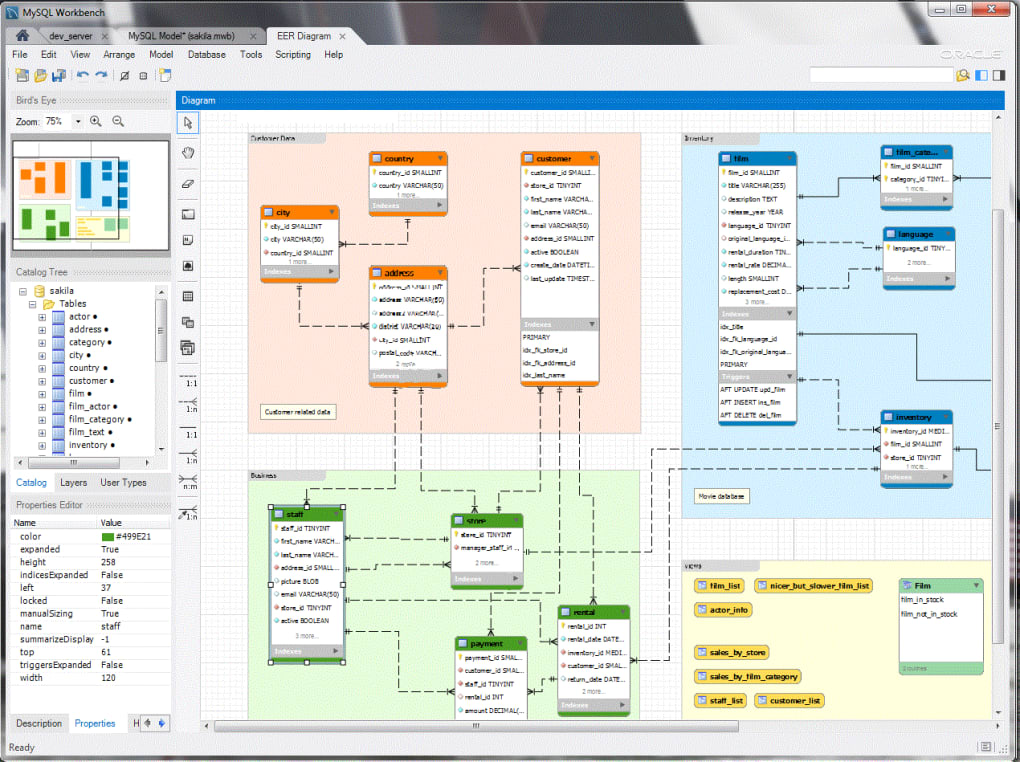
- Client-Side Display: Finally, the server sends the results back to the client, which then displays them to the user in a user-friendly format. This might be through a command-line interface, a graphical user interface (GUI), or integrated into another application. The choice of GUI significantly influences the user experience, enabling faster and more efficient data management.
Distinguishing MySQL and SQL: A Clarification
It’s crucial to differentiate between MySQL and SQL. MySQL is the database management system—the software that provides the environment for creating, managing, and interacting with databases. SQL, on the other hand, is the language used to communicate with that system. MySQL uses SQL as its query language, enabling users to interact with and manage the data stored within the MySQL databases. Think of it this way: MySQL is the car, and SQL is the steering wheel. You need the car (MySQL) to get anywhere, but you need the steering wheel (SQL) to control where you’re going.
MySQL for Windows: System Requirements and Installation
To successfully run MySQL on a Windows system, certain minimum requirements must be met:
- Operating System: Windows 10, Windows 11, or Windows Server 2016 and later versions.
- Processor: A dual-core processor (2 GHz) is recommended, though a more powerful processor (3 GHz or higher) is beneficial for handling larger databases and complex queries.
- RAM: A minimum of 4 GB of RAM is required, with 6 GB or more recommended for optimal performance, especially when dealing with large datasets.
- Hard Disk Space: The required disk space depends on the size of the databases you intend to manage. Allocate sufficient space for efficient operation and growth.
- Display Resolution: A minimum resolution of 1024 x 768 pixels is needed, with 1280 x 1024 recommended for a more comfortable user experience.
- Graphics Card: A compatible graphics card is necessary for displaying the graphical user interface (GUI) of MySQL client applications.
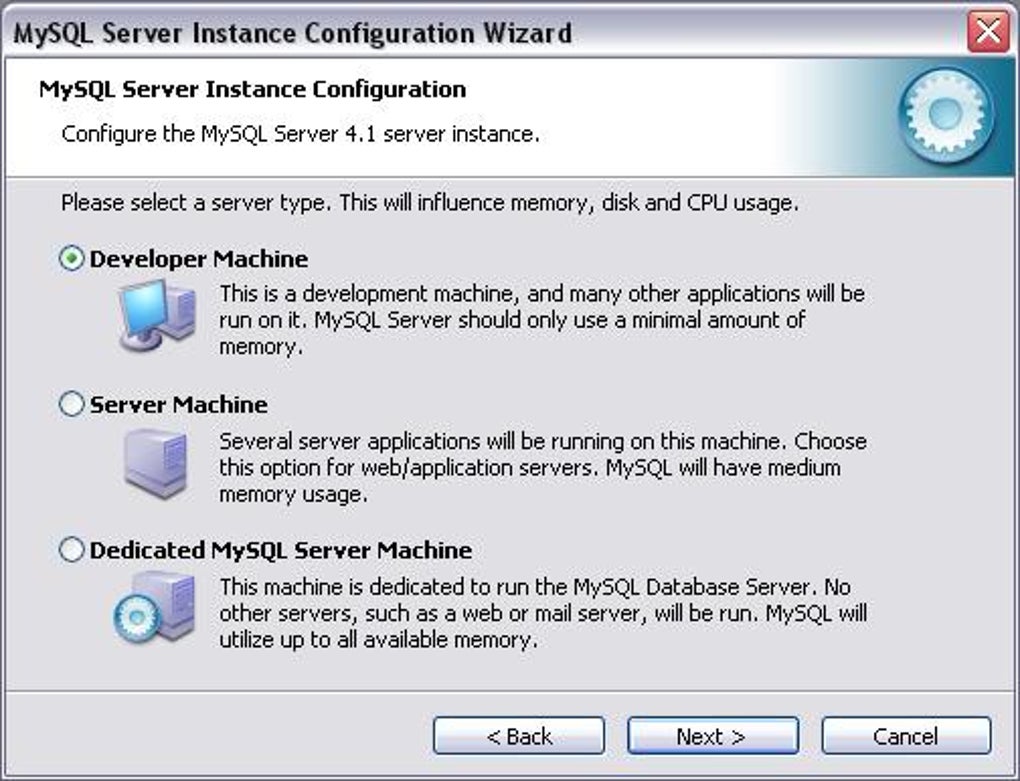
The installation process typically involves downloading the MySQL installer from the official website, following the on-screen instructions, and configuring the server settings. The installer guides users through the steps, providing options for customization based on individual needs.
Why Choose MySQL for Windows?
MySQL’s popularity isn’t accidental; it’s a result of a compelling combination of advantages:
1. Flexibility and Ease of Use: The open-source nature and straightforward installation process makes MySQL accessible to both experienced developers and beginners. Its flexibility allows customization to meet specific needs, while its user-friendly design simplifies management tasks.
2. High Performance: MySQL is known for its speed and efficiency, particularly when handling large datasets. This is partly due to its optimized query engine and its ability to scale horizontally by using multiple server instances. The performance benefits are crucial for applications demanding rapid data access and processing.
3. Robust Security: Data security is paramount, and MySQL provides a comprehensive suite of security features. These include user account management, access control lists (ACLs), and encryption capabilities to protect sensitive data from unauthorized access and breaches. Its security measures are crucial for safeguarding sensitive information.
4. Industry Standard and Wide Community Support: MySQL’s widespread adoption means extensive community support, readily available documentation, and a vast pool of skilled developers. This translates into easier troubleshooting, quicker problem resolution, and ongoing development fueled by community contributions. This vast ecosystem of resources significantly reduces the learning curve and makes support readily available.
Conclusion
MySQL for Windows offers a powerful and versatile solution for managing relational databases. Its open-source nature, robust features, ease of use, and strong community support make it a compelling choice for users ranging from individual developers to large enterprises. Whether you’re managing small-scale projects or large-scale applications, understanding the fundamentals of MySQL and leveraging its capabilities is crucial for effective data management in today’s data-driven world.
File Information
- License: “Free”
- Latest update: “January 28, 2025”
- Platform: “Windows”
- OS: “Windows 2000”
- Language: “English”
- Downloads: “1.2M”
- Size: “369.30 MB”


