
MySQL Workbench is a powerful, free, and open-source (GPL) visual tool designed for database administrators (DBAs), developers, and data architects. It offers a comprehensive suite of features for designing, modeling, generating, and managing MySQL databases, simplifying various aspects of database interaction and management. This guide delves into the functionalities of MySQL Workbench, highlighting its key features and benefits, and comparing it to other MySQL tools.
Understanding MySQL Workbench’s Functionality
MySQL Workbench transcends the limitations of command-line interfaces, providing a user-friendly graphical interface (GUI) for interacting with MySQL databases. This visual approach streamlines numerous tasks, making them accessible to users with varying levels of expertise. The software’s capabilities encompass the entire database lifecycle, from initial design and modeling to implementation, administration, and optimization. Key functionalities include:
1. Database Design and Modeling: The core strength of MySQL Workbench lies in its visual database design capabilities. It allows users to create Entity-Relationship Diagrams (ERDs) – visual representations of database structures – intuitively. These diagrams illustrate the relationships between tables, attributes, and constraints, facilitating the planning and design of complex database schemas. The ability to perform both forward and reverse engineering is a significant advantage. Forward engineering allows users to generate SQL scripts from the ERD, automatically creating the database structure. Reverse engineering, conversely, allows users to import an existing database schema and generate a visual ERD, offering a clear overview of an existing system. This is invaluable for understanding legacy systems or for documenting the current state of a database.
2. SQL Development and Query Optimization: MySQL Workbench includes a sophisticated SQL editor that enhances the productivity of developers and DBAs. This editor supports syntax highlighting, code completion (auto-completion), and context-sensitive help, minimizing errors and speeding up the coding process. Beyond basic syntax assistance, the integrated tools assist in query optimization. The ability to generate and examine EXPLAIN plans allows developers to analyze the execution plans of their SQL queries, identifying bottlenecks and areas for performance improvements. This proactive approach to optimization leads to more efficient and scalable databases.
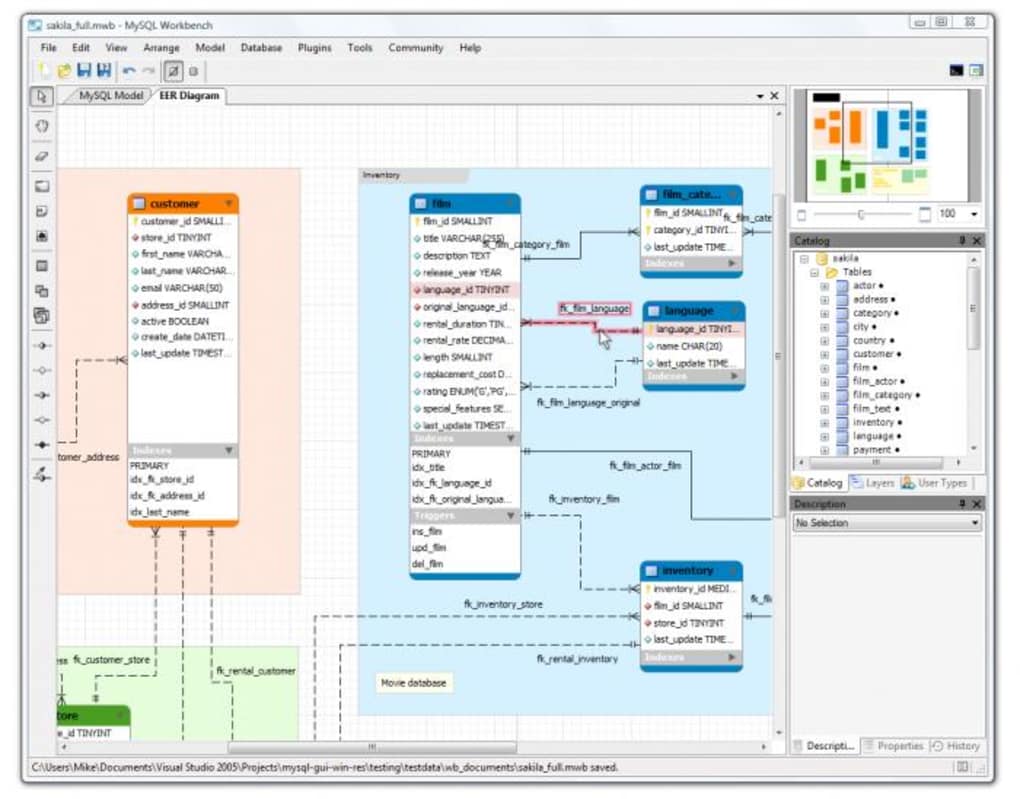
3. Database Administration and Management: MySQL Workbench extends beyond SQL development, providing a robust set of administrative tools. Users can manage database users and permissions, configuring access control lists (ACLs) to ensure data security. The software also facilitates backup and recovery operations, ensuring data integrity and business continuity. Furthermore, it offers monitoring and performance analysis tools, providing insights into database health and potential performance issues. The Performance Dashboard, for instance, provides a visual representation of key performance indicators (KPIs), enabling DBAs to quickly identify potential bottlenecks and address them promptly. Performance Reports offer granular details, pinpointing areas such as I/O hotspots and high-cost SQL operations.
4. Data Migration and Conversion: Migrating data from other database systems to MySQL is often a complex and time-consuming process. MySQL Workbench simplifies this challenge by providing a seamless migration path from several Relational Database Management Systems (RDBMS). The software supports the transfer of tables, objects, and data from systems like Microsoft SQL Server, Microsoft Access, Sybase ASE, PostgreSQL, and others. This simplifies the transition to a MySQL environment, allowing organizations to consolidate their data resources without significant disruption. The ability to migrate between different versions of MySQL itself is equally crucial, allowing for seamless upgrades and ensuring compatibility.
5. Server Configuration and Monitoring: MySQL Workbench allows for streamlined server administration and management. Users can easily configure server settings, monitor server performance, and manage system-level aspects of the MySQL installation. This centralized approach to server management simplifies administrative tasks and enhances overall control over the database environment. The integrated tools facilitate monitoring of various aspects of server health, allowing for proactive identification and resolution of potential issues.
MySQL vs. MySQL Workbench: Clarifying the Distinction
It’s crucial to differentiate between MySQL itself and MySQL Workbench. MySQL is the actual relational database management system – the engine that stores and manages data. MySQL Workbench, on the other hand, is a client application; a graphical user interface and a suite of tools designed to interact with and manage MySQL databases. Think of MySQL as the engine of a car, and MySQL Workbench as the dashboard and control panel. You need the engine to function, but the dashboard provides the tools and insights to effectively control and monitor its operation.
MySQL Workbench provides a visual layer of abstraction over the command-line interface of MySQL. While experienced users may prefer the command-line for certain tasks, MySQL Workbench offers a user-friendly alternative, simplifying complex operations and making database management more accessible.
MySQL Workbench for Developers: Streamlining Development Workflows
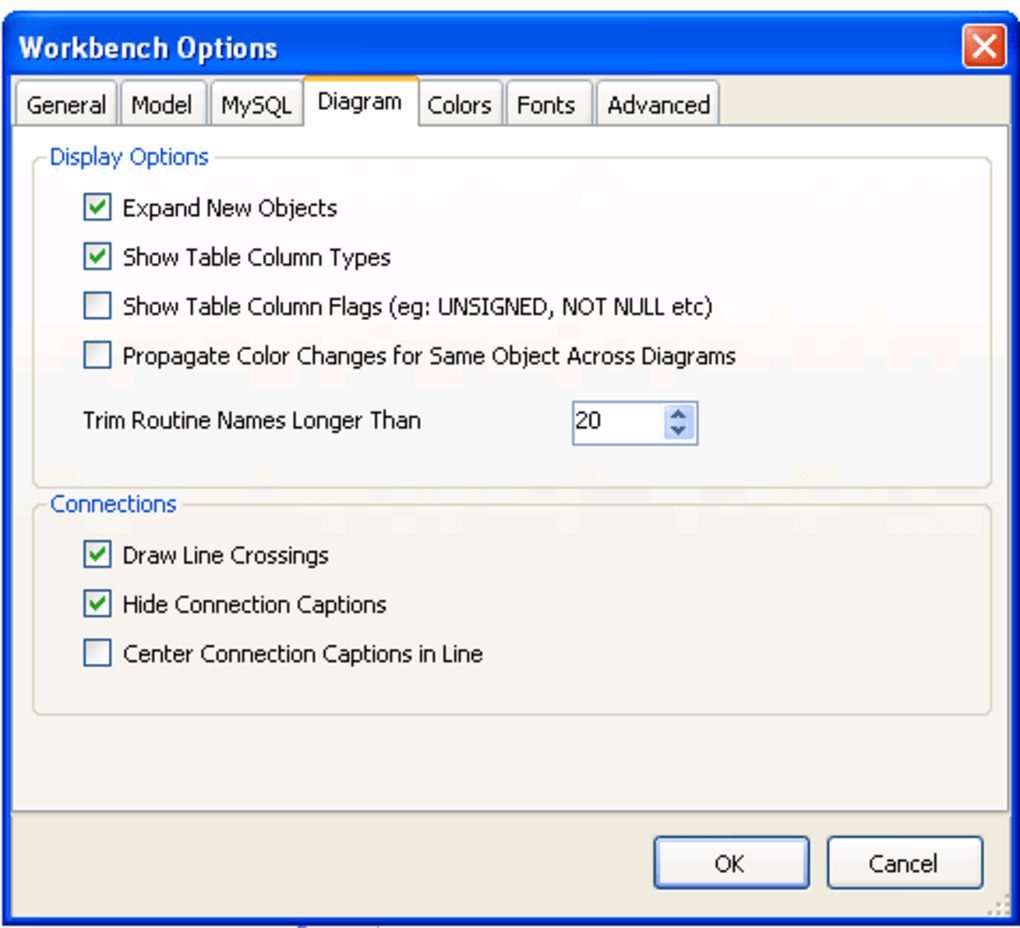
For developers, MySQL Workbench is an indispensable tool. The visual SQL editor, with its syntax highlighting, auto-completion, and context-sensitive help, significantly accelerates development. The ability to create and manage local database instances facilitates the testing and debugging of applications, ensuring that database interactions are thoroughly tested before deployment. The seamless integration of database design and development simplifies the entire development lifecycle. Developers can design their database schema visually using ERDs, and then seamlessly generate the necessary SQL scripts to create the database. Furthermore, they can leverage the integrated tools for query optimization, ensuring their applications are performing efficiently.
MySQL Workbench for DBAs: Centralized Database Administration
For DBAs, MySQL Workbench provides a centralized platform for managing all aspects of their MySQL installations. The ability to administer users and permissions, perform backups and recoveries, monitor performance, and migrate data are all streamlined through the intuitive GUI. The comprehensive performance monitoring features enable DBAs to proactively identify and address potential issues, ensuring optimal database performance and availability. The visual representation of database structure and performance metrics makes it easier to understand complex systems and pinpoint potential problems. This centralized approach simplifies administrative tasks and improves overall efficiency.
Advantages and Disadvantages of MySQL Workbench
Advantages:
- Free and Open Source: The availability of a free and open-source version makes MySQL Workbench accessible to a wide range of users and organizations.
- Visual Interface: The intuitive GUI significantly simplifies database management, making it easier for users with varying levels of expertise.
- Comprehensive Feature Set: The software incorporates a vast array of functionalities, covering database design, development, administration, and migration.
- Improved Efficiency: The streamlined workflows and automation capabilities enhance the efficiency of both developers and DBAs.
- Performance Monitoring: The integrated performance monitoring tools provide valuable insights into database health and potential issues.
- Cross-Platform Compatibility: MySQL Workbench is available for various operating systems, enhancing flexibility and portability.
Disadvantages:
- Integration Challenges: Integrating MySQL Workbench with virtual machines (VMs), Docker containers, or other development tools can sometimes present challenges.
- Resource Consumption: Running MySQL Workbench, especially when managing large databases, can consume significant system resources.
- Learning Curve: While the GUI is generally user-friendly, mastering the full range of functionalities requires some learning and practice.
- Occasional Bugs: Like any software, MySQL Workbench may experience occasional bugs or glitches.
Despite these minor drawbacks, the benefits of MySQL Workbench significantly outweigh the challenges, making it a powerful and versatile tool for anyone working with MySQL databases. Its free availability, comprehensive feature set, and intuitive interface make it an indispensable asset for database professionals at all levels of experience.
File Information
- License: “Free”
- Latest update: “June 12, 2025”
- Platform: “Windows”
- OS: “Windows 2000”
- Language: “English”
- Downloads: “116.3K”
- Size: “45.07 MB”


