
In an age where digital tools empower us to visualize our aspirations before they become reality, MyVirtualHome emerges as a compelling application for aspiring homeowners and design enthusiasts alike. Eschewing the complex interfaces often associated with professional architectural software, MyVirtualHome draws its inspiration from the accessible and engaging mechanics of base-building video games. This unique approach allows users to dive directly into the creative process, transforming abstract ideas into tangible 3D designs with remarkable ease and speed. Whether you’re envisioning a grand new residence, renovating an existing space, or simply experimenting with design concepts, MyVirtualHome offers a robust yet user-friendly platform to plan and explore every detail of your ideal living environment.
The application, available for Windows, presents a trial version that grants access to its core functionalities, inviting users to experience firsthand the joy of designing their own virtual abode. From the initial placement of standard room blocks to the intricate selection of furnishings and the subtle play of light and shadow, MyVirtualHome is engineered to demystify the home design process. It provides a creative sandbox where experimentation is encouraged, and the consequences of design choices can be instantly observed through immersive virtual tours. More than just a blueprint tool, it’s a window into the future of your potential home, allowing you to walk through your creations and truly inhabit the spaces you’ve meticulously crafted.
The Vision Behind MyVirtualHome: From Gaming to Home Design
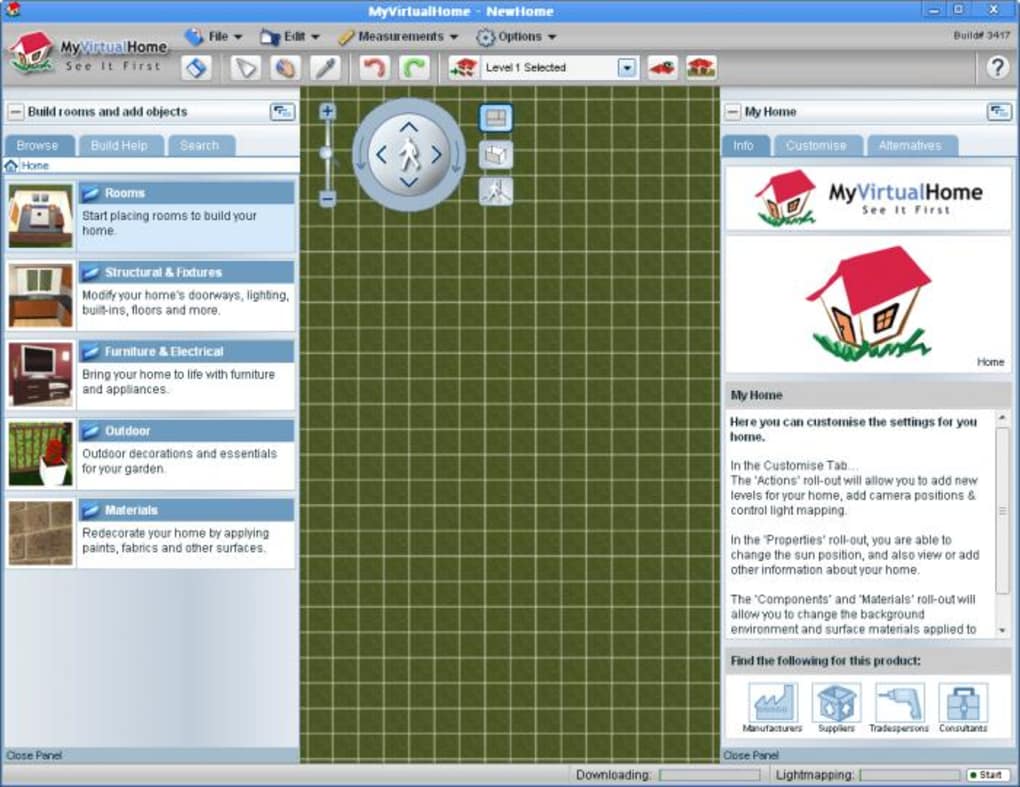
At its core, MyVirtualHome differentiates itself by adopting a philosophy rooted in the accessibility and intuitive nature of popular video games. Many people have spent countless hours in “lair-building” or “base-building” games, where constructing complex structures from simple modular components is not only fun but also incredibly straightforward. MyVirtualHome harnesses this familiar visual language and interaction model, applying it to the often-daunting world of 3D home design. This inspiration is not merely superficial; it fundamentally shapes the user experience, making the software approachable even for those with no prior architectural or CAD experience.
The developers understood that traditional design software could be a barrier for many. Steep learning curves, obscure commands, and overly technical jargon often deter casual users or those who simply want to visualize a concept quickly. By drawing parallels to gaming, MyVirtualHome manages to lower this barrier significantly. The process of adding rooms, for instance, is as simple as selecting a block and placing it. Modifying its dimensions or attributes feels akin to adjusting an item in a game inventory – a click reveals a menu of options, from color palettes to material finishes. This playful yet powerful approach ensures that users can focus on the creative aspect of design rather than struggling with the mechanics of the software itself.
This vision extends to the overall workflow. Instead of requiring users to meticulously draw every wall and precisely measure every corner from scratch, MyVirtualHome provides pre-defined, customizable elements that can be quickly assembled. This modularity not only speeds up the design process but also encourages iterative design, allowing users to experiment with different layouts and features without fear of extensive rework. The result is a design environment that feels less like a sterile engineering workstation and more like an expansive digital canvas, inviting imagination and creativity to flourish. It’s a testament to the idea that sophisticated design doesn’t have to equate to complex tools, and that sometimes, the most effective interfaces are those that feel instinctively familiar.
Unpacking the Features: Bringing Your Ideas to Life
MyVirtualHome is packed with features designed to facilitate every step of the home design process, from initial structural planning to the final touches of interior décor. Its comprehensive suite of tools ensures that users have everything they need to visualize their dream home in stunning 3D.
Intuitive Interface and Core Design Elements
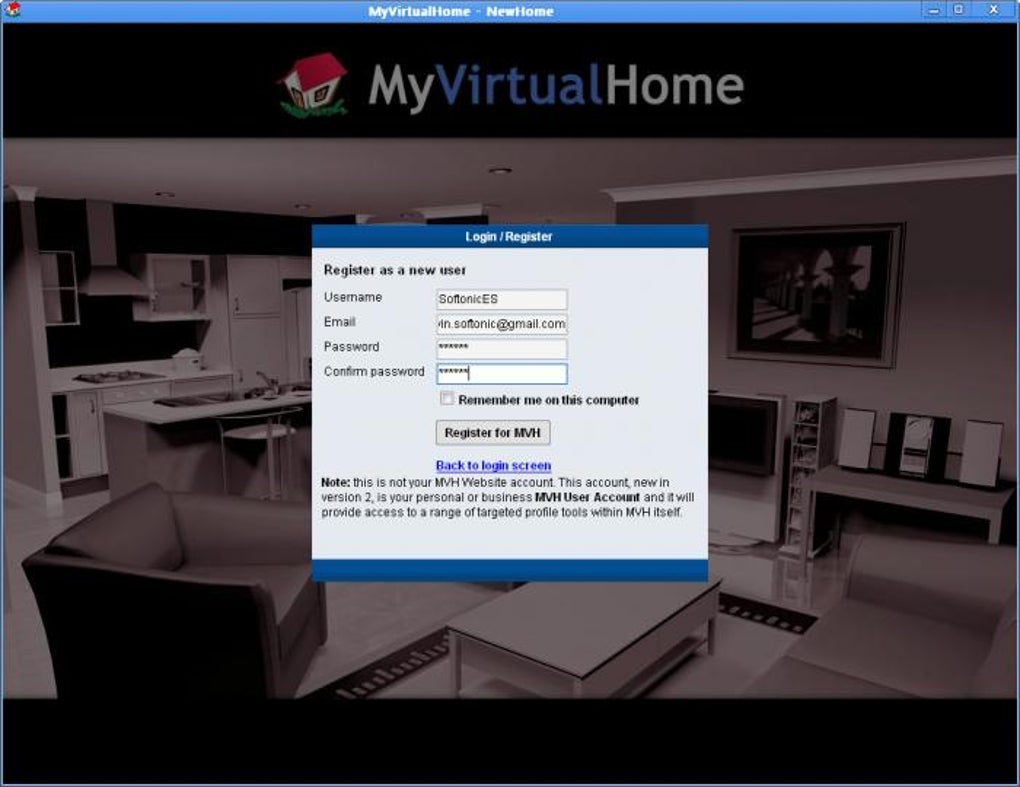
The true genius of MyVirtualHome lies in its incredibly simple and intuitive menu system, which makes the complex task of 3D design accessible to everyone. Users often report learning the basics in as little as 10 minutes and completing a full design within an hour, a testament to its streamlined interface. The design process begins with the ability to choose and deploy standard room blocks. These aren’t just static boxes; they are the foundational elements of your home, ready to be customized.
Building upon these blocks is straightforward: just click on a section of your design, and a contextual menu instantly appears, offering a palette of options. Whether you want to change the color of a wall, alter the texture of a floor, or adjust the dimensions of a room, the tools are right at your fingertips. Moving pieces around your design is equally effortless, employing a simple click-and-drag mechanism that mimics the natural interaction of physical objects. This direct manipulation makes iterating on layouts and experimenting with different arrangements a fluid and enjoyable experience. The software also provides the flexibility to import existing floor plans, allowing users to work on a digital replica of their current home or a pre-envisioned blueprint, or to start entirely from scratch, giving free rein to their imagination. This blend of ease of use and foundational flexibility makes MyVirtualHome a powerful starting point for any design project.
The Power of Personalization: Furnishings, Colors, and Beyond
Once the basic structure is in place, MyVirtualHome truly shines in its ability to bring interiors to life with extensive personalization options. The application allows users to modify every aspect of their design, from the broad strokes of floor plans to the intricate details of furnishings and décor. A key feature is the ability to select from thousands of “real products” to place within your design. This means you’re not just choosing generic furniture; you’re able to integrate items that reflect actual market availability, lending a layer of realism and practicality to your virtual home.
Beyond simply placing objects, MyVirtualHome empowers users to alter color schemes, textures, and materials with ease. Want to see how a different shade of paint looks in the living room? Or how a new type of flooring changes the ambiance of the kitchen? A few clicks are all it takes to instantly visualize these changes. This iterative approach to personalization allows for endless experimentation without the commitment or cost of real-world alterations. From kitchen cabinets to bathroom fixtures, and from sofas to decorative accents, the design element library offers a reasonably varied list of features to fill every room. While some users might desire more granular control over the size and customization of specific items like kitchen cupboards or furniture, the existing library provides a solid foundation for creating detailed and personalized spaces. The ability to instantly see these changes in real-time 3D fosters a dynamic design process, encouraging users to explore various aesthetic directions until they find the perfect combination that resonates with their vision.
Stepping Inside Your Creation: The Virtual Tour Experience
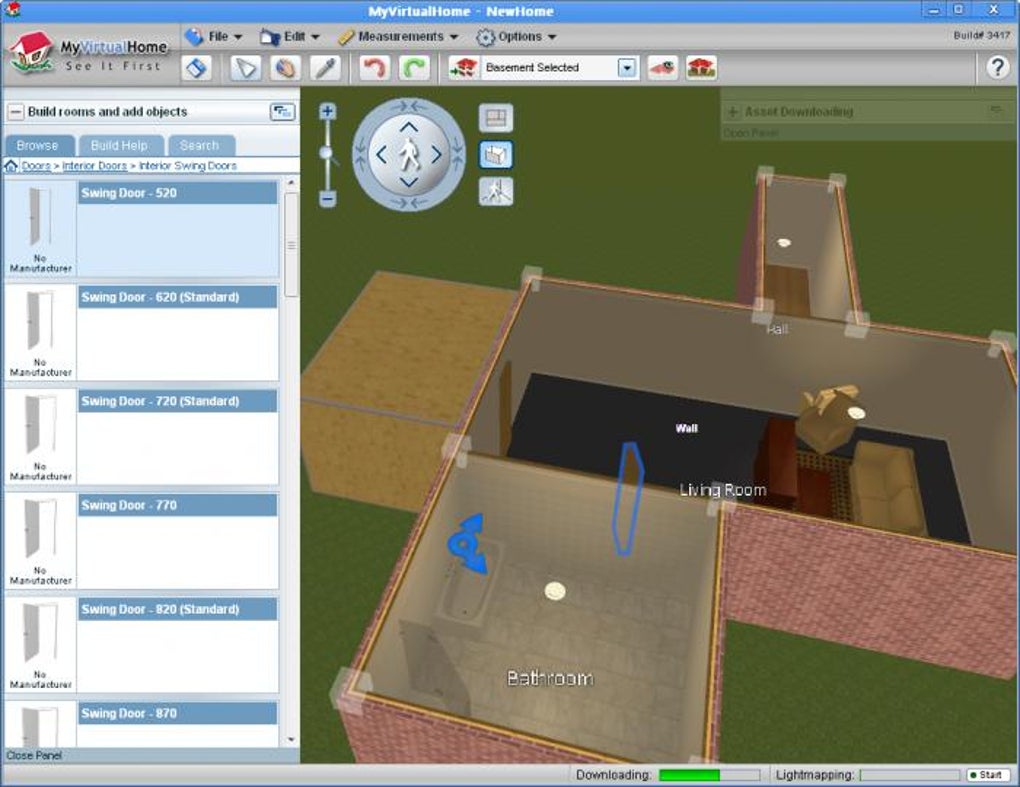
One of the most immersive and valuable features of MyVirtualHome is its real-time 3D virtual tour. After meticulously designing every room and placing every piece of furniture, the true test of any home design is how it feels to inhabit that space. MyVirtualHome addresses this by allowing users to take a virtual walk-through of their creations from a first-person perspective. This experience is akin to exploring a richly rendered video game environment, offering an unparalleled sense of scale and spatial understanding.
As you navigate through your virtual home, you can observe how different design choices impact the overall feel of each room, how furniture arrangements influence flow, and how the interplay of colors and textures creates a specific ambiance. This immersive tour is crucial for identifying potential issues or unexpected benefits that might not be apparent on a flat blueprint. Beyond the interior, MyVirtualHome extends its design capabilities to the exterior of the building and its surrounding landscape. Users can add features to the garden, experiment with different architectural styles for the façade, and even visualize the impact of natural light on the building’s exterior at various times of the day. This comprehensive approach ensures that the entire living environment, both inside and out, can be thoroughly planned and experienced before any physical construction or renovation begins. The ability to virtually “live” in your design before it exists physically is a powerful tool for informed decision-making and ensures that the final product truly aligns with your vision.
Advanced Visuals: Realistic Lighting and Shadows
MyVirtualHome distinguishes itself further with an incredibly accurate lighting model, a feature that significantly enhances the realism and practicality of its designs. Unlike many simpler design tools that offer generic lighting, MyVirtualHome allows users to set their specific latitude and longitude, as well as the exact time of year. This precise input enables the software to simulate real-time lighting effects and dynamic shadows that faithfully represent how natural light would interact with the structure in the real world.
Imagine being able to see how sunlight streams into your living room on a summer afternoon or how the shadows lengthen across your garden during a winter sunset. This level of detail is invaluable for practical design considerations. It helps users understand the natural illumination of their spaces, identify areas that might require additional artificial lighting, or even optimize window placement for maximum natural light or shade. The accurate depiction of shadows adds depth and realism to the 3D environment, making the virtual tour experience even more immersive and informative. Designers can make informed decisions about material reflectivity, window treatments, and even the orientation of the house itself, all based on how light would actually behave. This advanced visual capability transforms the design process from a purely aesthetic exercise into a more functional and environmentally conscious endeavor, ensuring that the finished home is not only beautiful but also well-lit and comfortable throughout the year.
Expanding Your Library: Online Integration
While MyVirtualHome boasts a reasonably varied list of built-in features and design elements, the true limitation of any design software often lies in the availability of specific pieces or unique styles a user might desire. Recognizing this, MyVirtualHome incorporates a clever solution: the ability to search for and download additional examples online directly within the application’s menu.
This functionality opens up a vast world of possibilities, allowing users to extend their design palette far beyond the pre-installed library. If you’re looking for a specific brand of appliance, a unique piece of furniture, or a particular decorative item that isn’t included, the integrated search feature makes it possible to locate and import these elements into your model. This ensures that your design is not constrained by the initial content provided by the software, but can be infinitely expanded to match your precise vision and taste. This integration is particularly beneficial for those who have a clear idea of the specific products they want to use in their real-world home, allowing them to accurately model their choices and see how they fit into the overall design. By leveraging online resources, MyVirtualHome transforms from a static design tool into a dynamic and ever-evolving platform, constantly adapting to the diverse needs and preferences of its user base. This commitment to expandability enhances the software’s longevity and utility, making it a more versatile and comprehensive solution for home design.
User Experience and Practical Considerations
Understanding a software’s features is one thing, but truly appreciating its value requires delving into the actual user experience and practical implications. MyVirtualHome, despite its sophisticated capabilities, maintains a strong focus on accessibility and user satisfaction.
Learning Curve and Accessibility
One of the standout attributes of MyVirtualHome is its incredibly gentle learning curve. Many users, even those with minimal experience in design software, report being able to grasp the basics within a mere ten minutes. This rapid onboarding is largely due to the intuitive menu system and the software’s foundation in the familiar visual language of base-building video games. The click-and-drag functionality for moving elements and the context-sensitive menus that pop up upon selection make interaction feel natural and immediate.
This ease of use translates directly into efficiency. Most individuals can transition from learning the foundational controls to creating a full, multi-room design in less than an hour. This speed empowers users to quickly iterate on ideas, test different layouts, and visualize changes without getting bogged down by complicated processes. The software’s design ensures that creativity is the primary focus, not the technical hurdles. Whether you’re a seasoned designer looking for a quick visualization tool or a complete novice taking your first steps into home planning, MyVirtualHome is designed to be accessible. It democratizes the process of home design, making it possible for anyone with an idea and a computer to bring their architectural dreams to life in 3D, fostering a sense of accomplishment and creative freedom that might otherwise be intimidating with more complex professional suites.
Pros and Cons: A Balanced Perspective
Like any software, MyVirtualHome offers a distinct set of advantages and a few areas where users might wish for more. Understanding these can help potential users determine if it’s the right tool for their specific needs.
Pros:
- Simple Interface: The most frequently praised aspect is its straightforward, intuitive design. It’s easy to navigate, making the design process enjoyable rather than frustrating.
- Design Element Library: A reasonably varied library of standard room blocks, furnishings, and exterior features allows for comprehensive design.
- Virtual Tour: The real-time, first-person virtual tour is a powerful feature for experiencing designs spatially and identifying potential issues.
- One-Click Room Creation: Users appreciate the ability to create rooms with a single click, eliminating tedious wall drawing.
- Easy Item Placement: Drag-and-drop functionality makes populating rooms with furniture and fixtures a breeze.
- Accurate Lighting Model: The ability to simulate real-time shadows based on geographic location and time of year adds significant realism and practical utility.
- Online Content Integration: The option to search for and download additional design elements online expands the software’s versatility.
Cons:
- Limited Tech Support for Non-Australian Users: As the software is primarily designed for the Australian market, technical support can be hard to reach during UK business hours, which could be an issue for international users.
- Desire for More Adjustable Components: Some users express a wish for greater control over the customization of certain items. This includes more flexible sizing for kitchen cupboards, furniture, and bath/shower units, as well as a broader choice of fabrics, wallpapers, and kitchen appliances. This feedback suggests a demand for deeper personalization beyond what the current library offers.
- Occasional Glitches: While generally stable, some long-term users have reported occasional glitches where the program refuses to load, though this is often resolved by downloading a fresh copy.
Overall, MyVirtualHome is lauded for its ease of use and effective visualization capabilities, making it ideal for those who prioritize a simple, fast design experience. The cons typically point towards a desire for more advanced customization options, which might be a trade-off for its streamlined interface.
Technical Support and Market Focus
MyVirtualHome is developed by Homesoft Pty. Ltd., an Australian company, and the software is primarily designed with the Australian market in mind. While this doesn’t preclude international users from utilizing the program, it does have a notable implication for technical support. Users outside of Australia, particularly those in regions like the UK or other European time zones, may find that technical assistance is difficult to access during their standard business hours. This time zone difference can lead to delays in resolving issues or getting direct help, potentially impacting the user experience for those who rely on immediate support.
For many users, particularly those comfortable with independent troubleshooting or who only need the software for basic design tasks, this might not be a significant hurdle. However, for those who anticipate needing more hands-on guidance or who encounter technical difficulties, it’s an important consideration. The strong focus on the Australian market suggests that regional specificities in building codes, product availability, or design preferences might also subtly influence the software’s default offerings, though its ability to import online assets mitigates some of these potential limitations. Ultimately, while MyVirtualHome is widely accessible, its support infrastructure is most optimally aligned with its primary geographic market.
Beyond MyVirtualHome: Exploring Alternatives and the Future of Design Software
While MyVirtualHome provides an excellent and user-friendly platform for 3D home design, it exists within a vibrant ecosystem of similar applications, each with its own strengths and target audience. For users whose needs might evolve or who are seeking alternative approaches, a brief look at the competitive landscape can be insightful.
Programs like Sweet Home 3D offer a free and popular alternative, known for its extensive furniture library and straightforward interface, also focusing on ease of use. DreamPlan Home Design Software provides comprehensive tools for home, garden, and landscape design, appealing to those who wish to visualize their entire property. 3D Home and Garden Design is another free option that emphasizes building the ideal home environment. For those looking for more professional-grade features, Live Home 3D Pro offers a complete building design suite, often with more advanced architectural tools, albeit typically as a paid solution. Planner 5D stands out as a free interior design application that allows users to create detailed floor plans and visualize interiors. Other notable alternatives include Envisioneer Express for free 3D home design, and ArchiCAD, which is a powerful, professional-grade CAD software often used by architects, available as a trial version.
The existence of such a diverse array of options highlights the growing demand for accessible and powerful design tools. The future of design software appears to be moving towards greater realism, more extensive content libraries (often cloud-based), enhanced collaboration features, and increasingly intuitive interfaces that leverage AI and machine learning for design suggestions or automated processes. As technology advances, we can expect these applications to become even more sophisticated in their rendering capabilities, offering photorealistic visualizations, and integrating seamlessly with virtual and augmented reality experiences. This will allow users to not only walk through their virtual homes but perhaps even project their designs onto real-world spaces, blurring the lines between imagination and reality even further. MyVirtualHome, with its foundational emphasis on user-friendliness and immersive visualization, is well-positioned within this evolving landscape, offering a welcoming entry point into the exciting world of digital home design.
Getting Started with MyVirtualHome
Embarking on your home design journey with MyVirtualHome is a straightforward process, thanks to its accessibility on the PhanMemFree platform. As a trial version application for Windows, it offers an excellent opportunity to explore its capabilities without immediate financial commitment, allowing you to ascertain if it meets your specific design needs.
To begin, simply navigate to Phanmemfree.org and locate MyVirtualHome using the search function. The platform provides detailed information, including its license status (Trial version), the latest update date (July 11, 2023, for version 4.042.0), and the specific operating system it supports (Windows, including Windows 10). With a relatively compact file size of 57.34 KB, the download is quick and efficient. PhanMemFree is committed to ensuring a secure download experience, scanning all hosted files to assess and avoid potential harm to your device. Their comprehensive process involves checks each time a new file is uploaded and periodic reviews to confirm or update their status, striving to maintain a malware-free catalog of programs.
Once downloaded and installed, you’ll be ready to unleash your creativity. The intuitive menu system and game-inspired design philosophy mean you’ll likely be designing your first room within minutes. Whether you choose to import an existing plan or start from a blank canvas, MyVirtualHome empowers you to visualize your dream space in real-time 3D, experiment with countless design elements, and take virtual tours of your creations. It’s an ideal tool for anyone looking to plan a renovation, design a new home, or simply explore architectural possibilities in an engaging and accessible digital environment. Take the first step towards building your virtual dream home today with MyVirtualHome.
File Information
- License: “Trial version”
- Latest update: “July 11, 2023”
- Platform: “Windows”
- OS: “Windows 10”
- Language: “English”
- Downloads: “83.7K”
- Size: “57.34 KB”


