
Mz Ram Booster is a free Windows utility designed to enhance computer performance by optimizing RAM and CPU usage. While not a magical solution for outdated hardware, it offers a straightforward approach to potentially improve responsiveness and efficiency, particularly on less powerful machines. This detailed review explores its features, benefits, drawbacks, and overall effectiveness.
Understanding the Role of RAM and CPU in Computer Performance
Before diving into the specifics of Mz Ram Booster, it’s crucial to understand the fundamental roles of Random Access Memory (RAM) and the Central Processing Unit (CPU) in determining a computer’s speed and responsiveness.
The CPU, or processor, is the “brain” of your computer. It executes instructions and performs calculations. The speed at which it operates (measured in gigahertz, GHz) directly impacts how quickly tasks are completed. A faster CPU generally leads to faster processing.
RAM, on the other hand, acts as the computer’s short-term memory. It temporarily stores data that the CPU needs to access quickly. The more RAM a computer has (measured in gigabytes, GB), the more data it can hold readily available for the CPU. Insufficient RAM can lead to “thrashing,” where the computer constantly swaps data between RAM and the slower hard drive or solid-state drive (SSD), significantly slowing down performance.
How Mz Ram Booster Aims to Optimize RAM and CPU Usage
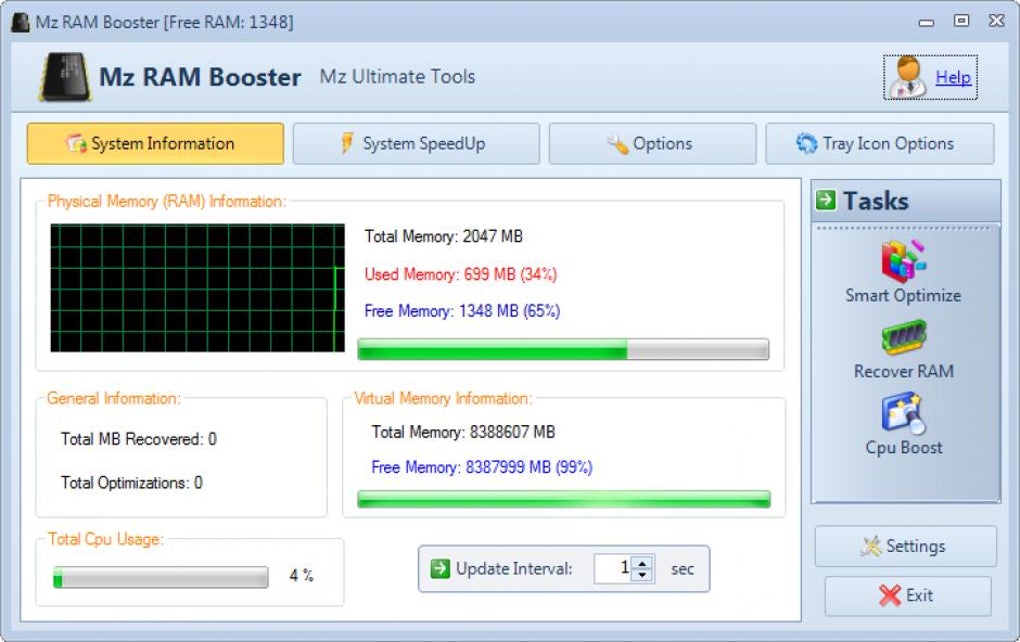
Mz Ram Booster aims to improve computer performance by intelligently managing RAM and CPU resources. It doesn’t physically add more RAM or upgrade your CPU; instead, it focuses on optimizing how the existing resources are used. The software attempts to achieve this through several mechanisms:
-
RAM Optimization: The core function of Mz Ram Booster is to free up RAM by closing unnecessary processes and preventing applications from hogging more memory than necessary. This can lead to faster application loading times and improved overall system responsiveness.
-
CPU Priority Management: Mz Ram Booster allows users to prioritize CPU resources. You can choose to allocate more processing power to foreground applications (the ones you’re actively using) or background processes. This customization allows users to tailor the system’s responsiveness to their immediate needs.
-
Automated Optimization: The software includes an automated optimization feature that periodically frees up RAM and adjusts CPU priorities based on pre-defined settings. This allows for continuous, hands-off performance optimization.
-
Customizable Settings: While offering convenient “Recommended Settings,” Mz Ram Booster provides advanced users with the ability to fine-tune parameters manually. This includes the ability to specify the CPU’s L2 cache size (requiring knowledge of this value, often obtained from utilities like CPU-Z) and the threshold for automatic RAM cleanup.
Mz Ram Booster’s User Interface and Ease of Use
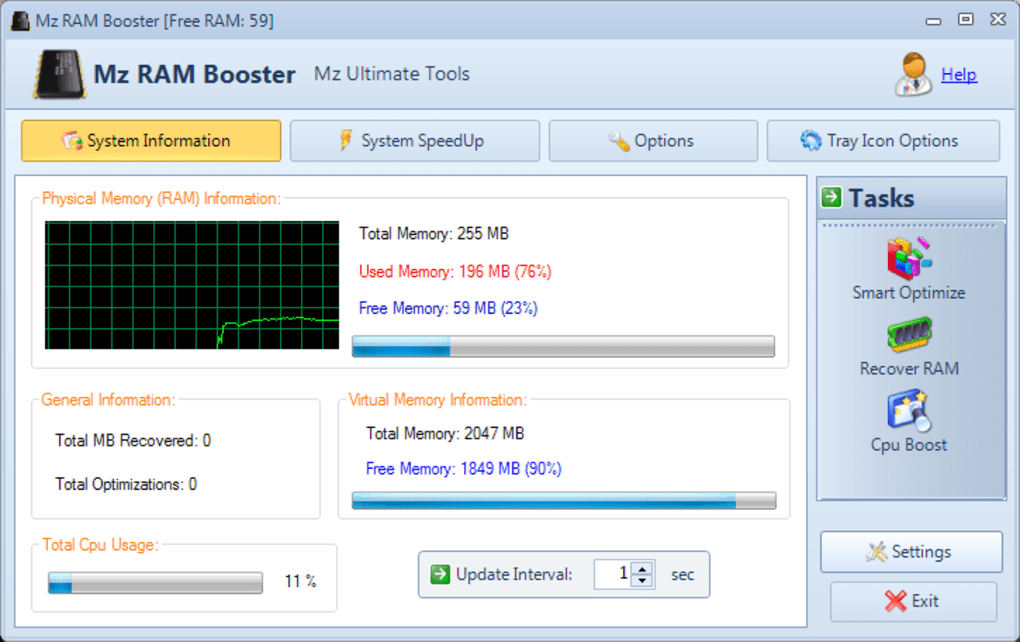
Mz Ram Booster boasts a user-friendly interface designed for users of all technical skill levels. The main screen clearly displays current RAM and CPU usage, allowing for quick assessment of system performance. The controls for adjusting settings are intuitive and well-organized. The inclusion of “Recommended Settings” simplifies the process for novice users, requiring minimal configuration to experience potential benefits. A comprehensive manual is also available for users seeking more detailed information.
Benefits of Using Mz Ram Booster
-
Improved Responsiveness: By freeing up RAM and optimizing CPU usage, Mz Ram Booster can significantly improve the overall responsiveness of the system. Applications may load faster, and multitasking may become smoother.
-
Enhanced Multitasking: With better RAM management, Mz Ram Booster can help users efficiently run multiple applications simultaneously without experiencing significant performance degradation.
-
Increased System Stability: By preventing RAM overload and excessive CPU usage, the software may contribute to increased system stability, reducing the likelihood of crashes or freezes.
-
Free and Easy to Use: The software’s free availability and straightforward interface makes it accessible to a wide range of users.
-
Automated Optimization: The automated features minimize the need for constant manual intervention, making the optimization process effortless.
Limitations and Potential Drawbacks of Mz Ram Booster
While Mz Ram Booster offers several benefits, it’s essential to acknowledge its limitations:
-
Limited Impact on Older Hardware: The benefits of Mz Ram Booster are most pronounced on older or less powerful computers with limited RAM. On newer systems with ample RAM and a powerful CPU, the improvements might be less noticeable.
-
No Guaranteed Performance Increase: The software’s effectiveness varies depending on individual system configurations and usage patterns. There is no guarantee of a significant performance boost in every case.
-
Lack of Comprehensive CPU Management: While Mz Ram Booster allows CPU priority adjustment, it doesn’t provide comprehensive CPU management features found in more advanced system optimization tools.
-
Potential for Conflicts: Although rare, there’s a possibility of conflicts with other system optimization utilities or background processes.
-
Not a Replacement for Hardware Upgrades: Mz Ram Booster is a software solution; it cannot compensate for outdated or insufficient hardware. For substantial performance improvements on older systems, hardware upgrades (like adding more RAM) may ultimately be necessary.
-
Subtle Effects: Improvements may not be immediately noticeable. Users may need to use the software for a period before observing tangible differences in performance.
Mz Ram Booster Compared to Other System Optimization Tools
The market offers various system optimization tools, some free and others paid. Compared to paid alternatives, Mz Ram Booster lacks some advanced features, such as detailed system diagnostics, comprehensive registry cleaning, and more granular control over various system aspects. However, its simplicity and free availability make it an attractive option for users who want a basic RAM and CPU optimization tool without the complexities of more feature-rich software.
Conclusion: Is Mz Ram Booster Worth Using?
Mz Ram Booster is a lightweight, user-friendly, and free tool that can help improve the performance of older or less powerful Windows computers by optimizing RAM and CPU usage. While it’s not a miracle cure for outdated hardware, it’s a worthy tool for users seeking a simple and effective way to potentially boost their system’s responsiveness. Its intuitive interface and automated features make it easy to use even for non-technical users. However, users should understand its limitations and not expect drastic performance improvements on newer, high-performance systems. If you’re experiencing significant performance bottlenecks, consider more comprehensive system optimization software or hardware upgrades as more effective long-term solutions. For a simple, free tool to potentially squeeze out some extra performance from your existing resources, Mz Ram Booster is worth a try.
File Information
- License: “Free”
- Latest update: “July 12, 2023”
- Platform: “Windows”
- OS: “Windows 2003”
- Language: “English”
- Downloads: “109.1K”
- Size: “983.84 KB”


