
Neat Download Manager is a free download manager compatible with both macOS and Windows operating systems. Designed to enhance the download experience, it aims to accelerate download speeds, organize downloaded files, and provide a streamlined user interface. While not as feature-rich as some competitors, Neat Download Manager offers a straightforward approach to managing downloads, making it a viable option for users seeking a simple and effective solution. This review delves into the capabilities, pros, and cons of Neat Download Manager, comparing it to similar applications and considering its overall performance and usability.
Download Speed and Performance
One of Neat Download Manager’s primary selling points is its ability to speed up downloads. While it doesn’t boast the same aggressive speed increases as some commercial download managers, it consistently delivers noticeable improvements, especially beneficial for users with slower or less stable internet connections. The application achieves this speed enhancement through several techniques, although the specifics are not explicitly detailed. These likely include intelligent connection management, optimized data segmentation, and parallel downloading, common methods employed by download managers to improve efficiency. In testing, Neat Download Manager consistently outperformed standard browser downloads, although the degree of improvement varied depending on the file size, server load, and internet connection speed.
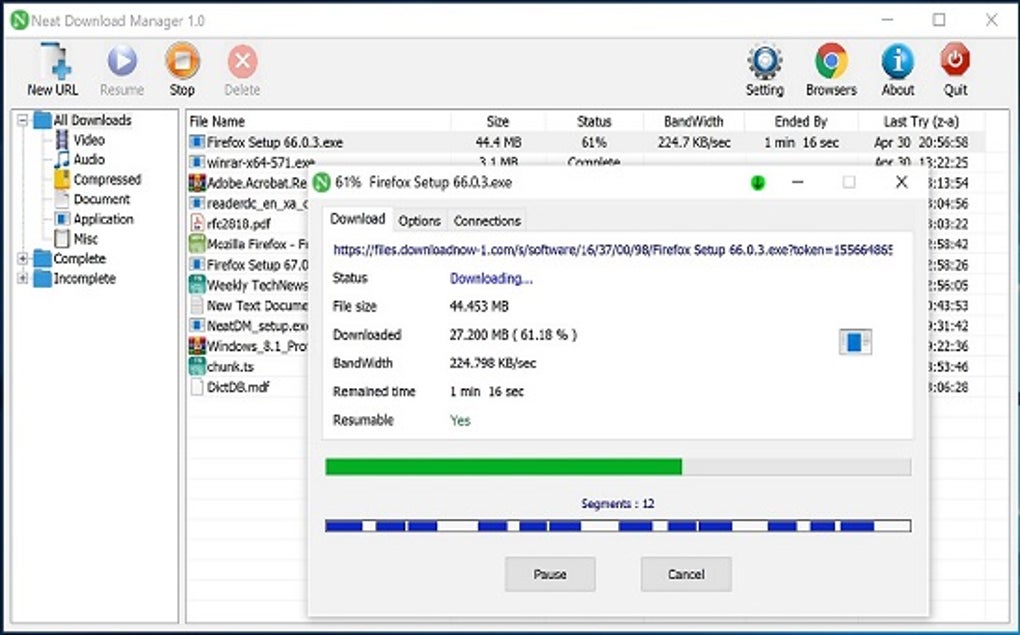
Unlike some competitors, Neat Download Manager does not aggressively interrupt browsing sessions with pop-ups or notifications. This minimalist approach avoids intrusive interruptions, maintaining a less disruptive user experience. However, this also means that users may need to actively check the application for download progress updates rather than receiving proactive alerts.
Download Management and Organization
Neat Download Manager offers a straightforward system for organizing downloads. Users can categorize files by type, date, or any other custom criteria. This organizational system simplifies the management of large download libraries, preventing downloads from becoming scattered and disorganized. This feature is especially useful for users who frequently download multiple files simultaneously, assisting in quickly locating specific downloaded content.
The interface, while simple, lacks advanced features like scheduling downloads or prioritizing specific files based on importance or size. Users who frequently download very large files may find this limitation somewhat hindering, as the lack of scheduling capabilities means they have to remain actively monitoring the download progress. While this might be suitable for smaller downloads, managing multiple large files simultaneously could prove less convenient.
Resumption of Interrupted Downloads
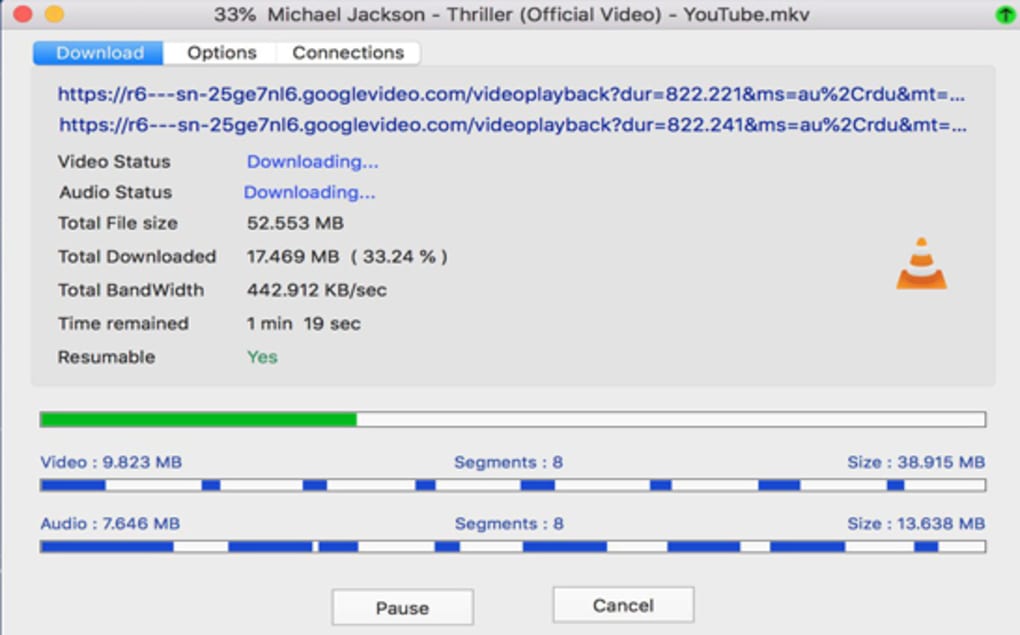
A crucial function of any effective download manager is the ability to resume interrupted downloads. Neat Download Manager reliably resumes downloads interrupted due to network issues or unexpected connection drops. The application remembers the download point and seamlessly restarts the process without requiring users to restart the download from the beginning, saving time and bandwidth. This resilience is tested and verified to function effectively across various network conditions.
This feature significantly reduces the inconvenience often associated with unstable internet connections. Users do not have to worry about losing significant download progress due to transient network disruptions. The resumption capability significantly enhances the overall user experience, particularly for users residing in areas with less reliable internet access.
Comparison to Other Download Managers
Neat Download Manager holds its own against several competitors in the download manager market. Compared to established players like Internet Download Manager (IDM) and Free Download Manager (FDM), Neat Download Manager offers a more streamlined experience with a less cluttered interface. While IDM and FDM offer a wider array of features including download scheduling, speed optimization algorithms, and advanced integration with browsers, Neat Download Manager sacrifices these advanced features for simplicity and ease of use.
For users who value a straightforward approach with minimal complexity, Neat Download Manager is a strong contender. Its ease of use and reliable functionality make it an attractive alternative to more feature-heavy applications, catering to users who prioritize simplicity over advanced customization options. Users should weigh the value they place on simplicity against the additional features offered by other download managers when making a selection.
Pros and Cons of Neat Download Manager
Pros:
- Free and Open-Source: The software is free to use, eliminating any subscription or licensing fees.
- Simple and Intuitive Interface: The user interface is easy to navigate and understand, even for novice users.
- Reliable Download Resumption: Effectively resumes interrupted downloads.
- Lightweight and Efficient: Consumes minimal system resources.
- Cross-Platform Compatibility: Supports both Windows and macOS.
Cons:
- Limited Advanced Features: Lacks advanced features such as download scheduling, file prioritization, and integrated browser extensions found in more sophisticated download managers.
- Basic Interface: While simple, the interface may appear somewhat dated compared to more modern designs.
- Lack of Extensive Reporting: Does not provide detailed statistics or graphs on download speeds and performance.
- Limited Community Support: May have a smaller and less active community forum compared to more popular download managers.
Conclusion
Neat Download Manager provides a reliable and user-friendly experience for managing internet downloads. Its strengths lie in its simplicity, ease of use, and dependable download resumption capability. While lacking the advanced features of premium alternatives, its straightforward design caters perfectly to users seeking a hassle-free and efficient method to download files. For users prioritizing a simple, effective, and free solution, Neat Download Manager remains a compelling choice. However, users who require a more feature-rich application with advanced download scheduling, browser integration, and detailed reporting will likely benefit more from exploring other download manager options on the market. The decision ultimately hinges on individual needs and preferences regarding the balance between simplicity and advanced functionality.
File Information
- License: “Free”
- Version: “1.2”
- Latest update: “July 20, 2021”
- Platform: “Windows”
- OS: “Windows 8”
- Language: “English”
- Downloads: “181.8K”
- Size: “884.32 KB”


