
NeeView is a unique and surprisingly capable image viewer for Windows that sets itself apart from the competition by offering a dual-image display, integrated editing tools, and video playback capabilities all within a streamlined interface. This review delves into the features, strengths, and weaknesses of this versatile application, providing a comprehensive assessment for potential users.
NeeView’s Unique Approach to Image Viewing
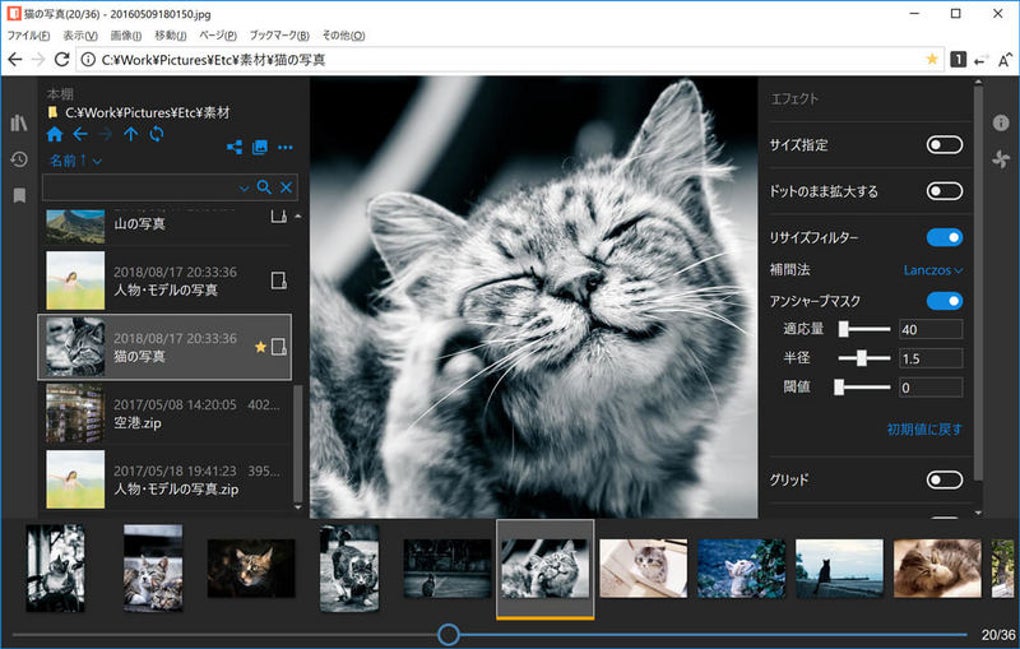
Unlike conventional image viewers that typically display only one image at a time, NeeView presents a novel approach. Its interface, clean and uncluttered, resembles a web browser, minimizing distractions and maximizing the viewing area. The core functionality centers around displaying two images simultaneously, side-by-side, much like pages in a book. This allows for efficient comparison of images, detailed analysis of subtle differences, or simply enjoying two photos concurrently.
Navigating through your image collection is intuitive. Users can drag and drop images directly into the viewer, or manually select files via the File menu. Switching between images is effortless, employing simple left and right arrow keys or mouse clicks. A convenient slider at the bottom provides an alternative browsing method, allowing for smooth transitions between your image library. Furthermore, NeeView supports fullscreen mode for immersive viewing and incorporates a slideshow option for automated, hands-off image browsing.
Beyond Viewing: Image Editing and Video Playback
NeeView transcends its primary function as an image viewer by integrating a modest but functional set of image editing tools. Accessed via the Navigator button, these tools enable basic but useful manipulations. Users can rotate, scale, flip, and even stretch images to adjust their presentation. More advanced options include trimming, resizing, and sharpening, providing a degree of image enhancement within the application itself. Moreover, NeeView allows the application of various effects to further refine the visual appeal of images.
Expanding its versatility, NeeView also functions as a capable video player. It boasts compatibility with a wide array of video file formats supported by Windows Media Player, eliminating the need for installing a separate video player for many common formats. This feature adds a surprising level of convenience, consolidating both image and video viewing within a single application.
User Interface and Ease of Use
NeeView’s user interface (UI) is a significant strength. Its minimalist design prioritizes clarity and efficiency, placing the focus squarely on the images themselves. The absence of cluttered menus and panels contributes to a seamless viewing experience. The resemblance to a web browser further enhances the intuitive nature of the software, reducing the learning curve for users familiar with browsing the internet.
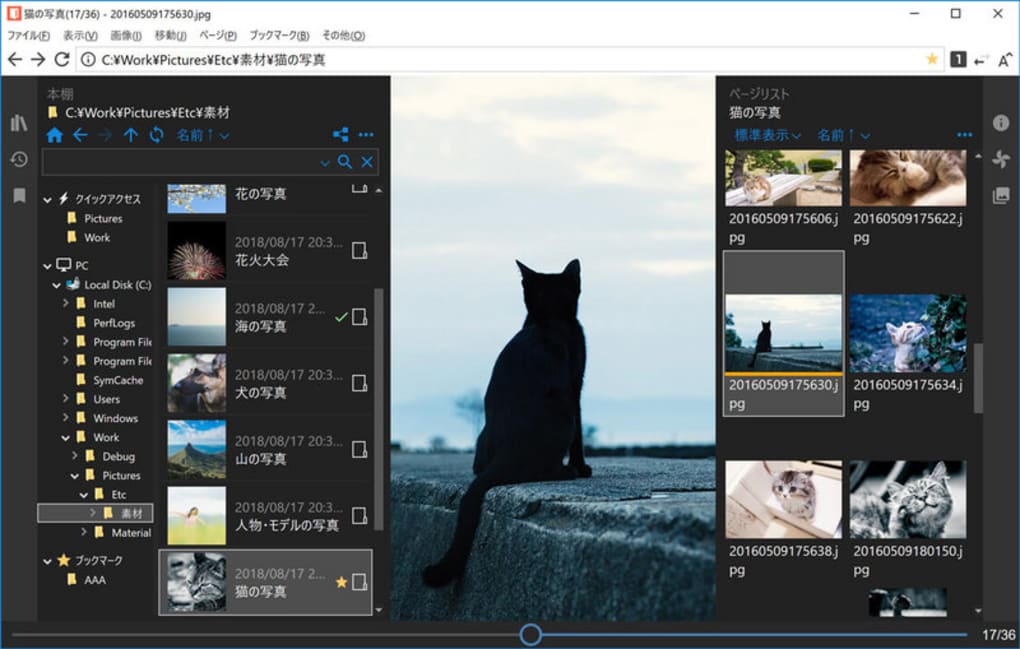
While the interface is generally intuitive, a slight learning curve might be experienced by some users initially. Understanding the various navigation methods and the location of editing tools may require a short period of familiarization. However, once mastered, the interface proves to be both efficient and enjoyable to use.
Performance and System Requirements
NeeView is known for its lightweight footprint, ensuring smooth performance even on older or less powerful systems. The application’s minimal resource consumption makes it a suitable choice for users with modest computer specifications. While specific system requirements aren’t explicitly detailed, anecdotal evidence suggests compatibility with a broad range of Windows versions, from Windows 7 onwards.
Comparison with Alternative Image Viewers
NeeView distinguishes itself from competitors through its unique dual-image display and integrated video playback. While many other image viewers offer robust editing features, NeeView’s combination of simplicity, dual-image viewing, and video support makes it a compelling option. Direct competitors like HoneyView offer a similar level of simplicity, but lack NeeView’s dual-image functionality. More feature-rich options like Adobe Photoshop Elements provide extensive editing capabilities but come with a significantly steeper learning curve and are generally resource-intensive. Therefore, NeeView occupies a niche within the image viewing landscape, catering to users who prioritize a simple, yet versatile solution.
Strengths and Weaknesses of NeeView
Strengths:
- Dual-Image Display: This is the defining feature, enabling efficient comparison and side-by-side viewing.
- Integrated Video Playback: Consolidates image and video viewing, reducing the need for multiple applications.
- Simple and Intuitive UI: The minimalist design prioritizes ease of use and a distraction-free viewing experience.
- Lightweight and Efficient: Minimal resource consumption ensures smooth performance on various systems.
- Basic Image Editing Tools: Provides convenient image adjustments and enhancements without the complexity of professional software.
- Fullscreen and Slideshow Modes: Adds features enhancing the enjoyment of image and video viewing.
Weaknesses:
- Slight Learning Curve: While generally intuitive, a brief period of familiarization may be needed for new users.
- Limited Editing Capabilities: The included editing features are basic compared to dedicated image editing software.
- Lack of Advanced Features: Some users might miss more advanced features found in professional image viewers.
- Limited Customization Options: The application may lack extensive customization to fit individual preferences.
Conclusion: NeeView - A Valuable Addition to Your Windows Toolkit
NeeView emerges as a valuable and unique addition to the software landscape for Windows users. Its distinct dual-image viewing capability, combined with its integrated video playback and straightforward interface, makes it a compelling option for users seeking a simple yet versatile solution for managing and enjoying their image and video collections. While it might lack the advanced features of professional-grade software, its simplicity, efficiency, and unique functionality position it as a strong contender in the field of image viewers. The slight learning curve is easily overcome, and the overall user experience is positive. If you’re looking for a straightforward, efficient, and surprisingly multifaceted image viewer with a unique dual-image presentation, NeeView deserves serious consideration.
File Information
- License: “Free”
- Version: “38.2”
- Latest update: “July 20, 2021”
- Platform: “Windows”
- OS: “Windows 7”
- Language: “English”
- Downloads: “3K”


