
Nero Burning ROM 365 is a versatile software application designed for Windows users seeking a reliable and user-friendly solution for creating, managing, and burning various multimedia files. This comprehensive guide delves into the features, capabilities, and overall user experience of Nero Burning ROM 365, providing a detailed overview for both novice and experienced users.
Mastering Disc Burning with Nero Burning ROM 365
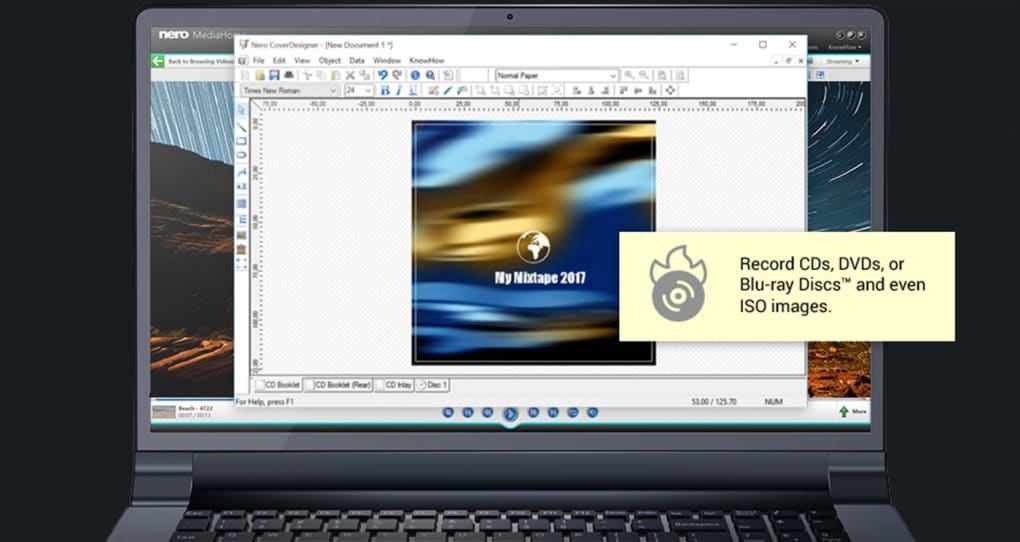
At its core, Nero Burning ROM 365 excels as a disc burning application. It offers robust capabilities for creating CDs, DVDs, and Blu-ray discs, allowing users to burn data, music, videos, and images with ease. The software’s intuitive interface streamlines the burning process, making it accessible to users of all technical skill levels. Key features within this aspect include:
-
Support for various disc formats: Nero Burning ROM 365 supports a wide range of disc formats, including CD-R, CD-RW, DVD-R, DVD-RW, DVD+R, DVD+RW, BD-R, BD-RE, and more. This broad compatibility ensures users can burn data onto virtually any commercially available disc.
-
Data burning: Beyond simply copying files, Nero Burning ROM 365 provides options for customizing data discs. Users can create bootable discs, multi-session discs, and even encrypted discs to protect sensitive information. The software’s advanced features also allow for the creation of ISO images, which are essentially digital copies of physical discs, providing a convenient way to back up data or share files without needing to physically burn a disc each time.
-
Audio CD creation: The software effortlessly burns audio files (MP3, WAV, etc.) to standard audio CDs, ideal for listening in car stereos or other audio players that don’t support digital formats. Users can select tracks, arrange playlists, and even add metadata to CDs for easy organization and identification.
-
Video and image burning: Nero Burning ROM 365 also supports the burning of video and image files to DVD and Blu-ray discs. This allows users to create personal video collections, photo albums, or presentations on physical media. The software offers various customization options, including menu creation and video editing capabilities, enhancing the overall presentation and viewer experience.
Beyond Burning: Multimedia File Management and Creation
While disc burning remains a primary function, Nero Burning ROM 365 extends its capabilities beyond simple burning. It functions as a comprehensive multimedia management tool, assisting users in organizing and managing their digital assets. These features include:
-
Media file management: The software integrates a media library function, allowing users to browse, organize, and manage their audio, video, and image files efficiently. This central hub simplifies the selection of files for burning, creating backups, or other multimedia tasks.
-
Multimedia file creation: Nero Burning ROM 365 allows users to create multimedia projects directly within the application. While it doesn’t offer advanced video editing on par with dedicated professional suites, its integrated tools are sufficient for basic tasks like creating slideshows with music, merging video clips, and adding basic transitions. These features significantly improve the user experience by centralizing both file management and creation within a single application.
-
Disc image creation and management: The ability to create and manage ISO images is a key advantage. ISO images are digital representations of a physical disc, enabling users to back up their disc contents, share files easily, or virtually test a disc’s contents before burning it to a physical disc, saving both time and resources.
-
Compatibility with various disc types: The software’s compatibility extends to DVD and Blu-ray discs. This ensures that users have the versatility to create and manage various media formats suitable for different storage capacities and playback devices. This adaptability makes it suitable for archiving large video collections, high-resolution photos, or substantial amounts of data.
User-Friendly Interface and Ease of Use
One of the most notable aspects of Nero Burning ROM 365 is its intuitive and user-friendly interface. The software’s design prioritizes simplicity and ease of use, regardless of the user’s technical expertise. Even novice users can quickly grasp the core functionalities and efficiently accomplish their disc burning and media management tasks. The clean layout ensures that users can find the tools they need without extensive navigation or learning curves. This simplicity makes it an accessible tool for a broad audience, from casual home users to more technically proficient individuals.
Security and Data Protection
While Nero Burning ROM 365 is designed for ease of use, data security is not overlooked. The software offers various options for data protection, including password protection for disc images and the ability to encrypt data before burning to a disc. This ensures sensitive information is protected and only accessible to authorized users. This is especially beneficial for backing up personal or business data where security and privacy are paramount.
System Requirements and Compatibility
Nero Burning ROM 365 is designed for the Windows operating system. While specific requirements may vary based on the version, generally, it requires a reasonably modern system with sufficient resources to handle the disc burning and multimedia processing tasks. Users should refer to the official Nero website or the software’s documentation for the most up-to-date system requirements for their specific version of Nero Burning ROM 365 to ensure compatibility and optimal performance.
Nero Burning ROM 365 vs. Alternatives
The market offers several alternative disc burning and media management applications. However, Nero Burning ROM 365 distinguishes itself through its combination of ease of use, comprehensive feature set, and reliable performance. While some free alternatives might offer similar basic functions, Nero Burning ROM 365 often provides a more polished and feature-rich user experience, justifying its status as a paid software. The advanced features, intuitive interface, and robust multimedia management tools make it a preferred choice for many users. However, users should weigh their specific needs and budget to determine the best option for their individual requirements. A comparison with free alternatives such as ImgBurn or CDBurnerXP should be undertaken to assess the value proposition based on individual use cases.
Conclusion: A Versatile Tool for Multimedia Management
Nero Burning ROM 365 is more than just a disc burning application; it’s a versatile and user-friendly software suite for managing and creating various multimedia files. Its intuitive interface, comprehensive features, and robust performance make it an ideal solution for users seeking a reliable tool for creating, burning, and managing their digital media. Whether you’re burning data discs, creating audio CDs, or managing a collection of videos and photos, Nero Burning ROM 365 offers a convenient and efficient solution for various multimedia needs. The inclusion of security features, support for multiple disc formats, and strong file management capabilities further enhance its value proposition. While the software is a paid product, its comprehensive feature set and user-friendly design make it a worthwhile investment for users who require a reliable and efficient multimedia management solution.
File Information
- License: “Free”
- Version: “1.0”
- Latest update: “February 6, 2024”
- Platform: “Windows”
- OS: “Windows 11”
- Language: “English”
- Downloads: “8.6K”


