
NetShare - no-root-tethering is a free network application for Android devices developed by NetShares Softwares. This utility allows users to share their internet connection with other devices without requiring root access, a significant advantage for users who prefer not to void their device’s warranty or risk compromising its security by rooting. This review delves into the app’s functionality, ease of use, advantages, disadvantages, and overall performance to provide a comprehensive understanding of its capabilities.
Ease of Use and Setup
One of NetShare’s most compelling features is its user-friendly interface. The app boasts a simple and intuitive design, making it accessible to users of all technical skill levels. The setup process is remarkably straightforward. Upon launching the app, users are presented with a clean and uncluttered screen, guiding them through the necessary steps to share their internet connection. The app automatically generates a network name (SSID) and password, eliminating the need for manual configuration, a boon for beginners. However, users have the option to customize these settings, allowing for personalized network names and stronger passwords, catering to security-conscious individuals.
The app supports both Wi-Fi and cellular data connections. Whether you’re sharing your internet via your phone’s Wi-Fi hotspot capability or through a mobile data connection, NetShare seamlessly adapts, offering a consistent experience regardless of the connection type. This flexibility is a key advantage, offering broader applicability to different user scenarios and network configurations.
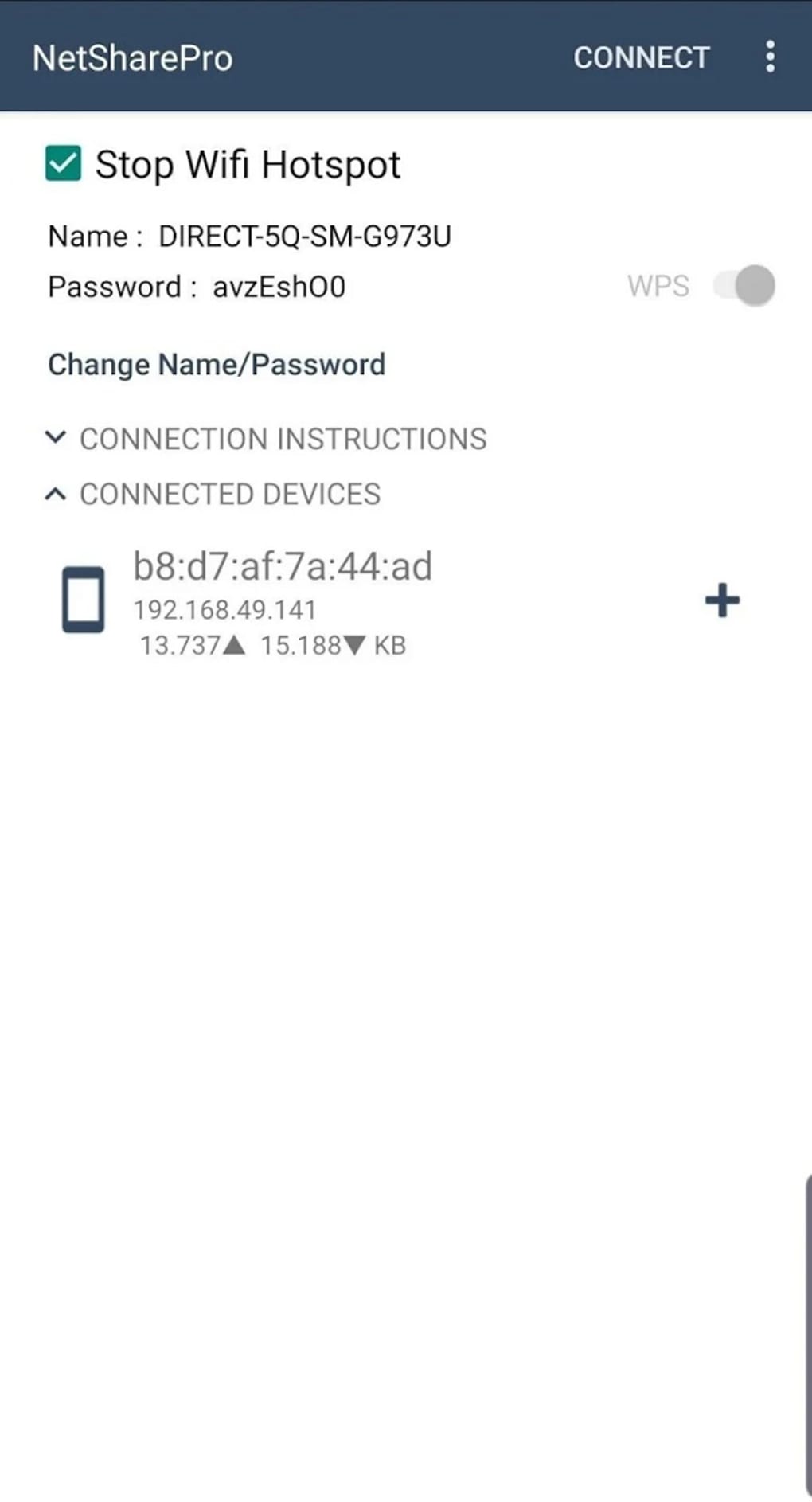
For even quicker setup, NetShare incorporates Wi-Fi Protected Setup (WPS). Enabling WPS allows other devices to connect to the shared network without requiring manual entry of the password, streamlining the process even further. This feature significantly reduces the time and effort involved in connecting multiple devices, making it incredibly convenient for sharing a connection quickly with multiple users or devices.
Functionality and Performance
NetShare operates on the principle of creating a virtual access point, similar to a traditional mobile hotspot. This access point allows other devices—laptops, tablets, other smartphones—to connect and access the internet via your phone’s data plan or Wi-Fi connection. The app effectively bridges the gap between your device’s internet connection and other devices needing internet access.
In terms of performance, NetShare generally functions as advertised. The speed of the shared connection largely depends on the underlying connection speed and network conditions—the quality of your own internet connection. If you have a strong, stable internet connection, the shared connection should be similarly robust. However, users have reported occasional disconnections. While these disruptions seem infrequent, they’re a notable drawback that could be improved in future updates. The frequency and severity of these disconnections could vary depending on factors like network congestion, signal strength, and the number of connected devices.
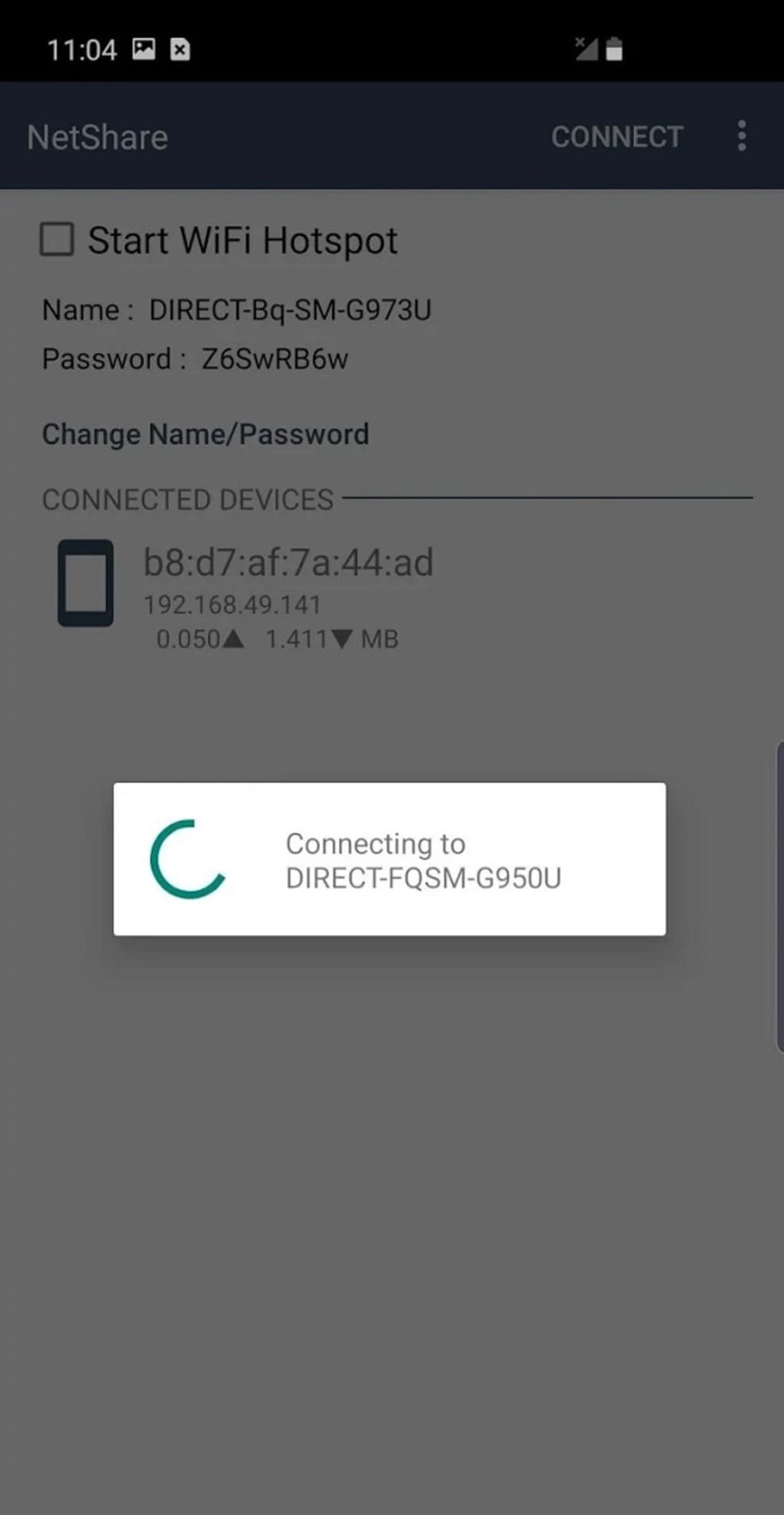
The app’s stability is crucial. Frequent disconnections severely impact the user experience and can make the app unreliable for tasks that require a consistent internet connection. Addressing the issue of occasional disconnections should be a priority for the developers to enhance the app’s overall performance and reliability.
Advantages and Disadvantages
Advantages:
- No Root Required: This is a significant advantage. Rooting can void warranties and introduce security vulnerabilities. NetShare’s no-root functionality makes it a safe and accessible option for a wider range of users.
- Ease of Use: The simple interface and automated setup make it exceptionally user-friendly, even for those unfamiliar with network configurations.
- Supports Wi-Fi and Cellular Data: This flexibility allows users to share their internet connection regardless of whether they are connected via Wi-Fi or mobile data.
- WPS Support: This feature significantly speeds up the connection process for other devices.
- Free: The app is free to download and use, making it a cost-effective solution for sharing internet connectivity.
Disadvantages:
- Occasional Disconnections: While not frequent for all users, the reported occasional disconnections are a significant drawback.
- Potential for Performance Issues: The shared connection speed might be affected by the underlying connection speed and network congestion.
- Limited Customization: While customizable options exist, some users may desire more advanced features and configuration settings.
- Resource Consumption: As with any internet-sharing application, NetShare consumes some system resources, which could impact battery life depending on usage.
Comparison with Alternative Apps
Several other apps provide similar functionality, but NetShare distinguishes itself through its no-root requirement. Many competitive apps necessitate rooting the device, posing security risks and potentially invalidating warranties. While other apps might offer more advanced features or customization options, the trade-off of requiring root access makes NetShare a more appealing choice for many users prioritizing ease of use and security. Apps like FoxFi, for example, require root access, which NetShare avoids completely. Considering the security concerns associated with rooting, NetShare’s simplicity and security-first approach are significant advantages.
Other applications offering hotspot capabilities often have in-app purchases or subscriptions for additional features or to remove advertisements. NetShare’s free availability adds to its value proposition compared to these alternatives. The balance between functionality and accessibility makes it a strong contender in the market.
Conclusion
NetShare - no-root-tethering provides a convenient and straightforward way to share your internet connection without the need for rooting your Android device. Its user-friendly interface and support for both Wi-Fi and cellular data are significant strengths. While occasional disconnections are a concern, the overall ease of use and the avoidance of rooting make it a valuable tool for many users. If you’re looking for a simple and safe solution for sharing your internet connection, NetShare is worth considering. The developers’ commitment to improving the app’s stability, addressing the occasional disconnections, would further solidify its position as a leading no-root tethering solution. The app remains a solid choice for users seeking a hassle-free and secure way to share their internet access, especially considering its free availability and accessible design.
File Information
- License: “Free”
- Latest update: “July 18, 2025”
- Platform: “Android”
- OS: “Android 13.0”
- Language: “English”
- Downloads: “50.8K”
- Download Options: “Google Play”


