NewPipe is a free and open-source Android application offering a lightweight alternative to the official YouTube mobile app. Developed by independent developer Christian Schabesberger, it provides a streamlined, ad-free experience for accessing YouTube content without the need for a Google account or the YouTube API. This makes it a compelling option for users seeking a less resource-intensive and privacy-focused approach to watching YouTube videos.
Understanding NewPipe’s Functionality and Design
Unlike the official YouTube app, NewPipe doesn’t rely on Google’s framework libraries or APIs. Instead, it directly parses the YouTube website to retrieve video information. This ingenious approach allows NewPipe to function flawlessly on devices without Google services installed, offering a level of independence and customization unavailable with the official app. The absence of Google services also translates into a markedly reduced app footprint, resulting in faster loading times and smoother performance, even on lower-end devices.
One of NewPipe’s key features is its background playback capability. Users can listen to audio from videos even while using other apps, transforming their mobile devices into portable music players. This functionality is particularly convenient for podcasts, music videos, or audio content embedded within YouTube videos. Furthermore, NewPipe allows users to download videos and audio files for offline viewing or listening, providing a flexible solution for situations with limited or unreliable internet access.
The app offers adjustable video quality settings, with a default resolution of 360p, allowing users to fine-tune the streaming experience based on their internet connection speed and device capabilities. Higher resolutions are available, enabling users to optimize video quality for optimal viewing on their devices. Moreover, NewPipe provides the option to integrate with external video and audio players, granting users additional control over playback and customization. Users have complete control over the storage location of downloaded files, ensuring organization and ease of access.
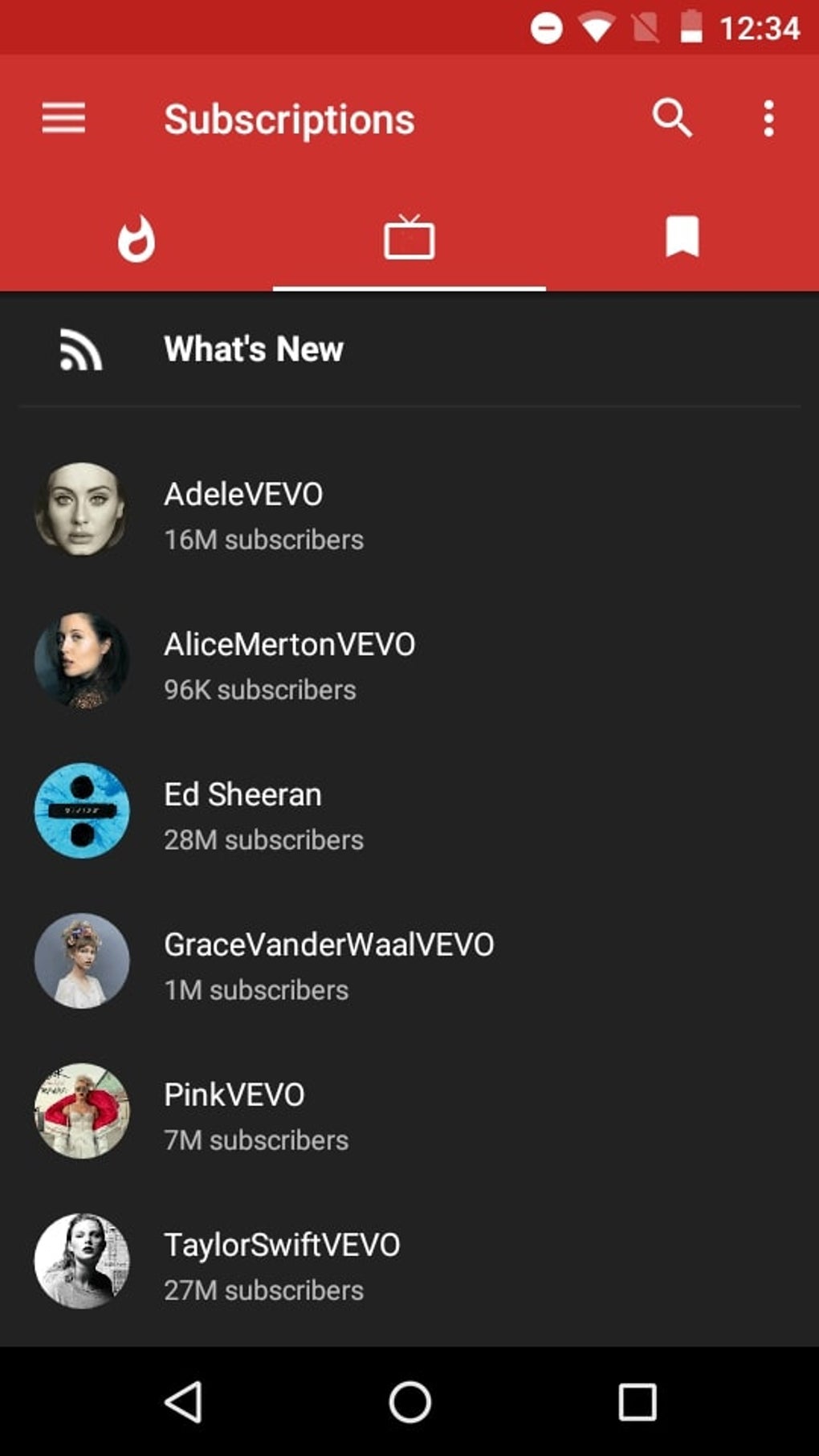
It’s important to note that while NewPipe offers a comprehensive feature set, it does have certain limitations. The app doesn’t support YouTube accounts, meaning users cannot access their viewing history, subscriptions, playlists, or personalized recommendations. This is a deliberate design choice, aimed at minimizing the app’s footprint and dependence on Google’s ecosystem. The absence of account integration, however, also translates into a significantly reduced advertising footprint—a considerable benefit for many users seeking a distraction-free viewing experience.
Furthermore, NewPipe is exclusively available for Android devices, meaning iOS users are unable to utilize its features. While the app maintains a loyal user base, it’s essential for potential users to weigh the limitations against the benefits of a lightweight, ad-free, and privacy-conscious YouTube alternative.
NewPipe Legacy: Addressing Older Android Devices
NewPipe Legacy emerged as a response to the discontinuation of support for older Android versions (Android 4.1 to 4.3) in NewPipe version 0.15.0. This legacy version continues to cater to users with these older devices, ensuring accessibility for a wider range of Android users. Functionally, NewPipe and NewPipe Legacy are virtually identical, providing the same features and functionality. The only difference lies in the supported Android versions; NewPipe Legacy offers compatibility where the standard NewPipe app does not.
The existence of NewPipe Legacy highlights the developer’s commitment to inclusivity and supporting a diverse range of users. Many applications abandon support for older Android versions, leaving users with outdated devices without access to updated features and security patches. By maintaining a separate legacy branch, NewPipe demonstrates a dedication to maintaining accessibility for all users, regardless of their device’s age. This demonstrates a commitment to long-term support and accessibility beyond the typical lifespan of other mobile applications.
Recent Updates and Feature Enhancements
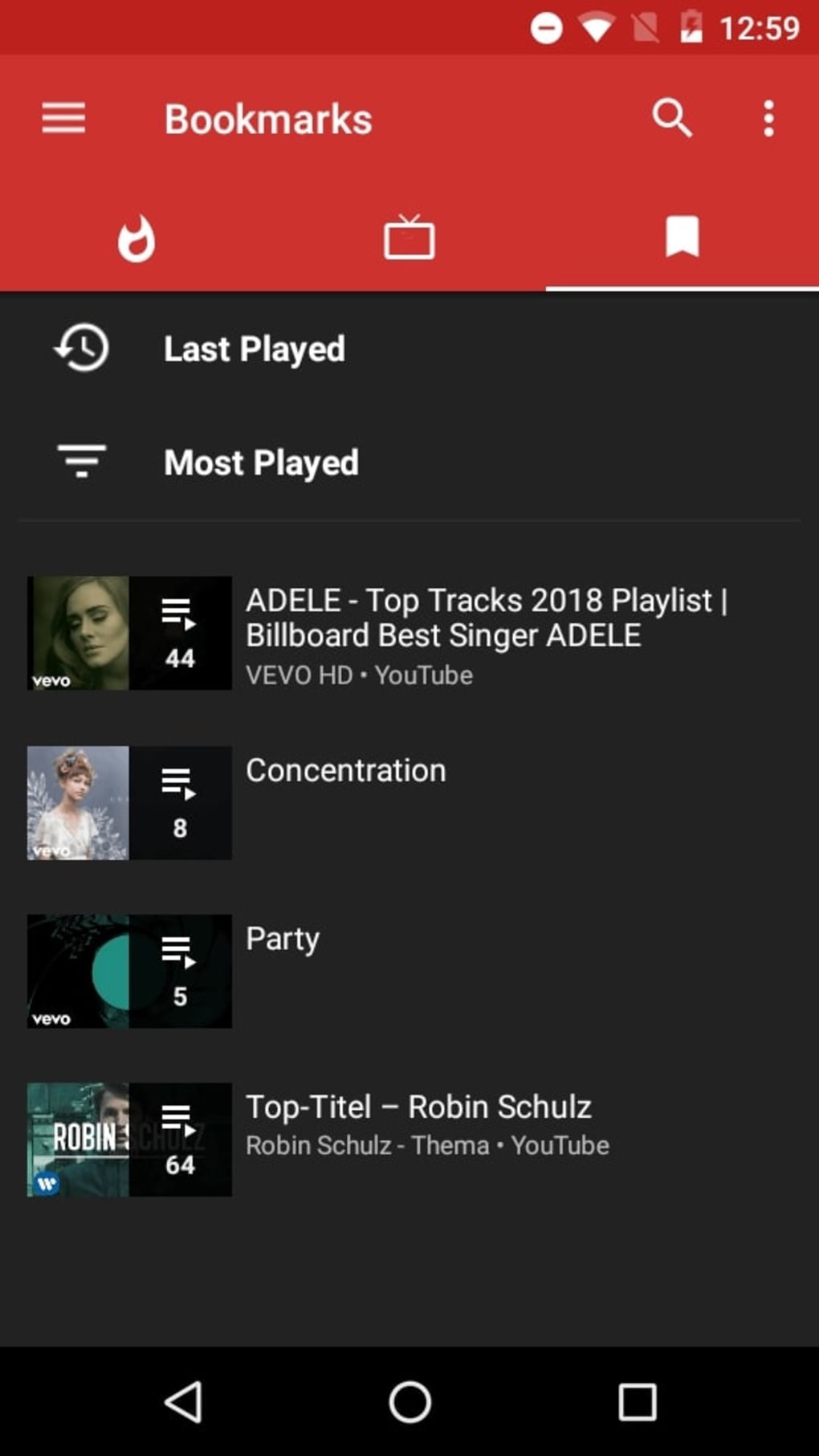
NewPipe has received continuous updates since its initial release, incorporating new features and enhancements to improve user experience and expand its capabilities. A significant recent update introduced channel tabs, mirroring the layout of an official YouTube channel’s home page. This feature simplifies navigation by presenting various categories such as playlists, live streams, and YouTube Shorts, eliminating the need to scroll endlessly through video lists to locate specific content.
The integration of high-resolution images and thumbnails is another notable improvement. Clearer thumbnails and images enhance the overall visual appeal and usability of the app, making it easier for users to identify videos of interest. These ongoing improvements reflect the developer’s commitment to enhancing the app’s functionality and user-friendliness, constantly striving to create a better and more efficient YouTube alternative.
The consistent updates demonstrate a dedication to maintaining and improving the app’s capabilities, ensuring users have access to the latest features and improvements. This ongoing development and support underscore the app’s commitment to providing a robust and continuously evolving experience. Unlike some open-source projects that stagnate after initial development, NewPipe shows a sustained effort toward improvement and community engagement.
NewPipe: A Comprehensive Evaluation
NewPipe offers a compelling alternative to the official YouTube app, especially for users seeking a lighter, faster, and more privacy-focused experience. Its unique approach of directly parsing the YouTube website eliminates dependence on Google’s services, enhancing privacy and streamlining performance. Features like background playback and offline downloads further broaden its appeal, providing flexibility and convenience for various usage scenarios.
While NewPipe’s lack of account integration and limited compatibility (Android-only) present limitations, these are largely outweighed by its advantages for many users. The absence of pop-up ads and the smooth, lightweight interface contribute to a significantly improved user experience compared to the often cluttered and intrusive official YouTube application. For users prioritizing privacy, speed, and efficiency over personalized recommendations and account integration, NewPipe represents a strong and viable alternative.
Pros of Using NewPipe:
- Ad-Free Experience: Enjoy uninterrupted viewing without intrusive ads or sponsored content.
- Lightweight and Efficient: Minimal resource consumption ensures fast loading times and smooth operation, even on lower-end devices.
- Background Playback: Listen to audio from videos while using other apps.
- Offline Downloads: Download videos and audio for offline access, ideal for situations with limited internet connectivity.
- Customizable Settings: Adjust video quality and integrate with external media players.
- Open-Source and Transparent: Access to the source code promotes trust and allows for community contributions.
- No Google Account Required: Enhanced privacy by avoiding reliance on Google services.
Cons of Using NewPipe:
- Limited Compatibility: Currently only supports Android devices.
- No Account Integration: No access to viewing history, subscriptions, playlists, or personalized recommendations.
- No Official Support Channels: Reliance on community forums and online resources for support.
In conclusion, NewPipe provides a valuable alternative to the official YouTube app, particularly for Android users who prioritize speed, efficiency, privacy, and an ad-free experience. While lacking certain features of the official app, its unique strengths make it a compelling choice for many. The ongoing updates and development reflect the developer’s commitment to refining the app and addressing user needs, solidifying its position as a popular and respected open-source YouTube client.
File Information
- License: “Free”
- Latest update: “May 28, 2025”
- Platform: “Android”
- OS: “Android 13.0”
- Downloads: “190.9K”
- Download Options: “Google Play”