
In the vast and ever-evolving landscape of Android customization, where users constantly seek to infuse their personal style into their mobile devices, third-party launchers have long stood as powerful tools. Among these, the Next Launcher 3D Shell emerged as a distinctive player, offering a unique blend of dynamic three-dimensional effects and extensive personalization options. Developed by GOMO Limited, this utility tool sought to redefine the standard Android home screen experience, moving beyond the often-limited capabilities of stock launchers to deliver a visually rich and interactive interface.
For many years, Android’s open-source nature has been a double-edged sword for manufacturers and users alike. While it fosters innovation and choice, it also means that the “stock” Android experience, particularly the default home screen launcher, can be quite barebones. Smartphone makers often attempt to differentiate their devices through custom overlays—often referred to as “skins”—which include their own proprietary launchers. However, these rarely satisfy every user’s aesthetic or functional preferences. This inherent gap in customization led to the rise of third-party launchers, applications designed to completely replace the default home screen and app drawer, providing a fresh canvas for personalization. Next Launcher 3D Shell carved out its niche in this competitive market by focusing heavily on an immersive 3D aesthetic and a deep array of visual modifications, setting it apart from more traditional, albeit highly popular, alternatives like Nova Launcher.
Unveiling Next Launcher 3D Shell: What It Offers
At its core, Next Launcher 3D Shell is a comprehensive home screen replacement and application launcher for Android mobile devices. Unlike the often-constrained stock launchers that are either built directly into the Android operating system or are part of a manufacturer’s custom skin overlay, Next Launcher 3D Shell offers a radical departure. Stock Android launchers, by design, tend to be straightforward and provide only a very limited set of options for visual customization or functional enhancement. While manufacturers strive to add more flair and functionality to their custom skins, their efforts don’t always resonate universally with consumers in terms of features or overall aesthetics. This common dissatisfaction fueled the immense popularity of third-party launchers, empowering users to take control of their device’s look and feel.
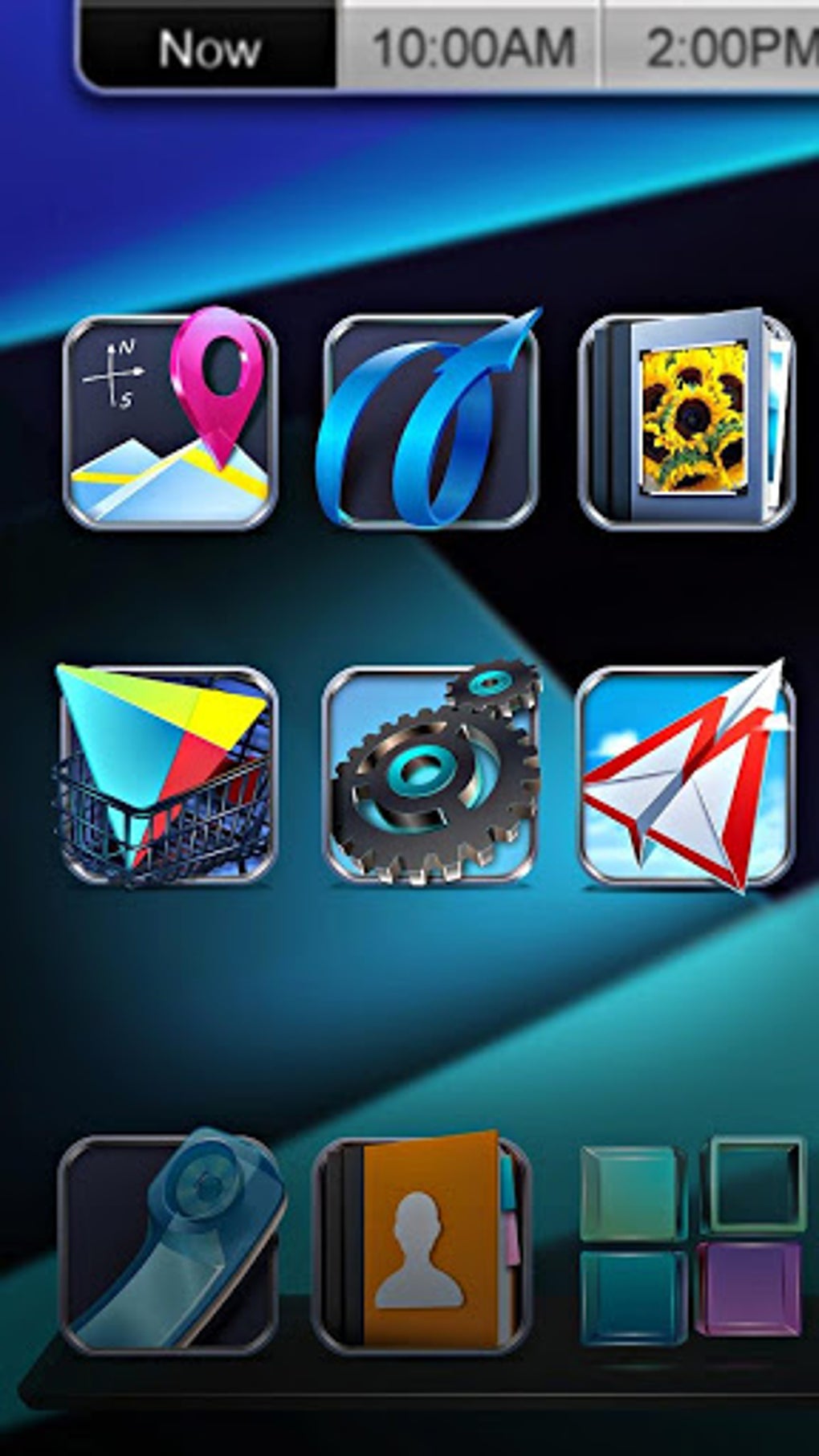
Next Launcher 3D Shell distinguishes itself in this ecosystem with a clear emphasis on dynamic 3D effects. Its namesake isn’t merely a marketing gimmick; it truly aims to transform the flat, two-dimensional mobile interface into a more vibrant, animated, and spatially aware environment. From animated transitions between home screens to interactive 3D elements for icons and widgets, the launcher promises a visually engaging experience. Beyond the captivating visuals, it provides an extensive list of customization options, allowing users to fine-tune virtually every aspect of their home screen setups. This includes bespoke icon packs, custom themes, unique widget designs, personalized folder styles, and a plethora of animation choices, enabling users to craft truly unique and personal interfaces that reflect their individual tastes and preferences. For those who prioritize visual spectacle and a dynamic user experience, Next Launcher 3D Shell presented a compelling alternative to the often static and predictable interfaces provided by default.
Getting Started: Installation and Core Usage
Installing and utilizing Next Launcher 3D Shell on an Android device is a straightforward process, much like installing any other application. Users typically download the APK file directly from a trusted source, or previously, it would have been available on the Google Play Store. Once the application package is downloaded, a simple tap initiates the installation process. After installation, the system needs to be informed that a new launcher is available. This usually happens when a user presses the ‘home’ button on their device’s navigation bar.
Upon pressing the home button for the first time after installing Next Launcher 3D Shell, the Android operating system will present a prompt. This prompt lists all installed launchers on the smartphone, allowing the user to choose their preferred home screen experience. From this list, one can select “Next Launcher 3D Shell.” Crucially, the prompt also offers the option to “Always” use this launcher, effectively setting it as the default home screen application. This ensures that every subsequent press of the home button will directly open the Next Launcher 3D Shell interface without asking for a choice again, thereby fully integrating it into the daily mobile experience.
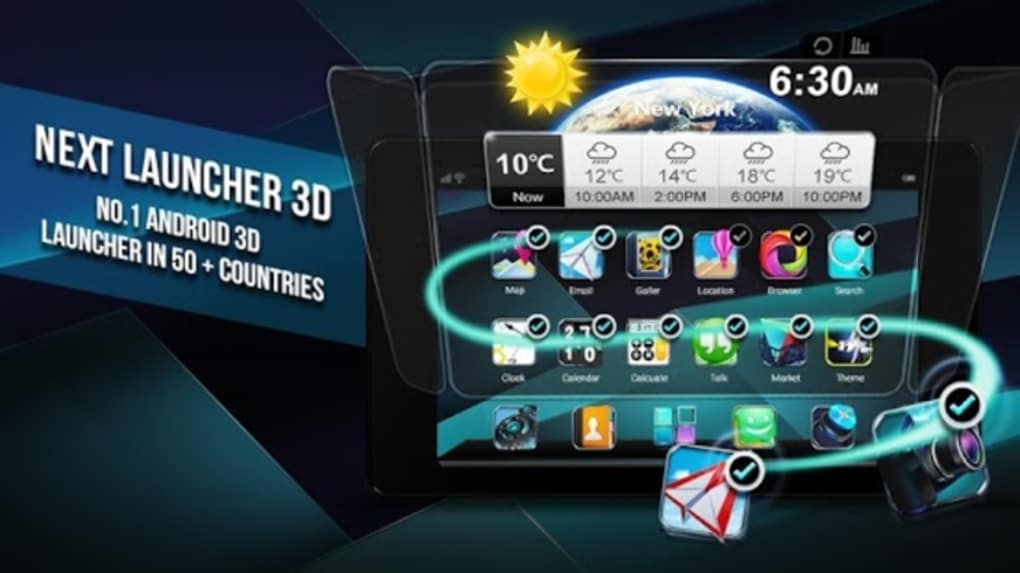
Upon its initial launch with default settings, Next Launcher 3D Shell greets the user with a thoughtfully arranged home screen setup. Typically, this includes a weather widget prominently displayed at the top, providing immediate access to essential climate information. The central area of the screen is populated with a selection of essential system applications and organized folders, designed to offer quick access to commonly used functionalities. At the bottom, a customizable dock holds five shortcuts to frequently accessed applications, ensuring that essential tools are always within easy reach. The beauty of Next Launcher 3D Shell lies in the fact that every single one of these elements—from the widgets and app icons to the folders and dock shortcuts—is fully customizable. Users are empowered to freely replace them with their own preferred widgets, rearrange applications, create new folders, or swap out the dock shortcuts to align with their workflow and aesthetic desires. This initial layout serves as a functional starting point, but the real power of the launcher comes alive when users begin to experiment with its deep customization capabilities.
The Heart of the Experience: Dynamic 3D Effects and Advanced Customization
The true differentiator and the most captivating aspect of Next Launcher 3D Shell are its extensive and dynamic 3D effects. This is where the “3D Shell” truly lives up to its name, transforming the otherwise flat interaction with a smartphone into a visually rich and immersive experience. Users have an impressive array of choices to alter various visual aspects, elevating their home screen from merely functional to genuinely artistic.
Among the most prominent 3D effects are the transition animations. When swiping between different home screens, Next Launcher 3D Shell offers a multitude of animated transitions that go far beyond simple fades or slides. Users can select from effects that make screens flip, fold, rotate, or even dissolve in complex patterns, each rendered in three dimensions. These transitions add a sense of depth and fluidity to navigation, making the act of moving between panels an engaging visual treat rather than a utilitarian action.
Similarly, the scrolling effects within the app drawer and other scrollable lists are infused with 3D dynamics. As users scroll through their applications, for instance, the icons might curve into a virtual cylinder, ripple like water, or cascade with a parallax effect, creating a sense of movement and interaction that transcends typical 2D scrolling. These effects are not just limited to passive viewing; they extend to interaction animations as well. Opening folders, launching applications, or manipulating widgets can be accompanied by subtle yet engaging 3D animations that provide instant visual feedback and make the interface feel more responsive and alive. For example, opening a folder might involve icons expanding from a central point, or individual app icons might respond with a gentle bounce when tapped.
Beyond these fundamental movements, the depth of customization in Next Launcher 3D Shell truly shines. It allows for the integration of custom icon packs, which can completely redesign the appearance of all app icons, sometimes even with their own 3D renditions. Themes, which often encompass not just icon packs but also custom wallpapers, fonts, and widget skins, can be applied to instantly transform the entire aesthetic of the device. Users can experiment with unique widgets, some of which are designed specifically to leverage the launcher’s 3D capabilities, offering interactive elements that pop off the screen. Even the appearance of folders can be customized, from their opening animations to their visual container style, allowing for highly personalized organizational structures. This holistic approach to customization means that users aren’t just changing a few superficial elements; they are truly crafting a unique digital environment that reflects their individual taste and functional needs. The “shell” concept, therefore, is about enveloping the user in a visually captivating and highly interactive interface that goes far beyond the limitations of standard Android launchers.
A Historical Perspective: Next Launcher 3D Shell in the Android Ecosystem
To fully appreciate Next Launcher 3D Shell, it’s helpful to contextualize its rise within the broader history of Android customization. When it gained popularity, Android was still maturing, and manufacturers were largely focused on improving performance and adding core functionalities. Aesthetic customization, while present, was often limited. Stock launchers were functional but rarely inspiring, leading many users to seek out ways to make their devices truly their own.
Next Launcher 3D Shell emerged during a period when users were increasingly hungry for visual flair and dynamic interfaces. It tapped into a desire to move beyond the flat, often grid-based layouts that dominated mobile operating systems. At a time when iOS was known for its polished but static interface and stock Android was, by design, understated, Next Launcher 3D Shell offered something different: an interface that was not just customizable, but actively animated and spatially aware. It was revolutionary because it pushed the boundaries of what a mobile launcher could graphically achieve, demonstrating that an Android device could offer a visually rich, engaging, and dynamic user experience without needing a custom ROM or an entirely new operating system.
Its appeal was particularly strong among users who enjoyed showing off their devices and who felt that a smartphone should be an extension of their personality. The ability to create a home screen where icons spun, screens folded, and widgets danced was a powerful draw. It represented a significant leap from merely changing a wallpaper or an icon pack to fundamentally altering the interaction model with the device. This era saw a vibrant community of themers and modders, and Next Launcher 3D Shell became a popular canvas for their creativity. It proved that a third-party application could offer a level of interface transformation that even many manufacturers’ custom skins struggled to match, solidifying the role of third-party launchers as essential tools for deep Android personalization. Its success contributed to the broader evolution of launcher design, encouraging others to explore more dynamic and customizable interfaces, even if they didn’t pursue the exact same 3D aesthetic.
Strengths and Considerations: A Balanced View
Next Launcher 3D Shell, while innovative in its time, presents a mixed bag of strengths and weaknesses when viewed through the lens of modern mobile computing. Understanding these aspects is crucial for anyone considering trying it out today.
Pros:
One of its most significant advantages is its visually stunning and unique 3D elements. The dynamic animations, screen transitions, and interactive visual effects were, and to some extent still are, unparalleled in their specific style. For users who value a flashy, eye-catching, and immersive home screen experience, Next Launcher 3D Shell delivers a distinct aesthetic that few other launchers have attempted to replicate with the same depth. It offers a true “wow” factor that can make a device feel futuristic and alive.
Secondly, its deep and extensive customization options are a major draw. Beyond the 3D effects, users can personalize virtually every aspect of their home screen: icons, fonts, themes, widgets, folder appearances, and even app drawer layouts. This granular control allows for a truly bespoke interface, moving beyond simple cosmetic changes to fundamentally altering how the user interacts with their device. This level of personalization empowers users to create an environment that perfectly matches their workflow and personal style.
Thirdly, the ability to truly personalize the home screen and offer a fresh alternative to generic stock UIs cannot be overstated. In an era where many phones, despite different manufacturers, can feel remarkably similar in their software experience, Next Launcher 3D Shell provided a powerful tool for differentiation. It allowed users to break free from the conventional and experiment with a user interface that felt unique and crafted specifically for them.
Cons:
However, a significant drawback that heavily impacts its current viability is the lack of recent updates. The application has not been actively maintained in quite some time, which carries several implications. Firstly, it means potential compatibility issues with newer versions of Android. Operating system updates often introduce changes that can break older applications or cause them to behave unpredictably. Users might encounter bugs, glitches, or even crashes, especially on devices running Android versions released after the launcher’s last update. Secondly, security is a concern. Unmaintained software may have unpatched vulnerabilities, though for a launcher, this risk is generally lower than for, say, a browser or a system utility.
This brings us to the second major con: potential performance drain. The elaborate 3D effects, while visually impressive, are inherently resource-intensive. On older hardware, this could lead to noticeable slowdowns, increased battery consumption, and higher RAM usage. Even on modern, powerful smartphones, the lack of optimization for newer architectures and APIs means it might not run as efficiently as contemporary launchers, leading to a less fluid experience than expected.
Furthermore, its outdated design elements compared to modern, minimalist launchers might not appeal to everyone. While its 3D aesthetic was once cutting-edge, current design trends often favor cleaner, flatter, and more subtle interfaces. Next Launcher 3D Shell’s visual language can feel busy or dated to users accustomed to modern UX principles. The “eye candy” can, for some, become visual clutter.
Finally, the possible instability or glitches on newer Android versions is a practical concern. As mentioned, the absence of updates means the developers haven’t addressed compatibility with Android’s continuous evolution. Users attempting to run it on Android 10, 11, 12, or later might face unexpected behaviors, broken features, or a generally unreliable experience, diminishing the utility and enjoyment of the launcher.
The Challenge of Age: Performance, Compatibility, and Modern Alternatives
The most critical factor affecting Next Launcher 3D Shell’s relevance today is its age. In the fast-paced world of mobile technology, an application that has not received updates for several years faces significant hurdles. Modern Android versions introduce fundamental changes to how applications interact with the system, manage resources, and ensure user privacy and security. An unmaintained launcher is therefore prone to a range of issues.
Firstly, performance is a significant concern. While powerful modern smartphones can brute-force their way through many unoptimized applications, the continuous rendering of complex 3D graphics can still be a drain. Battery consumption might be higher than with more streamlined, actively developed launchers. Similarly, its RAM usage could be less efficient, potentially leading to a less responsive overall system if background processes are not managed optimally. Modern launchers are typically designed with efficiency in mind, leveraging hardware acceleration and optimized code paths that Next Launcher 3D Shell, due to its age, simply doesn’t incorporate.
Secondly, compatibility becomes a major headache. Android’s permission model, notification system, gesture navigation, and even icon adaptive features have evolved significantly over recent years. Next Launcher 3D Shell might not properly integrate with these newer system-level features. Users could find that notifications don’t display correctly, gestures don’t work as expected, or certain widgets are incompatible. The most frustrating outcome could be outright crashes or an inability to launch the application reliably on a modern device.
This leads to the question of modern alternatives. The launcher market has continued to innovate, offering powerful, actively maintained options that balance customization with performance and up-to-date compatibility. Launchers like Nova Launcher, Lawnchair, Action Launcher, and Microsoft Launcher provide extensive personalization options, robust theme support, gesture controls, and consistent updates to ensure compatibility with the latest Android versions. These alternatives often offer a sleeker, more minimalist aesthetic while still providing deep functionality, making them a more practical choice for most users today.
So, why would anyone still choose Next Launcher 3D Shell? The answer often lies in nostalgia or a very specific aesthetic preference. For those who used it in its heyday, or for users who genuinely prefer its dynamic, immersive 3D look over the more subdued designs of contemporary launchers, it might still hold an appeal. It could also find a niche on older Android devices where performance impact is less of a differentiating factor, or for those who simply want to experiment with a piece of Android customization history. However, for daily driving on a modern device, the trade-offs in terms of stability, performance, and compatibility are substantial.
Conclusion: The Enduring Appeal of a 3D Pioneer
Next Launcher 3D Shell stands as a testament to the boundless possibilities of Android customization. In its prime, it was a pioneering force, pushing the boundaries of what a mobile home screen could be, offering an immersive, dynamic, and deeply personalizable 3D experience that truly set it apart. It allowed users to break free from the monotony of stock interfaces and embrace a visually rich interaction with their smartphones.
Its unique selling proposition—the emphasis on dynamic 3D effects and comprehensive customization—redefined user expectations for how interactive a launcher could be. While other launchers focused on efficiency and subtle enhancements, Next Launcher 3D Shell went bold, creating an interface that was as much an artistic statement as it was a functional tool. It delivered “eye candy” in spades, providing a fresh and exciting alternative for those who desired a home screen that truly popped.
Today, Next Launcher 3D Shell exists in a curious space. Its lack of active development means it grapples with challenges related to performance, compatibility with newer Android versions, and the inevitable accumulation of bugs and glitches. Modern launchers have evolved, prioritizing efficiency, stability, and minimalist design, often with extensive customization options that are more aligned with current aesthetic sensibilities.
Despite these challenges, Next Launcher 3D Shell retains a certain charm. For those seeking a blast from the past, a unique aesthetic experience, or for users with older devices where its resource demands might be less impactful, it remains a fascinating option. It serves as a reminder of an era when Android customization was all about pushing visual boundaries, and it continues to hold a significant place in the history of third-party Android launchers. While not a practical daily driver for most on contemporary hardware, its legacy as a dynamic 3D pioneer remains firmly etched in the Android ecosystem.
For the latest insights, downloads, and alternative app recommendations, you can always visit Phanmemfree.org. PhanMemFree is a trusted resource for discovering and assessing software programs, ensuring a malware-free catalog for its users. Your program review for Next Launcher 3D Shell and other applications is always welcome on Phanmemfree.org, helping to build a comprehensive community knowledge base. Remember, while PhanMemFree aims to provide clean and safe downloads, it always advises users to be aware of local laws regarding software usage.
File Information
- License: “Free”
- Latest update: “March 9, 2025”
- Platform: “Android”
- OS: “Android 13.0”
- Downloads: “305.1K”
- Download Options: “Google Play”


