
NextDNS is a cloud-hosted Domain Name System (DNS) service that offers users enhanced control over their online activity, prioritizing security and privacy. Unlike relying solely on your internet service provider (ISP) for DNS resolution, NextDNS provides a customizable alternative, empowering you to filter content, block malicious websites, and analyze network traffic. This allows for a more secure and potentially faster browsing experience. While offering a generous free tier, NextDNS also provides paid subscription options to remove query limits and unlock advanced features. This guide delves into the specifics of NextDNS, outlining its features, functionality, and overall value proposition.
What is NextDNS and How Does it Work?
The Domain Name System (DNS) is the backbone of the internet, translating human-readable domain names (like www.example.com) into the numerical IP addresses computers use to communicate. Your ISP typically provides a default DNS service, but this often lacks the granular control and security features offered by third-party providers like NextDNS.
NextDNS acts as an intermediary between your device and the internet. When you request a website, your device first queries the NextDNS servers. NextDNS then uses its extensive database and configurable rules to process the request. This process allows for:
-
Content Filtering: NextDNS allows users to block access to websites and entire categories of content based on pre-defined lists or custom rules. This is particularly useful for parental controls or for blocking unwanted advertising and tracking.
-
Malware and Phishing Protection: NextDNS incorporates lists of known malicious websites, preventing you from accidentally visiting sites that could infect your devices or steal your data. This significantly reduces the risk of malware infections and phishing scams.
-
Security Enhancement: By acting as a DNS filter, NextDNS provides an additional layer of security beyond your firewall and antivirus software. This helps to protect you from various online threats.
-
Privacy Protection: NextDNS does not log your browsing activity, offering a higher degree of privacy compared to some ISP-provided DNS services. This anonymity is a key selling point for many users concerned about data tracking.
-
Performance Optimization: By utilizing its own optimized infrastructure, NextDNS often provides faster DNS resolution than some ISP-provided services. This can result in quicker website loading times.
Key Features and Functionality of NextDNS
NextDNS boasts a robust feature set catering to both casual users and those seeking advanced control over their network:
-
Customizable Filtering: Users can create detailed rules to filter content based on various criteria such as domain name, IP address, keywords, and content categories. This level of granularity allows for precise control over what is allowed and blocked.
-
Pre-defined Blocklists and Allowlists: NextDNS offers a comprehensive library of pre-defined lists for blocking malicious websites, trackers, advertisements, and more. These pre-built lists simplify the configuration process for users who don’t want to create their own rules.
-
Parental Controls: Parents can use NextDNS to easily implement robust parental control measures, blocking inappropriate content and restricting access to specific websites or categories.
-
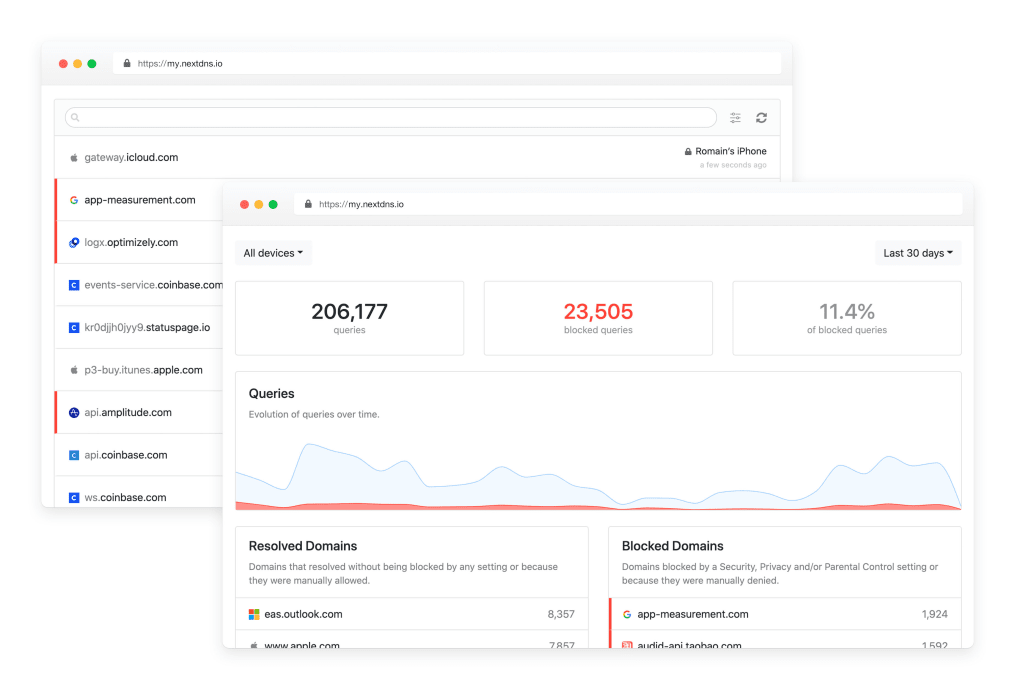
Easy-to-Use Interface: The NextDNS dashboard is intuitive and user-friendly, making it easy to configure settings, manage lists, and monitor activity.
-
Multiple Configurations: Users can create and switch between multiple configurations to tailor their settings for different situations or devices. For example, one configuration could be optimized for security and privacy, while another could be tailored for faster browsing.
-
API Access: NextDNS provides an API, allowing advanced users to integrate its functionality with other services and automate tasks. This allows for seamless integration into existing workflows.
-
Privacy Focus: NextDNS emphasizes user privacy, employing strong encryption and avoiding the logging of user browsing activity. This commitment to privacy is a crucial aspect of its appeal.
- Support for Multiple Platforms: NextDNS offers clients for various operating systems, including Windows, macOS, Android, iOS, and more. This cross-platform compatibility ensures its functionality across a wide range of devices.
NextDNS Free vs. Paid Plans: Comparing the Options
NextDNS offers both a free and a paid subscription plan. The free plan provides a solid foundation of functionality, but the paid plan unlocks additional features and removes limitations.
Free Plan:
- Limited Queries: The free plan restricts the number of DNS queries per month. While suitable for personal use, heavy users may exceed this limit.
- Limited Configuration Retention: The free plan only saves your configuration for a week. If you modify your settings, those settings will be lost if not saved manually.
- No Advanced Features: Some advanced features, such as custom domains and certain types of API access, are reserved for paid plans.
Paid Plan:
- Unlimited Queries: The paid plan removes the query limit, allowing for unrestricted usage.
- Permanent Configuration Storage: Your configuration is permanently stored, eliminating the need for manual backups.
- Access to All Features: Paid subscribers gain access to all features, including custom domains and advanced API capabilities.
The choice between the free and paid plans depends on individual needs and usage patterns. The free plan is excellent for casual users with moderate internet usage, while the paid plan is ideal for power users, families requiring comprehensive parental controls, or businesses needing robust security and unlimited queries.
Setting Up and Using NextDNS
Setting up NextDNS is relatively straightforward. The process generally involves:
-
Creating an Account (Optional): While not strictly required for the free plan, creating an account is recommended for better configuration management and to prevent settings from being lost after a week.
-
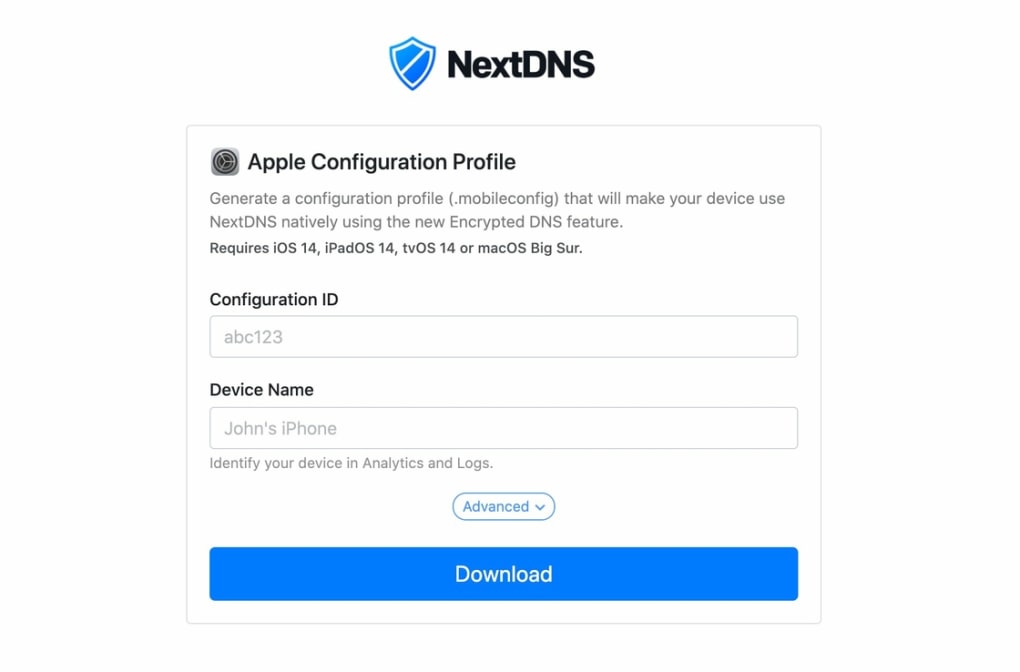
Generating a Configuration: The NextDNS dashboard allows you to create and customize your DNS configuration. This involves selecting or creating lists, defining rules, and specifying the desired level of filtering.
-
Configuring Your Device: After generating your configuration, you need to configure your device’s DNS settings to point to the NextDNS servers. This involves changing the DNS server addresses in your network settings. The specific steps vary depending on your operating system.
-
Testing and Monitoring: After configuring your device, it’s advisable to test the connection and monitor your network activity to ensure everything works as expected. The NextDNS dashboard provides logs and statistics to facilitate this.
Conclusion: Is NextDNS Right for You?
NextDNS offers a compelling alternative to your ISP’s default DNS service. Its user-friendly interface, customizable filtering, and strong emphasis on security and privacy make it an attractive choice for a wide range of users. The free plan provides a viable option for users with moderate needs, while the paid plan unlocks unlimited usage and advanced features. If you value control over your online security and privacy, and you desire more advanced DNS capabilities than most ISPs offer, NextDNS is certainly worth considering. Its flexible options make it adaptable to individual requirements, from basic family protection to sophisticated enterprise-level security.
File Information
- License: “Free”
- Version: “1.0”
- Latest update: “July 20, 2021”
- Platform: “Windows”
- OS: “Windows 8.1”
- Language: “English”
- Downloads: “23.2K”
- Size: “8.55 MB”


