
In the vast landscape of Windows customization tools, NiceTaskbar emerges as a refreshingly straightforward and powerful application designed to transform your Windows 10 desktop into a truly personalized digital canvas. Developed by Axiw Software, this free personalization app, currently at version 1.03 and last updated on February 9, 2024, offers users the ability to imbue their workspace with individual flair by integrating custom photos and text directly onto the desktop and even into the Start menu. Far from being just another utility, NiceTaskbar provides a clean, intuitive, and efficient way to move beyond the standard Windows aesthetics, fostering a sense of ownership and personal connection with your digital environment.
Many users spend countless hours interacting with their computers, and the default operating system appearance, while functional, often lacks the warmth and personality that a custom setup can provide. NiceTaskbar addresses this need head-on, allowing for quick and impactful visual changes that can significantly enhance the overall user experience. Whether you’re looking to display a cherished family photo prominently, keep an inspiring quote visible throughout your workday, or simply create a more cohesive visual theme across your desktop and Start menu, NiceTaskbar makes these aspirations a tangible reality. It stands as a testament to the idea that personalization doesn’t have to be complicated or resource-intensive; it can be as simple as a few clicks, yielding profound aesthetic and even psychological benefits. With a solid security status and a growing user base, evidenced by its 20.3K downloads, NiceTaskbar is quickly becoming a go-to solution for those seeking a more personal touch on their Windows 10 machines.
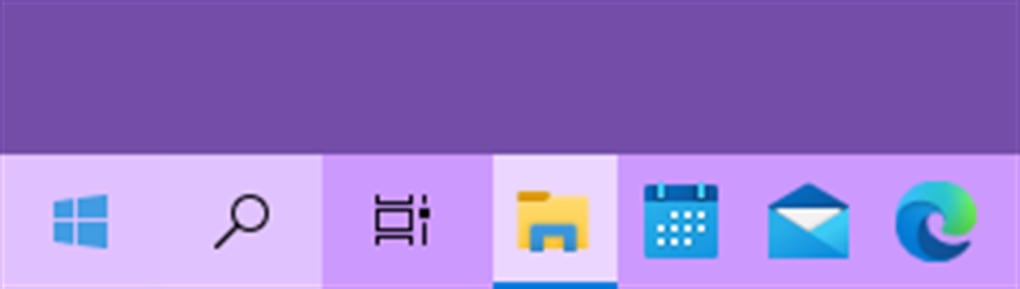
Unleashing Your Desktop’s Potential: Core Features of NiceTaskbar
NiceTaskbar distinguishes itself through its targeted approach to desktop personalization, focusing on key areas that have a significant visual impact. Its features are designed to be both powerful and accessible, ensuring that users of all technical proficiencies can effortlessly mold their Windows 10 environment to their liking. This application goes beyond superficial theme changes, allowing for a deeper integration of personal elements directly into the operating system’s most frequently viewed components.
Customizing Your Canvas: Desktop Backgrounds and Start Menu Integration
At the heart of NiceTaskbar’s functionality is its robust capability to customize your desktop background and seamlessly integrate personal imagery into the Start menu. This isn’t merely about changing a wallpaper; it’s about crafting a dynamic and meaningful backdrop for your daily digital interactions.
Firstly, NiceTaskbar empowers you to take full control of your desktop background. You can select any photograph, image, or graphic from your personal collection and set it as your desktop’s focal point. But the customization doesn’t stop there. What truly elevates NiceTaskbar is its ability to layer custom text over your chosen background. Imagine having your favorite motivational quote, an important reminder, or a personal mantra displayed subtly yet effectively on your desktop. This feature allows for a unique blend of visual aesthetics and practical information or inspiration. Users can control aspects like font, color, size, and position of the text, ensuring it complements the image without overwhelming it. This dynamic interplay between image and text creates a truly bespoke desktop experience that can adapt to your moods, goals, or even daily schedule. For instance, a designer might display their current project’s mood board, an artist their latest inspiration, or a student their weekly study goals, all integrated elegantly into their desktop.
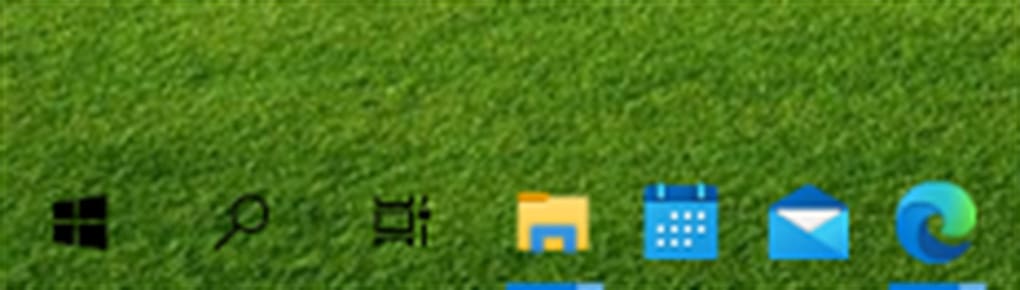
The integration with the Start menu is another standout feature. Windows 10’s Start menu is a central hub, and NiceTaskbar enables you to add a custom picture to it. This seemingly small detail can have a massive impact on the overall coherence of your desktop’s theme. Instead of the generic default, users can infuse the Start menu with a personal touch – perhaps a miniature version of their desktop background, a company logo for business users, or a simple, elegant icon that aligns with their chosen aesthetic. This creates a consistent visual identity that extends beyond the main desktop area, making the entire Windows experience feel more unified and distinctly “yours.” The process is designed to be intuitive, often involving simple selection and application, making sophisticated personalization accessible to everyone. The app likely supports common image formats such, ensuring compatibility with most user-generated content.
Beyond Aesthetics: Enhancing Taskbar Functionality and Style
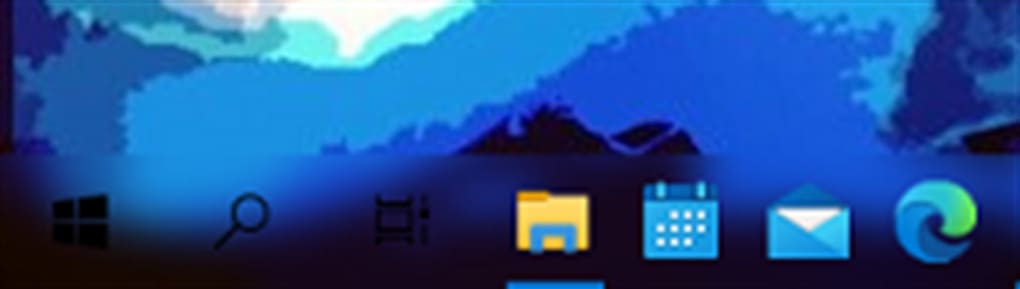
While the direct descriptions highlight desktop and Start menu customization, the very name “NiceTaskbar” implies a deeper connection to the taskbar itself, suggesting that the application aims to beautify and integrate personal elements in a way that complements or enhances the taskbar’s appearance. Although the basic information doesn’t explicitly detail direct taskbar image or text placement, it strongly implies a holistic approach to personalization where the taskbar is not an isolated element but part of a larger, custom-designed desktop.
Many personalization enthusiasts seek to harmonize their entire desktop, including the taskbar. NiceTaskbar, in its essence, promotes a unified aesthetic. By allowing rich customization of the desktop and Start menu, it indirectly influences how the taskbar is perceived. For instance, a beautifully designed desktop background and a matching Start menu image would naturally call for a taskbar that doesn’t disrupt this visual flow. While NiceTaskbar might not offer granular controls over individual taskbar icons or transparency like some specialized tools, its focus on integrating custom photos and text creates a compelling visual environment that the taskbar becomes a part of. Users often pair NiceTaskbar with other simple taskbar modifiers (such as those that adjust transparency or color) to achieve a fully integrated look, where the personalized desktop elements flow seamlessly into the taskbar’s design. This synergy allows for a complete transformation, making the taskbar feel less like a rigid system component and more like an integral part of your personalized theme.
The elegance of NiceTaskbar lies in its ability to enable users to curate their digital space. Imagine a subtle banner of text along the bottom of your screen, or a small, custom logo integrated near your system tray area – elements that can be achieved through clever placement of NiceTaskbar’s desktop text/image features, designed to mimic taskbar integration. This creative use of the tool allows for a high degree of visual customisation that extends the reach of personalization beyond just the wallpaper. The goal is to make every glance at your screen a pleasant, uniquely tailored experience, and NiceTaskbar provides the fundamental building blocks for this comprehensive aesthetic overhaul.
Why Personalization Matters: The User Experience with NiceTaskbar
The appeal of desktop personalization extends far beyond mere aesthetics; it taps into fundamental human desires for control, self-expression, and efficiency. NiceTaskbar excels at delivering a user experience that caters to these needs, providing a platform that is both intuitively designed and impactful in its results. The interaction with the application is streamlined, ensuring that the journey from a generic Windows desktop to a customized personal space is smooth and rewarding.
Simplicity Meets Customization: A User-Friendly Interface
One of NiceTaskbar’s most significant strengths is its emphasis on user-friendliness. In an era where many powerful software tools can be dauntingly complex, NiceTaskbar stands out for its straightforward approach. The application’s interface is designed to be clean and intuitive, minimizing the learning curve for new users. This means that even individuals with minimal technical expertise can quickly grasp how to navigate its options and apply changes to their desktop.
The process of adding a custom photo, integrating text, or applying an image to the Start menu is typically a matter of a few clicks or simple drag-and-drop actions. Users don’t need to delve into complicated settings menus or write lines of code. The focus is on immediate visual feedback, allowing users to preview their changes before finalizing them. This interactive design fosters a sense of experimentation and creativity, encouraging users to try different combinations of images and text until they find the perfect look.
NiceTaskbar runs efficiently in the background, ensuring that the aesthetic enhancements do not come at the cost of system performance. This lightweight operation is crucial for maintaining a responsive and fluid computing experience, especially for users who might be working on less powerful hardware. The app’s design philosophy seems to be about providing maximum personalization with minimal intrusion, making it a suitable choice for everyone from casual home users who want a pretty desktop to professionals who prefer a subtle branding touch without system slowdowns. The low barrier to entry and the swift application of changes mean that users can personalize their desktop in minutes, leading to immediate satisfaction and a more enjoyable computing environment.
Making Windows Truly Your Own: The Psychological Impact of Customization
The act of personalizing one’s workspace, whether physical or digital, has profound psychological benefits. A customized desktop, facilitated by tools like NiceTaskbar, can significantly enhance a user’s connection to their computer, turning it from a generic tool into a personal extension of themselves.
Firstly, personalization fosters a sense of ownership and control. In a world where much of our digital experience is dictated by software developers, having the ability to modify and adapt our environment instills a feeling of empowerment. This control can lead to increased comfort and reduced cognitive load, as the visual elements on screen are familiar and aesthetically pleasing. For many, a personalized desktop reflects their identity, interests, or aspirations, making the daily interaction with the computer more engaging and less monotonous.
Moreover, a well-designed, personalized desktop can positively impact mood and productivity. Imagine starting your day with a desktop background that features a serene landscape, a cherished memory, or an uplifting quote. Such visual cues can set a positive tone, reduce stress, and even serve as subtle reminders of goals or values. For professionals, a branded desktop or one that aligns with their company’s aesthetic can reinforce professionalism and focus. By tailoring the visual aspects of Windows 10, NiceTaskbar helps create an environment that is not just visually appealing but also conducive to mental well-being and efficient work. It allows users to break free from the “digital fatigue” that can set in from constantly staring at default interfaces, injecting fresh visual interest and a renewed sense of purpose into their daily computing tasks. This psychological comfort and personal resonance are ultimately what make personalization tools like NiceTaskbar so valuable.
NiceTaskbar in the Ecosystem: Comparisons and Security
In the crowded market of Windows customization, NiceTaskbar carves out its own niche by offering specific functionalities with a focus on simplicity and accessibility. Understanding where it stands in relation to other popular tools, and crucially, its security posture, is essential for users considering its adoption.
Standing Out from the Crowd: NiceTaskbar vs. Other Personalization Tools
The Windows personalization sphere is vibrant, with many applications offering various degrees of customization. While some tools specialize in particular aspects, NiceTaskbar’s unique blend of features helps it distinguish itself.
Consider TaskbarX (version 3.8), a free customization tool primarily known for centering taskbar icons and offering various taskbar styles like transparency, blur, or accent color. It’s excellent for making the taskbar itself look sleek and modern. Similarly, TranslucentTB (version 4.5) focuses almost exclusively on taskbar transparency, allowing users to make their taskbar clear, blurry, or an acrylic style. These tools are taskbar-centric. NiceTaskbar, in contrast, primarily focuses on the desktop background and Start menu, allowing the addition of custom photos and text directly onto these elements. While it might not offer direct taskbar icon centering or advanced transparency controls, it excels at integrating personal images and text across the primary visual surfaces of the desktop, including the Start menu. This makes NiceTaskbar a complementary tool rather than a direct competitor to TaskbarX or TranslucentTB; users often combine them to achieve a truly comprehensive personalized look.
Another alternative, RetroBar (version 3.9), takes a nostalgic approach, bringing classic Windows taskbar designs to modern desktops. Its appeal is purely aesthetic and historical. NiceTaskbar, however, is about forward-looking, individual expression, allowing users to impose their chosen aesthetic rather than reverting to a past one.
For broader desktop widgets, Win10 Widgets (version 1.5) offers desktop widget packs via Rainmeter, providing dynamic information displays. While powerful, it’s a more complex system. NiceTaskbar’s text and image overlay is simpler, less resource-intensive, and focuses on static, personal content rather than dynamic data.
NiceTaskbar’s “free” nature is a significant advantage, especially when compared to paid alternatives like “Transparent Taskbar (version 4.6)” or “TaskbarToDock (version 4.5)”. Its ability to add text and photos directly to the desktop and Start menu is a distinctive feature that many other tools either lack or handle less elegantly. It caters specifically to users who want to imbue their desktop with personal meaning and visual consistency without a steep learning curve or monetary investment. Its uniqueness lies in its specific focus and simplicity, allowing it to seamlessly integrate personal touches that many other tools might overlook or complicate.
Trust and Reliability: NiceTaskbar’s Security Status
In today’s digital landscape, the security and reliability of any software, especially free third-party applications, are paramount concerns. Users are, rightly so, wary of installing programs that could potentially harm their system or compromise their data. NiceTaskbar addresses these concerns with a clear and reassuring security status.
PhanMemFree, the platform hosting NiceTaskbar, explicitly states that the application has a “Security Status: Free.” This declaration is backed by a rigorous vetting process. As PhanMemFree outlines, they “scan all the files hosted on our platform to assess and avoid any potential harm for your device. Our team performs checks each time a new file is uploaded and periodically reviews files to confirm or update their status. This comprehensive process allows us to set a status for any downloadable file.” This commitment to user safety means that when you download NiceTaskbar from Phanmemfree.org, you can do so with confidence, knowing that it has passed through multiple layers of security checks for potential threats.
Furthermore, NiceTaskbar is developed by Axiw Software, a known entity, which adds another layer of credibility. The application’s details, such as its version number (V1.03) and last update date (February 9, 2024), indicate active development and maintenance, suggesting a responsive developer committed to their product. The fact that it is compatible with Windows 10 and available in English makes it accessible to a wide global audience. Its impressive 20.3K downloads since its release, with 280 downloads last month, further attests to its popularity and continued trust among users. These statistics suggest a stable and functional application that a significant user base finds valuable and trustworthy. The transparency regarding its free license, platform compatibility, and developer information collectively contribute to NiceTaskbar’s reliable standing in the personalization software ecosystem, making it a safe and dependable choice for enhancing your Windows 10 desktop.
Conclusion
NiceTaskbar stands as an exceptional tool for Windows 10 users seeking to infuse their digital workspace with personality and purpose. Developed by Axiw Software, this free application brilliantly simplifies the art of desktop personalization, allowing users to effortlessly integrate custom photos and text onto their desktop backgrounds and even into the Start menu. Its intuitive interface ensures that anyone can quickly transform their generic screen into a unique reflection of their style, interests, or professional brand, all without needing advanced technical skills.
The psychological benefits of a personalized desktop—from increased comfort and a sense of ownership to improved mood and potential boosts in productivity—are significant. NiceTaskbar facilitates these benefits by offering a lightweight, efficient, and user-friendly experience that doesn’t compromise system performance. While it carves its own niche by focusing on direct image and text overlays, it also complements other taskbar-centric tools, enabling users to craft a truly cohesive and customized Windows environment.
Moreover, the application’s strong security status, diligently verified by PhanMemFree, provides users with peace of mind, ensuring that personalization comes without compromise. With a consistent update history and a growing community of users, NiceTaskbar proves itself to be a reliable and enduring solution for anyone looking to make their Windows 10 experience genuinely their own. If you’re ready to move beyond the default and embrace a more personal, aesthetically pleasing, and inspiring desktop, NiceTaskbar offers a compelling, free, and secure path to achieve just that. Download it from Phanmemfree.org today and start crafting your ideal digital canvas.
File Information
- License: “Free”
- Version: “1.0”
- Latest update: “February 9, 2024”
- Platform: “Windows”
- OS: “Windows 10”
- Language: “English”
- Downloads: “20.8K”


