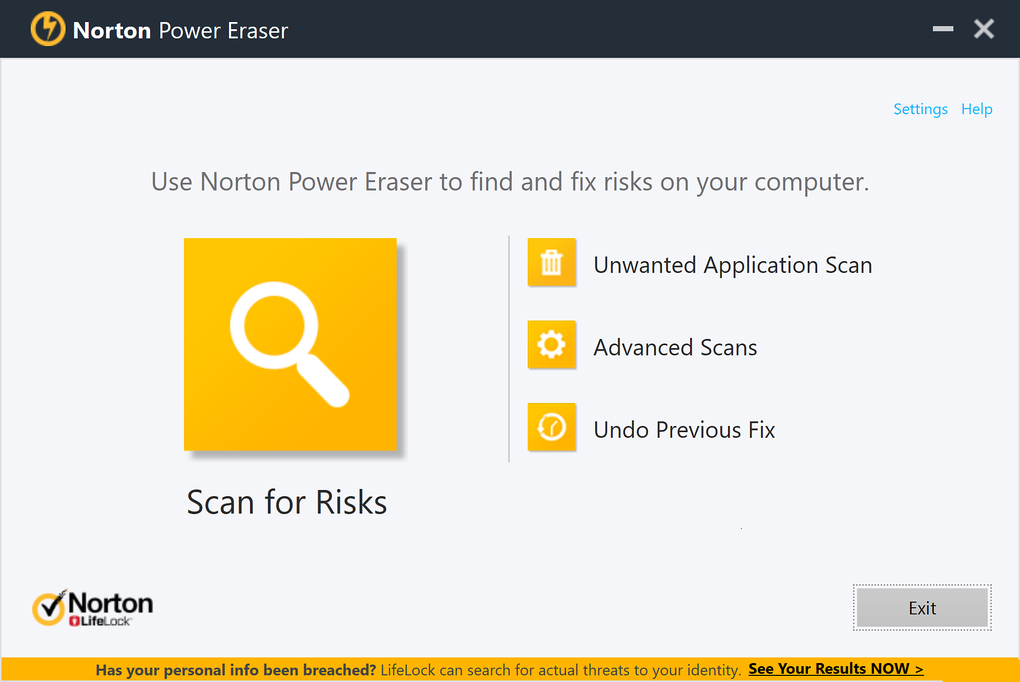
Norton Power Eraser is a free, standalone application designed to eliminate stubborn malware that may evade detection by your primary antivirus software. Developed by Norton, a leading name in cybersecurity, this tool provides a powerful, in-depth scan capable of tackling persistent threats like scareware and fake security suites. Its ease of use and robust capabilities make it a valuable addition to any computer user’s security arsenal, particularly for situations where standard antivirus solutions fall short. This comprehensive review delves into the features, strengths, weaknesses, and overall effectiveness of Norton Power Eraser.
Understanding Norton Power Eraser’s Functionality
Unlike traditional antivirus programs that run continuously in the background, Norton Power Eraser functions as a on-demand scanner. This means it’s activated manually when needed, performing a thorough system scan to identify and remove malware. This approach is particularly beneficial in situations where a persistent infection has taken root, hindering the performance of your regular antivirus software.
The core strength of Norton Power Eraser lies in its two scan modes: Normal and Aggressive. The Normal scan is a comprehensive check of your system files and processes, identifying and quarantining potential threats. However, the Aggressive scan is where this tool truly shines. This more intensive scan digs deeper into system directories and processes, unearthing even the most deeply embedded malware. This deeper level of analysis is crucial for removing persistent infections that standard antivirus programs often miss. It’s important to note that the Aggressive scan may take considerably longer to complete than the Normal scan, but the increased thoroughness often justifies the extended processing time.
Norton Power Eraser’s simplicity is another key advantage. It doesn’t require installation, allowing for immediate use on any Windows computer. This portability extends to USB drives as well, making it an ideal tool for cleaning potentially infected external storage devices. This eliminates the need to install a separate program on each system, streamlining the malware removal process and making it more accessible.
File Insight and System Protection
One of Norton Power Eraser’s notable features is its integration with File Insight, an online database that provides detailed information about identified files. Before taking action, the tool allows users to consult File Insight, gaining valuable context on a file’s reputation and potential risk. This prevents accidental removal of essential system files, a crucial safeguard against unintentional damage. The ability to cross-reference suspicious files with this database significantly reduces the risk of misidentification and enhances the overall safety of the removal process. This proactive approach to verification minimizes the possibility of errors, ensuring a more controlled and secure cleanup.
Norton Power Eraser also proactively creates a system restore point before initiating a scan. This is an essential safety net, allowing users to revert to a previous stable state should any issues arise during the cleaning process. This measure mitigates the risk associated with aggressive malware removal, providing a fallback option in case unforeseen problems occur. This proactive approach to system protection showcases Norton’s commitment to user safety and data integrity.
Pros and Cons of Norton Power Eraser
Pros:
- Powerful Malware Removal: Norton Power Eraser effectively eliminates stubborn malware that often evades standard antivirus programs. The Aggressive scan mode is particularly effective against persistent threats.
- User-Friendly Interface: The interface is intuitive and easy to navigate, even for users with limited technical expertise. The straightforward design allows users to quickly initiate scans and understand the results.
- Portability and Ease of Use: No installation is required, making it a readily available tool for immediate use on any Windows computer or external drive. This flexibility simplifies the malware removal process.
- File Insight Integration: The integration with File Insight allows users to verify the nature of suspicious files before removal, minimizing the risk of accidentally deleting essential system components.
- System Restore Point Creation: The automatic creation of a restore point provides a safety net, enabling rollback to a previous stable state if problems arise during the scanning or cleaning process.
- Free of Charge: Norton Power Eraser is available for free, making it an accessible and cost-effective option for all users.
Cons:
- Resource Intensive: The Aggressive scan, while highly effective, can be resource-intensive, potentially slowing down the system during the scan process. Users should be prepared for a potentially longer scan time.
- Aggressive Scanning May Lead to System Instability: While unlikely, the aggressive nature of the scan could, in rare cases, lead to system instability if the malware has critically compromised the system. This is mitigated by the system restore point creation.
- No Real-time Protection: Norton Power Eraser only functions on-demand. It doesn’t provide real-time protection against malware like a traditional antivirus program. This necessitates relying on a separate antivirus program for continuous protection.
Comparison to Other Malware Removal Tools
Norton Power Eraser stands out among other malware removal tools due to its combination of aggressive scanning capabilities, user-friendly interface, and integration with File Insight. While other tools may offer similar functionality, the comprehensive nature of Norton Power Eraser, coupled with its reputation as a product from a trusted security vendor, sets it apart. Many free malware removal tools lack the sophisticated features and rigorous testing that Norton provides, increasing the risk of accidental damage or ineffective removal. In contrast, Norton Power Eraser’s reliability and features contribute to a more secure and efficient malware removal experience.
Conclusion: Is Norton Power Eraser Right for You?
Norton Power Eraser is a valuable tool for anyone looking for a powerful and reliable way to remove persistent malware. Its ease of use, combined with the effectiveness of its aggressive scan mode and the safety features such as File Insight and restore point creation, makes it an excellent addition to any computer user’s security arsenal. While it shouldn’t replace a comprehensive antivirus solution for ongoing protection, it serves as an effective secondary line of defense against stubborn infections that may evade detection by your primary security software. Its free availability and portability further enhance its value, making it an accessible and practical tool for combating malware. If you’re facing a persistent malware infection that your regular antivirus can’t handle, Norton Power Eraser is worth considering as a powerful and reliable solution.
File Information
- License: “Free”
- Latest update: “December 12, 2024”
- Platform: “Windows”
- OS: “Windows 7”
- Language: “English”
- Downloads: “66.8K”
- Size: “13.40 MB”