
NoxPlayerZ is a streamlined version of the popular NoxPlayer Android emulator, designed to provide a lightweight yet powerful experience for running Android apps and games on Windows PCs. This review delves into its features, performance, usability, and overall value, providing a comprehensive assessment for potential users.
Performance and System Requirements
NoxPlayerZ distinguishes itself through its optimized performance. Unlike some emulators that demand significant system resources, NoxPlayerZ boasts resource efficiency, allowing users to run numerous Android applications and games concurrently without experiencing noticeable lag or performance bottlenecks. This is particularly advantageous for users with mid-range or lower-spec PCs, who might otherwise find running demanding Android games impractical. The emulator is remarkably adept at handling high-resolution graphics and demanding processes, delivering a smooth user experience even when multitasking. This efficiency is achieved through a combination of clever coding, optimized resource allocation, and a leaner installation footprint compared to the full-fledged NoxPlayer. The emulator’s ability to handle a multitude of applications without excessive RAM consumption is a crucial factor contributing to its overall performance.
The specific system requirements vary depending on the desired level of performance and the complexity of the applications being run. However, NoxPlayerZ is generally compatible with a wide range of Windows systems, including older machines, provided they meet the minimum requirements. This broad compatibility is a significant strength, making the emulator accessible to a larger user base. While higher-end PCs will naturally experience better frame rates and smoother performance, users with modest systems can still expect a reasonably smooth experience with many Android titles. Detailed specifications regarding minimum and recommended system requirements can be readily obtained from the official NoxPlayerZ website. This information typically includes specifications for CPU, RAM, graphics card, and available storage space.
Key Features and Functionality
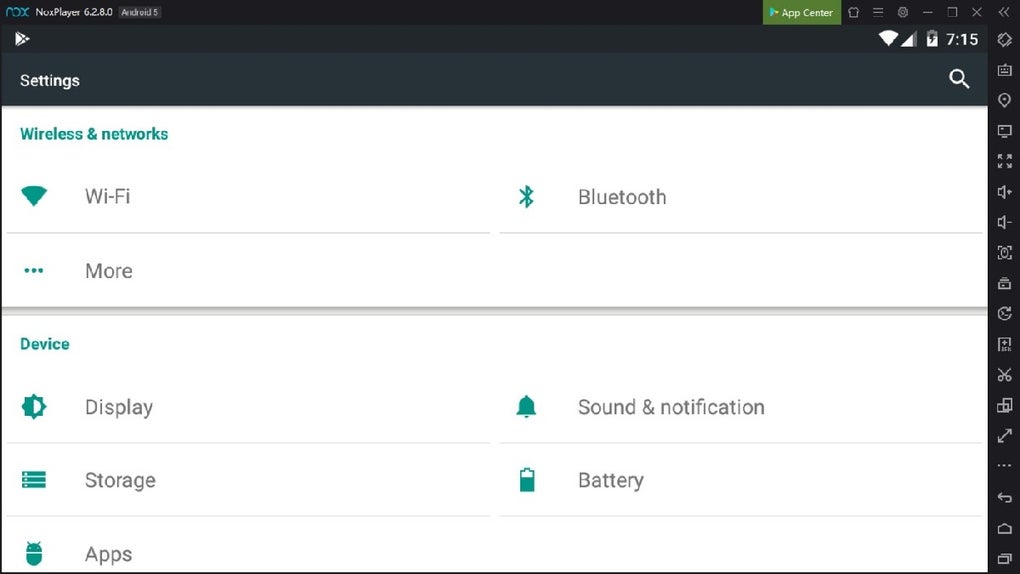
NoxPlayerZ offers a suite of features tailored to enhance the Android experience on Windows. Key features include:
-
Multi-instance Support: This allows users to run multiple instances of the emulator simultaneously, enabling parallel gameplay or multitasking between different applications. This is particularly useful for users who engage in multiple game sessions or require running numerous Android apps for different purposes.
-
Customizable Controls: NoxPlayerZ supports extensive keyboard and mouse mapping, enabling users to customize controls for individual games or apps. This removes the limitations of touch controls and significantly improves the overall gaming and application experience. Users can easily configure keybindings to perform specific actions, making the emulator ideal for playing Android games designed for traditional input devices.
-
Advanced Graphics Settings: The emulator allows users to adjust frame rates, resolution, and other graphical settings to optimize performance and visual fidelity. Users can fine-tune the settings to balance performance with visual quality, optimizing the experience based on their system’s capabilities. The ability to achieve up to 120 FPS frame rates (depending on hardware capabilities) is a significant advantage, delivering a fluid and responsive gaming experience.
-
Support for Multiple Android Versions: NoxPlayerZ provides compatibility with various Android versions, ensuring wider application compatibility. Users can select the appropriate Android version based on the requirements of their chosen apps and games. This flexibility caters to a broader range of applications, including those with specific Android version dependencies.
-
Root Access (Optional): While not enabled by default, NoxPlayerZ offers the option to enable root access. This opens up possibilities for users who require root privileges for specific applications or modifications. This is beneficial for users who require access to system-level functionalities but should be used cautiously, as root access can potentially compromise system stability if mishandled.
User Interface and Ease of Use
NoxPlayerZ features an intuitive and user-friendly interface, designed for ease of navigation and access to key functions. The emulator is generally straightforward to set up and use, making it accessible even for users with limited technical expertise. The simple, clean interface minimizes clutter and provides straightforward access to core functions such as launching applications, managing instances, and configuring settings. This simplicity contrasts with some emulators that can feel overly complex or cluttered.
The process of installing and configuring NoxPlayerZ is typically quite straightforward. The installation process is streamlined and requires minimal user intervention, guiding users through each step clearly. Post-installation, users can readily access and modify settings related to performance, graphics, and controls. The emulator’s overall usability contributes significantly to its overall appeal.
Compatibility and Supported Apps
NoxPlayerZ boasts broad compatibility with a vast library of Android applications and games. The emulator’s support for various Android versions enhances this compatibility further. Users can expect most Android apps and games to run smoothly within the emulator environment. While the emulator strives for universal compatibility, occasional compatibility issues with specific apps are possible. However, such instances are generally rare.
The emulator’s ability to run a wide array of Android apps extends beyond gaming, making it a versatile tool for users who wish to access mobile-only services or productivity apps on their PCs. This versatility enhances the emulator’s appeal to users beyond those focused solely on gaming.
Security and Privacy Considerations
As with any software that interacts with the system at a low level, security and privacy are important considerations. NoxPlayerZ, like other emulators, requires certain permissions to function correctly. Users should ensure they download the software from the official website to minimize the risk of malware or other security threats. It’s always recommended to practice safe computing habits when using any third-party software, including emulators.
Conclusion
NoxPlayerZ stands out as a robust and efficient Android emulator for Windows PCs. Its lightweight nature, combined with its advanced features and user-friendly interface, makes it a compelling choice for both casual and serious users. Its optimized performance allows users to enjoy Android apps and games smoothly, even on less powerful hardware. The ability to run multiple instances, customize controls, and adjust graphics settings further enhances its appeal. While minor compatibility issues might arise occasionally, these are generally rare and do not detract significantly from the overall positive user experience. The emulator’s strong points lie in its balance of performance, ease of use, and broad app compatibility. Overall, NoxPlayerZ earns a strong recommendation as a versatile and powerful Android emulator for Windows users.
File Information
- License: “Free”
- Version: “v1.0.0.0”
- Latest update: “July 7, 2024”
- Platform: “Windows”
- OS: “Windows 11”
- Language: “English”
- Downloads: “2.4K”


